
In Part III of this blog series, we covered Generate, including how to generate your manifest file and upload it to My Oracle Support to request your migration patch.
The next step in your path is Stage:
1. Prepare → 2. Generate → 3. Stage → 4. Update
This blog article describes Step 3: Stage. While the AD/TXK code that supports the Next Generation Technology Stack is not yet released, you can learn about the update path and the Stage step now.
During Stage, you will prepare the media for installation and download your generated migration patch and the required corequisite patches from My Oracle Support.
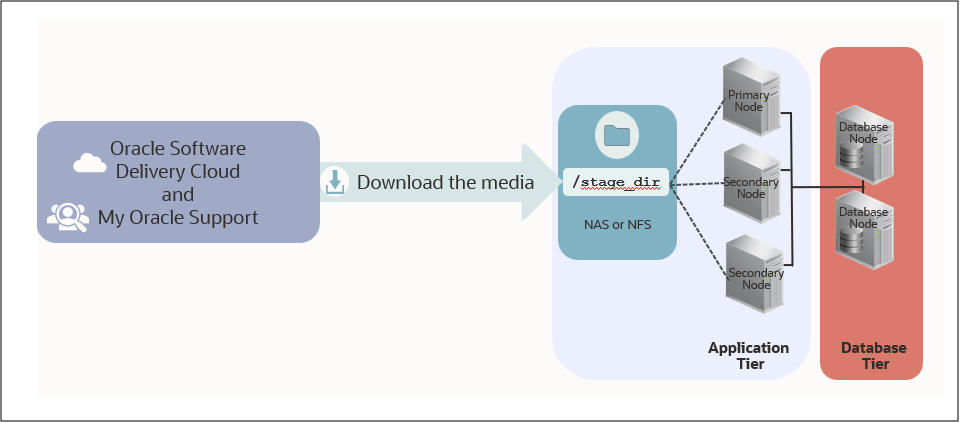
Prepare the Media for Installation
Stage begins with preparing the media required for the Next Generation Technology Stack. You can complete the media preparation activities before your migration patch is ready.
You will create a staging area, download the required media including Oracle Fusion Middleware 14c, Java 17 and additional software then build the staging area that will be used during the update.
Download Your Migration Patch and Corequisite Patches
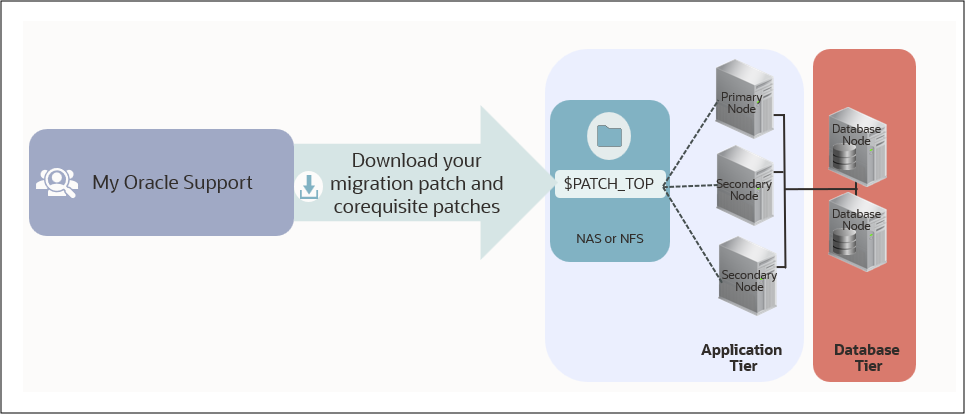
In Step 2: Generate, you will generate your manifest file and upload it to My Oracle Support. During Step 3: Stage, you will download your migration patch once Oracle Support notifies you that it is ready.
Your migration patch is specific to your Oracle E-Business Suite environment and must match the environment represented by your manifest file. You will also need to download the required corequisite patches identified by Oracle.
Your Migration Patch Must Match Your Environment
After you generate your manifest file, upload it to My Oracle Support, and obtain your generated migration patch, do not apply additional Oracle E-Business Suite patches before performing the technology stack update.
If you apply an EBS patch after generating and uploading your manifest file, you will need to generate a new manifest file, upload it to My Oracle Support, and obtain a new migration patch. This ensures that your generated migration patch remains synchronized with your environment.
What You Can Do Now
You cannot create your manifest file yet; however, you can complete the applicable Prepare activities for your environment. You can also become familiar with the Generate process now so you are ready to generate and upload your manifest file.
What’s Next
In Part V of this blog series, we will provide an overview of Step 4: Update, including the activities performed during the Oracle E-Business Suite 12.2 online patching cycle to update your environment to the Next Generation Technology Stack.
References
- FAQ: Oracle E-Business Suite Next Generation Technology Stack (MOS Article KA1014)
- Preparing Oracle E-Business Suite Release 12.2 for the Update to the Next Generation Technology Stack (MOS Article KA1357)
Related Articles
- Prepare EBS 12.2 for the Next Gen Tech Stack
- Introducing the EBS Next Gen Tech Stack Readiness Checker
- Blog Series Summary: EBS 12.2 Application Technology Stack Update – Terminology and Concepts
- Blog Series Summary: Preparing for the Next Gen Tech Stack – Summary and Next Steps
- Part I: Your Path to Update to the Next Generation Technology Stack
- Part II: Your Path to Update to the Next Generation Technology Stack – Review Prepare
- Part III: Your Path to Update to the Next Generation Technology Stack – Generate