
This is the fifth installment in a series of blog articles to highlight recommended security guidelines and features for Oracle E-Business Suite (EBS). This article highlights the recommendation to use the E-Business Suite Java Critical Patch Update Checker (EJCPUC).
Use E-Business Suite Critical Patch Update Checker (EJCPUC)
EBS Java Critical Patch Update Checker (EJCPUC) was initially released with the October 2024 CPU. EJCPUC should be run every quarter as part of your organization’s Oracle Critical Patch Update review and patch application process or anytime to:
- Identify the current Java CPU level for the various Java Homes in your EBS environment.
- Identify required Java CPU patches and security fixes for your environment.
Obtaining EJCPUC
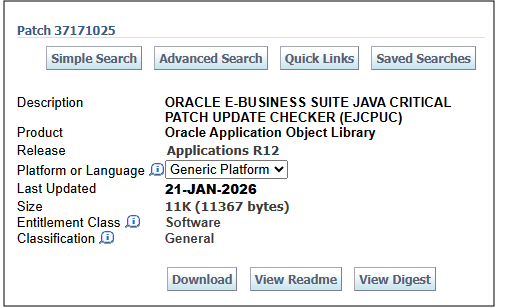
Patch 37171025 provides a script, ejcpuc.sh, which you will run on the application tier and database tier. Running EJCPUC will generate a report which includes your current Java CPU level and recommended updates.
Usage Tips
Read the README carefully. The README for this patch includes a number of usage scenarios and examples.
Always use the latest version of EJCPUC. New Java CPU patches and fixes will not be checked by older versions of the utility.
As part of your quarterly CPU patching activity:
- Run EJCPUC on the application tier and database tier before applying CPU patches and fixes. You should run EJCPUC before applying the latest CPU patches to identify your Java versions and recommended updates.
- Apply all recommended patches as soon as possible. If EJCPUC reports recommended updates, you should apply these to your enviornment .as soon as possible.
- Run EJCPUC after applying CPU patches and fixes. You should run EJCPUC after applying patches and performing cutover to confirm that all recommended patches and fixes were applied successfully.
Run EJCPUC to review and report on your Java CPU level. You may be required to review and report on the Java CPU level of your EBS environment. To check the Java CPU level in your environment, run EJCPUC and review the report to determine your Java CPU level.
Note: You should always apply patches and fixes to non-production environments prior to promoting and applying to production.
Security Guidelines and Recommendations: Where to Begin?
For information on EBS security guidelines, security features, certifications, encryption, or other security-related topics, you should start with the FAQ: Oracle E-Business Suite Security (MOSFS Article ID KA1033, Formerly MOS Doc ID 2063486.1).
The content in FAQ: Oracle E-Business Suite Security (MOSFS Article ID KA1033, Formerly MOS Doc ID 2063486.1) is updated on a regular basis. We recommend that you bookmark this MOSFS Article and review it routinely for updates.
References
- FAQ: Oracle E-Business Suite Security (MOSFS Article ID KA1033, Formerly MOS Doc ID 2063486.1)
- Oracle E-Business Suite What’s New Home Page
- What’s New: Applications Technology 12.2.15
Related Articles
- Oracle E-Business Technology Blog – Security
- EBS Quarterly Update Recommendations
- How Do I Receive the Latest EBS 12.2 and 12.1 Technology News, Updates, and Announcements?
- REMINDER: EBS Security Guidelines and Recommendations – Part 1
- REMINDER: EBS Security Guidelines and Recommendations – Part 2
- REMINDER: EBS Security Guidelines and Recommendations – Part 3
- REMINDER: EBS Security Guidelines and Recommendations – Part 4
- REMINDER: EBS Security Guidelines and Recommendations – Part 5 (this blog article)
- REMINDER: EBS Security Guidelines and Recommendations – Part 6