
Oracle AI Agent Studio · ATLAS learning path
Test every path, from agents to Agentic Apps.
Building an agent or an Agentic App is one thing. Testing every meaningful way it can execute, and continuing to test it as it changes, is a different challenge.
What this learning path is about
ATLAS (Agentic Testing and Lifecycle Automation Suite) is the testing framework for agents and Agentic Apps built with Oracle AI Agent Studio. It ships inside the AI Studio skill, runs on the same AI Studio CLI you build with, and you drive it in plain language through a coding assistant such as Codex or Claude. You describe the agent and the outcome you need; ATLAS works out what to test, prepares the data, runs the tests, judges the answers, and tells you what needs attention.
This learning path is for the people who actually run those tests: developers, functional consultants, and partners who build or adopt agents in Fusion and need to know they work, and keep working as they change. It isn’t a training course and there are no quizzes. Each topic is a short, practical blog you can read on its own, built from real test runs, with the requests you give your coding assistant and the commands it runs for you. Most take 5 to 12 minutes to read.

What you’ll be able to do
By the end of the series you’ll be able to:
- Pull an existing agent from Fusion, or build a new one, and get it fully tested.
- Read a test report and tell a real failure from a problem with the test.
- Record test data, bring your own, and keep sensitive data out of your tests.
- Test an Agentic App together with the agents behind its panels.
- Keep tests in step as the agent changes, and run them in your CI/CD pipeline.
- Choose the right model for each step, and keep an eye on cost.
Before you start
You’ll need:
- Access to AI Agent Studio in a Fusion environment. See Access Requirements for AI Agent Studio.
- VS Code with the AI Studio CLI, opened at your AI Studio project. If that’s new to you, start with the Learning Path for Fusion AI Agent Studio CLI, then come back here.
- A coding assistant, Codex or Claude, with the AI Studio skill in your project’s
.agents/skills/aistudio/folder. ATLAS comes with the skill; there’s nothing else to install. - A connection to your environment in
env.propertiesat the project root. - An agent to test: one you build with the CLI, or one you pull from Fusion.
Use a non-production environment for agents that change data.
Recording test data runs your agent for real against the connected environment. If the agent creates, updates, deletes or sends anything, record its tests in a test environment with safe records. Replays never repeat the action.
Your first session
Open your project in VS Code, start your coding assistant, and try these four requests on an agent you already have. Replace the names with your own.
1. Pull the agent (skip if you built it locally)
Use $aistudio to fetch the DRAFT of <WORKFLOW_CODE> from the server into my project.
2. Validate it
Validate the <agent name> workflow.
3. See what needs testing, without changing anything
Show me the test sync plan for <agent name>. Don't run anything yet.
4. Create and run the tests
Run the complete sync plan for <WORKFLOW_CODE> against DRAFT. Record test data now and use hybrid evaluation so the judge runs.
Every run ends with a summary called Validation and Insights: what passed, what failed, what needs your attention, and what it cost. Build or pull explains what runs on its own and what doesn’t, and Test the Worker Concierge agent thoroughly walks through these same steps on a real agent.
The blogs in this learning path
Understand the problem and the tools
- Why agents and Agentic Apps need ATLAS: why a few input-and-output checks aren’t enough, what ATLAS is, and the sync plan that every ATLAS request starts from.
- ATLAS or METRO? Usually both.: when to gate a change with ATLAS, and when to benchmark and monitor with METRO.
- Where ATLAS lives, and how to ask: the AI Studio skill, what you need in place, and how the words in your request decide whether anything changes.
Run, read, and feed your tests
- Run your tests: a practical guide: your first session, what happens during a run, and how to choose recorded or live data.
- Review your test reports: the reports you get, a review routine that works, and how to read a failed report.
- Test data: how it’s recorded, and how to bring your own: record once, replay anywhere, and keep it safe.
Test a real agent
- Build or pull: what ATLAS runs for you, and what it doesn’t: what runs on its own when you build or edit with your assistant, and why a pulled agent runs nothing until you ask.
- Test the Worker Concierge agent thoroughly: a real agent pulled from Fusion and tested end to end, including a green suite that never checked an answer and three tests only a person could write.
- What “thorough” means for each kind of node: a coverage checklist by node type, plus agents that pause for a person or a timer.
Test an Agentic App, keep it current, keep it efficient
- Test an Agentic App and its agents thoroughly: the Manager Coaching Workspace, its four panels, and the 32 workflow tests behind them.
- Keep tests in sync, and keep running them: what happens when the agent changes, repairing tests without weakening them, and bringing ATLAS into your CI/CD pipeline.
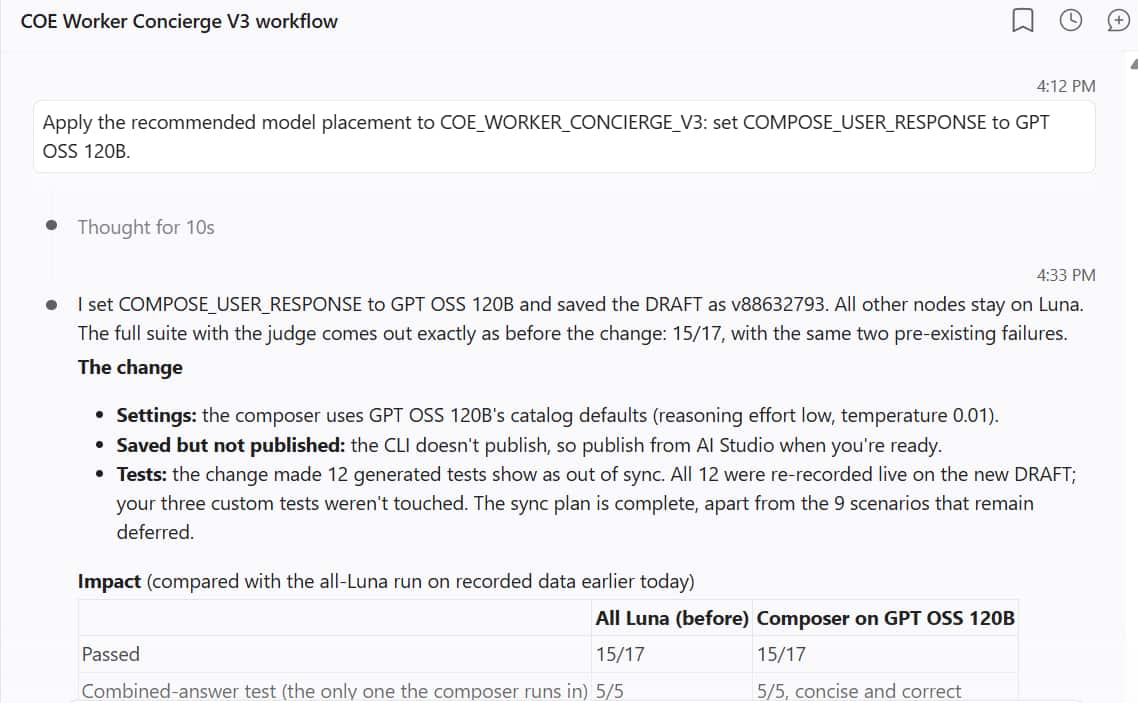
- Improve cost and quality through testing: use the tests you already have to choose the right model for every step.
- Cost guardrails and ATLAS recommendations: catch an agent that quietly got more expensive, and let ATLAS suggest what to improve next.
Keep these handy
- Request library: what makes a good request, and ready-to-copy requests for every stage, from planning to cost.
- Troubleshooting: find what you’re seeing, see why it happens, and copy the request that gets you moving again.
Where to start
- New to agent testing? Start with blog 1 and read in order.
- Ready to run tests today? Go to blog 4, then blog 5.
- Inherited an agent someone else built? Read blog 7, then follow blog 8 step by step.
- Responsible for an Agentic App? Read blog 8 first, then blog 10.
- Running agents at volume? Read blog 12 and blog 13.
- Stuck on a failing test? Go straight to Troubleshooting.
- Not sure how to ask? Keep the Request library open while you work.
Reference
- ATLAS glossary: every term used in the series, in plain language.
- Command glossary: the CLI commands the assistant runs, grouped by job.
- The full ATLAS lifecycle: the whole series on one page.
Further reading
- Oracle documentation: Test a Workflow or Agentic Application Created or Edited with AI Studio CLI
- Oracle documentation: Improve Cost and Quality through Testing
- Release readiness (26D): Test and validate AI Agent Studio workflows with ATLAS
- Oracle white paper: Testing Agentic Applications: Why AI needs a new approach to software testing
About the examples
Every example comes from a real test run in an Oracle demo environment. Screenshots are real; employee names, pay figures, and personal paths are masked.