
Blog 3 · Before you start
ATLAS is not a separate product. It comes with the AI Studio skill and runs on the AI Studio CLI. You bring the business knowledge; the coding assistant handles the test mechanics.
Key terms in this post
- AI Studio skill: The package your coding assistant loads to build and test AI Studio artifacts. ATLAS and the AI Studio CLI come with it.
- Test Impact: The summary the assistant shows right after an edit, listing which tests the change affects.
- DRAFT and PUBLISHED: The two versions of a workflow in AI Agent Studio. Tests can run against either; running against PUBLISHED doesn’t publish anything.
Other terms are defined in the ATLAS glossary.
ATLAS ships inside the AI Studio skill
There is nothing separate to install. ATLAS is part of the AI Studio skill (aistudio) that your coding assistant loads, and it uses the same bundled AI Studio CLI you build with. The skill that writes your workflow is the same one that tests it.
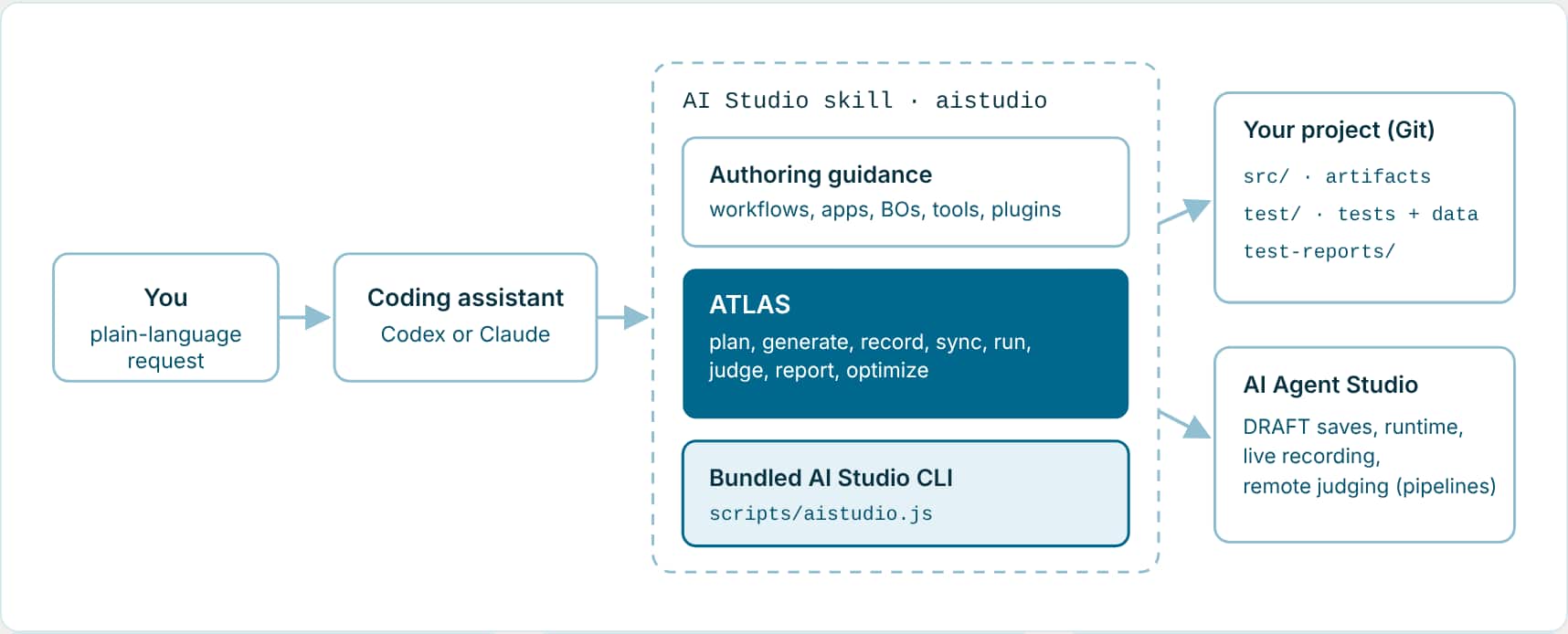
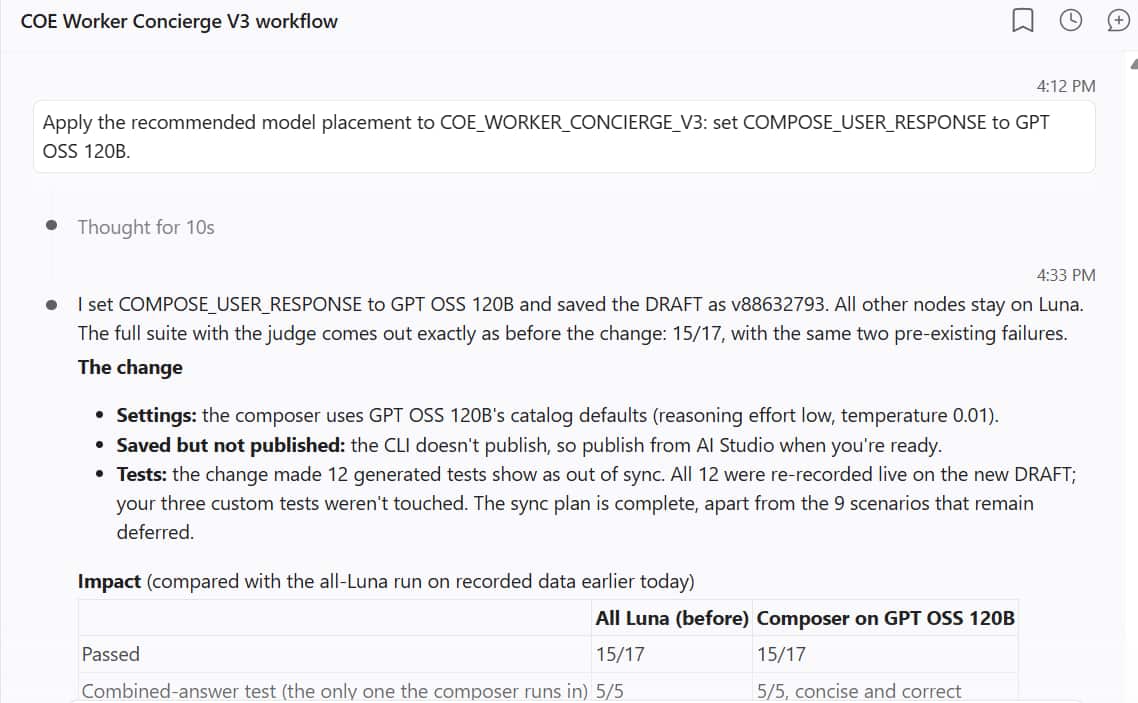
- Testing is part of the edit: When the assistant creates or materially changes a workflow or app, it validates it, shows the Test Impact, and completes the test sync in the same job. You get Validation and Insights at the end, not a separate testing step to remember.
- Same CLI, same files: The assistant runs the bundled CLI from your project root. Tests are JSON files next to your artifacts, so they show up in the same diff and the same merge request.
- Guardrails built in: Nothing is published from the CLI. Custom tests are never rewritten. Saving a DRAFT happens once, only when tests need to run against it, and you can always say preview, skip, or local only.
Who does what
| You provide | The coding assistant handles |
|---|---|
| The workflow or application to test. | Finds the correct local files and assesses current coverage. |
| Business scenarios and expected outcomes. | Creates, updates, and validates the required tests. |
| Safe sample records or required identifiers, when live data is necessary. | Records or prepares replay data and runs the focused tests. |
| Confirmation before tests could change business data. | Diagnoses failures and gives you a clear report. |
What you need in place
New to the AI Studio CLI?
Start with the Learning Path for Fusion AI Agent Studio CLI. It covers installing the CLI and the VS Code extension, connecting your environment, and pulling or building your first agent. This series assumes that setup is done.
- Access to AI Agent Studio for your user. See Access Requirements for AI Agent Studio.
- AI Studio CLI through the VS Code extension or the standalone bundled CLI, opened at your AI Studio project root.
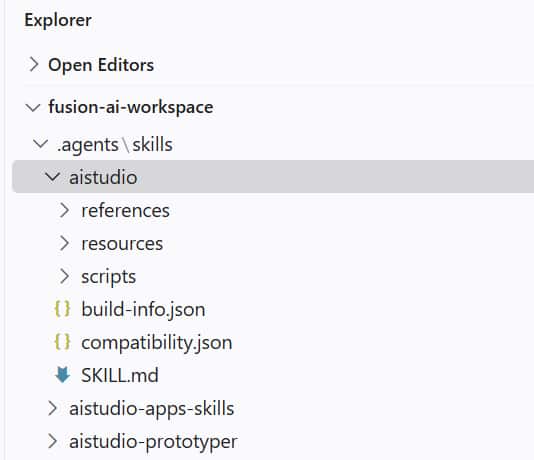
- The AI Studio skill for your coding assistant, in the project’s
.agents/skills/aistudio/folder or your global skill folder. The project copy wins when both exist. ATLAS comes with it. - An environment connection in
env.propertiesat the project root withaistudio.fa-hostandaistudio.fa-user. This file is personal; never commit it.
Where testing fits in your build loop
- Validate structure: Prettify and validate the workflow after material edits
- Workflow test sync: After any material workflow change
- App test sync: After material app changes, when the app has top-level agent containers
- Review: Read the diffs and the test reports
- Release: Save or publish only through your approved path
Prepare your request
- Name the workflow or application you changed.
- Explain the new or changed business behavior in plain language.
- Provide safe, nonproduction sample data if the behavior creates, updates, or deletes records.
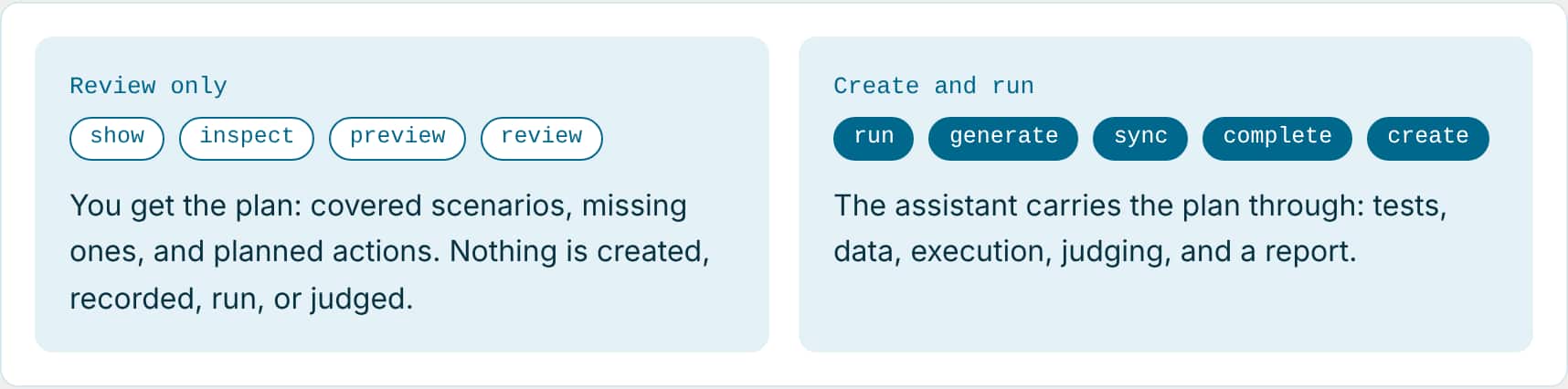
- Say whether you want a review of the test plan only, or for the assistant to create and run the tests.
- For a brand new workflow or app, ask the assistant to identify and create all the tests it needs.
Review coverage only
Review the test coverage for my Opportunity Management workflow. Tell me which important business scenarios are missing, but do not create or run tests yet.
Key takeaways
- ATLAS ships inside the AI Studio skill and runs on the same CLI you build with. There is nothing separate to install.
- You bring business scenarios and safe data; the coding assistant handles the test mechanics.
- The sync plan is ATLAS’s checklist for a workflow or app: what’s covered, what’s missing, what’s out of date. Show it to review; run it to act on it.
Part 3 of the ATLAS learning path.
Previous: ATLAS or METRO?
Next: Run your tests
Back to the Learning Path for ATLAS