
Blog 2 · Choosing the right tool · For everyone
AI Agent Studio gives you two evaluation tools that answer different questions. ATLAS asks “does every path still behave correctly after this change?” METRO asks “how good are the answers, and how is the agent doing in production?”
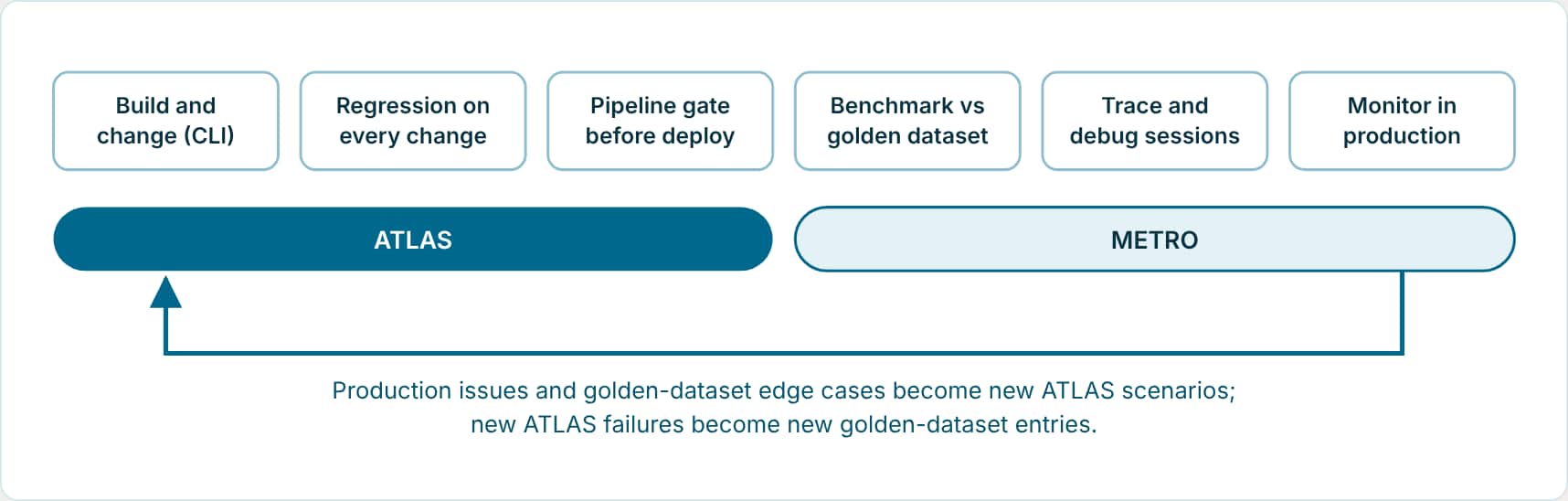
In plain terms: ATLAS checks every route through an agent before a change goes live. METRO measures how good the answers are against a set of questions your subject-matter experts approved, and watches the agent once it’s live. Most agents in production need both, and they feed each other: problems found in production become new ATLAS tests.
Terms used in this post
- Regression: Something that used to work and stopped working after a change. A regression run reruns existing tests to catch it.
- Optimization sweep: Running the same tests with different models on each LLM node to find cheaper or faster choices that keep quality.
- Golden dataset: METRO’s curated set of questions with expected answers approved by subject-matter experts.
- LLM-as-a-Judge: A judge model that scores an agent’s answer against the expected answer and explains its score.
Other terms are defined in the ATLAS glossary.
- ATLAS · in the AI Studio skill · Path-level regression for what you build with the CLI: Source-controlled scenarios for every execution path of a workflow or Agentic App, with replayable data, run by your coding assistant on every change and in your CI/CD pipeline.
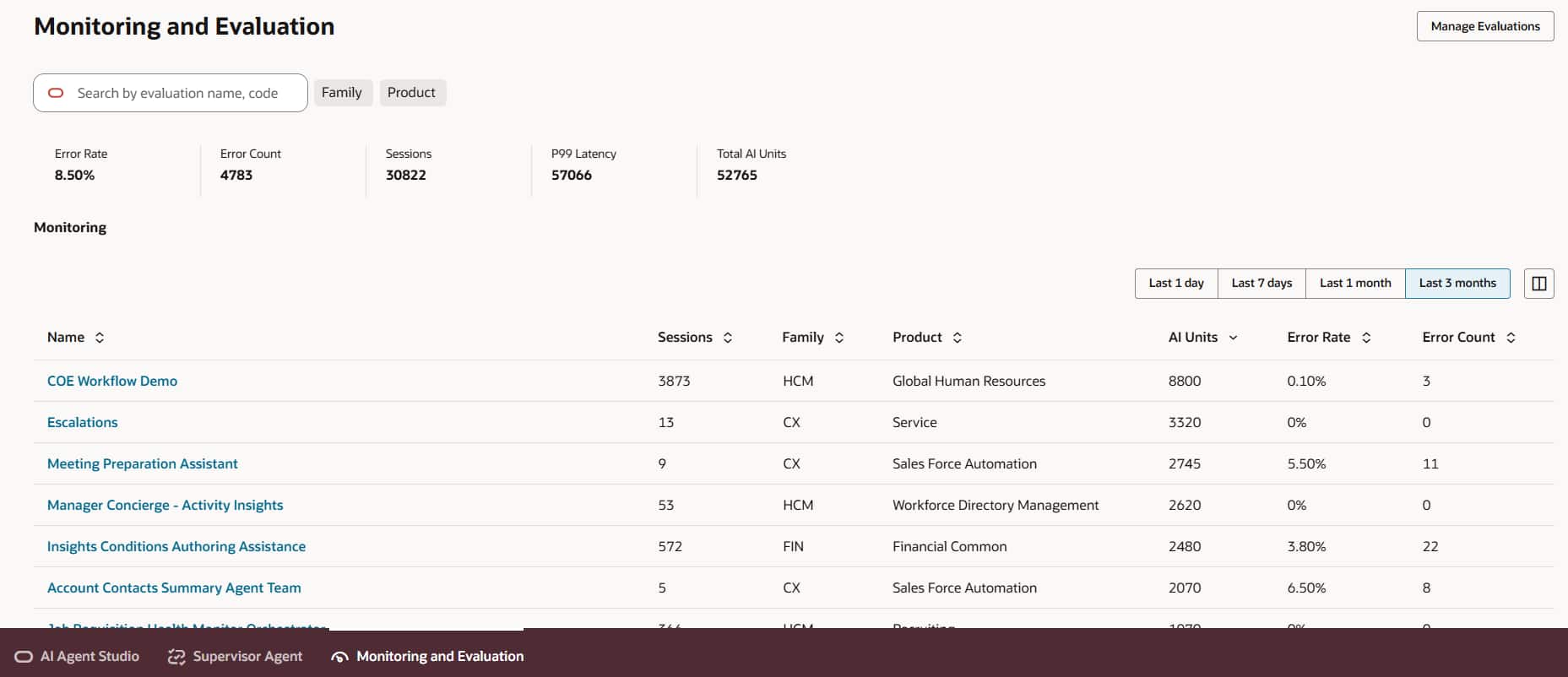
- METRO · built into AI Agent Studio · Metrics, Evaluation, Tracing, Reporting, Observability: Golden-dataset evaluation with LLM-as-a-Judge, step-by-step tracing of agent sessions, dashboards, and production monitoring, all in the AI Agent Studio UI.
| ATLAS | METRO | |
|---|---|---|
| Where it lives | The AI Studio skill for your coding assistant, alongside the AI Studio CLI | AI Agent Studio itself |
| Who drives it | Developers building with the CLI, in plain language through Codex or Claude | Builders, functional experts, and admins in the AI Agent Studio UI |
| What a test is | A scenario tied to an execution path: invocation, expected route, replay data, and checks | A golden dataset of questions with SME-approved expected answers |
| Data | Recorded once and replayed, or generated, so it runs the same in any compatible environment | The agent’s live environment data |
| How output is judged | Exact checks on routes, intermediate nodes, and fixed messages, plus a judge rubric for model-written output | LLM-as-a-Judge scores with rationale, deterministic checks, and human graders |
| Where results go | Source-controlled reports, also kept as pipeline build artifacts | Dashboards, evaluation run history, leaderboards, and traces |
| Strongest at | Covering every path, keeping tests in sync with changes, regression gates, app panel contracts, per-node model sweeps | Benchmarking answer quality, comparing agent versions, tracing tool and LLM calls, monitoring production |
Use METRO when
- You build or configure agents in the AI Agent Studio UI.
- You need answer quality measured against an SME-approved golden dataset.
- You want to check tool selection and tool arguments in a supervisor agent.
- You are comparing two versions of an agent on business questions.
- You need traces, dashboards, or production monitoring.
Use ATLAS when
- You build workflows or Agentic Apps with the AI Studio CLI and a coding assistant.
- You need every branch, loop, fallback, and app stage covered.
- Tests must be stored with the source code and run automatically in your CI/CD (build and release) pipeline.
- Results must not depend on what data a pod happens to have.
- You want per-node model placement backed by your own test suite.
Use both for production agents
- ATLAS gates every change before it merges and deploys.
- METRO benchmarks quality and watches the deployed agent.
- Seed ATLAS custom tests from golden-dataset edge cases.
- Optimize in the same order in both: accuracy, then latency, then cost.
Key takeaways
- ATLAS is path-level regression for workflows and Agentic Apps built with the CLI; METRO is golden-dataset evaluation, tracing, and observability inside AI Agent Studio.
- Use ATLAS to gate every change before it merges; use METRO to benchmark answer quality and watch the deployed agent.
- Feed them into each other: production issues and golden-dataset edge cases become ATLAS tests.
Part of the ATLAS learning path.
Previous: Why agents and Agentic Apps need ATLAS
Next: Where ATLAS lives, and how to ask
Back to the Learning Path for ATLAS