
[A special thanks to the Oracle E-Business Suite Performance Team for their contributions to this blog post.]
We are pleased to highlight the Oracle E-Business Suite Database Parameter Checker (EDBPC), a utility that helps you validate your database initialization parameters against Oracle’s recommended settings for E-Business Suite (EBS). These recommendations are documented in Database Initialization Parameters for Oracle E-Business Suite Release 12 (MOSFS Article ID KA1002).
EDBPC is available for EBS Release 12 environments running on Oracle Database 19c and later. EDBPC supports single-instance and RAC configurations, whether on-premises or on Oracle Cloud Infrastructure.
When you run the tool, it analyzes your database configuration and produces a report identifying any missing or incorrectly set parameters, along with suggested corrective actions.
Why Is EDBPC Important?
Using recommended database initialization parameters are essential for the performance, stability, and supportability of EBS environments.
EDBPC helps you:
- Validate parameter settings against Oracle recommendations
- Identify missing or incorrectly set parameters
- Review results in an easy-to-use HTML report, with supporting SQL scripts for remediation
The tool can be run safely against production systems, as it does not make changes automatically. Running EDBPC on a regular basis helps ensure that your database remains aligned with Oracle’s current recommendations.
Oracle periodically updates its recommended database parameter settings. For example, recent updates for Oracle AI Database 26ai include changes to result cache behavior, such as disabling adaptive blocking (RESULT_CACHE_AUTO_BLOCKLIST=OFF) and increasing result_cache_max_size to 1228M.
When Should You Run EDBPC?
You can run EDBPC at any time, and it is particularly useful in the following scenarios:
- Before go-live to validate parameter settings prior to production use
- During database upgrades or migrations (for example, to 19c, 26ai, or when moving to Oracle Cloud Infrastructure)
- As part of routine operations, to periodically check for configuration drift
- After applying patches or making configuration changes, to confirm that settings remain aligned
In practice, EDBPC is most effective when used as part of your regular operational checks, rather than as a one-time activity.
Where Can You Obtain EDBPC?
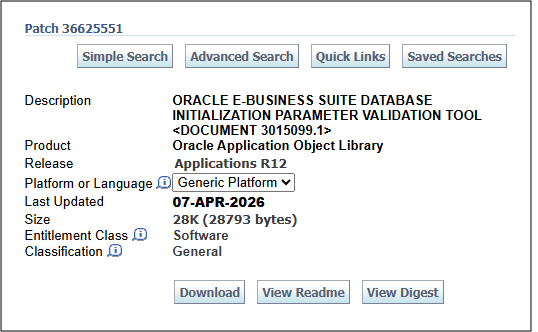
EDBPC is available for download from My Oracle Support as Patch 36625551. We recommend that you always use the latest version of the utility, as updated releases include new and revised parameter recommendations.
For more information, review Using the Oracle E-Business Suite Database Parameter Checker (EDBPC) (MOSFS Article ID KA1180).
References
- Using the Oracle E-Business Suite Database Parameter Checker (EDBPC) (MOSFS Article ID KA1180)
- Database Initialization Parameters for Oracle E-Business Suite Release 12 (MOSFS Article ID KA1002)
- Oracle E-Business Suite Performance Best Practices (MOSFS Article ID KA1035)
- Getting Started with Oracle E-Business Suite on Oracle Cloud Infrastructure (MOSFS Article ID KA1001)
Related Articles