
Extending Oracle AI agent capabilities to third-party applications and Agent2Agent systems
Oracle AI agents are most valuable when their capabilities are not confined to a single user interface.
A sales intelligence agent, for example, might be useful inside Oracle Fusion Cloud Applications, but it could also power a custom sales portal, mobile application, collaboration tool, or another AI agent coordinating a larger business process.
Oracle Fusion Cloud Applications supports invoking published agent teams from external applications through REST APIs.
At the application level, the integration involves two core operations:
- Invoke the agent asynchronously.
- Use the returned job ID to retrieve the agent’s status and result.
This post explains the flow, shows the essential Postman requests, and demonstrates how the same approach can power a standalone application.
Why is the interaction asynchronous?
An AI agent may need to:
- Interpret the user’s request.
- Select one or more tools.
- Retrieve application data.
- Execute a multistep workflow.
- Call another service or agent.
- Generate and validate its response.
That work might take longer than a conventional synchronous API request.
Instead of keeping the original HTTP connection open, the client starts an agent task and immediately receives a job ID. The client can then check the task independently until processing is complete.
The two operations are:
POST /orchestrator/agent/v2/{workflowCode}/invokeAsyncGET /orchestrator/agent/v2/{workflowCode}/status/{jobId}The first operation initiates processing and returns a job ID. The second retrieves the status and result associated with that job.
Conceptually, the interaction looks like this:
User
|
v
Third-party application
|
| 1. POST invokeAsync
v
Oracle AI Agent
|
| Returns jobId
v
Third-party application
|
| 2. GET status/{jobId}
| Repeat until processing finishes
v
Display the agent result
Before making the API calls
The external application needs three pieces of information:
Fusion AI service base URL
Published agent workflow code
OAuth access token
The identity represented by the access token must have permission to access the selected agent team.
A production application should obtain and manage its access token through a supported OAuth flow. Browser cookies copied from Developer Tools or Postman should not be used as an application authentication strategy.
The application should also keep tokens on its server. Sending credentials to browser or mobile client code unnecessarily increases the risk of credential disclosure.
Call 1: Invoke the agent
The first request starts the agent asynchronously.
The service path contains the workflow code of the published agent team:
/orchestrator/agent/v2/{workflowCode}/invokeAsyncHere is a cleaned-up version of the original cURL request:
curl --request POST \
  --url "${FUSION_AI_BASE_URL}/orchestrator/agent/v2/${WORKFLOW_CODE}/invokeAsync" \
  --header "Authorization: Bearer ${ACCESS_TOKEN}" \
  --header "Content-Type: application/json" \
  --header "Accept: application/json" \
  --data '{
    "parameters": {
      "OraMessageHint": "InitDisplay",
      "triggerType": "REST"
    },
    "conversational": true,
    "version": 12345678,
    "status": "DRAFT",
    "message": "",
    "invocationMode": "ADMIN"
  }'
Only the integration-relevant headers remain:
Authorization
Content-Type
Accept
The following browser-generated information is not normally needed in a server-side integration:
Cookies
User-Agent
Sec-Fetch-* headers
sec-ch-ua headers
Browser origin and referrer
Browser tracing headers
The body shown above is representative of the sample agent invocation.
Values such as the agent version, message, parameters, status, and invocation mode should come from the application’s configuration and the requirements of the published agent. They should not be copied blindly from a browser request.
The cleaned request also uses a Boolean value:
"conversational": truerather than a string:
"conversational": "true"A simplified invocation response may look like this:
{
  "jobId": "16502c07-5e5a-44fe-a9b2-ae5a4818b8f2",
  "status": "RUNNING"
}
The external application should capture and retain the jobId for the duration of the request.
Capturing the job ID in Postman
In Postman, the job ID can be captured automatically after the invocation request.
Create an environment variable called:
jobId
Then add this script to the Tests or Post-response section of the invocation request:
const response = pm.response.json();
if (!response.jobId) {
  throw new Error("The agent invocation response did not contain a jobId.");
}
pm.environment.set("jobId", response.jobId);
console.log("Agent job ID:", response.jobId);
The second Postman request can now reference:
{{jobId}}
There is no need to copy the identifier manually from one response to another.
Call 2: Retrieve the agent status
The second operation uses the job ID returned by invokeAsync.
curl --request GET \
  --url "${FUSION_AI_BASE_URL}/orchestrator/agent/v2/${WORKFLOW_CODE}/status/${JOB_ID}?invocationMode=${INVOCATION_MODE}" \
  --header "Authorization: Bearer ${ACCESS_TOKEN}" \
  --header "Accept: application/json"
In Postman, the request can be configured as:
GET {{fusionAiBaseUrl}}/orchestrator/agent/v2/{{workflowCode}}/status/{{jobId}}?invocationMode={{invocationMode}}
Bearer-token authentication can be configured at the collection or request level.
If the job is still running, the application waits and makes the status request again.
When the job reaches a final state, the application extracts the agent output and presents it to the user or passes it to the next system.
The exact terminal status values and response fields should be validated against the API response returned by the target environment.
The application-side implementation
The essential application logic can be expressed in a small amount of pseudocode:
async function executeOracleAgent(request) {
  const invocation = await invokeAgent(request);
  if (!invocation.jobId) {
    throw new Error("The Oracle AI Agent did not return a job ID.");
  }
  let attempt = 0;
  while (attempt < MAX_POLL_ATTEMPTS) {
    await sleep(calculateBackoff(attempt));
    const task = await getAgentStatus(invocation.jobId);
    if (isSuccessfulTerminalState(task)) {
      return extractAgentResult(task);
    }
    if (isFailedTerminalState(task)) {
      throw new Error(extractAgentError(task));
    }
    attempt++;
  }
  throw new Error("The agent did not finish within the configured time limit.");
}
The client does not need to understand the agent’s internal orchestration. It only needs to manage the task lifecycle:
Invoke
Receive job ID
Poll
Detect completion
Read result
This makes the pattern usable from almost any technology stack, including Java, JavaScript, Python, .NET, mobile backends, integration platforms, and other AI-agent frameworks.
Building a sample application around the API
To demonstrate the integration, I built a small application that invokes an Oracle opportunity intelligence agent outside the Oracle Applications user interface.
The application follows a straightforward flow:
- The user opens the external application and starts the request.
- The application backend invokes the Oracle AI agent.
- The backend tracks the asynchronous task until processing is complete.
- The application presents the final agent response in a user-friendly format.
Initial application experience
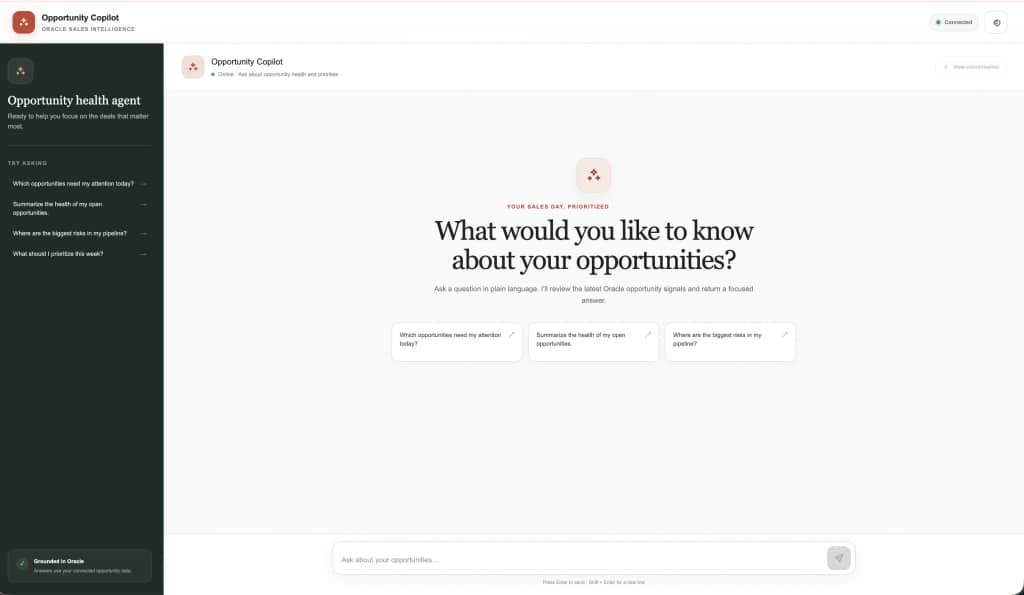
The user interacts with a purpose-built interface rather than the underlying Oracle Applications screen.
The external application can be designed around a specific role, workflow, or business task while the Oracle AI agent handles the reasoning and application context behind the scenes.
Completed agent results
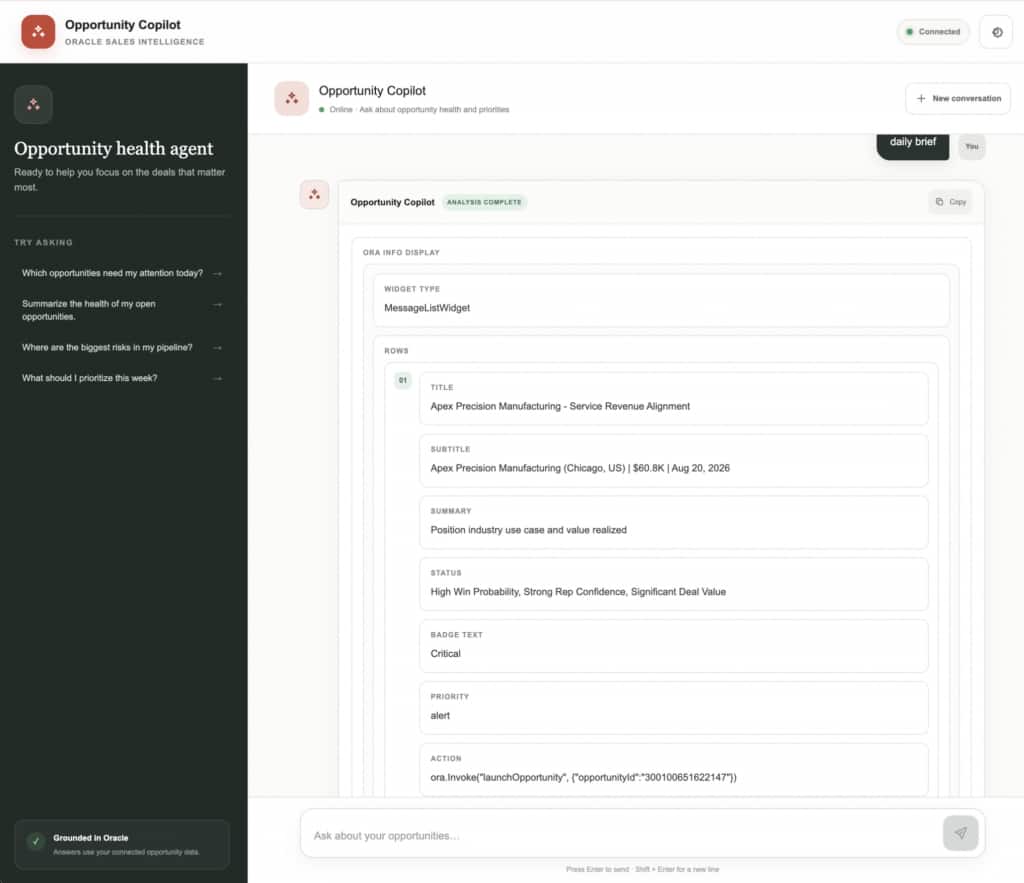
The final response does not need to be shown as raw JSON.
The application can transform the agent output into cards, recommendations, tables, alerts, summaries, or workflow actions.
This separation allows the Oracle AI agent to remain the system of intelligence while the external application controls how the experience is presented.
Note: All views expressed in this post are mine and does not need to reflect Oracle’s