
In the course of normal business, there may be times when an employee is temporarily unavailable. They may request a team member to assume the task of creating requisitions on their behalf, so procurement lead-time is not lost due to their absence. Can this exchange of responsibilities be possible in PeopleSoft?
Yes, PeopleSoft eProcurement provides functionality to allow authorized requestors to create or edit the requisitions on behalf of others.
For instance, Kelly Jones may take an extended leave of absence or vacation and co-worker Chris Baker volunteers to step in to create or edit requisitions for Kelly during absence without compromising the approval workflow. How will this be accomplished?
You need to do just two steps to enable this capability as explained below:
1. Enabling Role action
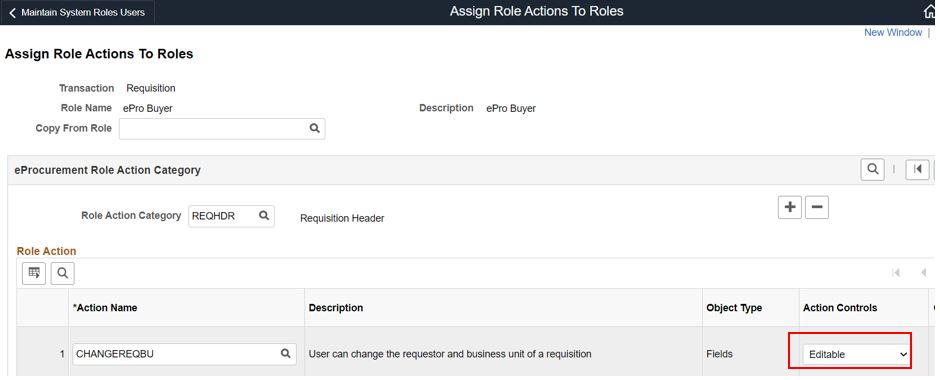
Navigate to the Assign Role Actions to Roles page and configure the system as shown below.
Enable role actions: CHANGEREQBU
Role action category: REQHDR-Requisition Header
2. Define Requestor Authority
Navigate to Set Up Financials/Supply Chain>Common Definitions>User Preferences>Define User Preferences
On the Procurement Tab, click on the hyperlink for requisition authorizations. Ensure Chris Baker is authorized to add or update requisitions for Kelly Jones.
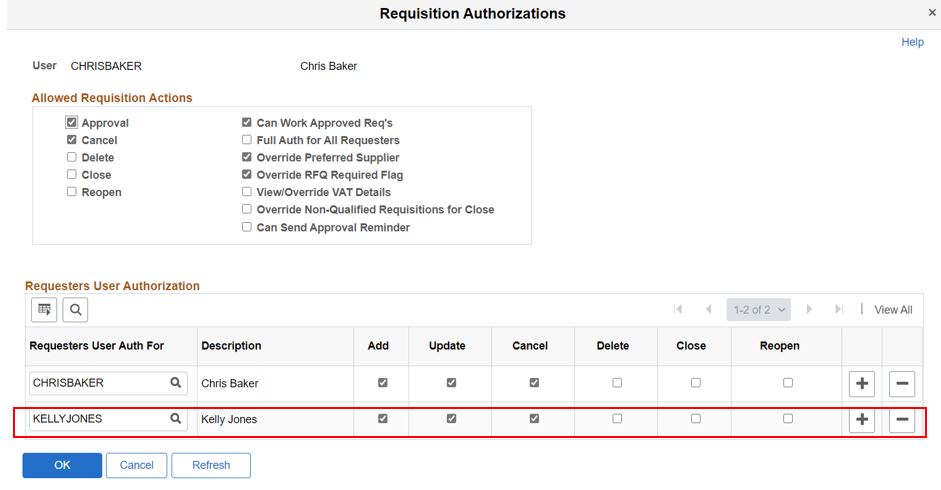
You may have to work with your system administrator to do this one-time setup if your role does not permit doing the set up yourself.
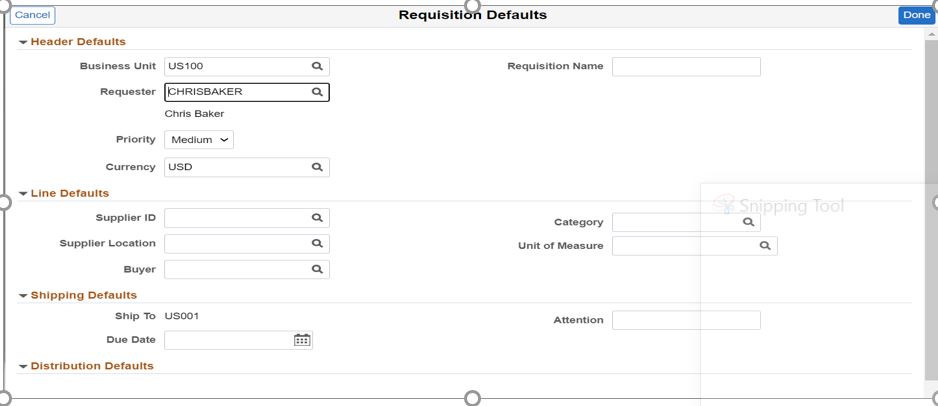
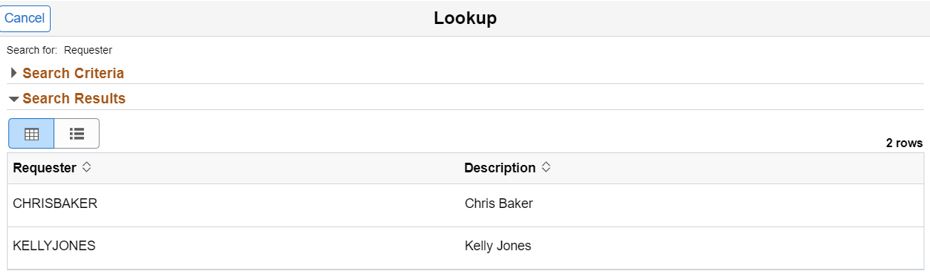
Now Chris Baker logs in from PeopleSoft account, and navigates to the Requisition defaults page, and does a lookup on Requester Field.
Chris chooses KELLYJONES from the dropdown list.
 Clicks the ‘Done’ button.
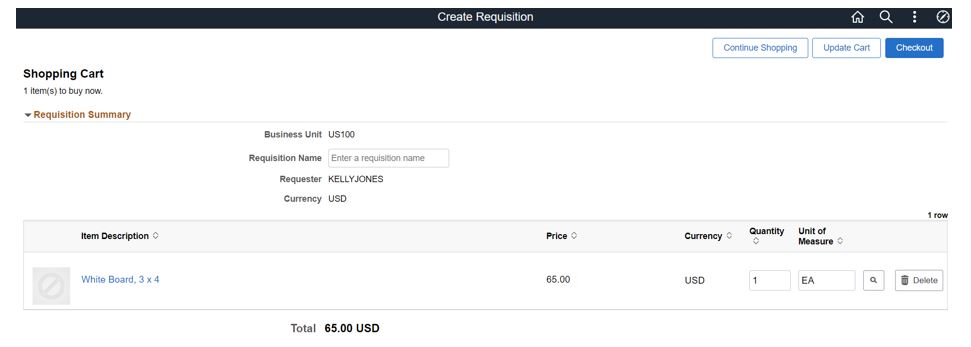
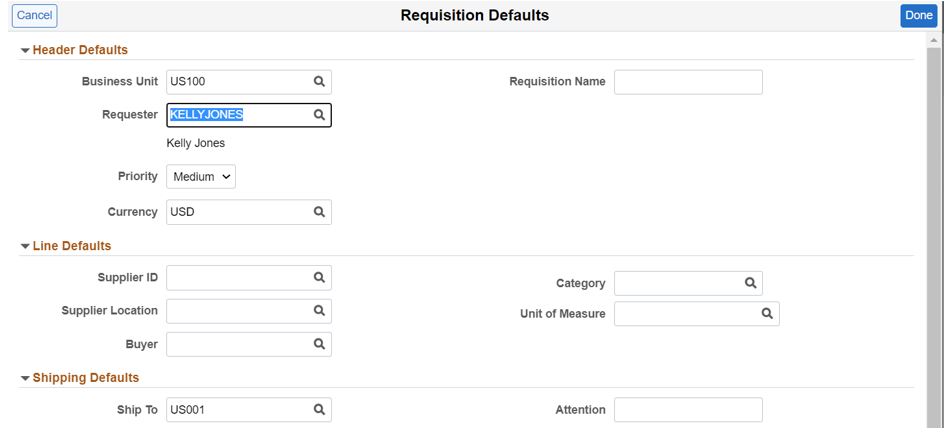 Chris Baker is now able to create requisitions on behalf of Kelly Jones. The system recognizes that although Chris is the user creating the requisition, it is in fact, recording Kelly Jones as being the Requisition’s Requestor.
Suggested blog post readings: