
Resiliency was a key focus area for the Oracle Integration RPA 26.01 release. Based on customer feedback and real-world deployment scenarios, we introduced several enhancements to make Robot execution more reliable, observable, and easier to manage. Below are some of the key features that strengthen Robot resiliency in this release.
1. Support for Secured VM Setups with Limited Internet Access
Several customers deploy Robot agents in highly secured VM environments with limited or no access to the public internet. To address this requirement, we enhanced our support for such setups and documented all the necessary steps to ensure successful Robot agent installation and execution in restricted network environments. This enables customers to meet strict security and compliance requirements without compromising automation reliability.
2. Adaptive Polling for Optimized Robot Execution
We introduced adaptive polling to provide greater control over how frequently a Robot agent polls Oracle Integration for new work requests. This configuration can be managed through the installerProfile.cfg file, allowing customers to define polling intervals that best suit their environment and workload patterns. Optimizing the polling frequency will positively impact overall Robot execution time
3. Robot Environment Diagnostics Script
Troubleshooting Robot agent issues can often be time-consuming, especially when prerequisite configurations are missing. To simplify this process, we introduced the rpaAgentEnvDiagnosis script. This script performs a comprehensive check of the Robot execution environment and flags missing or misconfigured prerequisites on the VM. As a result, customers can quickly identify what needs to be fixed, significantly reducing setup and troubleshooting time and helping get Robot agents up and running faster.
4. Enhanced Environment Pool Observability
We also enhanced Environment Pool observability to provide deeper insights into Robot capacity and workload distribution.
You can now view all environment pools used by a project under Observe → Robots → Environment Pool. 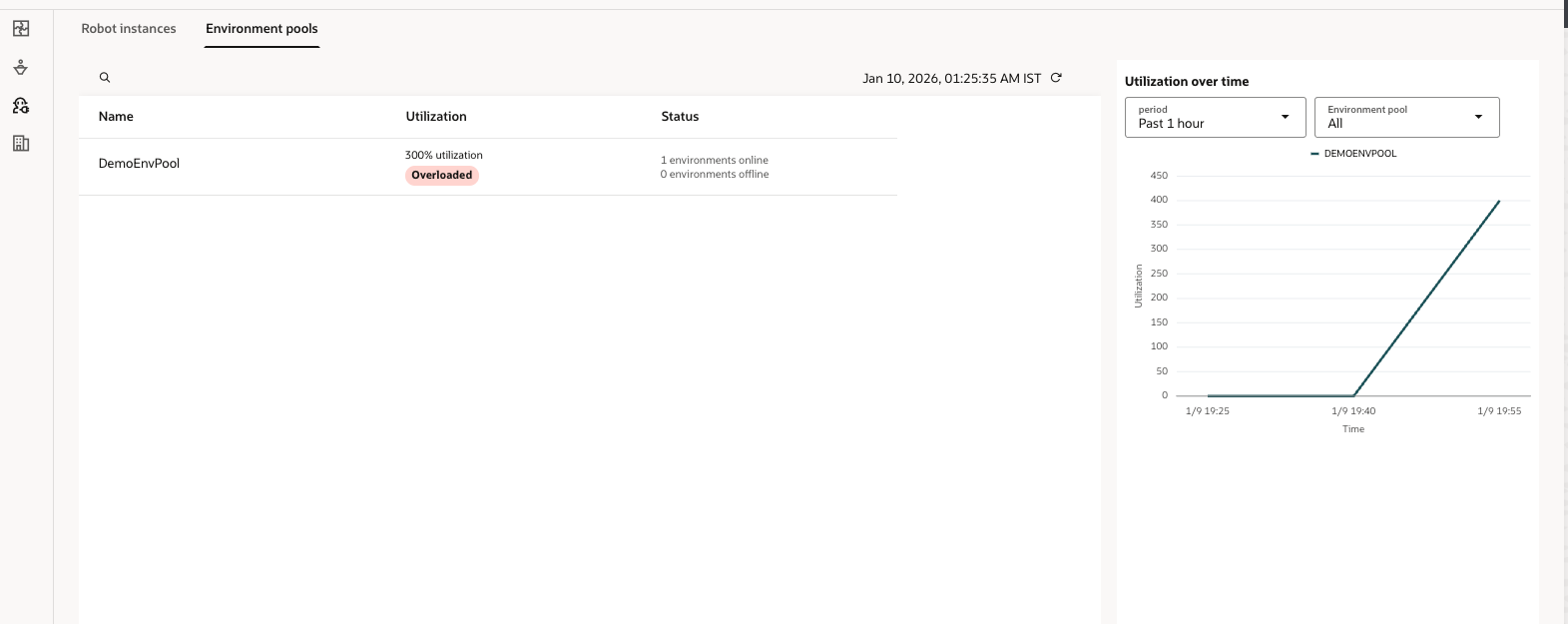
The Utilization column indicates whether an environment pool has sufficient resources to handle current workloads:
- A utilization percentage below 100% is recommended.
- A value above 100% indicates that additional Robot agents are required, and some work requests may be queued while existing agents are busy.
In addition, a utilization trend graph shows how usage changes over time across all environment pools in the project. This helps identify sudden spikes in incoming work requests and supports informed decisions around Robot agent scaling—whether adding or removing agents.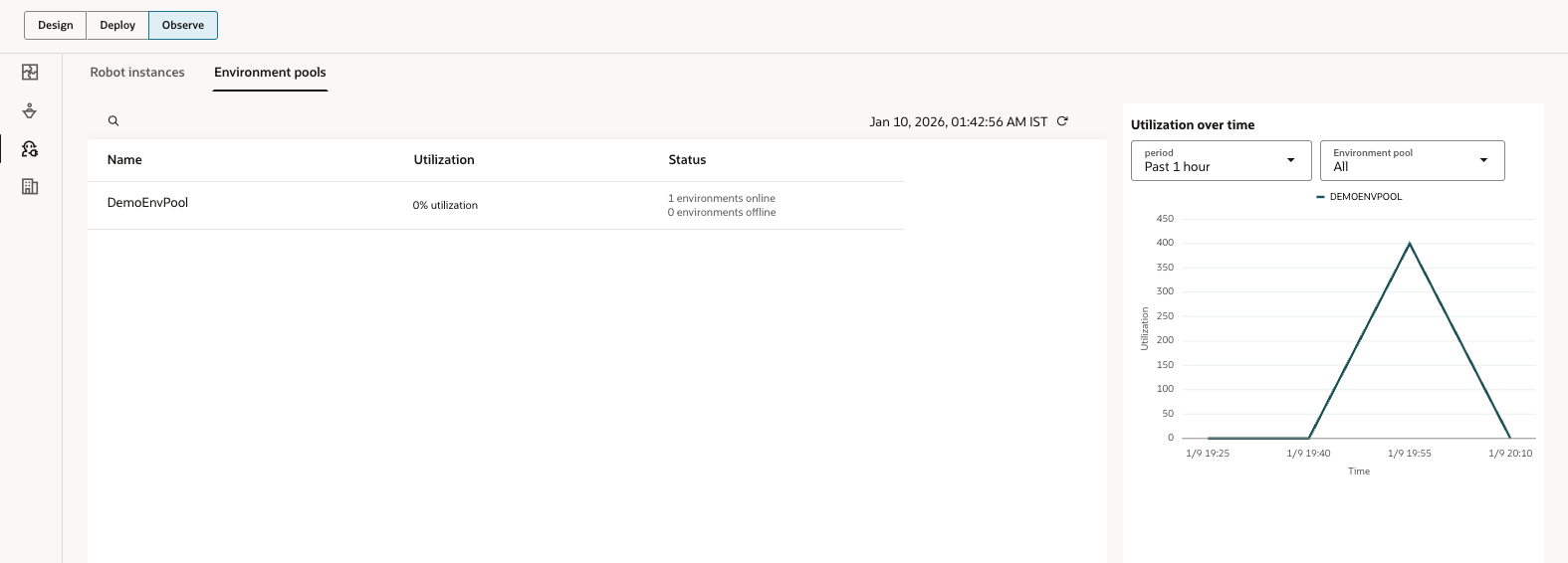
Selecting an environment pool also provides visibility into all associated environments, along with detailed status information for each one, making it easier to diagnose capacity or availability issues.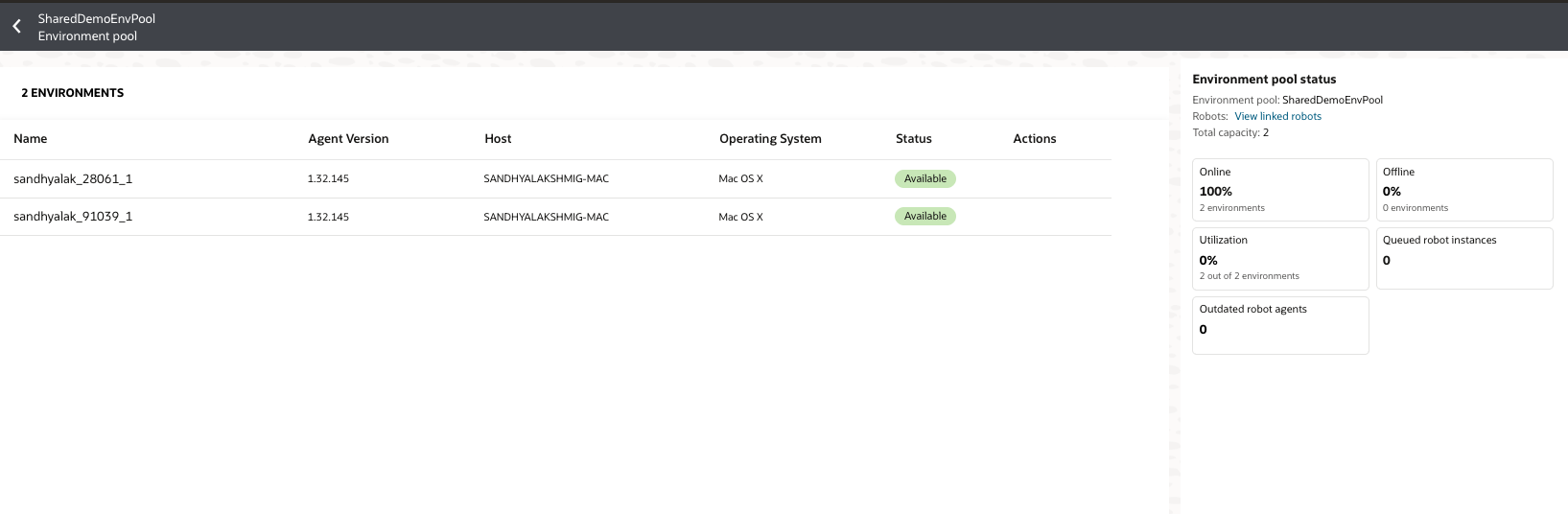
These enhancements in the 26.01 release collectively improve the resiliency, observability, and operational efficiency of Oracle Integration RPA, helping customers run automations with greater confidence in diverse and demanding environments.