
As enterprises increasingly adopt Oracle Integration (OIC) to streamline end-to-end business solutions, the need for a robust CI/CD (Continuous Integration and Continuous Deployment) strategy becomes essential.
CI/CD for Oracle Integration is not just about automating deployments—it’s about:
- Ensuring consistency across environments
- Reducing manual errors
- Accelerating release cycles
- Enabling scalable integration governance
This article explains all major CI/CD approaches available for Oracle Integration, tools involved, pros & cons, and when to choose each approach.
Apporach-1: Using Oracle Integration factory REST APIs
The REST API–driven CI/CD approach is the most powerful and enterprise-ready method for implementing CI/CD in Oracle Integration Cloud (OIC). Oracle Integration exposes a rich set of REST APIs that allow teams to programmatically control the entire integration lifecycle, eliminating manual steps and enabling repeatable, reliable deployments across environments.
Oracle Integration REST APIs can be leveraged to fully automate CI/CD for individual integrations, bulk deployments, and environment-specific configurations such as connections and lookups. These REST APIs can be invoked using any scripting language (for example, Java, Python, or Shell) and seamlessly integrated with popular CI/CD platforms such as Jenkins, GitHub Actions, GitLab CI/CD, Azure DevOps, and OCI DevOps.
In this model, CI/CD pipelines interact directly with Oracle Integration using REST APIs to:
- Create and Retrieve a Deployment in a Project
- Import(Add) a Project
- Update a Connection in a Project
- Test a Connection in a Project
This approach aligns strongly with DevOps, GitOps, and compliance-driven deployment models.
Pros of this approach
- Fully automated end-to-end deployments
- Reduced human error
- Faster release cycles
- Strong compliance and audit support
- Works with any CI/CD tool
- Scales across large integration landscapes
Cons of this approach
- Initial setup complexity
- Exploration of REST APIs
- Knowledge of one of the programming languages
- External tools required such as Jenkins and virtual machine to run jobs
Choose this approach, when:
- Leverage your existing CI/CD tools, such as Jenkins, Azure DevOps, and others.
- You seek a flexible CI/CD solution that gives you full control, allowing you to write custom scripts in any programming language of your choice.
Apporach-2: GitHub Repository to export / import deployment
Starting with Oracle Integration release 25.06, you can directly connect Oracle Integration to a GitHub repository. This integration allows you to export (push) and import (pull) projects and their deployments between your Oracle Integration service instance and GitHub, enabling tighter integration with version control and CI/CD workflows.
To make it work, connect with your GitHub Repository under settings section of Oracle Integration.
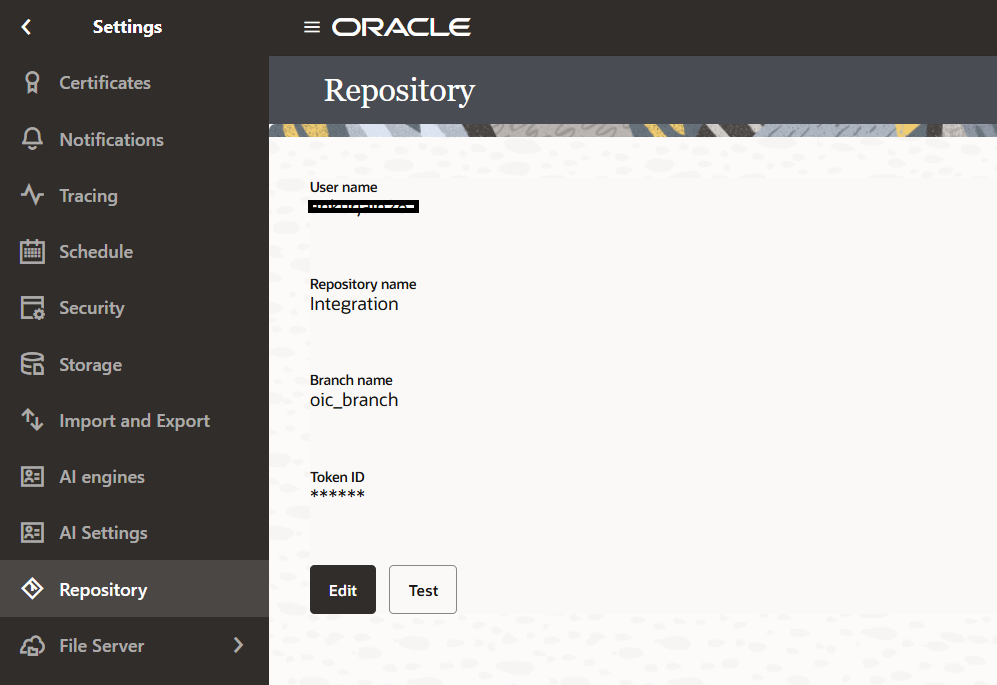
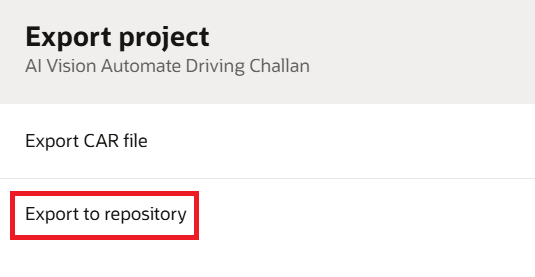
Export to a repository: Export the the project and deployment to the connected GitHub repository.
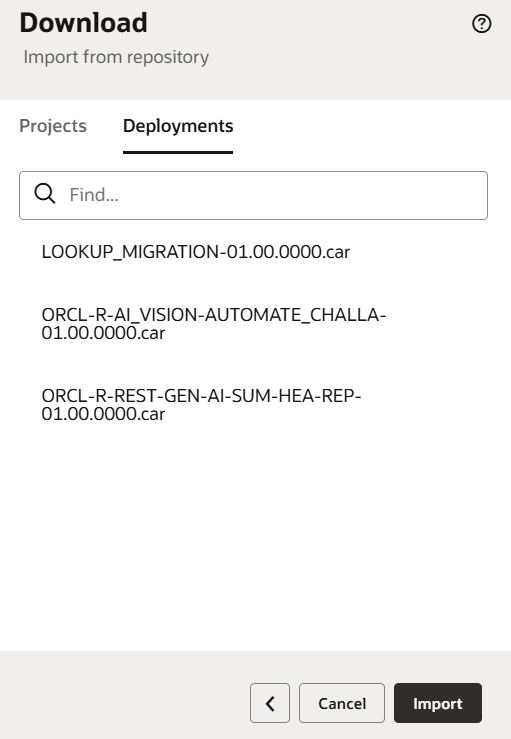
Import from repository: Import the projects / deployments from the connected repository.
You can use a GitHub repository for the following scenarios with Oracle Integration:
- Continuous integration/continuous delivery (CI/CD) for integration/project development management. For example, you can export a project to a GitHub repository and run automation testing to ensure that it passes your business requirements.
- The movement of projects between Oracle Integration service instances. For example, moving a project from a development environment on one service instance to a production environment on another service instance.
You can configure the GitHub actions to automate the complete CI/CD process of moving the projects from one instance to another.
Pros of the approach
- Easy connection with GitHub
- Use your existing GitHub repository investment
- Simple push / pull of deployment to GitHub
Cons of this approach
- Configure extra actions in GitHub for complete automation
Choose this approach, when:
- Leverage GitHub to maintain the Integration projects and run GitHub action for CI/CD.
Apporach-3: Auto Deployment with Oracle Visual Builder Studio (VB Studio)
Oracle Visual Builder Studio (VB Studio) is a comprehensive application development platform that enables teams to plan, build, test, and deploy applications efficiently across the entire application development lifecycle.
Oracle Visual Builder Studio provides an enhanced experience for packaging and deploying Visual Applications, along with built-in CI/CD pipelines that support continuous integration and continuous delivery, including an auto-start capability. In addition, VB Studio supports automating the continuous deployment of projects created in Oracle Integration Cloud (OIC) across different instances.
You can connect multiple Oracle Integration instances to promote Oracle Integration Project deployment from one instance to another.
VB Studio natively support various actions to migrate artifacts from one environment to another.
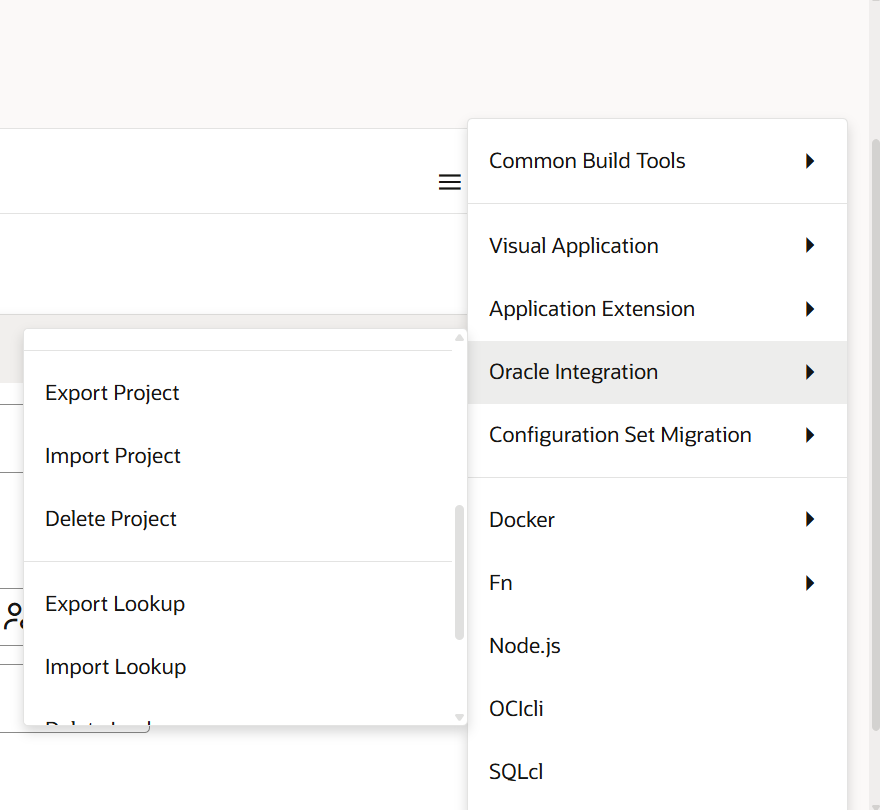
You can create jobs and pipelines in VB Studio to automate the deployment of Integration Project .
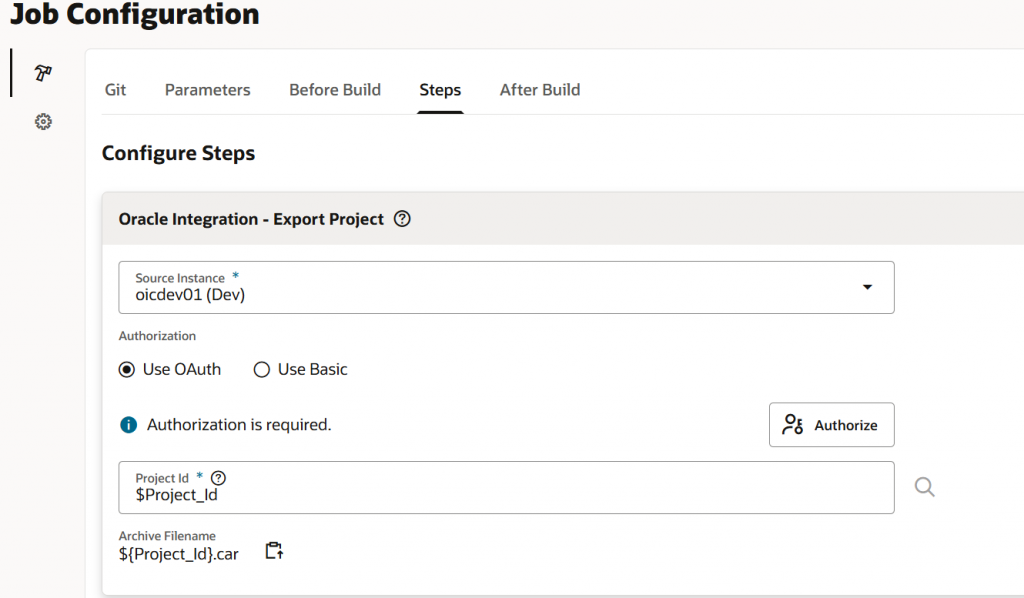
- Job to Export Project: VB Studio natively supports an action called Export Project, which enables the export of Integration Project and archive the exported Project into VB Studio internal directory.
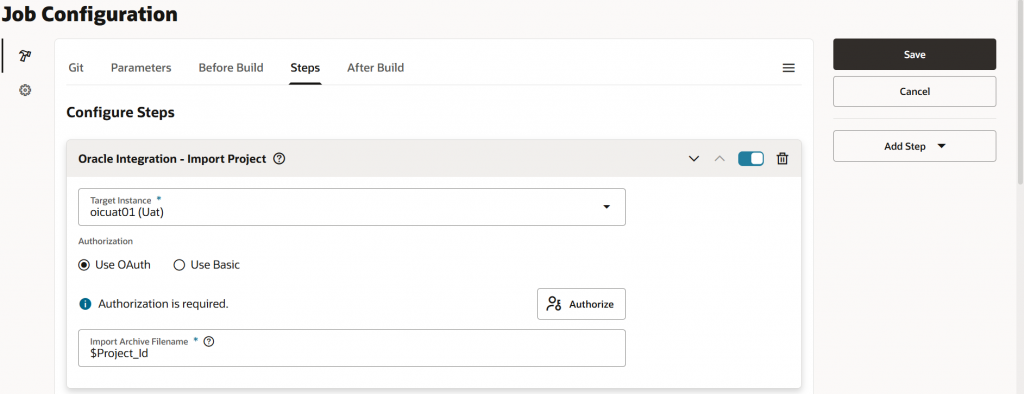
- Job to Import Project: VB Studio natively supports an action called Import Project, which allows you to import Integration Project that was exported through the Export Project job.
- Hookup Jobs into Pipeline: Build a pipeline in VB Studio to automate the execution of Export and Import Project jobs sequentially, eliminating the need for manual execution. Additionally, you can configure approvers to review and approve the process before the Import job begins.
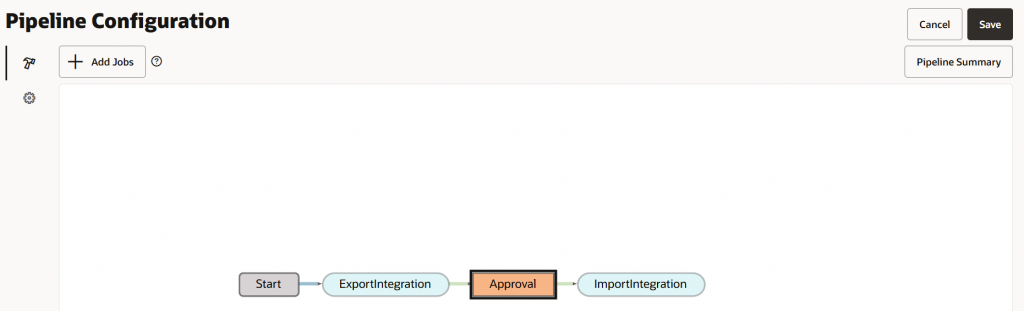
Run the pipeline, and provide the Project Id as Project_Id is one of the parameters in the Export Project Job. Once the Pipeline is successfully executed, the project will be promoted from source environment to the target environment.
Pros of the approach
- No code / low code
- Less error prone
- Free of charge
Cons of the approach
- Only one Integration or Project can be deployed at one time using the predefined steps.
- Project Deployment Export / Import is not supported natively.
Choose this approach, when:
- Low code / No code approach.
- Leverage the standard CI/CD tool offered by Oracle and do end to end automation.
Apporach-4: Oracle VB Studio & Oracle Integration with external Git
This approach combines Approach-3 and Approach-4 for the automatic deployment of Integration Projects deployment from the source instance to the target OIC instance.
A VB Studio can be connected to the external GitHub repository as well.
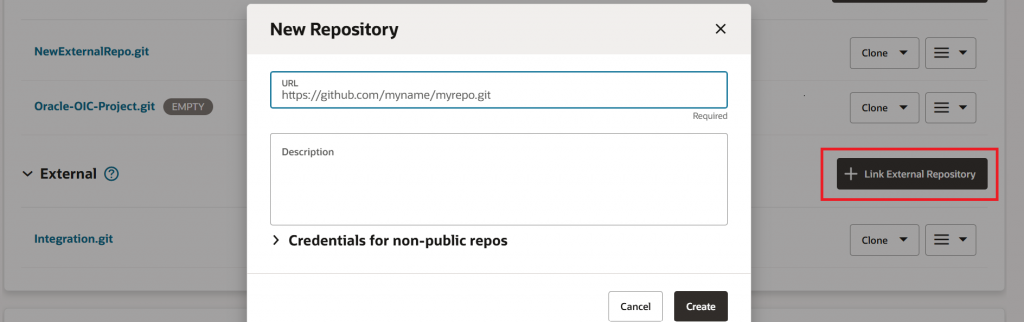
Following are the high level steps for this approach:
- Link Oracle Integration and VB Studio to a single GitHub repository.
- Set up an Import deployment job in VB Studio that triggers when a Oracle Integration deployment is imported into a GitHub branch from Oracle Integration. In this job, create a “Unix Shell Script” (as VB Studio doesn’t support native action to Import Project Deployment) to invoke the Oracle Integration REST API to import the project deployment.
- From Oracle Integration source instance, export the deployment to the GitHub repository.
Once the deployment is exported to the GitHub, the import job in VB Studio will run automatically and deploy the Integration Project to the target OIC Instance.
Pros of the approach
- Less error prone
- Free of charge
- Auto deployment of integrations with complete automation
Cons of the approach
- Only one Integration or Project can be deployed at one time using the predefined steps.
- Need to write Unix script and use REST API to import Project deployment.
Choose this approach, when:
- Low code / No code approach.
- Leverage the standard CI/CD tool offered by Oracle and do end to end automation.
Choose the approach that best aligns with your business requirements.
Summary
We’ve explored several approaches for automatically deploying Oracle Integration projects from one source instance to another. You can choose any of these approaches, or a combination, based on your specific needs.