
Disclaimer: This is a working document, please revisit this page closer to the actual 26.04 release, for possible updates.
Introduction
Building on the power of AI we already have in OIC, is the big focus of our 26.04 release.
AI Features released in 26.04
AI Assistant
This release brings several meaningful improvements to the AI Assistant, focused on simplifying integration development, improving performance, and expanding availability.
Smarter Editing with Auto Checkpointing
AI-assisted editing is now more seamless than ever. With auto checkpointing enabled, users no longer need to manually save integrations before applying AI-driven changes. The system automatically preserves progress, allowing you to iterate faster and with greater confidence. As an example if you are editing an integration using AI Assistant and on generation you didn’t like the content, system will rollback the specific generated activities to the previous state without forcing you to save the integration.
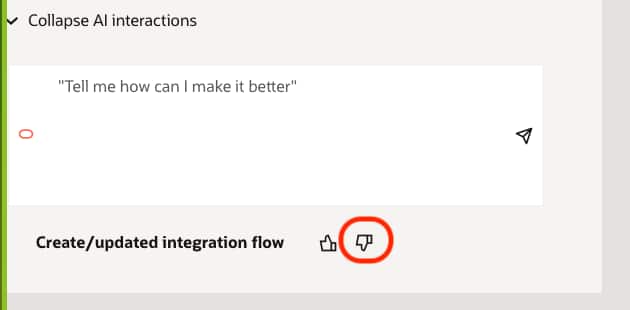
Faster Endpoint Auto-Configuration
We’ve significantly improved the performance of endpoint auto-configuration for supported adapters, to learn more about the supported adapters please refer to the note in this documentation link. This results in quicker setup times and a smoother experience when working with integrations.
Improved Onboarding with Natural Language Discovery
Getting started is easier than ever. Users can now jumpstart their implementation by describing their requirements in natural language and instantly fetching relevant integrations from prebuilt solutions. This reduces setup time and helps users move from idea to implementation faster. To get started as you click on the plus button for adding a new integration, you have now new option to start with a prebuilt integration as shown below.
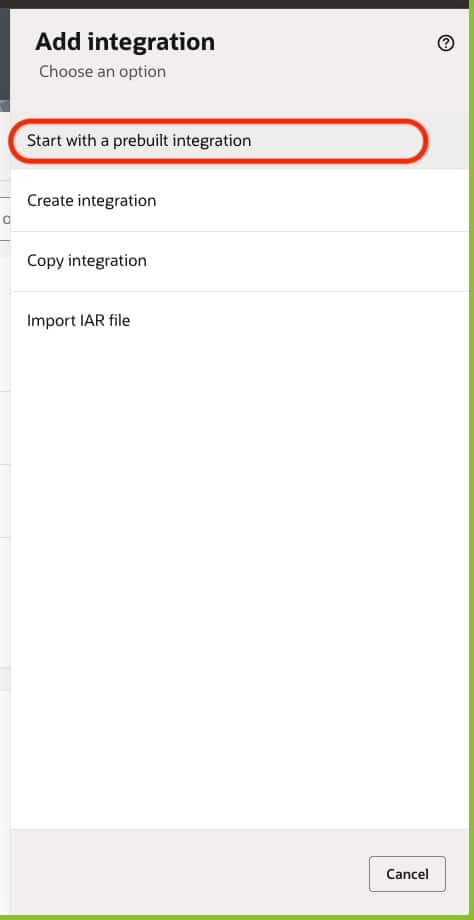
Once you click on the “Start with a prebuilt integration” system brings up the prompt where you can type your requirement in a natural language and system will identify the matching solutions through semantic search. As an example, I am looking to create a customer in the Salesforce so if I type it as a prompt I can see following integrations showing up.
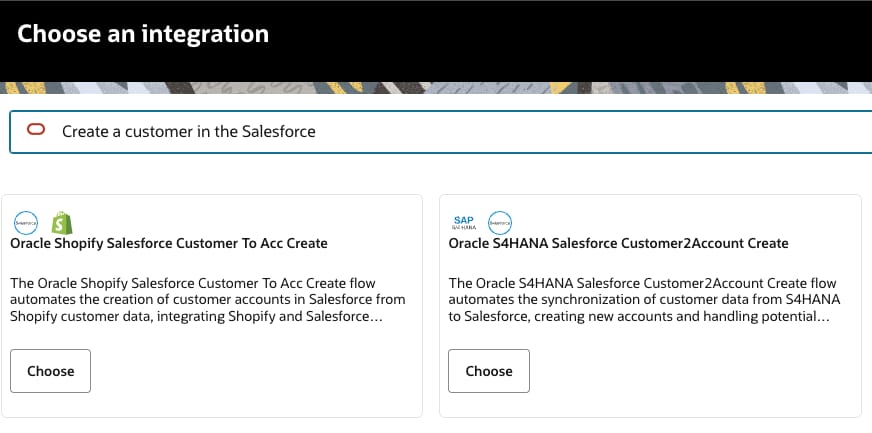
As you click on the “Choose” button, integration shall be copied from the prebuilt solution on the Oracle Integration store and copied on to the current project.
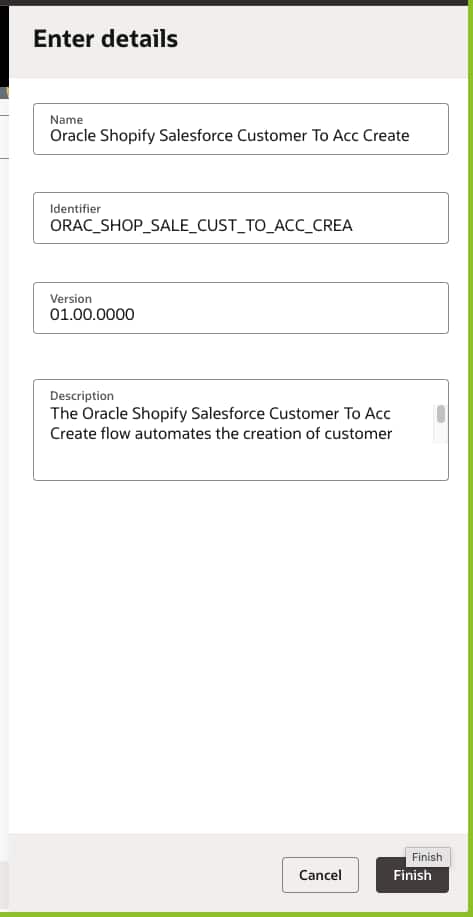
As you can see from the above user can udpate the details before he clicks on the Finish button.
Lastly the AI Assistant is now available starting from the Enterprise Edition and above. Administrators also have greater control—AI Assistant features can now be enabled or disabled directly from the settings page, ensuring flexibility to meet organizational requirements.

Agentic AI
Human in the Loop (HITL) – please see the dedicated HITL section below.
Now to the other 26.04 new features…
OIC Core 26.04 New Features
OIC Projects
Oracle Integration now supports bulk migration of the global integrations to the new or existing Oracle Integration project. As you navigate to the global Design-> Integrations page, you will see a new button on the top right that allows you to copy the multiple integrations to the project.

Once you click on the “Copy to project” button, system will allow you to copy multiple integrations to existing or create a new project.
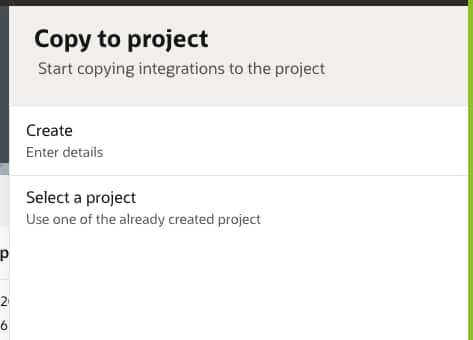
Let’s take an example of moving integrations to new project, I can click on “Create” option above.
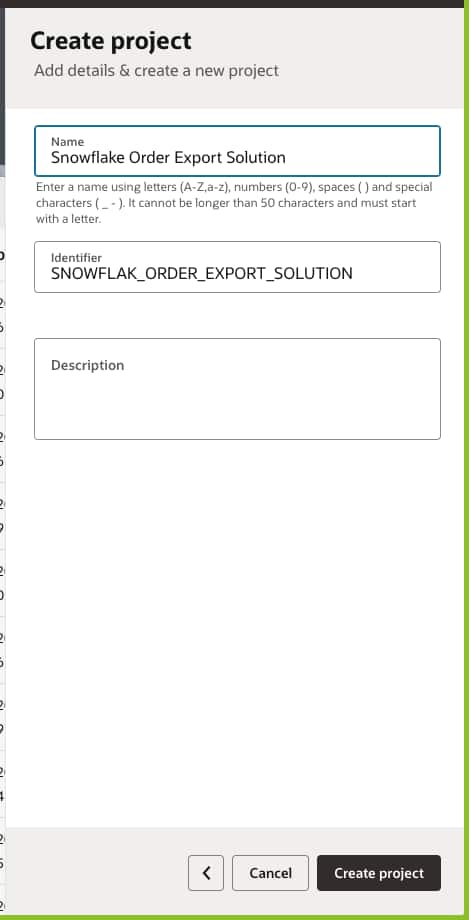
Once you click on “Create”, system will allow you to enter the new project details.
Once you click on “Create project”, system will bring in all the global integrations on your solution and allow you to select multiple integrations for copying to the newly created project.
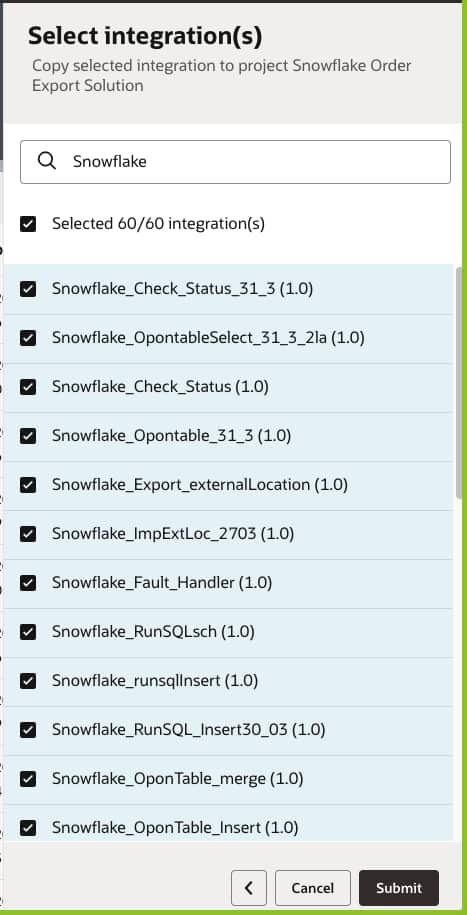
In my example I have filtered the solution by keying in “Snowflake” and selected the desired integrations for copying to the new project.

As integrations are being copied you can hover to the Notifications and review the progress, once all integrations are copied you will be notified.
OIC File Server
OIC File Server introduces support for the “ecdh-sha2” key exchange algorithm, strengthening secure file transfer capabilities
A new metric is now available in the OCI Console to monitor concurrent connections consumed by the OIC File Server. This insight allows users to better understand system load and make informed decisions.
OIC Observability
Connectivity
New Adapters
- BigQuery Adapter – Introduces native connectivity to Google BigQuery for loading, extracting, querying, and managing analytical data using outbound invoke connections.
- Databricks Adapter – Adds connectivity to Databricks SQL warehouses, schemas, and tables for database-style operations.
- ActiveMQ Adapter – Provides built-in connectivity to ActiveMQ Artemis brokers with support for message consumption (Trigger) and message publish (Invoke) patterns.
New AI Native Action
AI Agent Invoke Native Action – Enables integrations to directly invoke OIC AI Agents from Oracle Integration flows.
AI Native Actions Enhancements
- OCI Document Understanding – Custom model support for classification.
- OCI Vision – Custom model support for processor job–based object detection and classification.
- OCI Generative AI – Tools support and expanded model options, including support for OpenAI and xAI Grok models.
Enhancements to existing Adapters
- REST Adapter Enhancements – Support Dynamic REST Endpoints at Runtime & Multi-Key Header Authentication
- Microsoft SQL Server Adapter – Now certified to integrate with MS Fabric
- Snowflake Adapter – Adds Connectivity Agent support with OAuth 2.0 Client Credentials security policy, enabling integration with external IDMs.
- Kafka Adapter – Introduces SASL SCRAM over SSL security policy (SCRAM-SHA-256 and SCRAM-SHA-512).
- GCP Pub/Sub Adapter – Supports dynamic topics and subscriptions at runtime.
- SharePoint Adapter – Adds site-level scoping using Sites.Selected permission to operate on a specific site.
- NetSuite REST Adapter – Adds JWT Client Credentials Assertion security policy and introduces Dataset operations.
- Azure Event Grid Adapter – Adds support for working with public and private namespaces for trigger and invoke patterns.
- Shopify GraphQL Adapter – Supports more events, Bulk module enhancements, and Client Credentials security policy.
- Shopify Adapter – Adds support for Client Credentials security policy.
Certification Updates
- Oracle Database Adapters – Certified for Oracle Database version 26ai, including Oracle Advanced Queuing (AQ) Adapter, Oracle Advanced Queuing (AQ) JMS Adapter, Oracle Autonomous Transaction Processing (ATP) Adapter, Oracle Database Adapter, and Oracle DBaaS Adapter.
- Kafka Adapter – Certified for Apache Kafka 3.8.0, 4.1.1, Amazon MSK, and OCI Managed Kafka 3.7.0.
- RabbitMQ Adapter – Certified for Cloud instance version 4.2.2 and On-prem instance version 4.2.3.
- Shopify GraphQL Adapter – Certified for API versions 2024-07, 2024-10, 2025-01, 2025-04, 2025-07, 2025-10, and 2026-01.
Find the detailed connectivity blog here.
Human in the Loop
Human in the Loop (HITL) is the deliberate placement of human oversight at key decision points within an otherwise autonomous workflow. HITL provides much-needed governance that ensures humans remain meaningfully in control of agentic AI systems — not to micromanage their every step, but to provide oversight where the cost of an AI error exceeds the cost of a human intervention.
With this release, customers can now model deterministic approval workflows and embed them in their Agents to add approval checkpoints prior to high-stake tool executions or to add exception handling capabilities.
HITL workflows are built natively within OIC Projects — in the same context as other automation assets — and are exposed to agents as tools via integrations, meaning no new paradigm for developers to learn. Out-of-the-box Tool Recipes accelerate implementation with pre-built approval templates, while unified observability within Projects gives teams real-time visibility over every workflow instance and a full audit trail. End users interact with tasks through a dedicated workspace supporting both structured (approve/reject) and unstructured (natural language) responses.
Check out our HITL blog here for more.
RPA
🤖 AI-Powered Self-Healing Robots
Robots are fragile and tend to fail due to minor changes in the UI. One of the most impactful additions in this release is AI-powered self-healing.
Robots can now intelligently detect failures during execution and automatically attempt recovery without human intervention. By leveraging AI, these robots can adapt to minor UI or workflow changes, significantly reducing automation breakages and maintenance overhead.
Key benefits:
Faster recovery from transient issues
Increased automation reliability
Reduced manual fixes and monitoring
⚠️ Enhanced Exception Handling for Robots
Robust exception handling is now built directly into the RPA framework, enabling greater control over how automation handles failures.
Find the detailed RPA blog here.
Summa Summarum
Release 26.04 brings a host of new features and capabilities to Oracle Integration. Remember, most of these are customer-driven. Visit the app integration page on oracle.com for more general information about Oracle Integration.