
The 26.04 release of Oracle Integration brings powerful new enhancements to Robotic Process Automation (RPA), focused on improving resilience, scalability, and operational visibility. These updates are designed to help organizations build more reliable automations while reducing manual intervention and downtime.
Let’s take a closer look at what’s new.
🤖 AI-Powered Self-Healing Robots
Robots are fragile and tend to fail due to minor changes in the UI. One of the most impactful additions in this release is AI-powered self-healing.
Robots can now intelligently detect failures during execution and automatically attempt recovery without human intervention. By leveraging AI, these robots can adapt to minor UI or workflow changes, significantly reducing automation breakages and maintenance overhead.
Key benefits:
- Increased automation reliability
- Reduced manual fixes and monitoring
- Faster recovery from transient issues
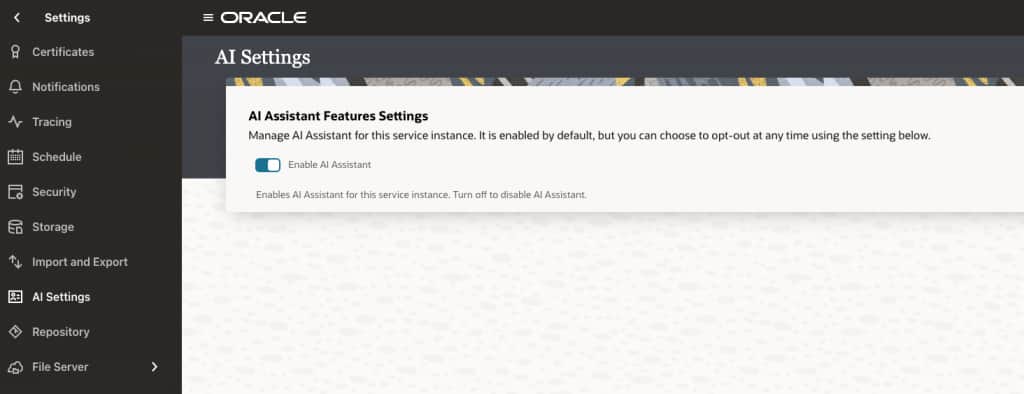
To take advantage of this feature in your Oracle integration instance, validate if the Enable AI Assistant option is enabled in the AI Settings page. This is enabled by default.
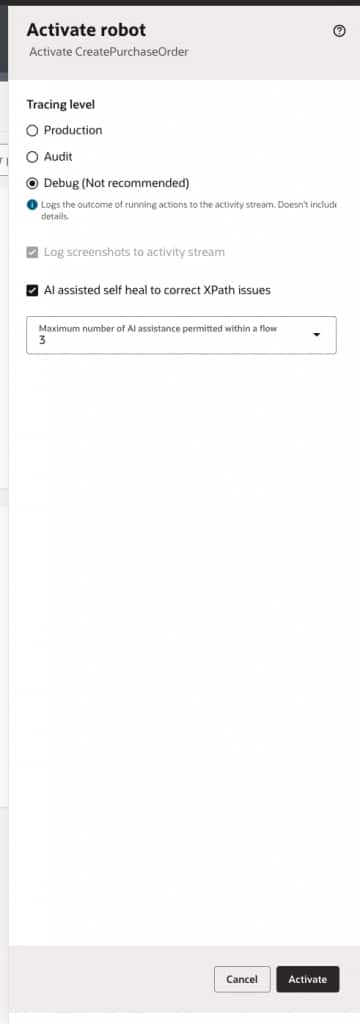
When the Enable AI Assistant option is enabled, then during Robot activation you can choose to enable the AI assisted self heal to correct XPath issues feature as indicated below.
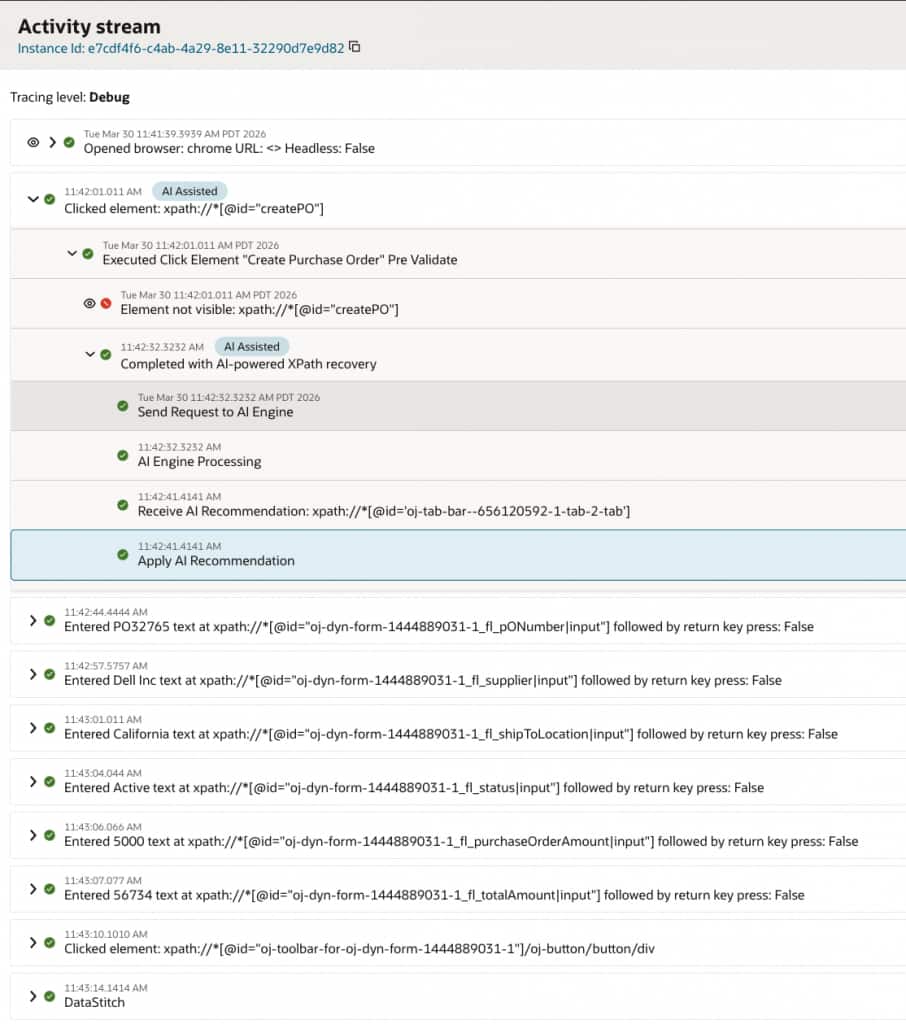
Once a robot is enabled with the self-healing feature, it can intelligently handle runtime failures related to UI interactions. For example, if a robot is unable to locate a specific UI element either due to minor changes in the application interface or because the target was incorrectly captured during design, the execution does not immediately fail.
Instead, at the point of failure, OCI Generative AI is invoked with details of the error and its execution context. Based on this input, it generates recommendations to resolve the issue, such as identifying alternative UI elements or adjusting selectors.
These recommendations are then applied dynamically to the robot’s actions, allowing it to recover and continue execution successfully without manual intervention.
All actions that are recovered through AI assistance are clearly identified in the Activity Stream with an AI Assisted badge, providing transparency into where self-healing has been applied.
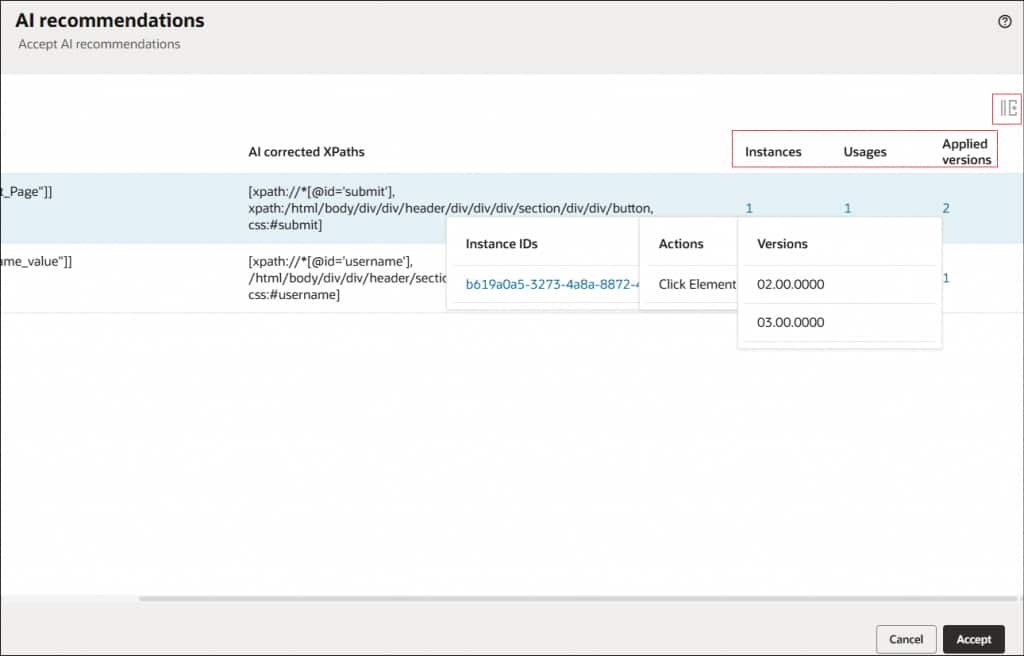
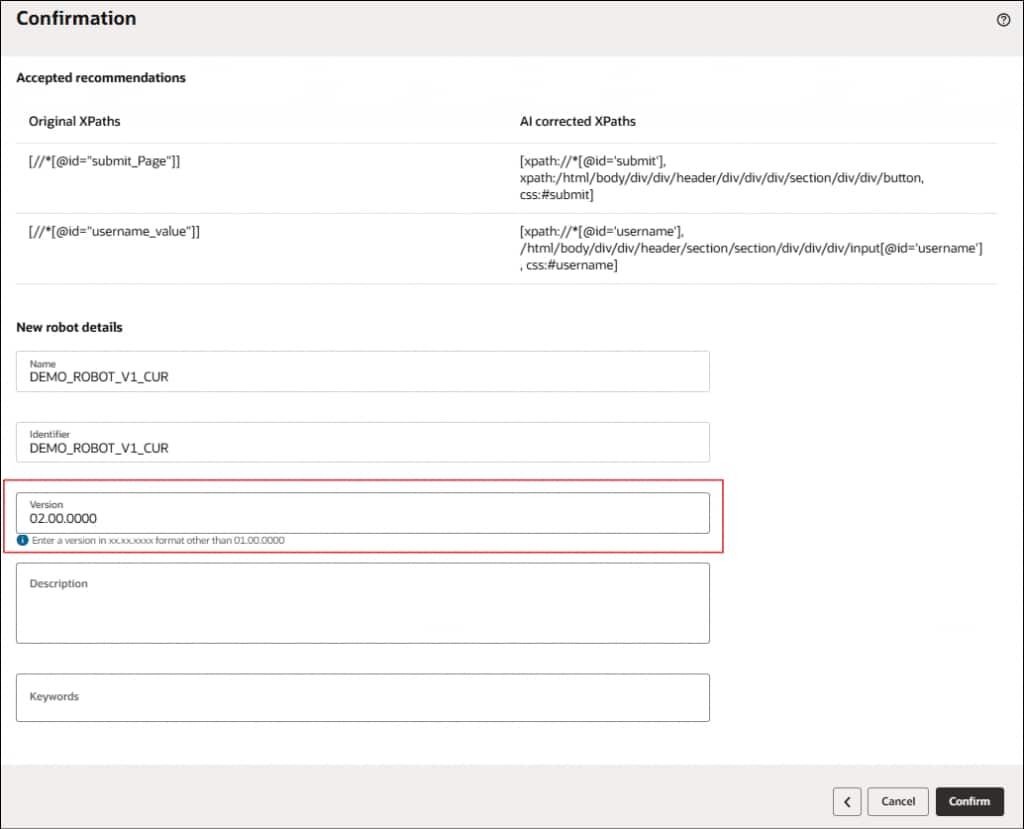
Additionally, these runtime recommendations are made available during design time as AI recommendations for automation developers. Developers can review and accept these recommendations, which results in the creation of a new version of the robot incorporating the approved changes. This new version ensures that future executions benefit from the learned improvements.

⚠️ Enhanced Exception Handling for Robots
Robust exception handling is now built directly into the RPA framework, enabling greater control over how automation handles failures.
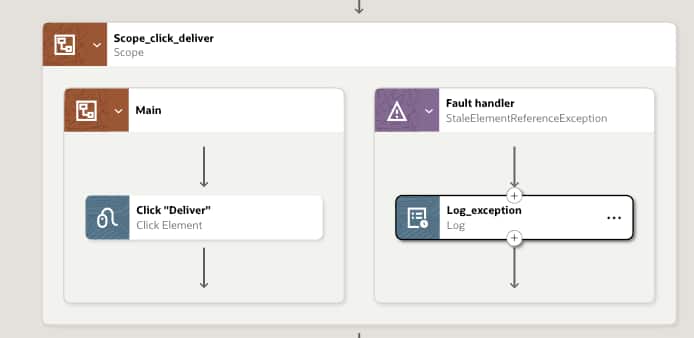
You can define scopes to group related robot actions and configure fault handlers for those scopes. This concept is similar to integration scopes and fault handling, but tailored specifically for robot actions and their associated fault types.
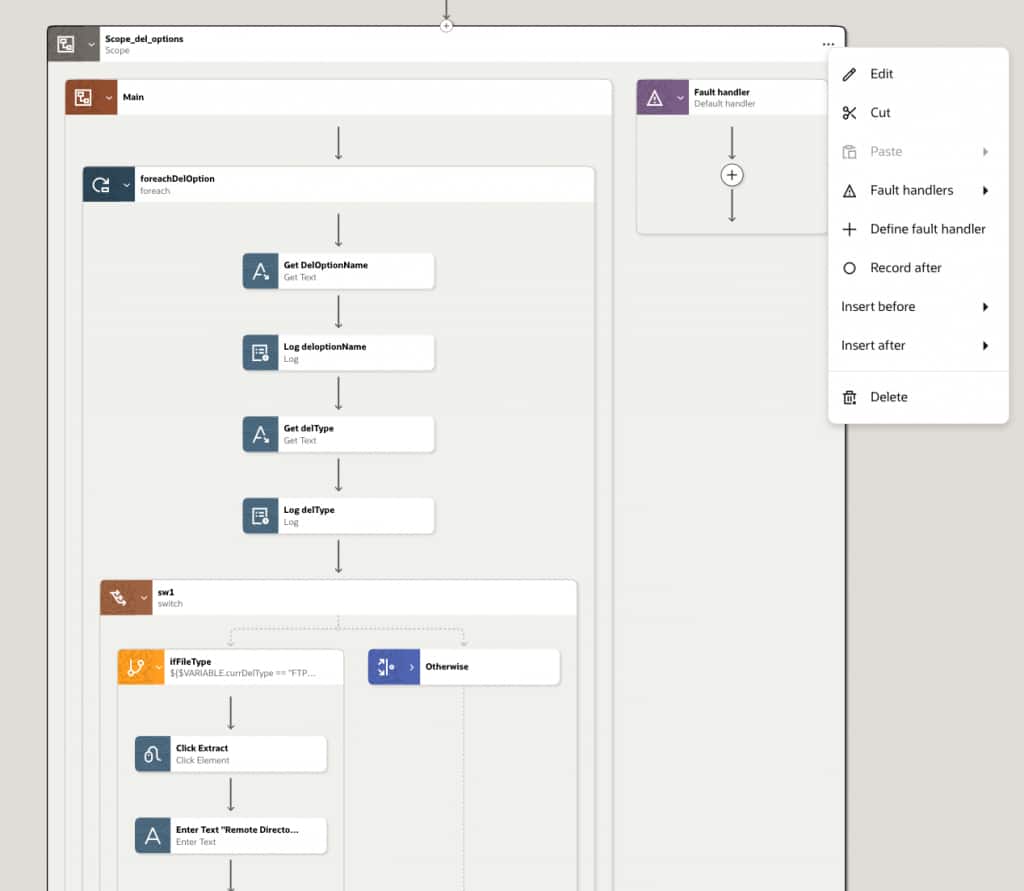
In addition, the platform provides a set of predefined fault handlers based on the type of robot action. For example, when configuring a click action on a UI element, you can define how the robot should behave if an error occurs during execution.
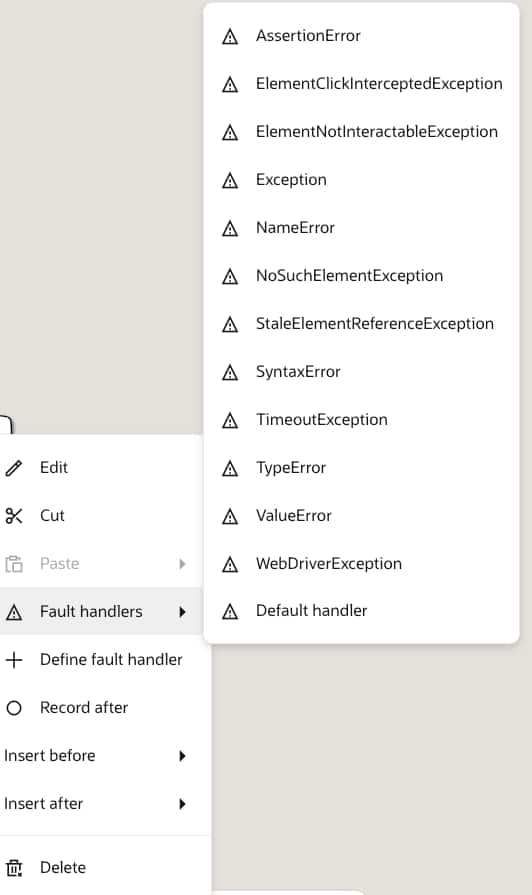
All possible exceptions for the action are listed, allowing you to either select from predefined fault types or define custom fault handling logic. For instance, you may choose to handle a StaleElementReferenceException by adding a log action to capture the exception message within the fault handler.
With this configuration, instead of failing when such an exception occurs, the robot can handle the error gracefully and continue executing the remaining steps in the automation.
What this enables:
- Better control over failure scenarios
- Improved debugging and traceability
- More resilient end-to-end automation flows
📈 Auto-scale Environment Pools
With the introduction of auto-scale environment pools, RPA can now dynamically adjust to changing workload demands, ensuring optimal performance and efficient resource utilization.
When configuring an environment pool, you can enable auto-scale by providing additional details such as the OCI Instance Pool OCID, minimum and maximum number of robot agents, and scaling policies that define when to scale in or out based on environment pool utilization.
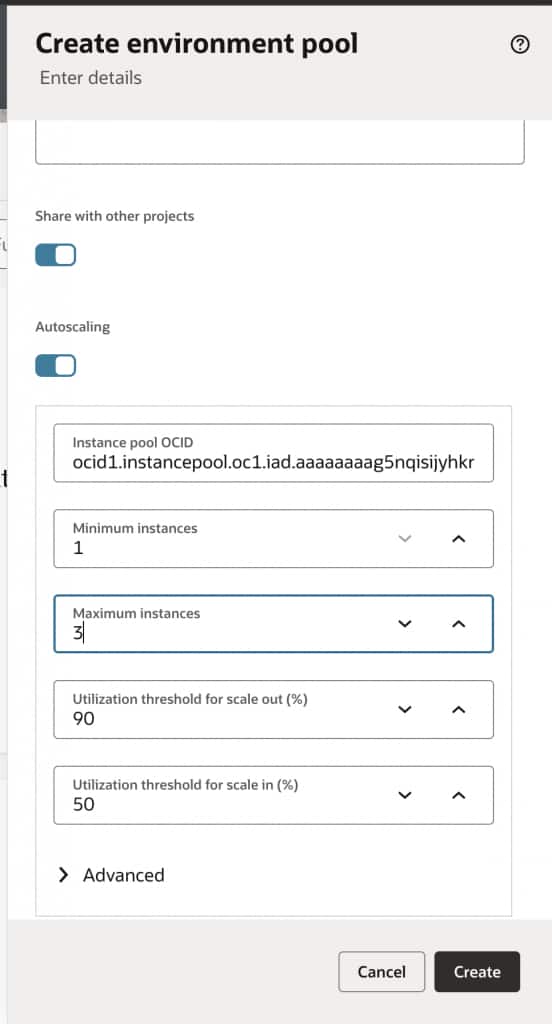
Once configured, the system evaluates incoming workload and applies the defined scaling policies to automatically manage robot capacity. This includes provisioning new compute instances, installing robot agents, and registering them with the environment pool, all without manual intervention.
As a result, robot resources scale up or down seamlessly based on execution needs, eliminating the need for over-provisioning while maintaining performance during peak demand.
Advantages include:
- Efficient resource utilization
- Seamless handling of peak workloads
- Reduced operational costs
🔔 Robot Agent Health Alerts
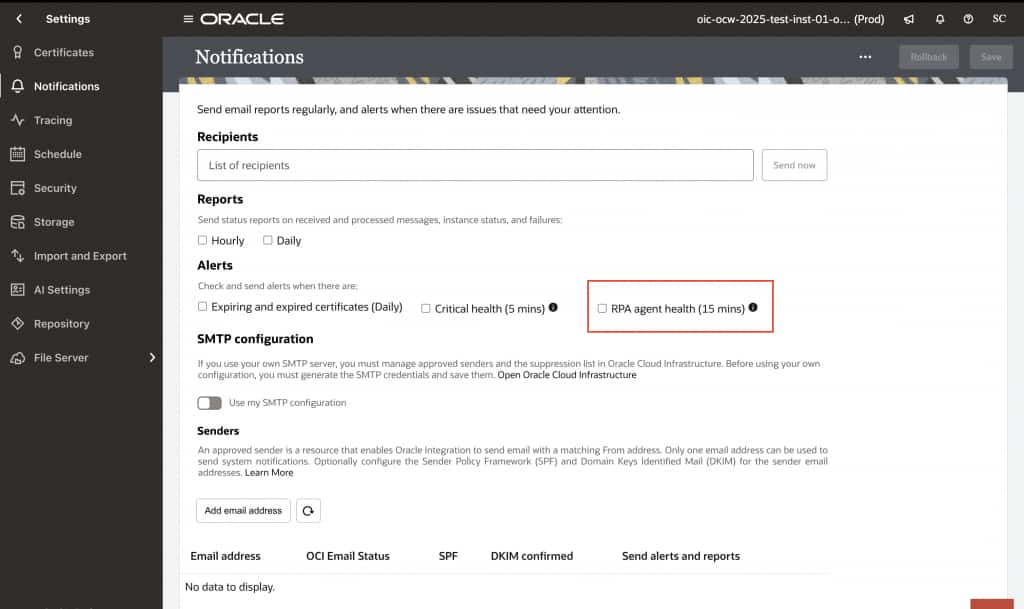
Operational visibility is enhanced with configurable health alerts for robot agents.
Users can now set up alerts to receive notifications about robot agent health, enabling proactive monitoring and quicker issue resolution.
Highlights:
- Real-time health notifications
- Improved system observability
- Faster incident response
🔗 REST APIs for Robot Activity Streams
This release introduces REST API support for retrieving robot activity streams, including detailed execution data and screenshots.
These APIs provide direct access to screenshots captured during robot execution, enabling their use in reporting, auditing, and other operational scenarios.
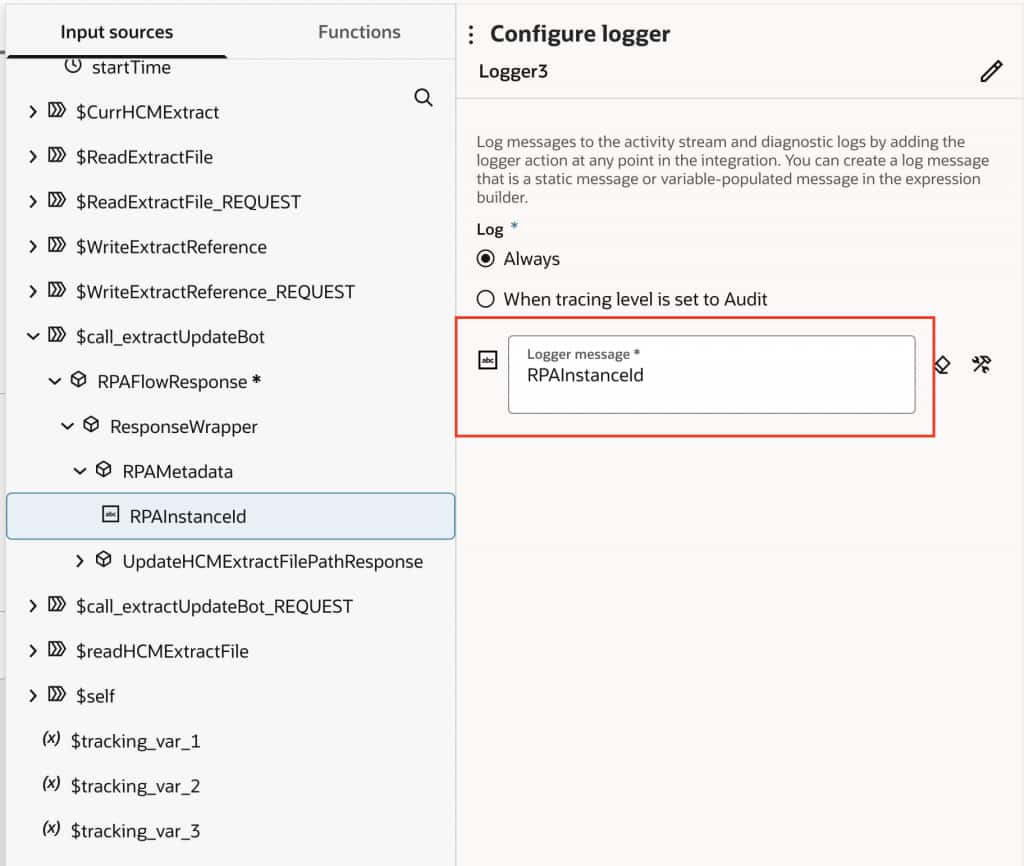
To support this capability, a Robot Instance ID is now available as metadata within the Integration Robot native adapter. This instance ID can be passed as a parameter to the REST APIs to fetch the corresponding activity stream and associated screenshots.
This enhancement enables seamless integration with external systems, allowing teams to build richer monitoring, reporting, and analytics solutions around robot executions.
Key capabilities:
- Access detailed activity logs programmatically
- Retrieve screenshots for better diagnostics
- Integrate with third-party tools and dashboards
Summary
The 26.04 release significantly enhances Oracle Integration RPA with smarter automation, stronger resilience, and improved scalability. From AI-driven self-healing to autoscaling and enhanced observability, these features empower teams to build and manage automation at scale with greater confidence.