
X12 HIPAA 837 documents are standard electronic healthcare claim files used to send billing information from providers to payers. We can process these claims in OIC B2B using our out-of-the-box schemas. However, there is a little bit of preparation that is required to ensure all the variations of a claim file can be handled by our schema. So, let’s take a look at them.
Create a new schema
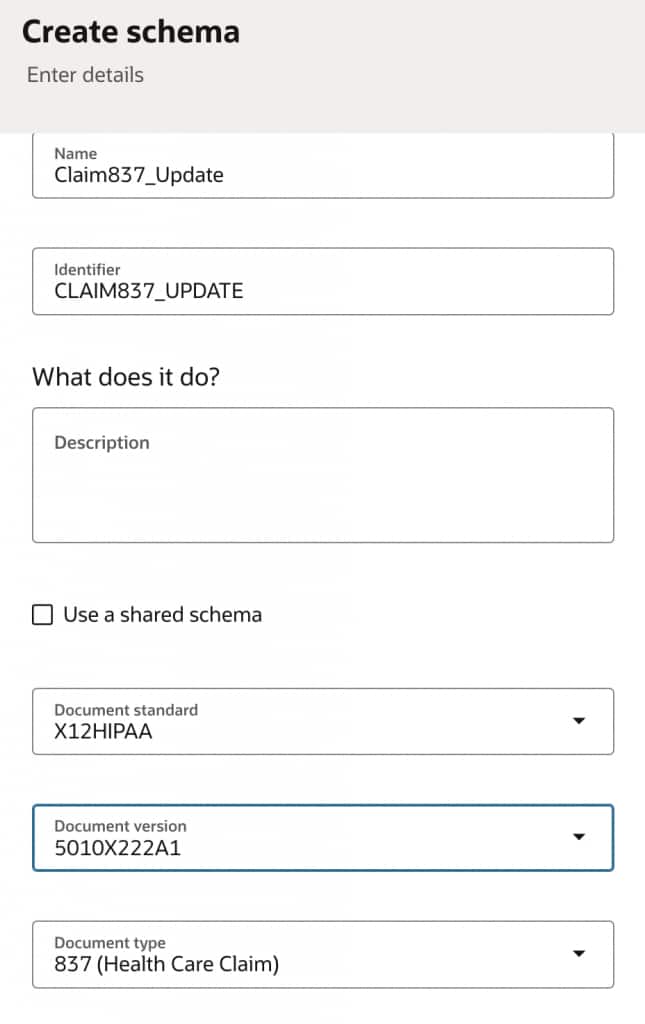
Under the B2B > Schemas section, create a new X12 HIPAA 837 schema.
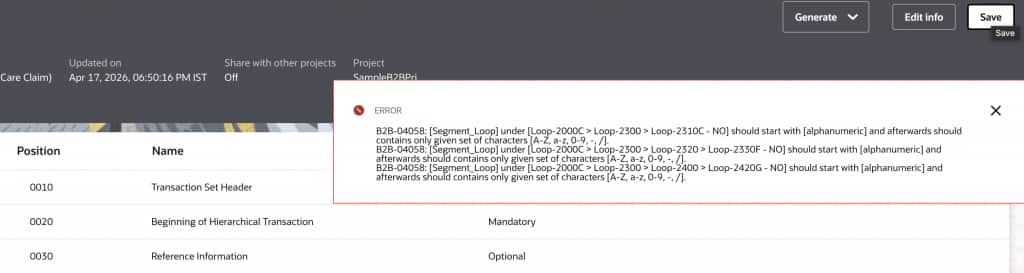
Click the Save button. If you encounter the following error, look for the segments mentioned in the error and delete them before clicking the Save button again.
Create a Nested Loop
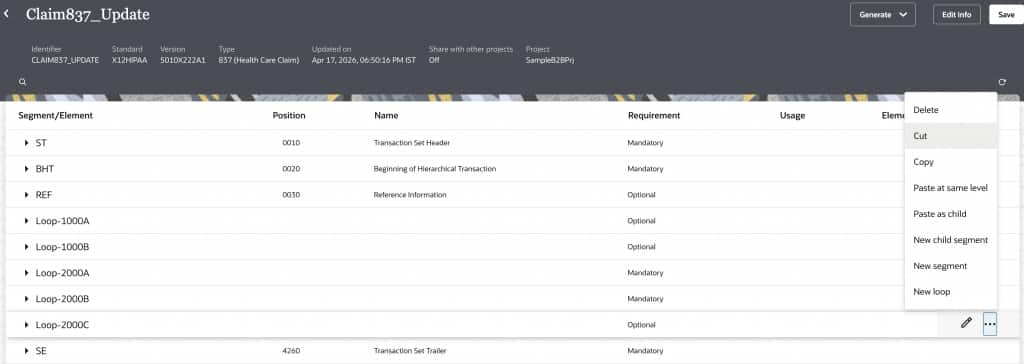
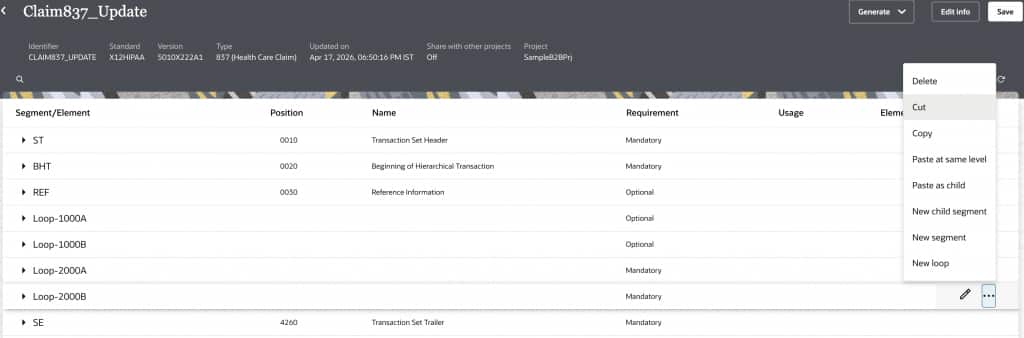
Loops 2000A, 2000B, and 2000C are typically hierarchical in their usage. However, the out-of-the-box schema has them as sibling rather that child loops. Let’s move them.
First, cut Loop 2000C and paste at the same level as the last loop within Loop 2000B.
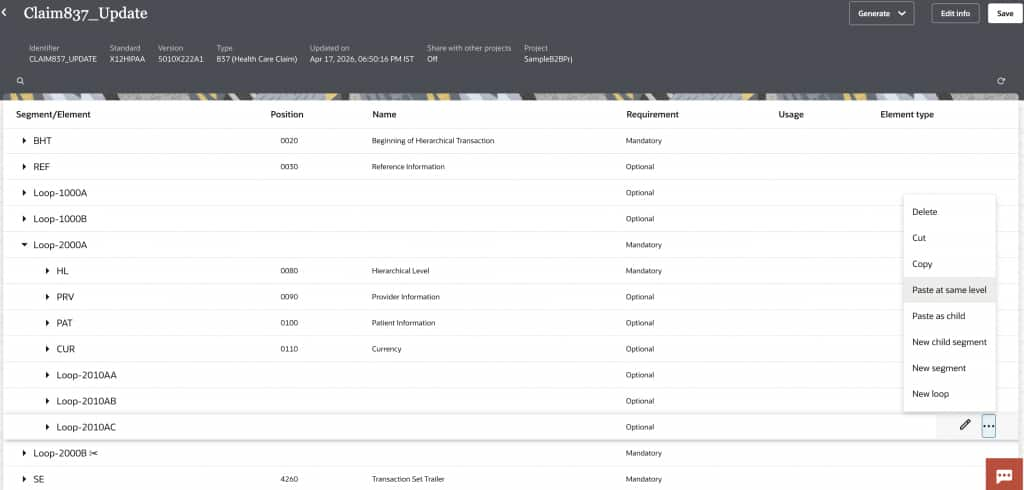
Save the schema after every cut and paste operation, before proceeding.
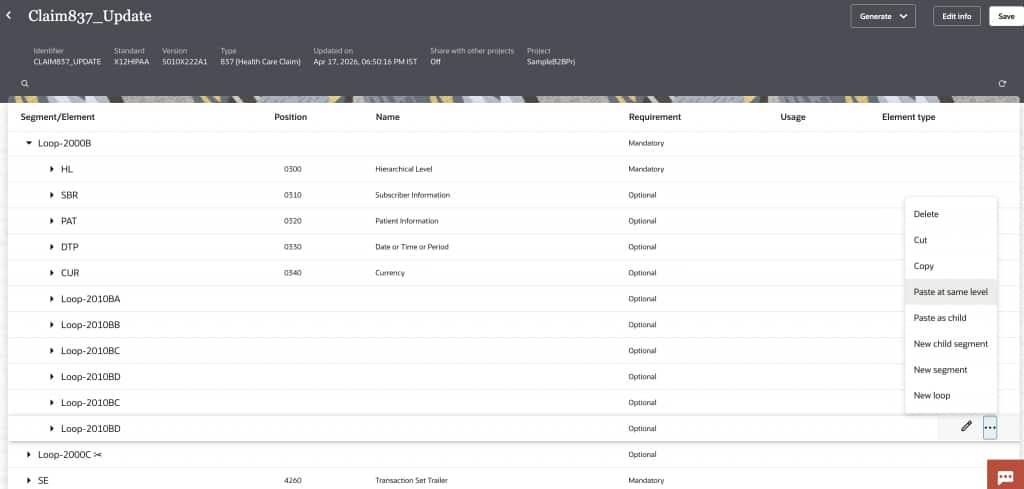
Next, we will cut Loop 2000B and paste at the same level as the last loop within Loop 2000A.
Handling Loop 2300 in Loop 2000B
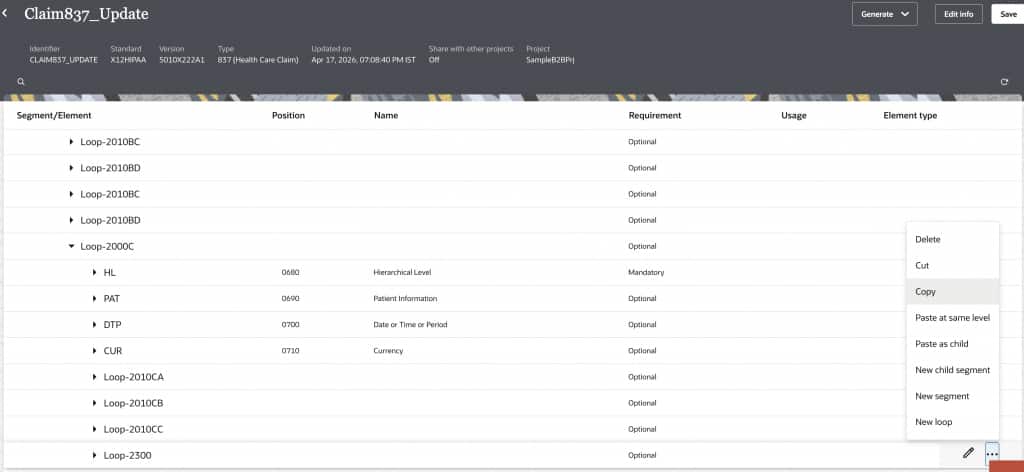
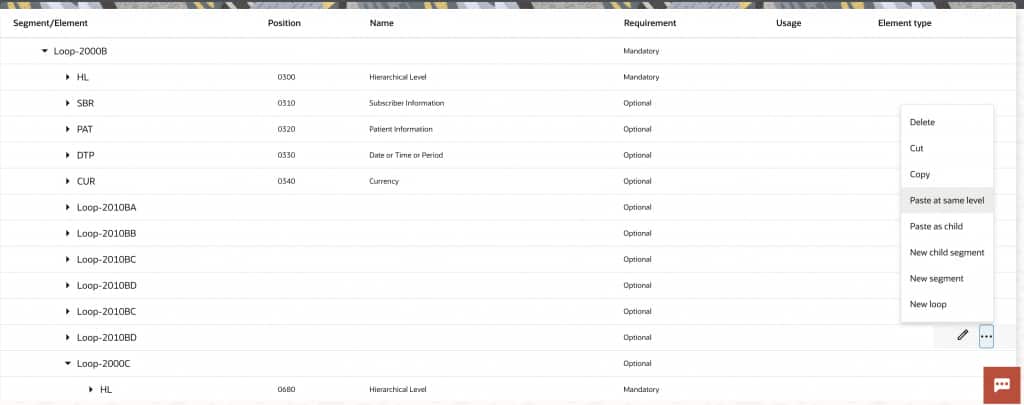
There are use cases where the Loop 2300 occurs as part of the Loop 2000B as well. To accommodate these scenarios, we will copy Loop 2300 into Loop 2000B.
Set Up Dynamic HL Loop Processing
Claims files typically have hierarchical HL loops that represent different entities involved in the claims process. So, we can configure the expected HL03 values in the respective loops.
We do not need to configure this for the top level Loop 2000A.
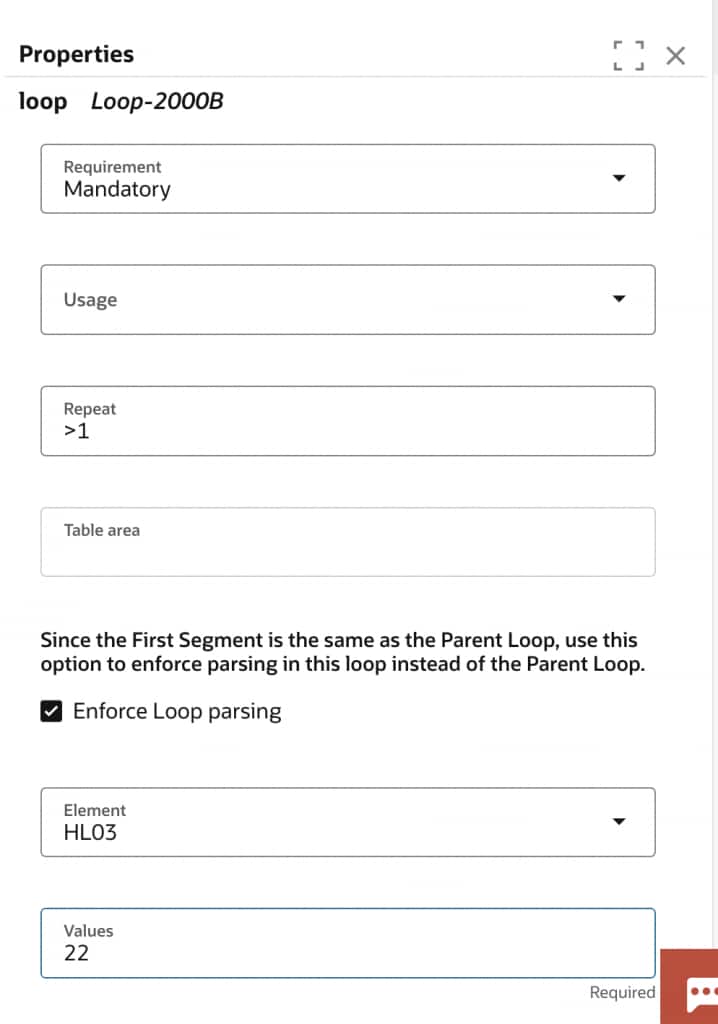
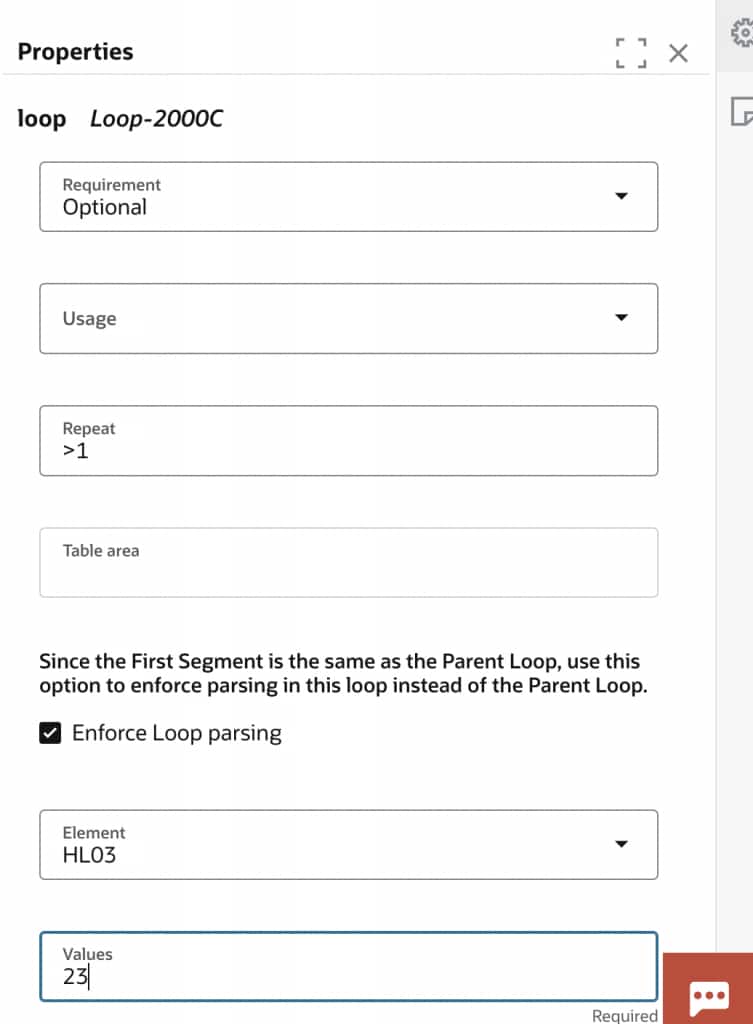
Save the schema and it’s ready to be used in the claims workflows.
Appendix
Here is a working schema to get started.