In today’s dynamic business environment, organizations often manage multiple subsidiaries, business units, or legal entities under a single enterprise umbrella. With Oracle Integration (OIC) B2B, businesses can seamlessly orchestrate and automate interactions with trading partners while supporting complex multi-organization structures.
In this blog, we’ll explore how Multi-Org capabilities in OIC B2B empower businesses to efficiently scale their integration landscape while maintaining clarity and control across the organization.
This is especially required when there is a need to send the same EDI document to 2 different Subsidiaries or Business Units of a Trading Partner dynamically.
For instance, we have a requirement to send a Purchase Order to procure a Laptop and Mouse from the Trading Partner Dell. However, the PO must be sent to different departments.
Let’s look at how this can be set up.
B2B Identifiers
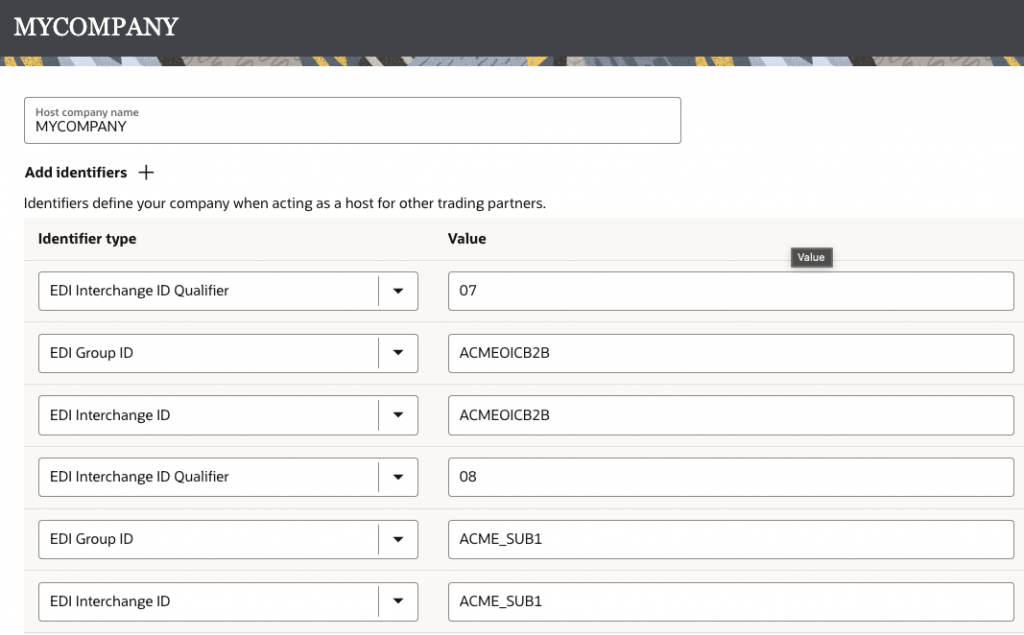
All subsidiaries or units within an organization typically have a unique identifier that is used for EDI exchanges. OIC B2B accommodates such requirements by allowing you to create multiple identifiers for both the HOST profile and Trading Partner profiles.
This is the first thing that must be configured as required.
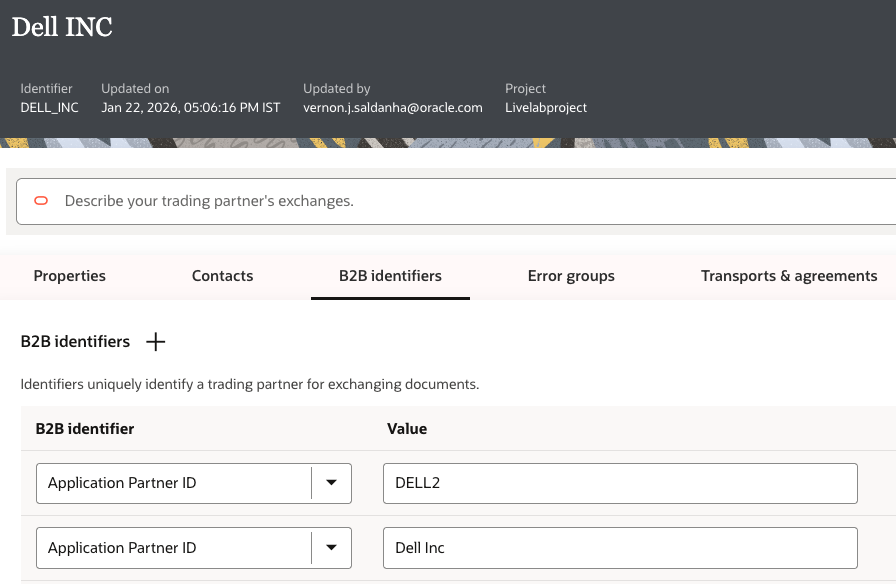
Application Partner ID
The Application Partner ID identifier as the name suggests is a Partner Identifier that is known/stored in the Backend Application (for example, ERP or others). When set up for a Trading Partner, this typically: serves a dual role.
- This can be used to uniquely identify the Trading Partner instead of the B2B Trading Partner ID field. This is useful because this value comes directly from the Backend Application and potentially eliminates the need for a Lookup table.
- Additionally, this value can be used to uniquely pick out our Outbound Agreement to process the same EDI document, but with different Business Identifiers as envelopes.
This is the second thing that needs to be set up.
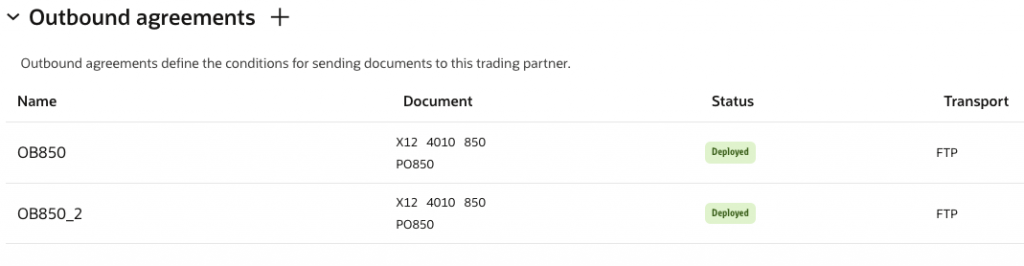
Outbound Agreements
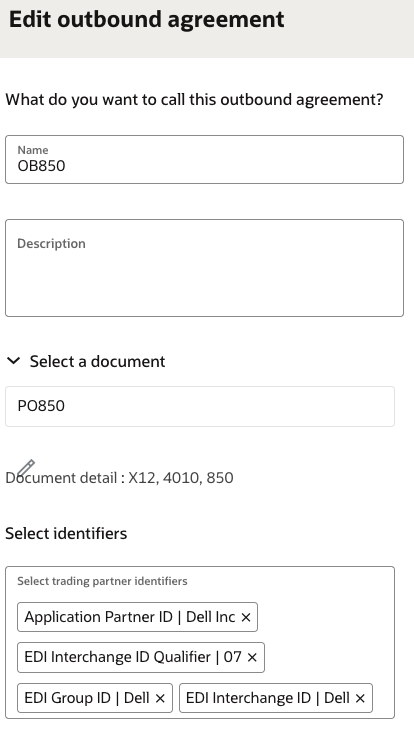
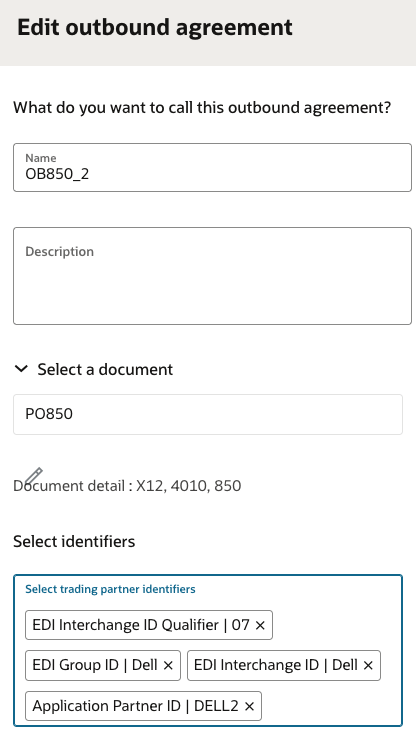
We can set up two different outbound agreements that use the same Purchase Order document, each intended for a different business unit.
In order to dynamically pick the right agreement during runtime, we need to additionally add the Application Partner ID in the Trading Partner identifiers section of the outbound agreement.
Below you can see each agreement with a different Application partner ID assigned.
Note: Ensure that the Agreements and Transports are redeployed if you have made any updates to any trading partner configurations
B2B Action Mapping
Now, within the Outbound Integration, which is generating the outbound Purchase Order, find the map before the B2B action used to create the Purchase Order and map the Application Partner ID from the source.
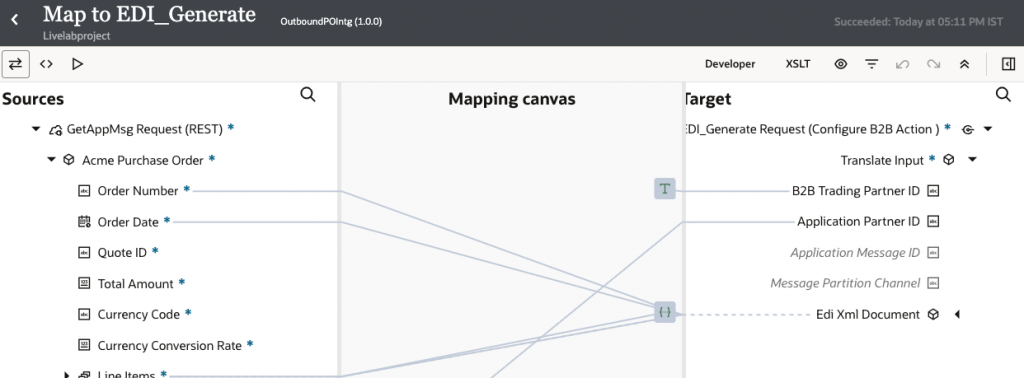
Note: You may rely solely on the Application Partner ID for trading partner discovery or choose to use the B2B Trading Partner ID for trading partner discovery.
Execution
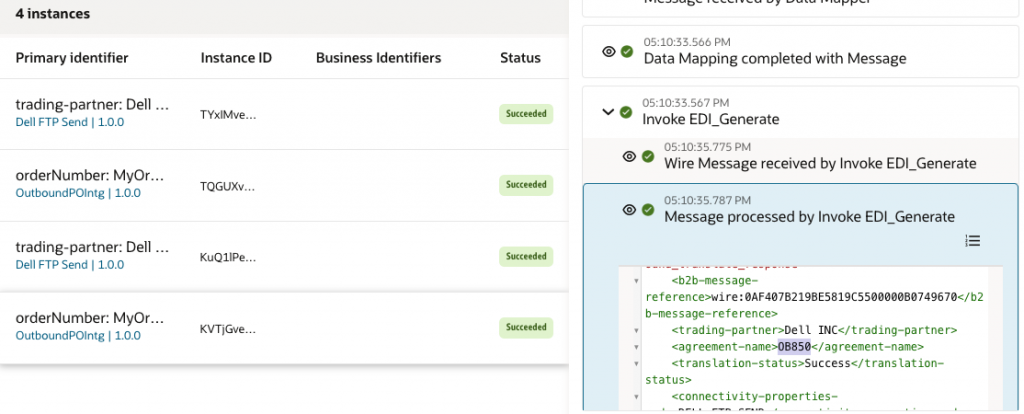
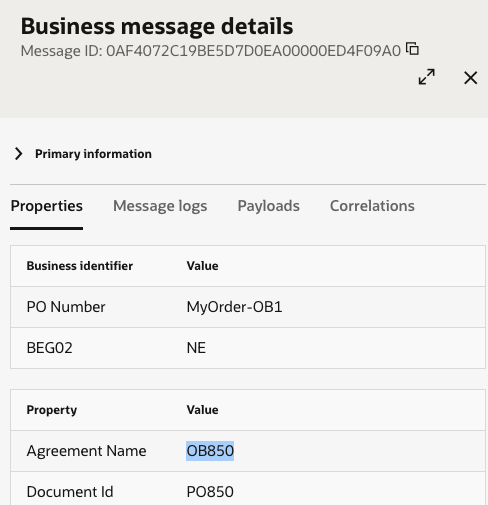
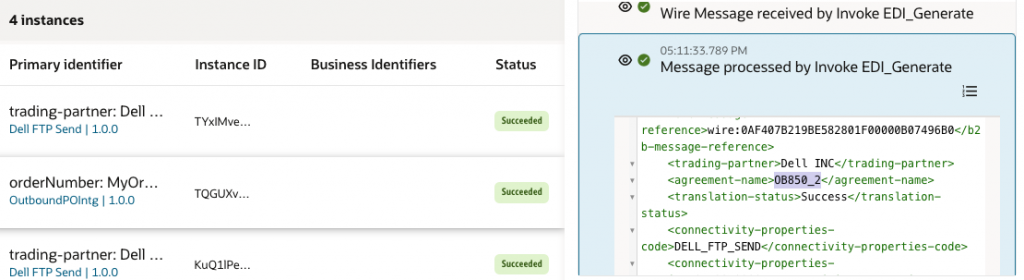
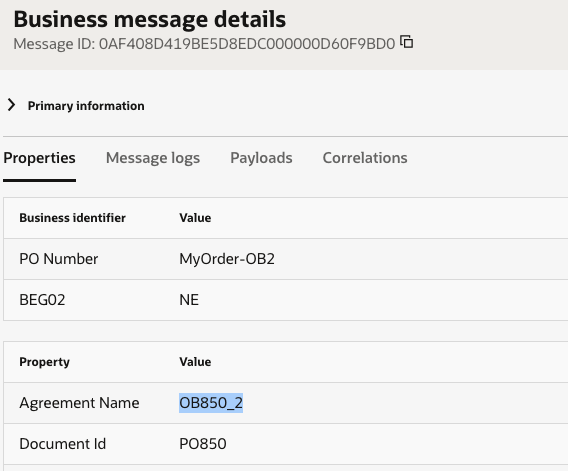
Now, when the outbound process is executed, depending on the Application Partner ID, the appropriate Outbound Agreement is picked up.
Bonus Tip
In the Outbound Backend integration, the response of the B2B action that generates the Outbound EDI message does a lot more than just data transformation.
- Identifies the Trading partner.
- Matches the appropriate Outbound Agreement.
- Uses the identifiers assigned in the Agreement to create the envelopes for the EDI payload.
- Returns the Send Integration details associated with the Transport that is configured in the outbound agreement.
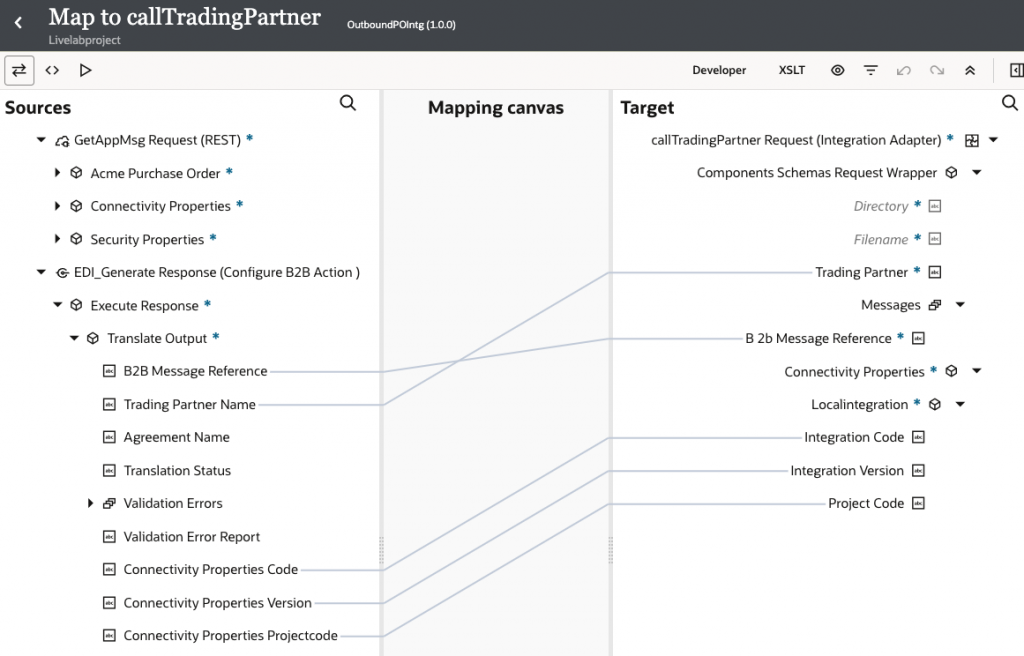
The Integration details can be found in the response, as seen below.
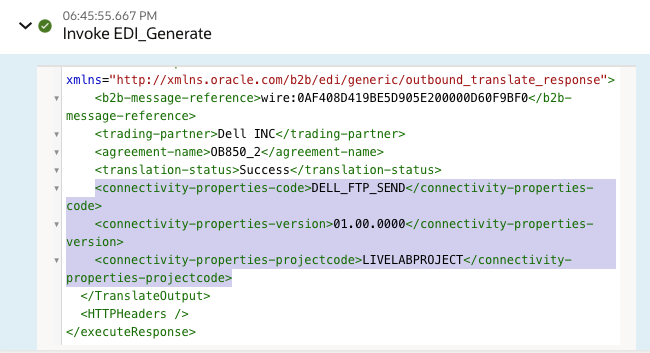
This can now be mapped to the Call integration step to dynamically call the appropriate Trading Partner. This essentially eliminates the need to create individual static routes to the Trading Partner.