
Building a demo or proof of concept is easy. Making it run reliably across an enterprise is hard. The aistudio skill gives developers a way to build Fusion AI Agent Studio workflows and apps with coding assistants such as Codex, Claude Code, Google Antigravity, or GitHub Copilot in agent mode when the project skill is available. You describe the outcome, review the plan, and work with local files, Git, validation, and tests as the assistant builds.
One AI Agent Studio, every kind of builder
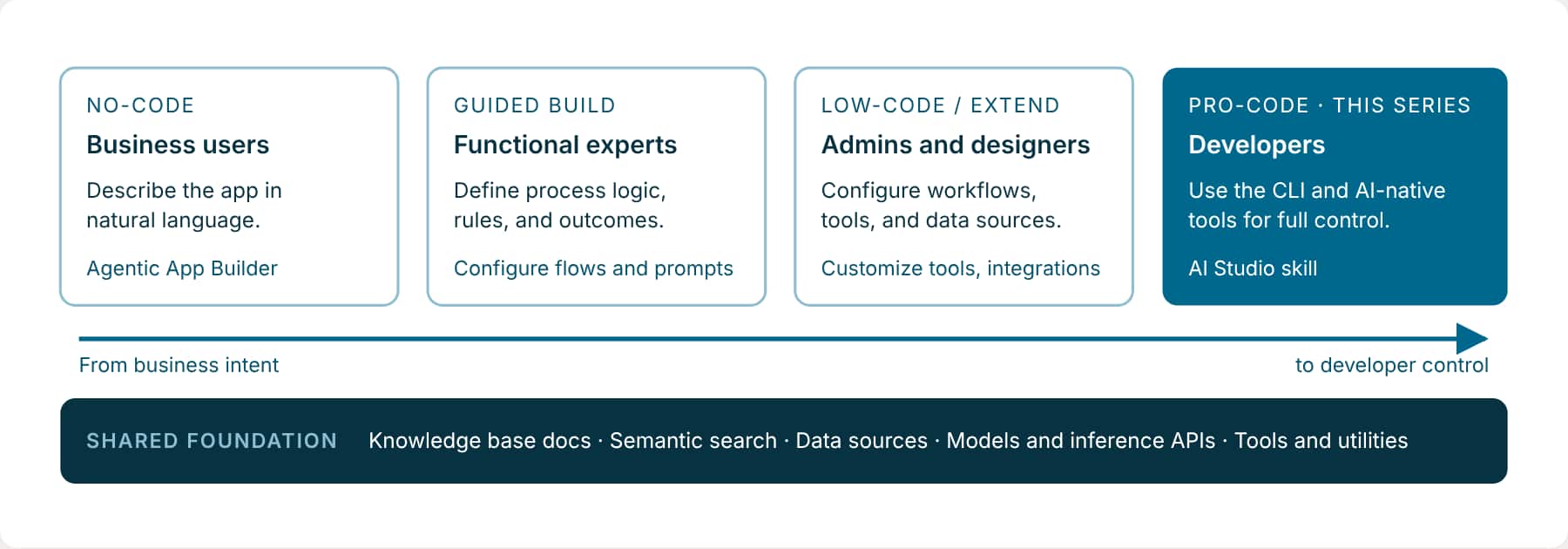
AI Agent Studio meets builders where they work. Business users describe an app in natural language and the Agentic App Builder builds it. Developers add the AI Studio skill to the tools they already use and keep full control. Both build on the same foundation and run on the same Fusion runtime.
How the coding assistant builds with the CLI
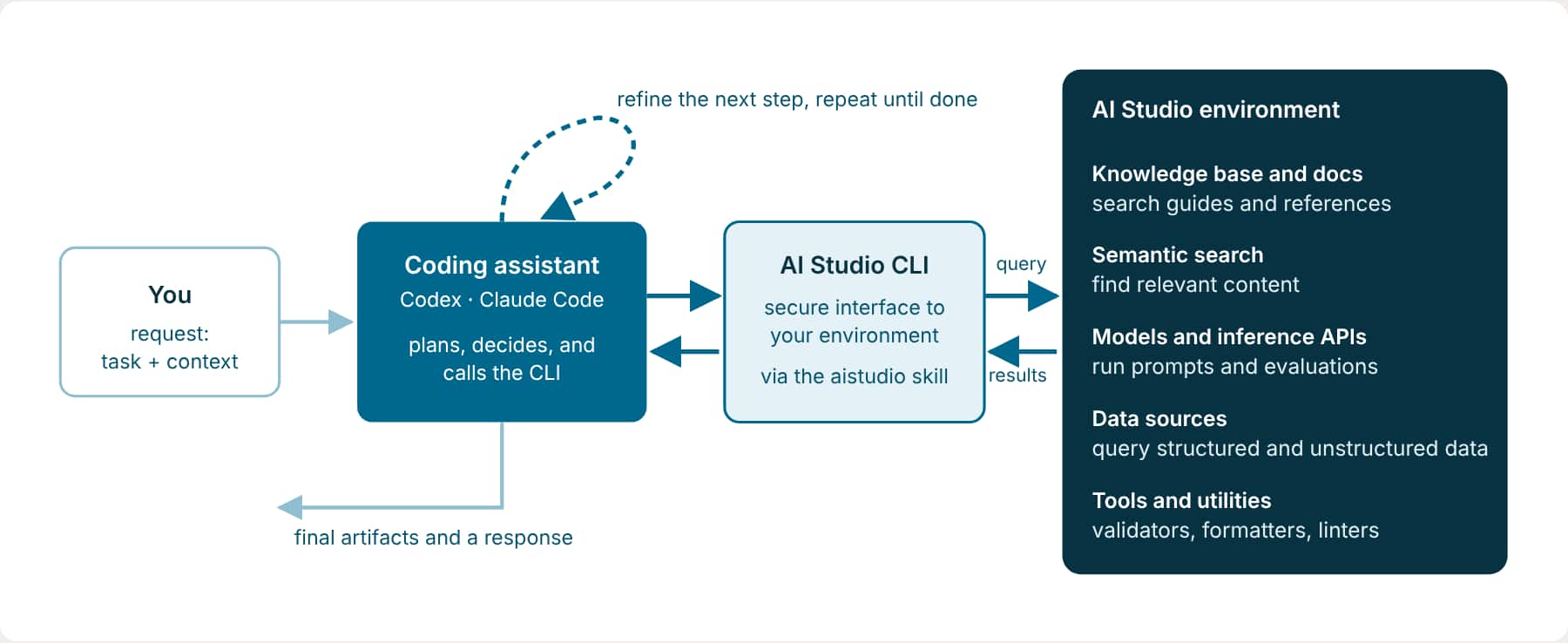
You give the coding assistant a request with the task and its context. The assistant plans the work and uses the AI Studio CLI to carry it out. The CLI connects the assistant to your AI Agent Studio environment for discovery, data access, validation, and testing. The assistant uses each result to decide what to do next, then gives you the artifacts and a summary to review.
Three ways to work
Run the AI Studio CLI for a precise step, use a coding assistant to build from an outcome, or bring both together with the visual artifact canvas in VS Code.
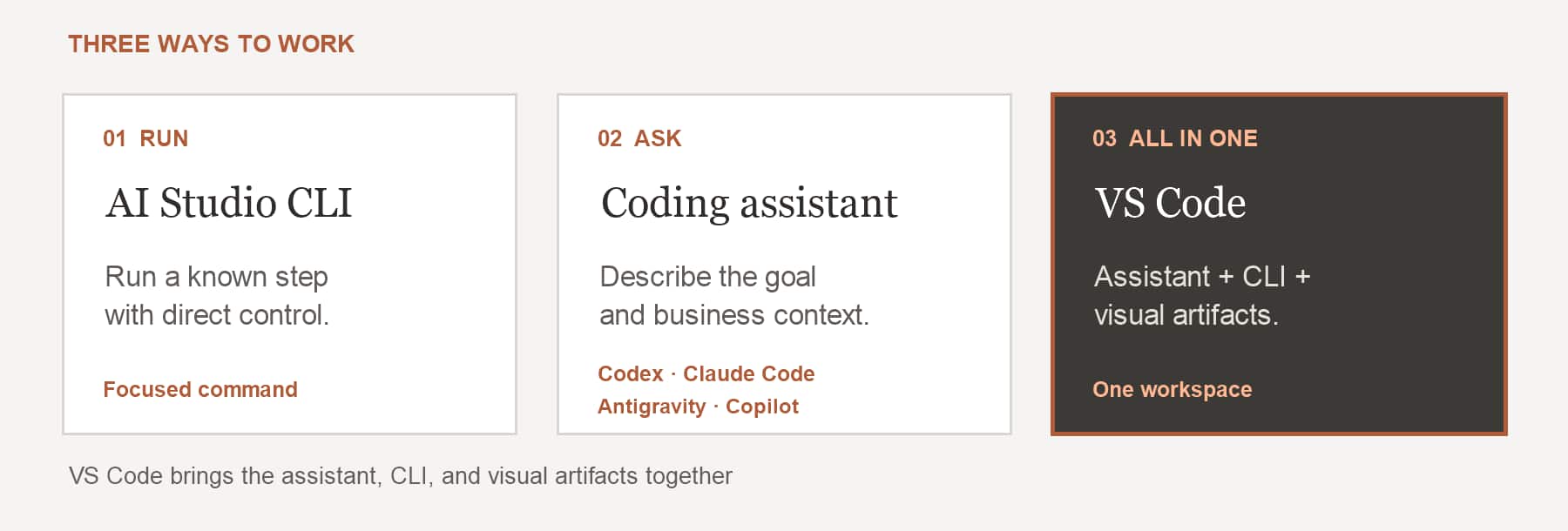
- Run a known step. Use the CLI directly to validate, test, fetch, or save a specific artifact when the next action is clear.
- Start with an outcome. Tell your coding assistant what to build. With the project skill configured, it plans the work and runs the CLI.
- Bring it together in VS Code. Use the coding assistant and CLI in the terminal while you inspect and refine artifacts in the plug-in’s visual canvas.
Built for enterprise scale
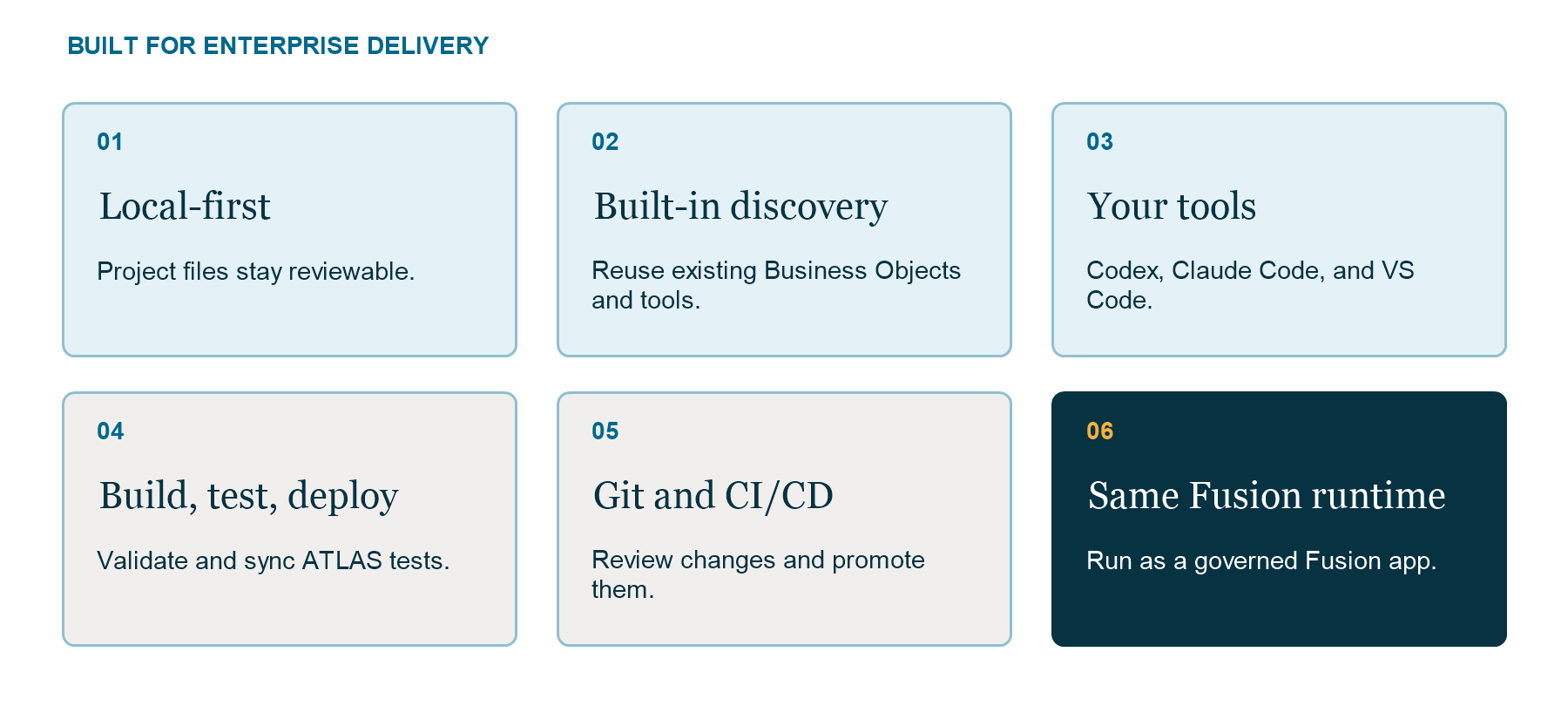
Consider a change to a sales workflow. The assistant checks for reusable assets, edits local files, validates the result, and syncs ATLAS tests. Your team reviews the changes in Git, then promotes the artifact through CI/CD to the same Fusion runtime.
After a material workflow or app change, the assistant may save a DRAFT once so its automatic tests can run. Publishing remains a separate release step.
How building changes
If you’ve built agents in AI Agent Studio, here is what’s different when a coding assistant builds them for you with the aistudio skill.
| In the AI Agent Studio UI | With the aistudio skill in your coding assistant | |
|---|---|---|
| How you start | Open the canvas and add nodes one by one. | Describe what you want in plain language. The assistant plans the nodes and wiring. |
| Where your work lives | On the server. | In project files that you can review in Git. A DRAFT may also be saved once to run tests after a material change. |
| How a change is made | You click into each node and configure it. | The assistant runs CLI commands that add, change, and connect nodes. |
| How you check it | Inspect the canvas and validate the artifact. | The assistant validates changed artifacts and reports any remaining errors. |
| How you test it | Try representative questions and review the result. | After a material workflow or app change, the assistant syncs and runs ATLAS tests unless you ask for a preview, local-only work, or to skip tests. |
| Building several pieces | One artifact at a time. | One request can create the Business Objects, the workflows, and the app that uses them. |
| How teammates review | They open it in the UI. | They read the file changes in Git and approve a merge request. |
| How it reaches production | Publish in AI Agent Studio. | Review the DRAFT, then publish in AI Agent Studio or through CI/CD. Workflows are not published from the CLI. |
You don’t lose the UI. Anything you build with the CLI can be opened in AI Agent Studio once it’s saved.
You talk, the assistant runs the commands
Everything in this series is done by talking to your coding assistant in plain language. You describe what you want; the assistant picks and runs the CLI commands, reads the results, fixes what fails, and tells you what it did. You don’t need to learn the commands to get started. If you want to run one yourself, the Command map at the end lists them, with a shortcut to make aistudio a command.
Good things to ask the assistant for
- Create or redesign a workflow from a description or a spec
- Add nodes, panels, actions, or templates
- Find the right Business Object for your data
- Fix validation or test failures across several artifacts
- Build the workflows behind an app, in the right order
It handles behind the scenes
- Choosing and running the right CLI commands
- Validating every file it changes
- Running the tests after meaningful changes
- Fixing errors it finds before reporting back
- Keeping artifact changes local, except for a DRAFT save needed to run automatic tests
Try it: Find your starting point
Use the aistudio skill from this AI Studio project root. Tell me whether this project uses the src layout or app packages. If there is one package, inventory its local workflows, apps, agents, Business Objects, and tools. If there are several packages, ask me which one to inspect. Keep this read-only and local; do not pull anything from the server.Key takeaways
- AI Agent Studio supports builders from no-code through pro-code. The aistudio skill brings the pro-code path into coding assistants that can load the project skill and run the CLI.
- You describe the outcome and business context; the assistant plans, uses the CLI, and returns artifacts and evidence for your review.
- Local files, Git, validation, and ATLAS tests support repeatable delivery. A test run may require one DRAFT save, while publishing remains a separate step.
Previous: Learning Path for Fusion AI Agent Studio CLI
Next: Inside the aistudio Skill