



Oracle Fusion Data Intelligence (FDI) is a family of prebuilt, cloud-native analytics applications for Oracle Fusion Cloud Applications that provide ready-to-use insights to help improve decision-making. It’s extensible and customizable, allowing you to ingest data and expand the base semantic model with additional content.
Overview
This blog is part of the series FDI Notifications focusing on writing to OCI Bucket Storage.
You can use Oracle Cloud Infrastructure (OCI) Functions to capture pipeline statistics notifications and save them in OCI Object Storage buckets. This process involves configuring Event Services to detect notifications when pipeline events are triggered, a function that processes the trigger data, and then storing the relevant statistics as files in Object Storage for later analysis.
Note: In this blog, you’ll see the example of logging events related to Priority Dataset Refreshes and have named artifacts accordingly. You can follow these same steps and adapt the artifact names to fit any of your own use cases.
Creating Oracle Cloud Infrastructure Object Storage Buckets
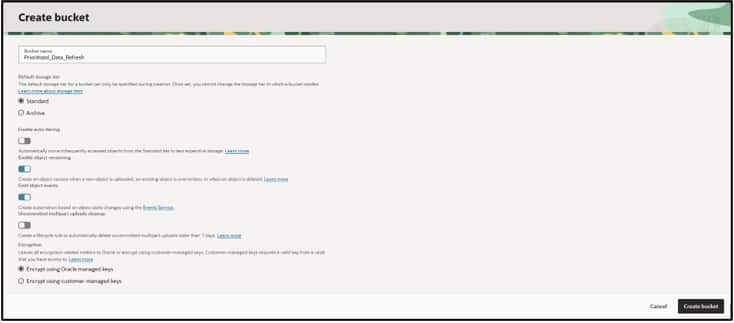
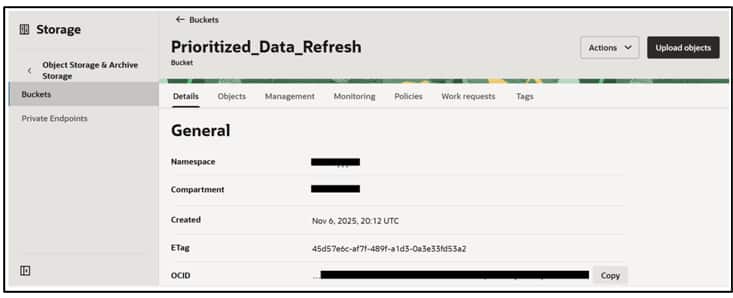
- Navigate to Storage and click Buckets.
- Click Create Bucket, enter the bucket name as
Prioritized_Data_Refresh, and click Create Bucket.
Creating Application and Deploying Function
- Read Deploy OCI Functions for Fusion Data Intelligence Event Notifications to set up an application and create a function.
- In the
func.pyfile, delete the existing code and replace it with the new function code provided as a sample. See Writing to OCI Bucket Storage Sample Code. - Open the
requirements.txtfile using the command:nano requirements.txt - Add
ocias a dependency since the code uses that library. Save and close the file.oci - Follow the rest of the steps in the blog to deploy the application.
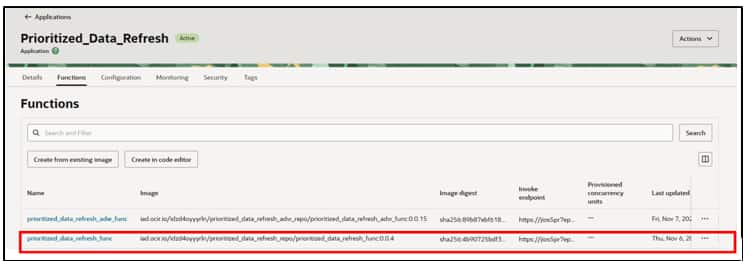
- If you created an application called Prioritized_Data_Refresh and a function called prioritized_data_refresh_func, on deployment you should see the highlighted state in your OCI application artifact.
Configuring Environment Variables for the Function
- Set up configurations and environment variables that the script uses.
- Within the application you created, go to Configurations and select Manage Configurations to define the values for the function’s environment variables.
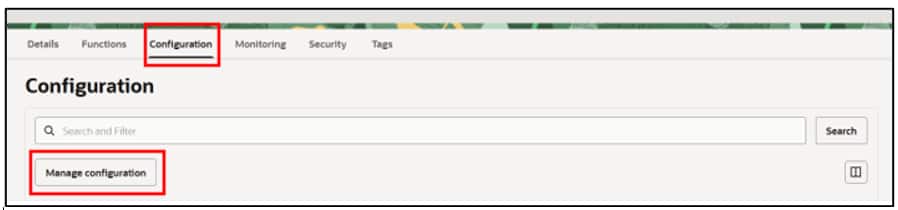
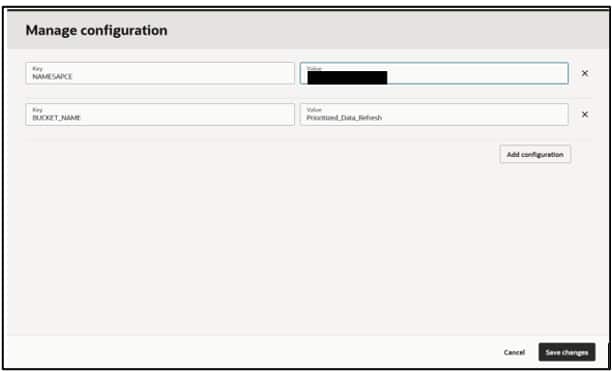
- NAMESPACE: Replace with the Object Storage bucket namespace in the OCI tenancy.
- BUCKET_NAME: Enter
Prioritized_Data_Refresh.
Configure Topics and Rules
- Read Overview to set up Topics and Rules for Event Monitoring blog to set up Topics and Rules for the events.
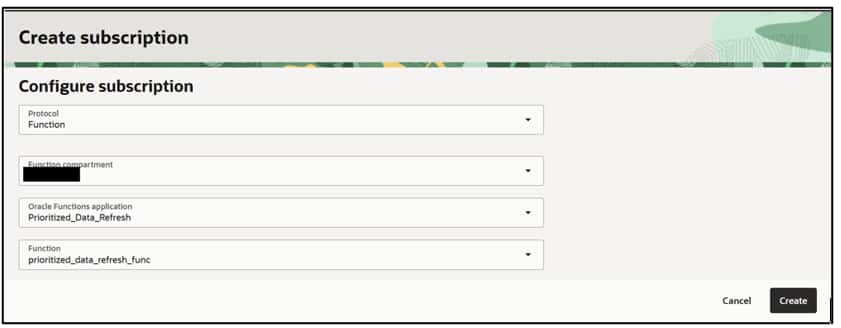
- To subscribe a function to your topic, select Function as the protocol, then choose the application and function containing your code. Click Create.
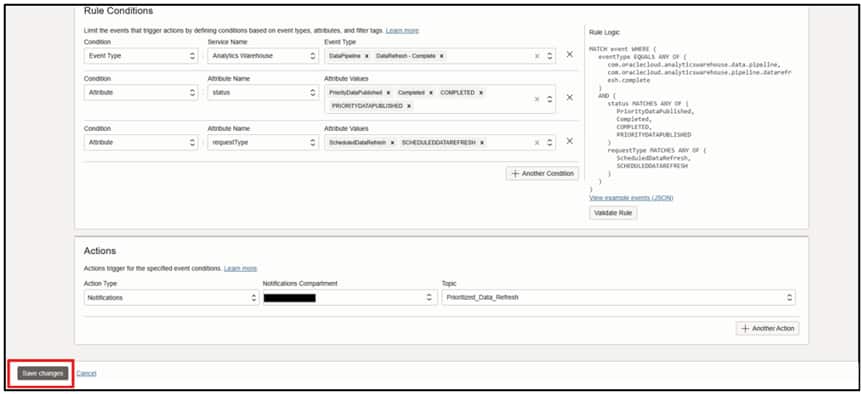
- Provide the details below and configure the rule conditions and attributes to receive notifications upon completion of prioritized data refreshes.
Writing to Buckets
- To test the function without waiting for the actual pipeline trigger, use the Publish Message option associated with the topic you created.
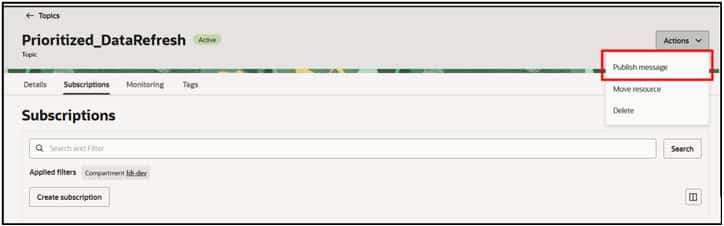
- The message can be any format, such as a JSON payload or even a single-line statement, depending on what your function requires as input. The title is the subject of the email you receive if your email address is subscribed to the topic.
- Click Publish and validate the results.
Navigate to the OCI Buckets artifact and review the files.

Conclusion
Storing event notifications in OCI Object Storage helps keep your event information organized and easy to find whenever you need it. There are additional options to store these notifications for further processing and analysis:
- Store notifications in database tables. See Writing events to Autonomous AI Lakehouse via ORDS.
- Format the trigger payload as an easily readable email. See Formatting Oracle Fusion AI Data Platform Pipeline Email Notifications.
Call to Action
Now that you’ve read this post, try it yourself and let us know your results in the Oracle Analytics Community, where you can also ask questions and post ideas.