
Last updated: April 2026
With Inputs from:
Engineering Team for Fusion Data Intelligence Event Producer
Introduction
Oracle Fusion Data Intelligence (FDI) is an Oracle Cloud Infrastructure (OCI) native service that leverages the power of Oracle Autonomous AI Lakehouse and Oracle Analytics Cloud (OAC). It provides a comprehensive analytics solution that includes a data pipeline, data warehouse, semantic model, and content such as dashboards and reports.
As businesses scale and evolve, the need for automation in managing data and analytics applications becomes increasingly critical. In response to customer feedback, we have introduced many features that gives you greater control over event tracking while significantly enhancing observability into critical processes.
FDI Event Producer service is an effective automated solution for creating consolidated events and notification workflows, which can streamline your Fusion Data Intelligence business operations. This feature is available as a preview feature.
By subscribing to data load completion and estimated load completion events, you can monitor and manage your workflows more effectively.
This blog provides a high-level perspective on the capabilities and vision. It also serves as an anchor for a series of upcoming blogs, each exploring practical use cases to showcase real-world impact.
What is FDI Event Producer Service?
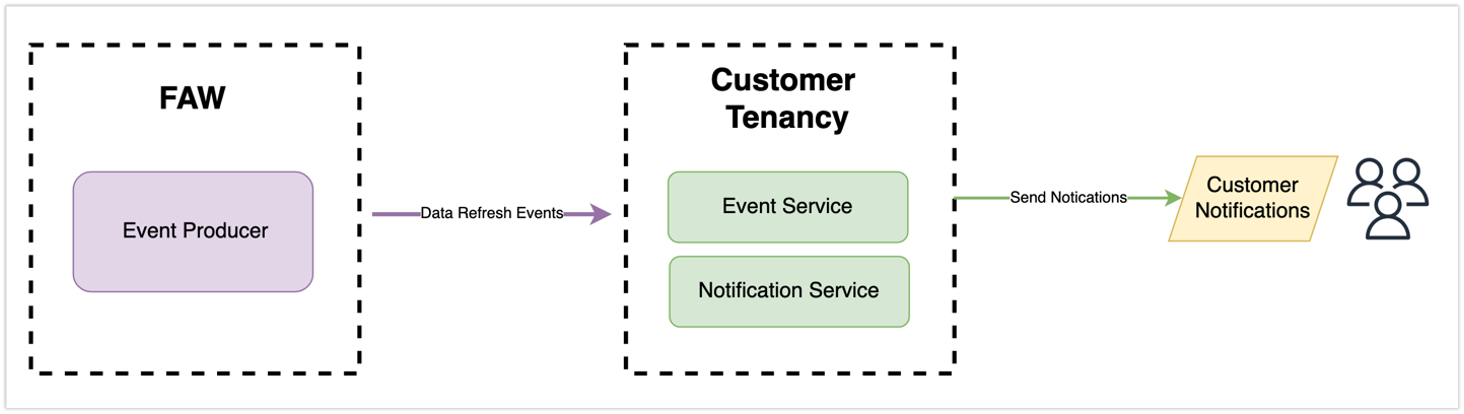
The Event Producer service and the integration with the OCI-managed Events services provide a more efficient way to receive notifications about your data pipeline events. By using the OCI-managed notification services, you can customize your alerts and choose how you want to receive them, whether it’s through email, Slack, or other trigger downstream workflows using custom-defined functions. This not only improves your experience but also reduces the workload on your support team by decreasing the number of ad-hoc requests for job completion requests through the service request tickets.
With the integration of OCI-managed Events Services, notifications are delivered in real-time when the daily pipeline jobs complete, ensuring you never miss an important update.
What types of events are emitted through the FDI Event Producer service?
Fusion Analytics has registered many event types as part of this feature. This list might be expanded in the future to accommodate additional business use cases. See preregistered events documentation for more details.

What types of events are emitted through the FDI Event Producer service?
Fusion Analytics has registered many event types as part of this feature. This list might be expanded in the future to accommodate additional business use cases. See preregistered events documentation for more details.
How do I enable and receive events, and create an email notification
To enable the FDI event service feature and create custom automation that sends an email using the FDI Event Producer service, follow these steps:
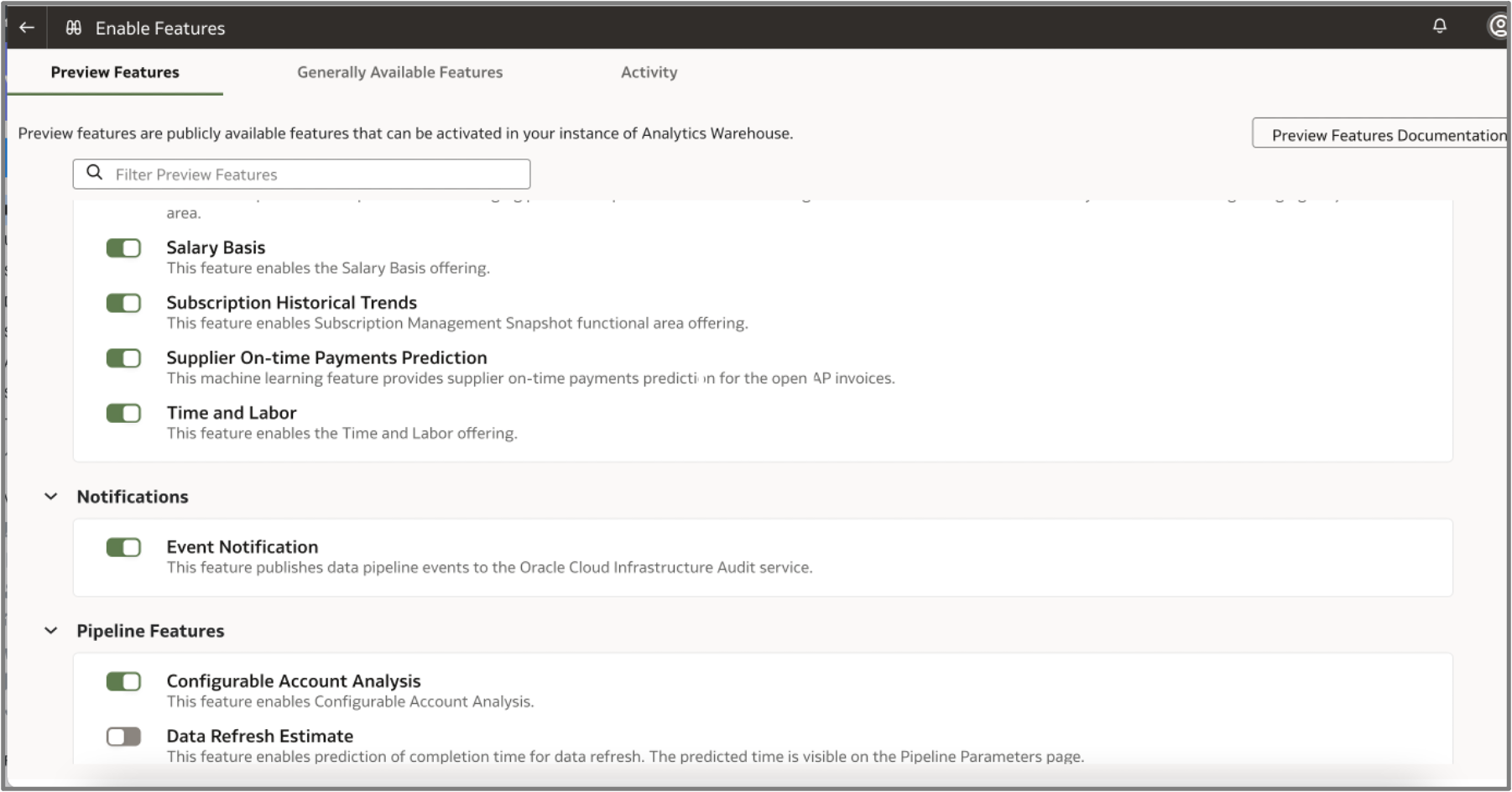
Step 1: Log in to the FDI Console, click Enable Features, and enable Event Notification.
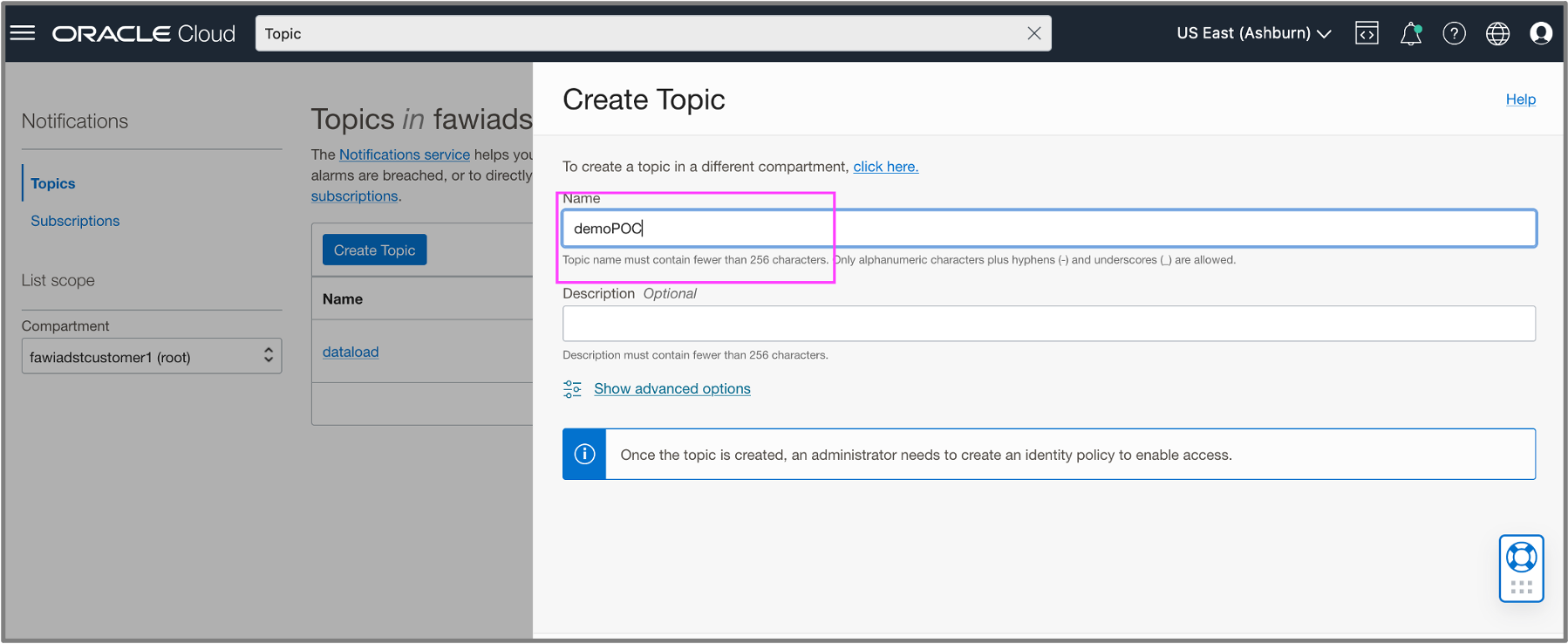
Step 2: Log in to the OCI Console and create a topic for the chosen event.
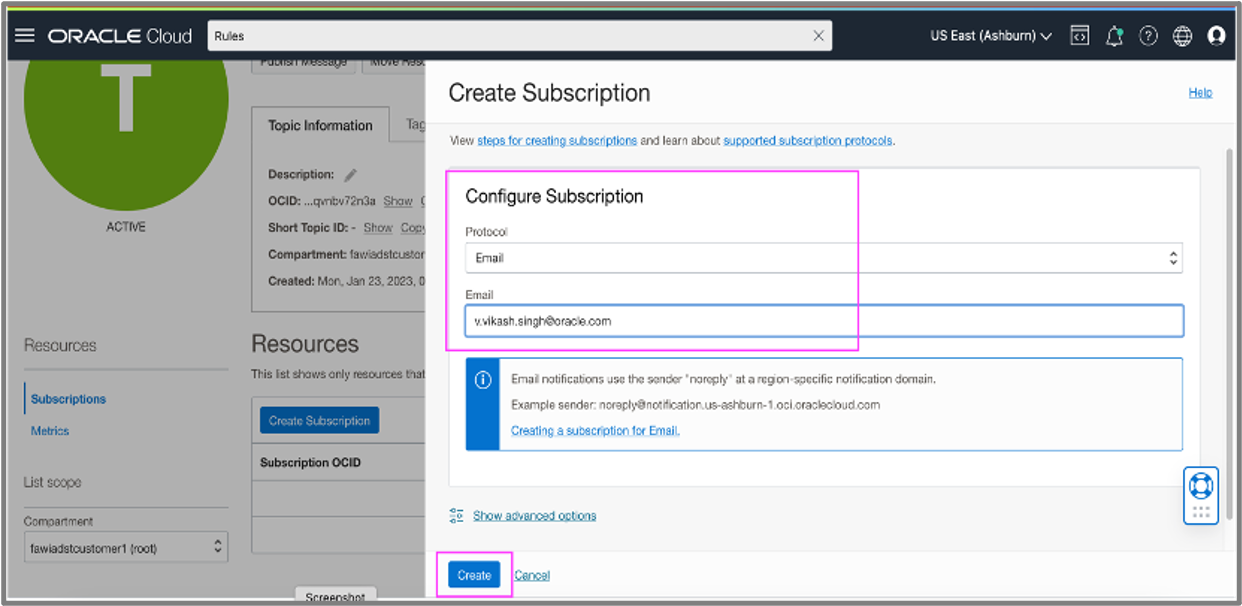
Step 3: Subscribe to the topic with your email address. Be sure to check your email and respond to the confirmation.
Step 4: In Oracle Cloud Console, Navigate to Observability & Management, Events Service, Rules
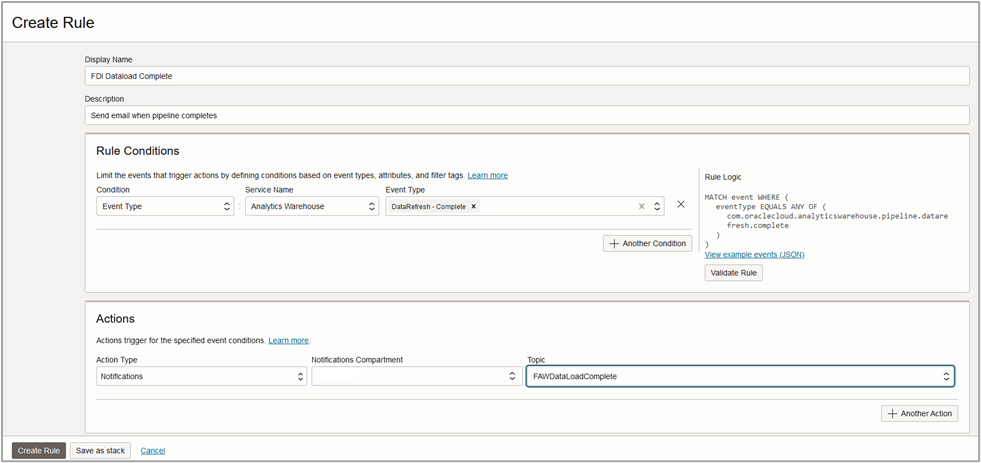
Create a rule for Condition: Event Type, Service Name: Analytics Warehouse, Event Type
Add Actions, Notifications, Notification Compartment (where topic was created), Topic: Select your topic. Below is a sample
Event Producer Use Cases
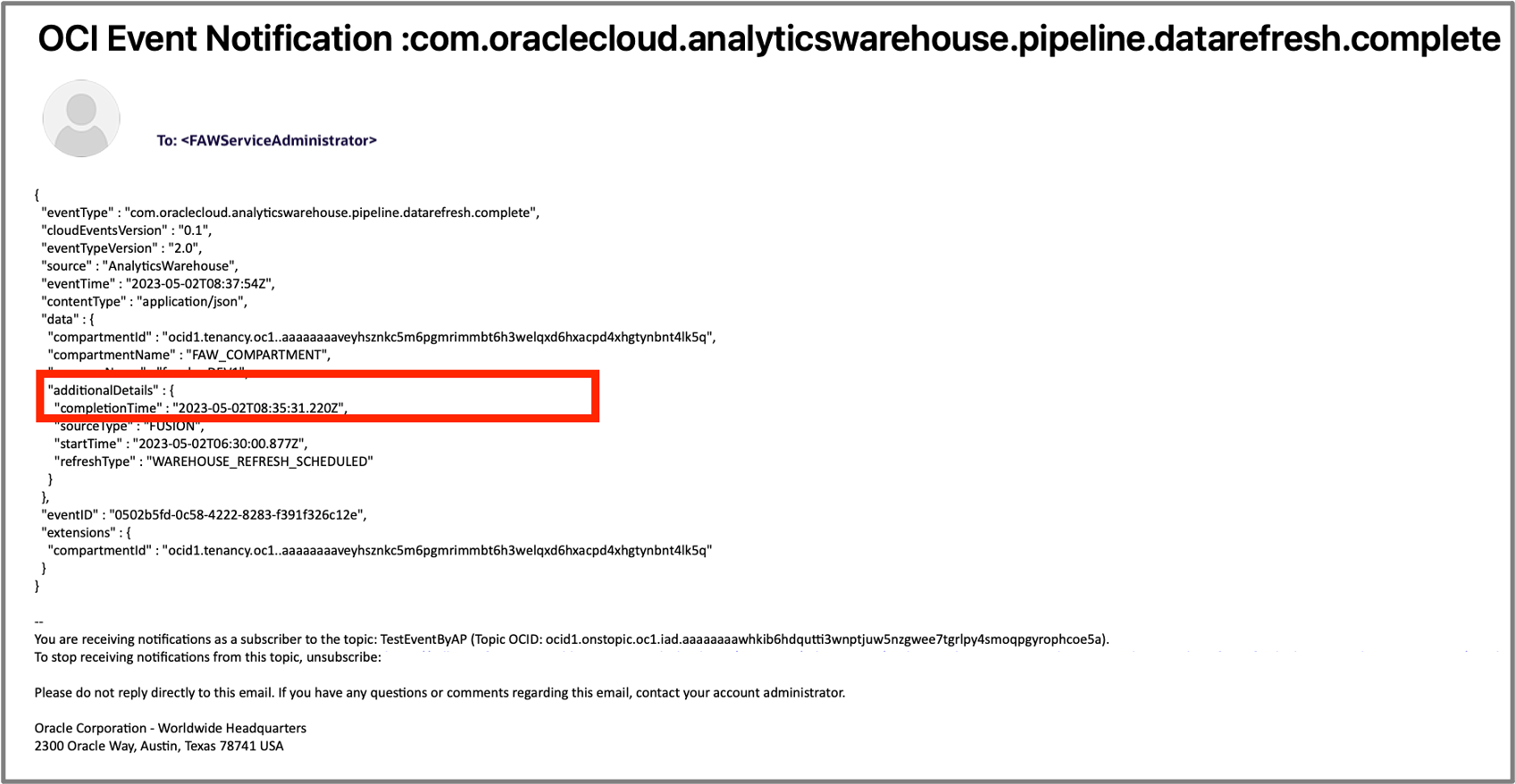
Email – notifications
You can create a rule to trigger an email notification for an event in Fusion Analytics.
Slack – notifications
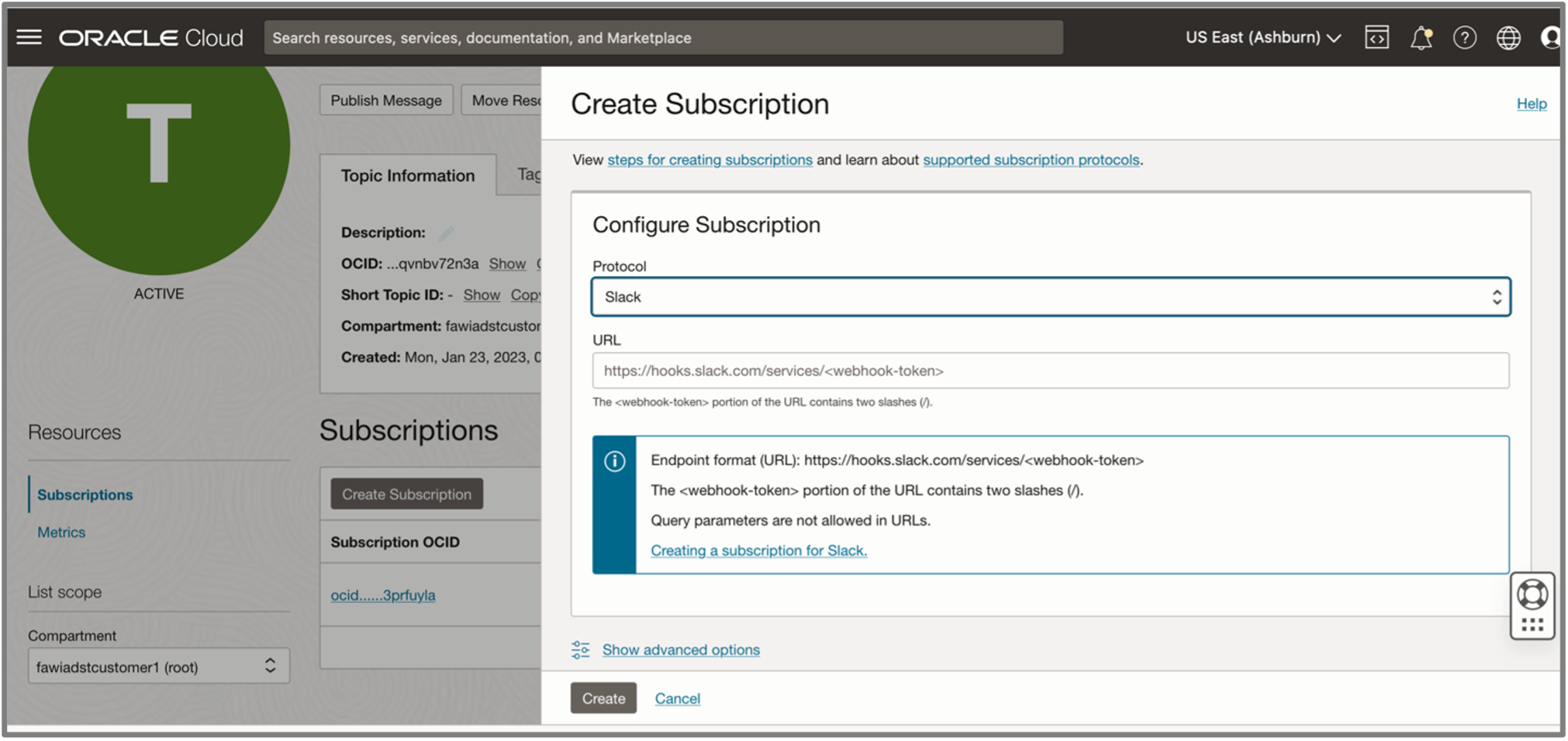
Oracle Cloud Infrastructure provides an option to create a rule that can trigger Slack notifications. Like email notifications, you can create a subscription configuration for Slack protocol and provide the Endpoint URL for Slack
Trigger Custom Functions Based on FDI Events
Like email and Slack notifications, you can create custom rules to trigger functions. This enables you to create a customized automation and integrate it with downstream workflows.
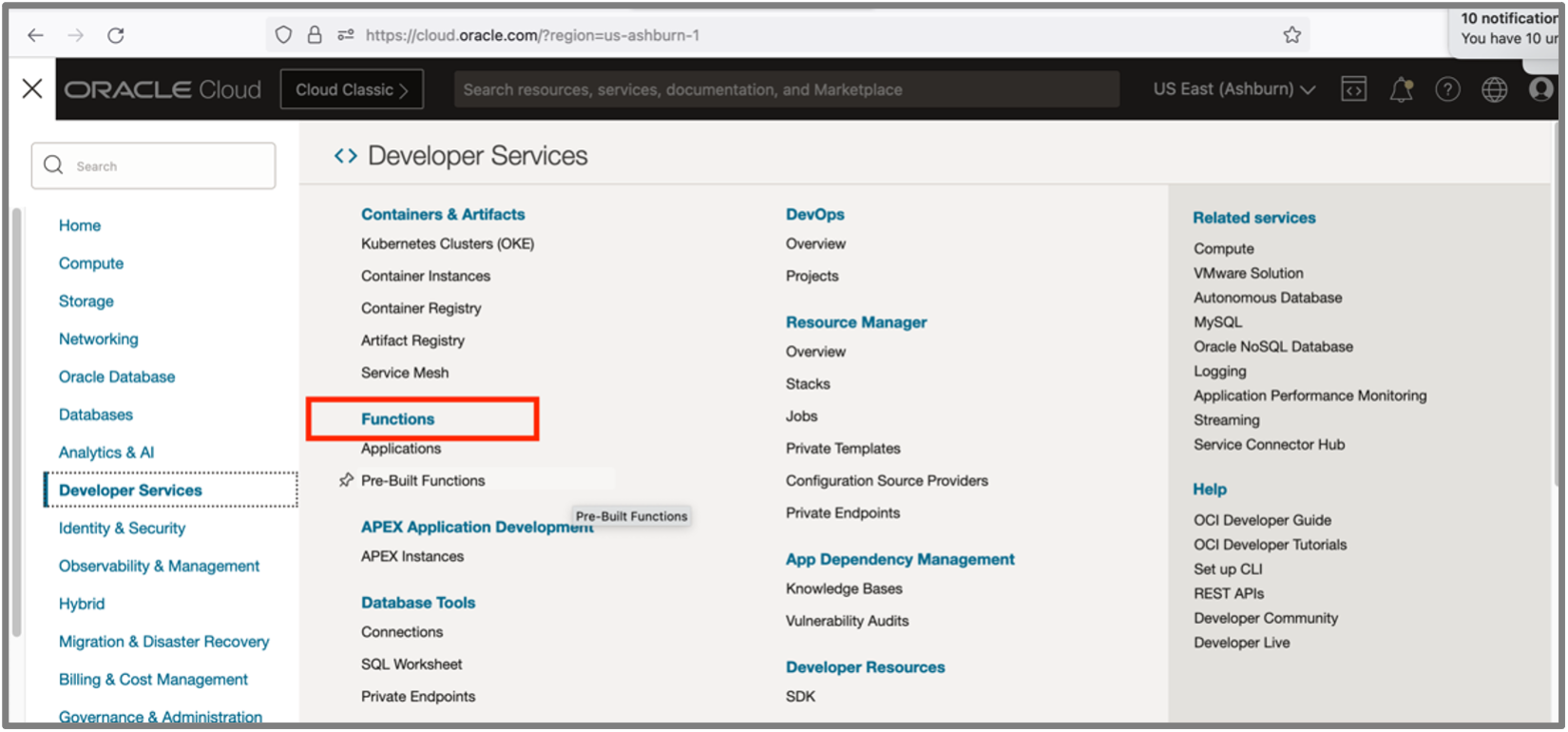
Navigate to the Create Rule page, and in the Actions section, in Action Type, select Functions from the list and provide the function details.
References
Overview of Event Services
Overview of Notifications
Overview of Functions (oracle.com)
Refresh Materialized Views via Custom Function
Call to Action
If you need a secure and reliable means to automate events and notifications for your Oracle Fusion Analytics implementation, then try the FDI Event Producer service. By subscribing to these events, you can create custom workflows and eliminate the need for ad-hoc communications such as emails and service request tickets.
You can choose to be automatically notified of important events such as daily Data Pipeline completion and eliminate the need to constantly check the system for completion.