


With input from Abhiram Gujjewar, Product Management, Oracle Fusion Data Intelligence
This is Part 1 of a two-part blog on how to use the FDI platform for downstream integrations.
- This article describes how to configure the FDI Data Share feature and publish FDR-enabled tables to Object Storage.
- Read Part 2 to learn how to consume FDI data using the Table Change Format change feed.
Oracle Fusion Data Intelligence (FDI) is a family of prebuilt, cloud-native analytics applications for Oracle Fusion Cloud Applications. It delivers ready-to-use insights and can be extended with additional data and semantic-model content.
Why downstream data can fall behind
Frequent Data Refresh V2 (FDR V2) keeps selected FDI data current throughout the day. But downstream applications that consume only the daily incremental load don’t see those intra-day changes until the next scheduled refresh.
A common business scenario
Consider accounts payable. Finance teams might update invoices several times during the day, while reporting systems, operational dashboards, or custom databases need those changes before the next daily load. Waiting can leave downstream decisions based on data that’s already out-of-date.
FDR V2 closes this gap by capturing insertions, updates, and deletions during each frequent refresh. Downstream integration can consume those changes from the FDR Delta and delete tables or from change files published to Oracle Cloud Infrastructure (OCI) Object Storage.
How FDR V2 represents the latest data
When you enable FDR for a module, FDI creates a Lambda view that combines the stable daily-refresh data with the changes captured during frequent refreshes:
- Base table: Stores data from the most recent daily incremental refresh and remains unchanged during an FDR run.
- Delta table: Stores insertions and updates captured during each FDR run.
- Delete table: Stores deletions captured during each FDR run. Depending on the implementation, an update can appear as a deletion followed by an insertion.
Lambda view = Base table – Delete table + Delta table
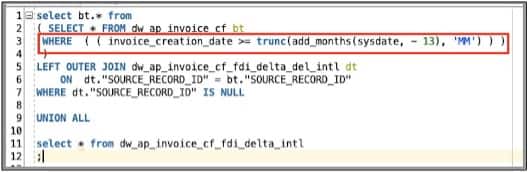
The Lambda view also applies the Oldest Data to Report setting. For example, if you retain 13 months, the view filters the base data to that period before applying the FDR changes.
Choose the downstream integration pattern
This article focuses on OCI Object Storage because it separates change capture from downstream processing and provides a durable, structured handoff in Parquet format. For a decoupled integration that can scale across external targets, publish change files to OCI Object Storage.
Recommended pattern: Publish changes to OCI Object Storage
Before you begin
You need,
- Access to an OCI compartment where you can create a bucket or use an existing one, with the required IAM policies in place.
- The Object Storage namespace and compartment OCID.
The following workflow creates the bucket, configures an FDI target connection, publishes a warehouse table, and validates the exported change files.
Note: Feature names and labels can vary by release. Confirm the available options in your FDI environment and current Oracle documentation.
1. Create and authorize the Object Storage bucket
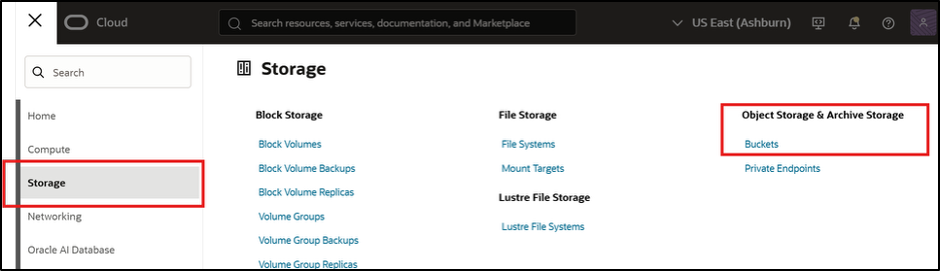
- In the OCI Console, open Storage, and then select Buckets.
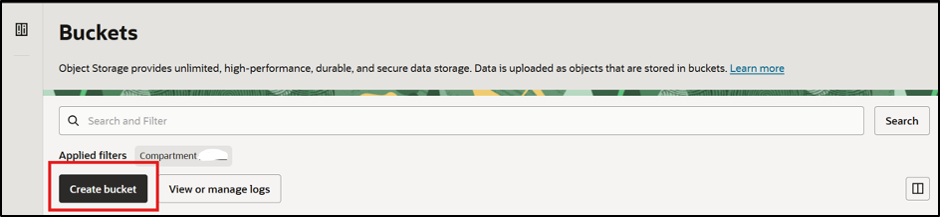
- Select the target compartment, and then select Create bucket.
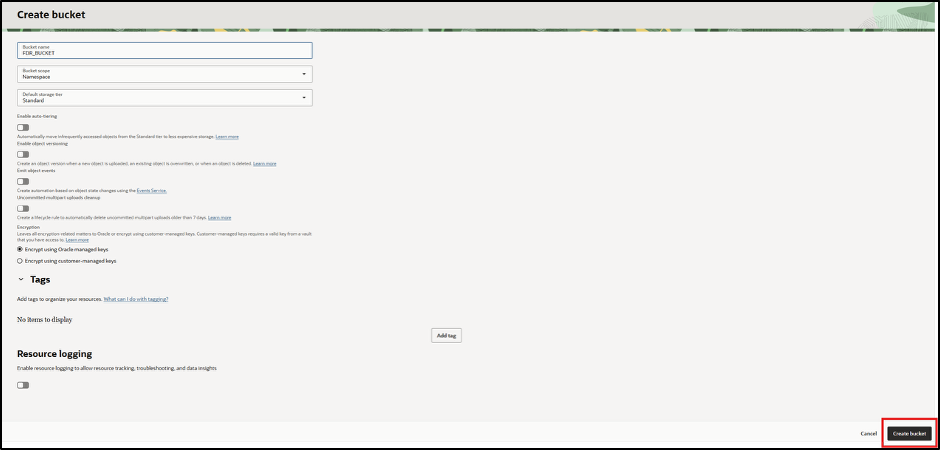
- Add the required bucket policies. See the linked prerequisite topic in the Oracle documentation for the latest policy guidance.
allow any-user
to { BUCKET_INSPECT, BUCKET_READ, OBJECT_INSPECT, OBJECT_READ, OBJECT_OVERWRITE, OBJECT_CREATE, OBJECT_DELETE }
in tenancy
where all {
    request.principal.type = 'fawbeyondpublish',
    target.compartment.id = request.principal.compartment.id,
    target.bucket.name = 'BUCKET_NAME_CREATED_BY_CUSTOMER'
}
2. Create and test the FDI target connection
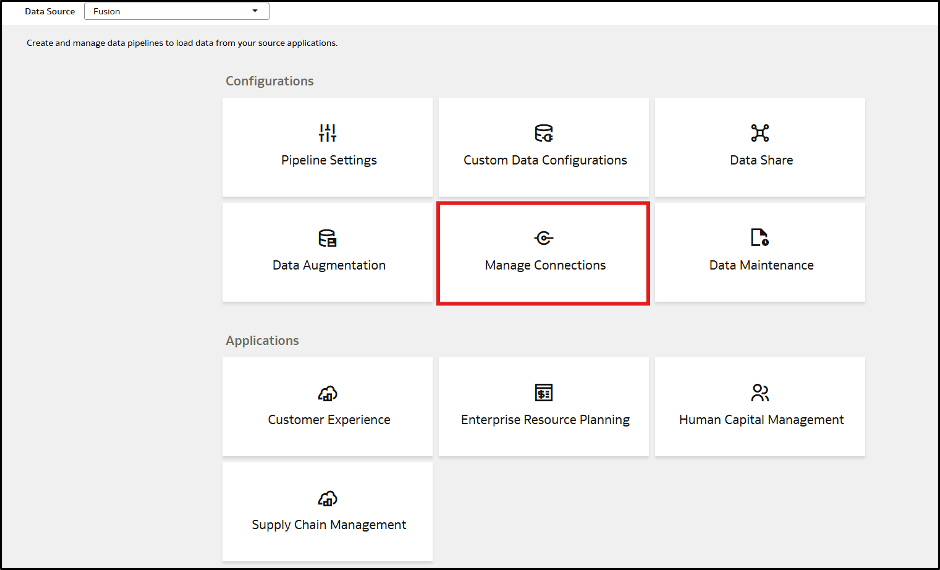
- In the Oracle Fusion Data Intelligence Console, open Manage Connections.
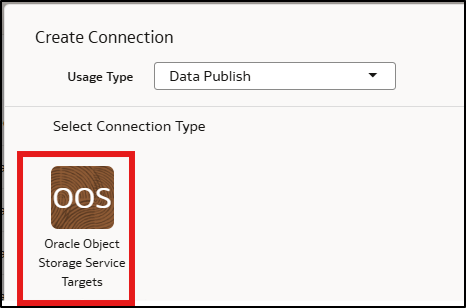
- On the Manage Connections page, click Create, select Data Publish in Usage Type, select Oracle Object Storage Service Targets in Connection Type to create an Oracle Object Storage Service Targets connection.
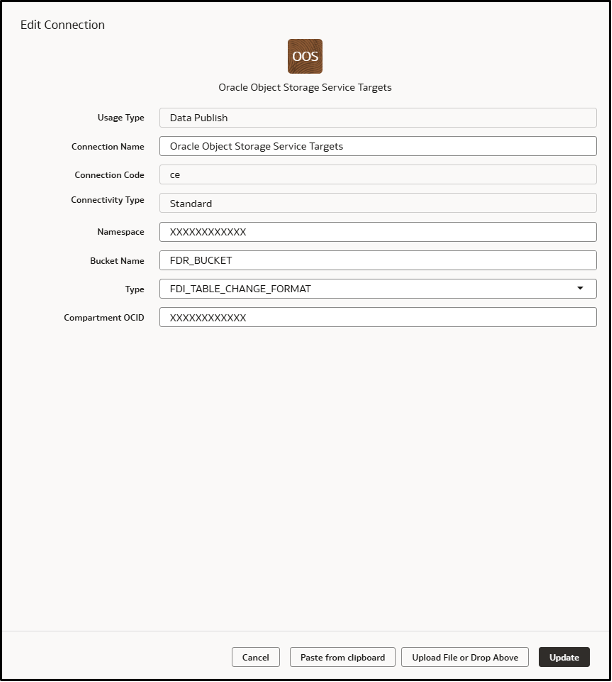
- In the Oracle Object Storage Service Targets connection dialog, enter a meaningful name, a unique Connection Code, Namespace, Bucket Name, and Compartment OCID. Select FDI_TABLE_CHANGE_FORMAT as the Type.
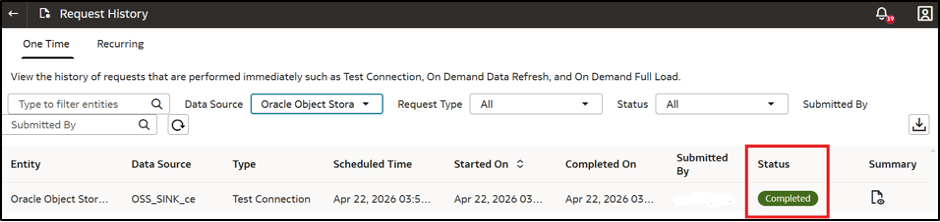
- Save the connection and then test it.
- Open Activity and confirm that the test is completed successfully.
3. Enable Data Share for frequent refreshes
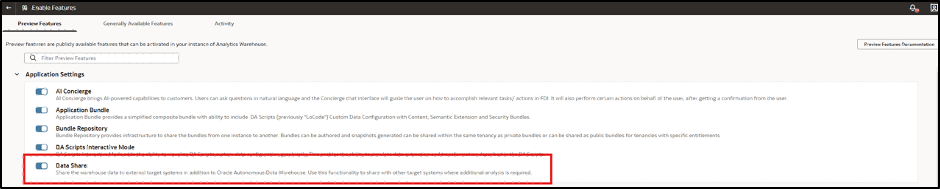
- Open Enable Features. Under Application Settings, enable Data Share. Under Pipeline Features, enable Data Share for Frequent Data Refresh.

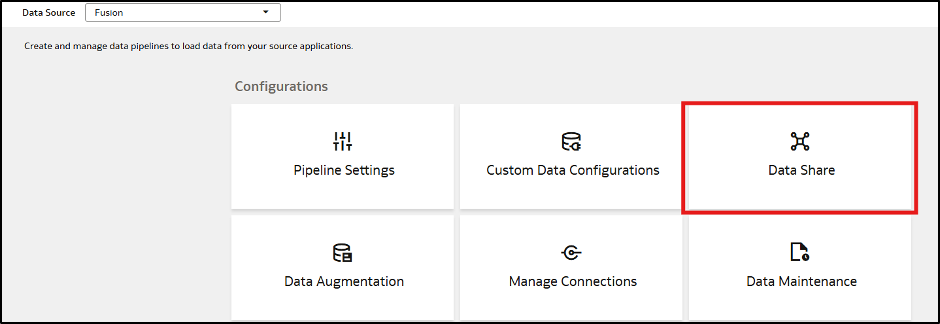
- Under Data Configurations, select Data Share.
4. Publish the table and include FDR changes
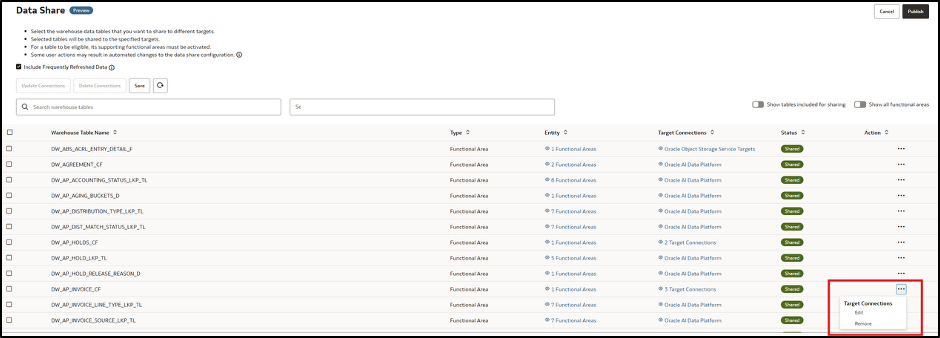
- On the Data Share page, find the warehouse table whose changes you want to publish, open its actions menu, and select Edit.
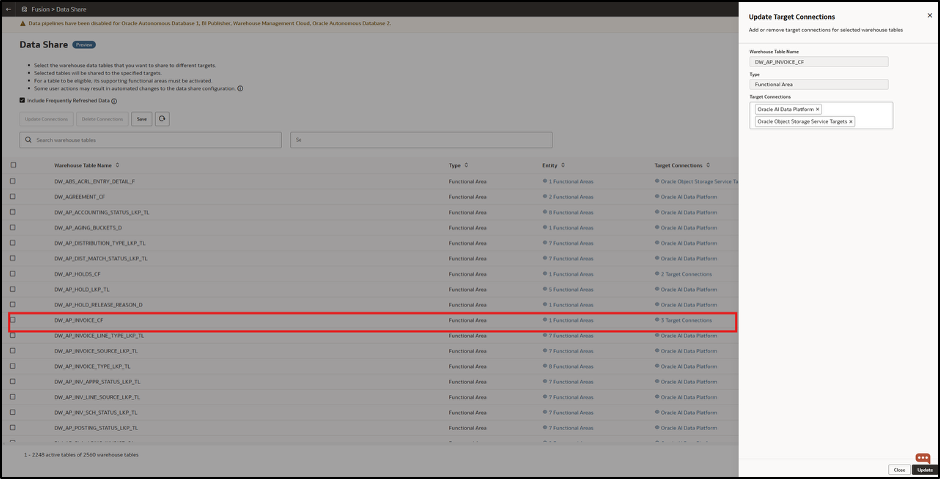
- In Update Target Connections, add Oracle Object Storage Service Targets in Target Connections, and then select Update.
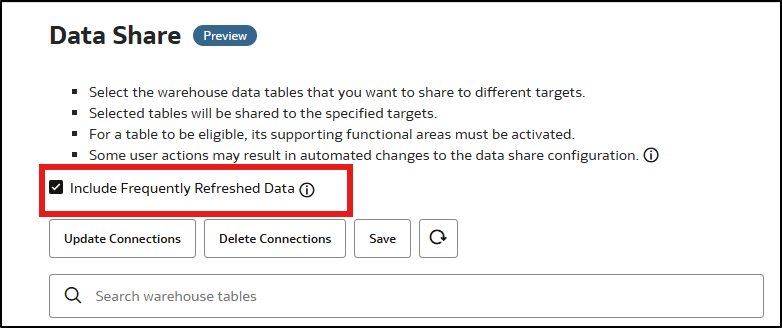
- Select Include Frequently Refreshed Data to ensure that the share includes changes from FDR runs.
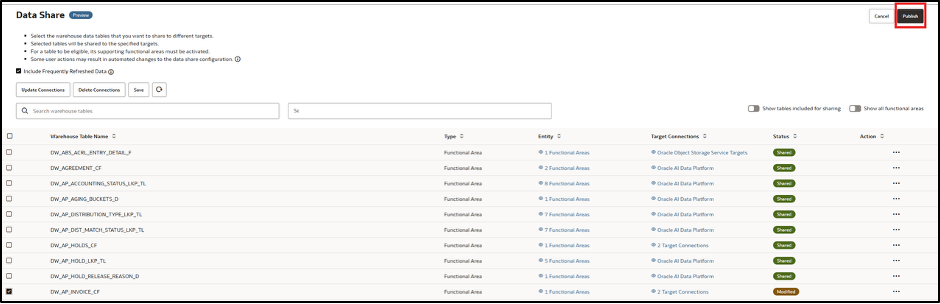
- Select the table, and then select Publish. FDI now writes table changes to the bucket according to the FDR schedule.
5. Validate the exported change files
- Sign in to OCI and open the bucket used by the target connection.
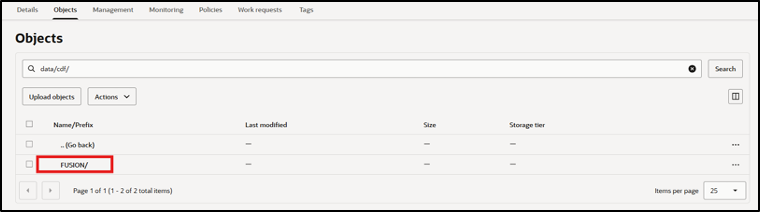
- Select Objects to review the files published by FDI.

6. Understand the Object Storage hierarchy
FDI stores the changes as Parquet files in a predictable hierarchy:
- Source, such as Fusion Applications or Oracle Analytics Publisher (BI Publisher or BIP).
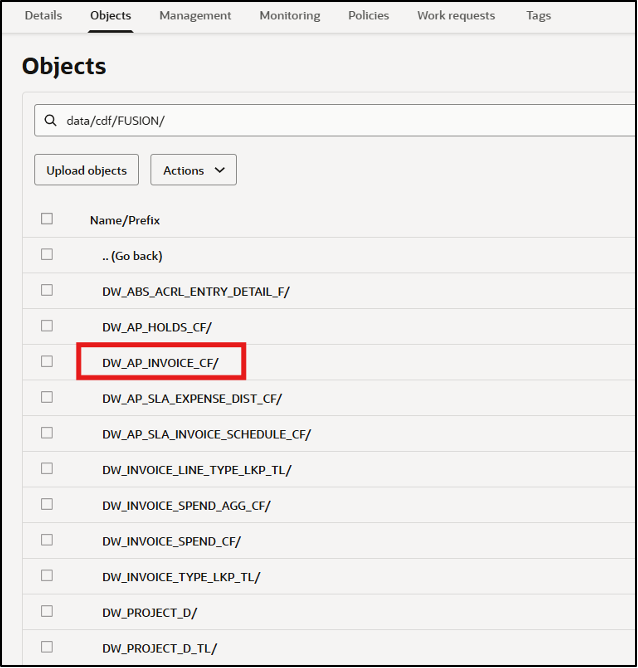
- Warehouse table, such as DW_AP_INVOICE_CF.
- SCN (System Change Number), such as fdi_scn_id=999999.
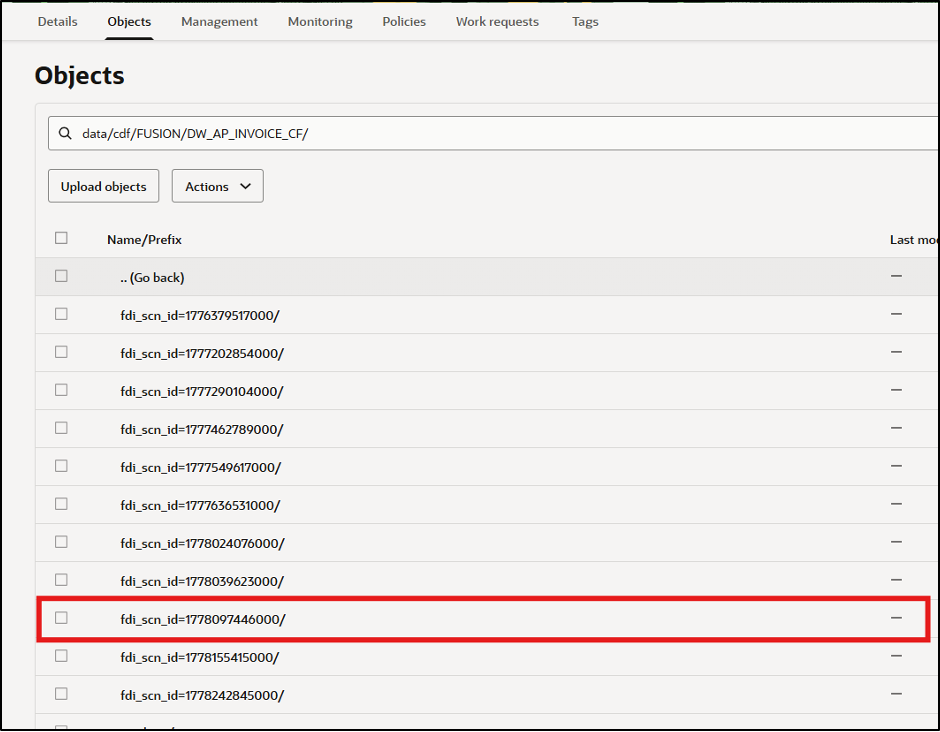
- Refresh type, such as Full, Incremental, or transient refresh for FDR V2.
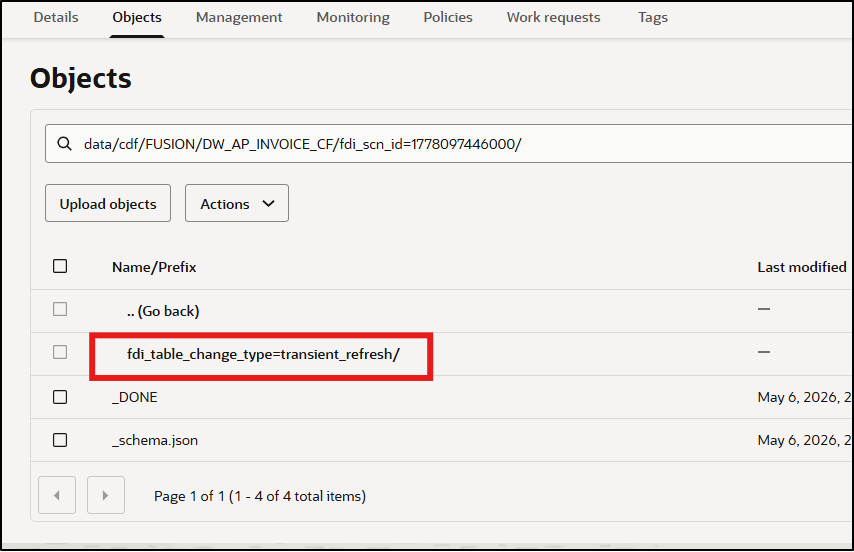
- Change-type: insert, update, or delete.
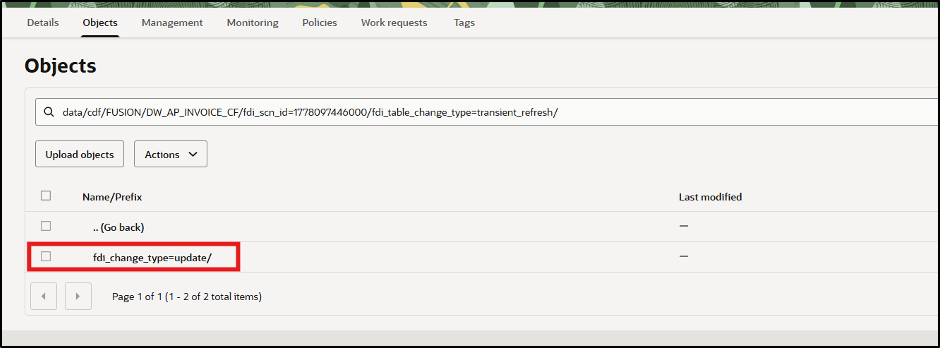
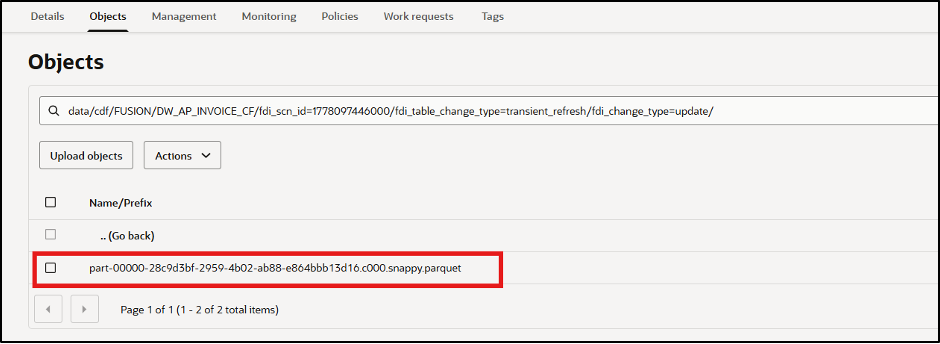
- Open fdi_change_type=update to find the Parquet file that contains updated records.
- The export includes metadata that identifies:
- Refresh completion
- The exported schema
- The latest change and most recent full refresh.
7. Process the change records
- Read the Parquet file and apply its records to the downstream target.

- Process the insert and delete folders in the same way. Apply each change type using the target system’s merge rules so it remains synchronized with the latest FDR V2 state.
Keep downstream data synchronized throughout the day
FDR V2 makes intra-day warehouse changes available without waiting for the next daily incremental load. Publishing those changes in FDI Table Change Format to OCI Object Storage gives downstream teams a durable, scalable feed of insertions, updates, and deletions. Start with one high-value table, validate the target system’s merge behavior for every change type, and then expand the pattern to additional workloads.
Call to action
Try this pattern with a business process where intra-day changes materially improve decisions or operations. Share questions, implementation patterns, and feedback with your Center of Excellence or the Oracle Analytics Community.