
With the 2013.1.3.0 (aka OS8.3) release of the software for the Oracle ZFS Storage
Appliance the underlying ZFS encryption functionality is now available
for use. This is the same ZFS encryption that is available in general
purpose Solaris but with appliance interfaces added for key management.
I originally wrote the following quick start guide for our internal
test engineers and other developers while were developing the
functionality and since the functionality is now available I thought I’d
share it here. It walks through the required steps to configure
encryption on the ZFSSA and perform some basic steps with keys and
encrypted shares. Note that the BUI and CLI screenshots are not showing exactly the same system and configuration.
Setup Encryption with LOCAL keystore (CLI)
The first step is to setup the master passphrase, then we can create keys that will be used for assigning to encrypted shares.
brm7330-020:> shares encryption
brm7330-020:shares encryption> show
Children:
                              okm => Manage encryption keys
                            local => Manage encryption keys
brm7330-020:shares encryption> local
brm7330-020:shares encryption local> show
Properties:
             master_passphrase =
Children:
                       keys => Manage this Keystore's Keys
brm7330-020:shares encryption local> set master_passphrase
Enter new master_passphrase:
Re-enter new master_passphrase:
             master_passphrase = *********
Setup Encryption with LOCAL keystore (BUI)
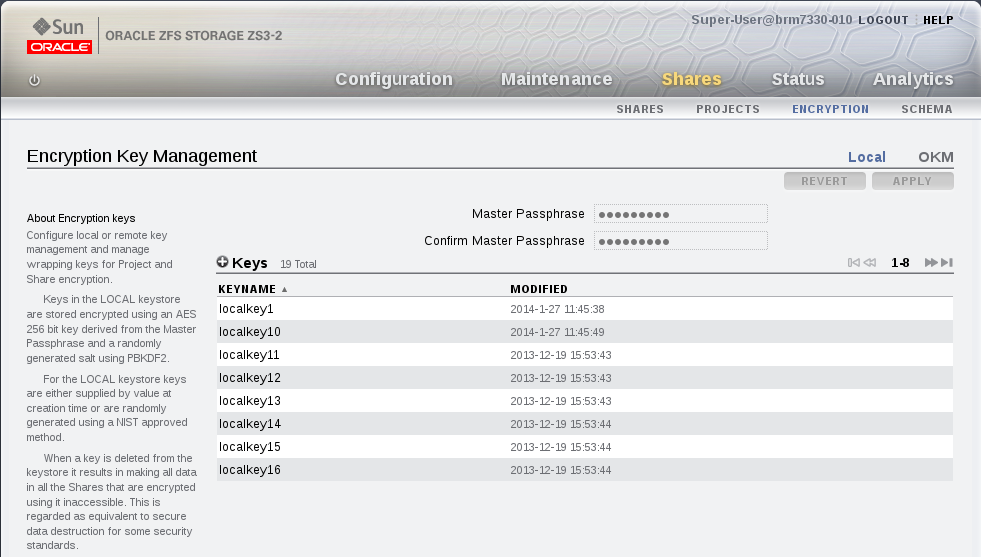
Creating Keys
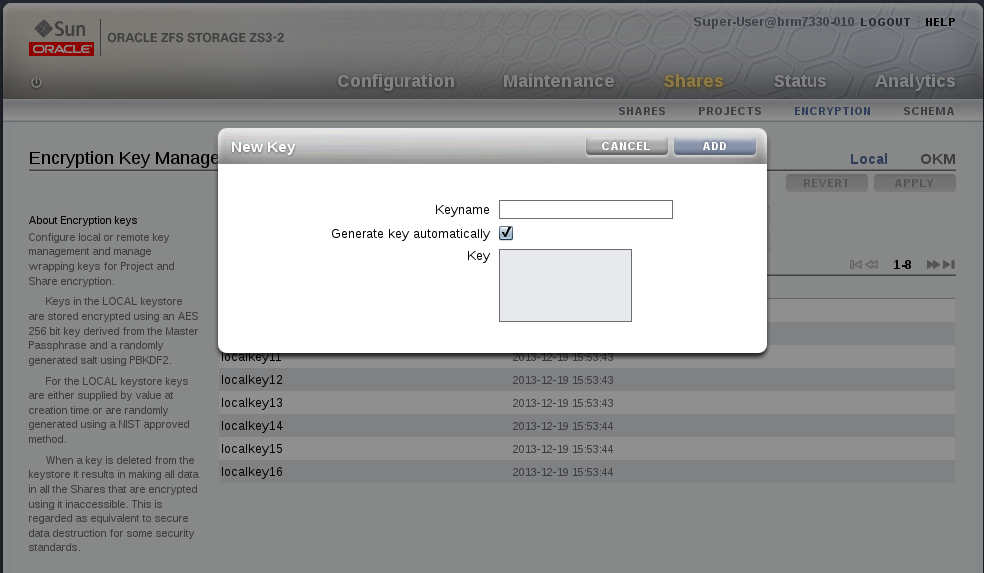
Now
lets create our first key, the only thing we have to provide is the
keyname field, this is the name that is used in the CLI and BUI when
assigning a key to a project or share.
It is possible to provide
a hex encoded raw 256 bit key in the key field, if that is no provided a
new randomly generated key value is used instead. Note that the keys
are stored in an encrypted form using the master_passphrase supplied
above. For this simple walkthrough we will let the system generate the
key value for us.
brm7330-020:shares encryption local> keys create
brm7330-020:shares encryption local>
show
Properties:
                        cipher = AES
                           key =
                       keyname = (unset)
brm7330-020:shares encryption local key (uncommitted)>set keyname=MyFirstKey
                       keyname = MyFirstKey (uncommitted)
brm7330-020:shares encryption local key (uncommitted)> commit
If we were doing this from the BUI it would look like this:
Setup Encryption with OKM keystore (CLI)
For
OKM you need to set the agent_id and the IP address (NOT hostname) and
registration_pin given to you by your OKM security officer, the example
below shows an already configured setup for OKM.
brm7330-020:> shares encryption
brm7330-020:shares encryption> showChildren:okm => Manage encryption keyslocal => Manage encryption keysbrm7330-020:shares encryption> okm
brm7330-020:shares encryption okm> showProperties:agent_id = ExternalClient041
registration_pin = *********
server_addr = 10.80.180.109
Children:keys => Manage this Keystore's Keys
We are now ready to create our first encrypted share/project
Creating an Encrypted Share
Creation
of encrypted project results in all shares in that project being
encrypted, by default the shares (filesystems & LUNs) will inherit
the encryption properties from the parent project.
brm7330-020:shares> project myproject
brm7330-020:shares myproject (uncommitted)> set encryption=aes-128-ccm
                    encryption = aes-128-ccm (uncommitted)
brm7330-020:shares myproject (uncommitted)> set keystore=LOCAL
                      keystore = LOCAL (uncommitted)
brm7330-020:shares myproject (uncommitted)> set keyname=MyFirstKey
                       keyname = MyFirstKey (uncommitted)
brm7330-020:shares myproject (uncommitted)> commit
brm7330-020:shares>
That
is it now all shares we create under this project are automatically
encrypted with AES 128 CCM using the key named “MyFirstKey” from the
LOCAL keystore.
Lets now create a filesystem in our new project and show that it inherited the encryption properties:
brm7330-020:shares> select myproject
brm7330-020:shares myproject> filesystem f1
brm7330-020:shares myproject/f1 (uncommitted)> commit
brm7330-020:shares myproject> select f1
brm7330-020:shares myproject/f1> get encryption keystore keyname keystatus
                    encryption = aes-128-ccm (inherited)
                      keystore = LOCAL (inherited)
                       keyname = MyFirstKey (inherited)
                     keystatus = available
brm7330-020:shares myproject/f1> done
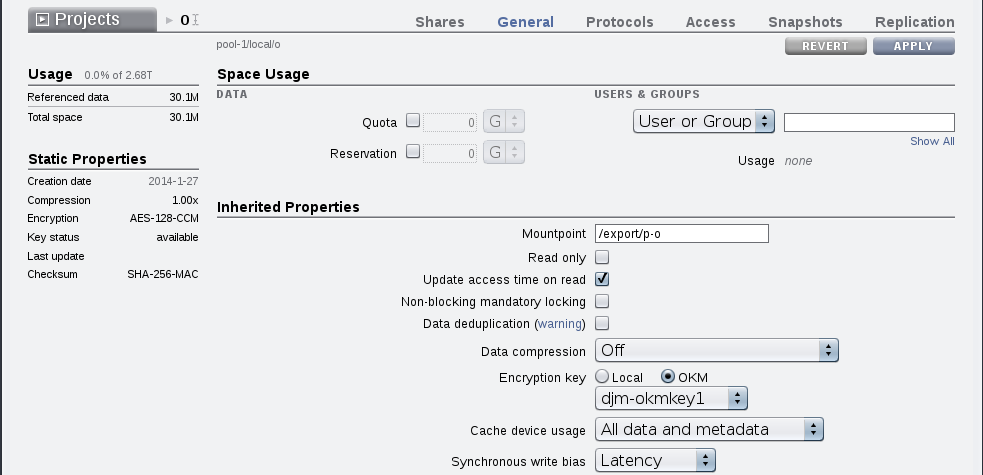
For the BUI the filesystem and LUN creation dialogs allow selection of encryption properties.

Key Change
It is possible to change the key associated with a Project/Share at any time, even while it is in use by client systems.
Lets now create an additional key and perform a key change on the project we have just created.
brm7330">-00:> shares encryption local keys create
brm7330-020:shares encryption local key (uncommitted)> set keyname=MySecondKey
                       keyname = MySecondKey (uncommitted)
brm7330-020:sares encryption local key (uncommitted)> commit
Now lets change the key used for “myproject” and all the shares in it that are inheriting the key properties:
brm7330-020:> shares select myproject
brm7330-020:shares myproject> set keyname=MySecondKey
                       keyname = MySecondKey (uncommitted)
brm7330-020:shares myproject> commit
If we look at the keyname property of our share “myproject/f1” we
will see it has changed. The filesystem remained shared during the key
change and was accesible for clients writting to it.
brm7330-020:shares myproject> select f1 get keyname
                       keyname = MySecondKey (inherited)
brm7330-020:shares myproject>
Deleting Keys
Deletion
of a key is a very fast and effective way to make a large amount of
data inaccessible. Keys can be deleted even if they are in use. If the
key is in use a warning will be given and confirmation is required.
All shares using that key will be unshared and will no longer be able
to be accessed by clients.
Example of deleting a key that is in use:
brm7330-020:shares encryption local keys> destroy keyname=MyFirstKey
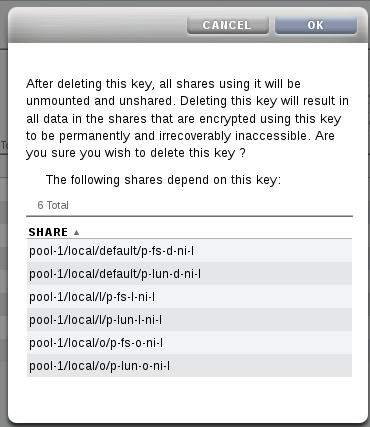
This key has the following dependent shares:
  pool-010/local/HR
  pool-010/local/HR/EMEA
  pool-010/local/HR/US
Destroying this key will render the data inaccessible. Are you sure? (Y/N) Y
A similar message is displayed via a popup dialog in the BUI
Now lets look at a share in a project that was using that key:
brm7330-010:> shares select HR select EMEA
brm7330-010:shares HR/EMEA> get encryption keystore keyname keystatus
                    encryption = aes-128-ccm (inherited)
                      keystore = LOCAL (inherited)
                       keyname = 1 (inherited)
                     keystatus = unavailable
Errors:
        key_unavailable