
Managing journals is often straightforward—until the volume grows. Large journals can be difficult to review when lines are displayed in manageable chunks, and period-end activities can require teams to update dates for multiple unposted journals one at a time. Coming soon, two PeopleSoft General Ledger enhancements will help reduce that friction while preserving the controls and traceability finance teams rely on.
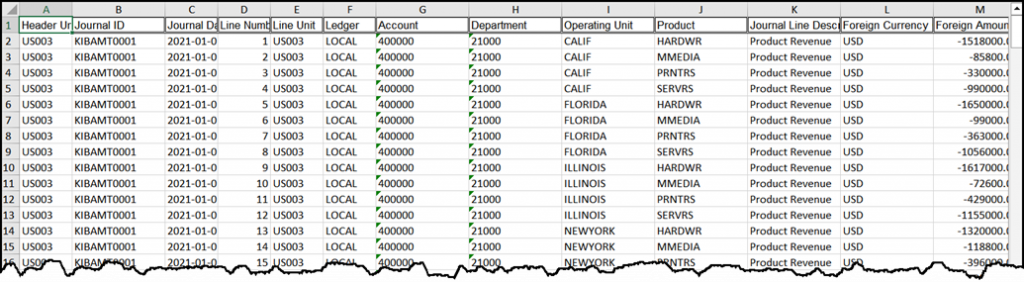
Review all journal lines in Excel—even for very large journals
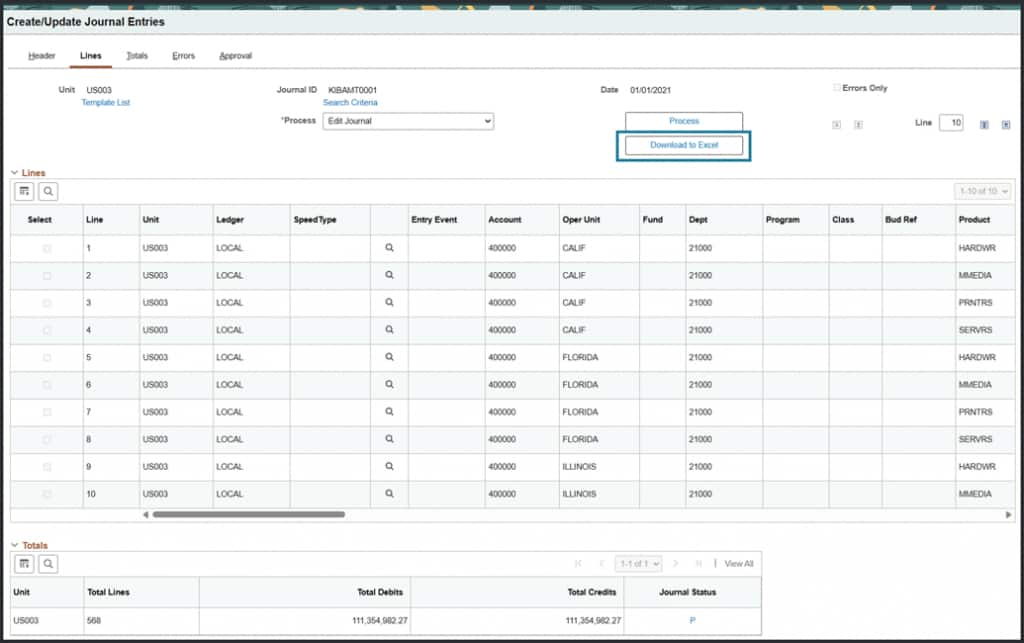
The challenge. Journal Entry and Journal Inquiry pages use chunking to keep online pages responsive. That approach works well for navigation, but it can make it difficult to review an entire high-volume journal at once. Previously, downloading from the page captured only the lines currently displayed, rather than the complete journal.
The enhancement. A new Excel download option lets users export all lines for the selected journal directly from Journal Entry or Journal Inquiry. The resulting workbook provides a complete, offline view of the journal—without requiring every line to be loaded into the browser first.
Why it matters
- Review complete journals in a familiar spreadsheet format.
- Search, filter, sort, and compare large volumes of journal lines more easily.
- Support faster analysis before making corrections or other journal updates.
- Avoid the need to load thousands of lines into an online page before exporting.
Update the date for multiple unposted journals in one action
The challenge. At period end, finance teams may need to move several unposted journals to a new journal date. Updating journals individually can be time-consuming, especially when teams also need to preserve approval history and maintain a clear audit trail.
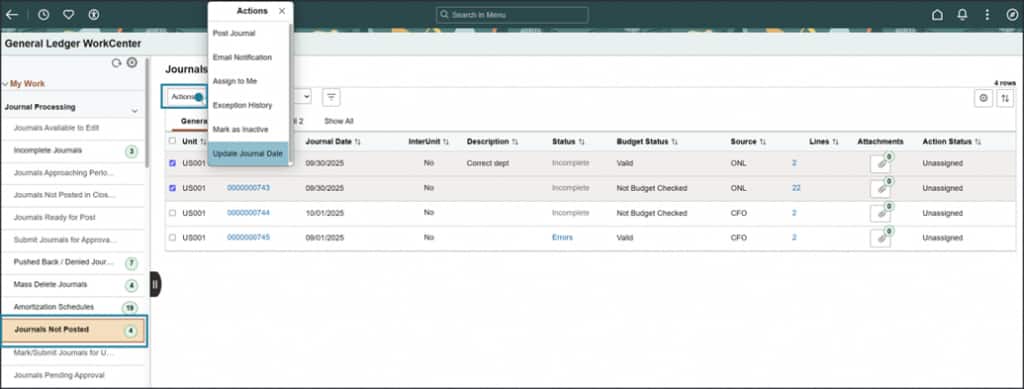
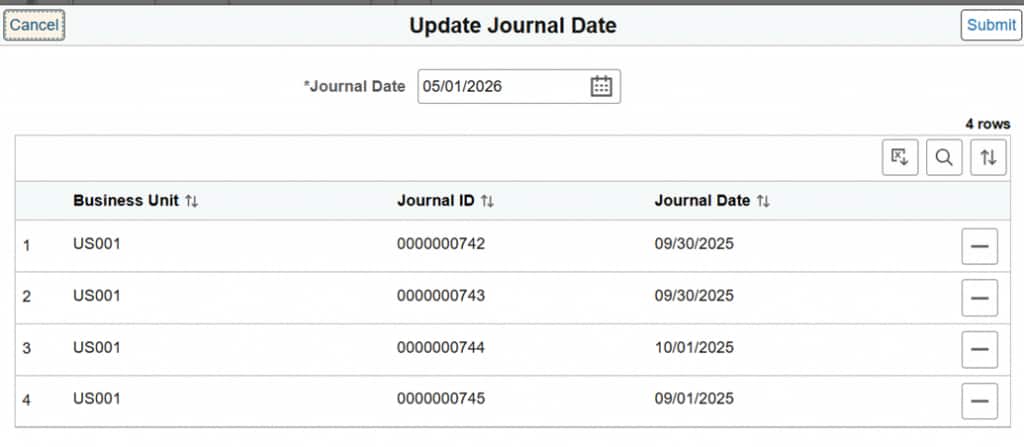
The enhancement. From the General Ledger WorkCenter, users can select one or more eligible journals, choose the related action to update the journal date, enter a new date, and submit the request. PeopleSoft processes the selected journals together and synchronizes the new date across the related journal information.
Built with control and traceability in mind
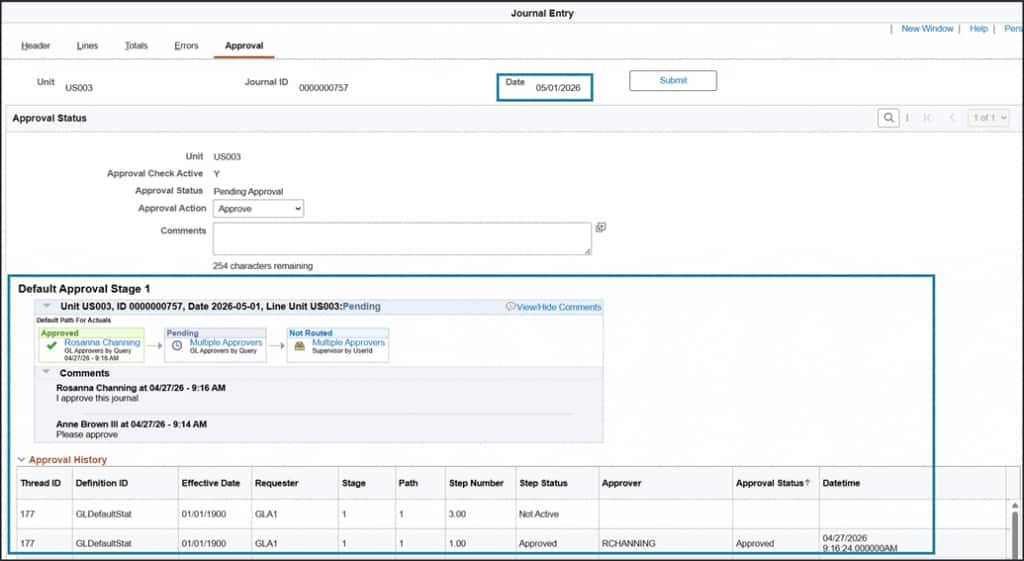
- Existing approval history is retained after the journal date changes.
- When journal-date auditing is enabled, the update can capture the old date, new date, journal identifiers, user, and timestamp.
- Eligibility and validation rules help protect journal integrity; for example, reversal journals are excluded from date changes.
- Journals that require budget revalidation continue to follow the appropriate control process after the date update.
A streamlined period-end workflow
- Open Journals Not Posted in the General Ledger WorkCenter.
- Select the eligible journals that need a new journal date.
- Choose Update Journal Date, enter the target date, and review the selection.
- Submit the request and review the processing results.
More efficient journal management, from review through period end
Together, these enhancements address two common high-volume scenarios: understanding the full detail of a large journal and efficiently moving multiple unposted journals to a new date. By making complete journal data easier to review and reducing repetitive date-update work, PeopleSoft General Ledger helps finance teams spend less time on navigation and manual processing—and more time on analysis, control, and timely period close.