
The PeopleSoft Guided Personnel Actions for U.S. Federal HR (also referred to as the Fluid Personnel Action Request (PAR) process for Administrators) simplifies and streamlines the data entry process in U.S. Federal HR. It includes enhancements like modern search capabilities, document attachment options, data validation, a summary step to review changes, and the Approval Workflow Engine based approvals to streamline PAR approval processes.
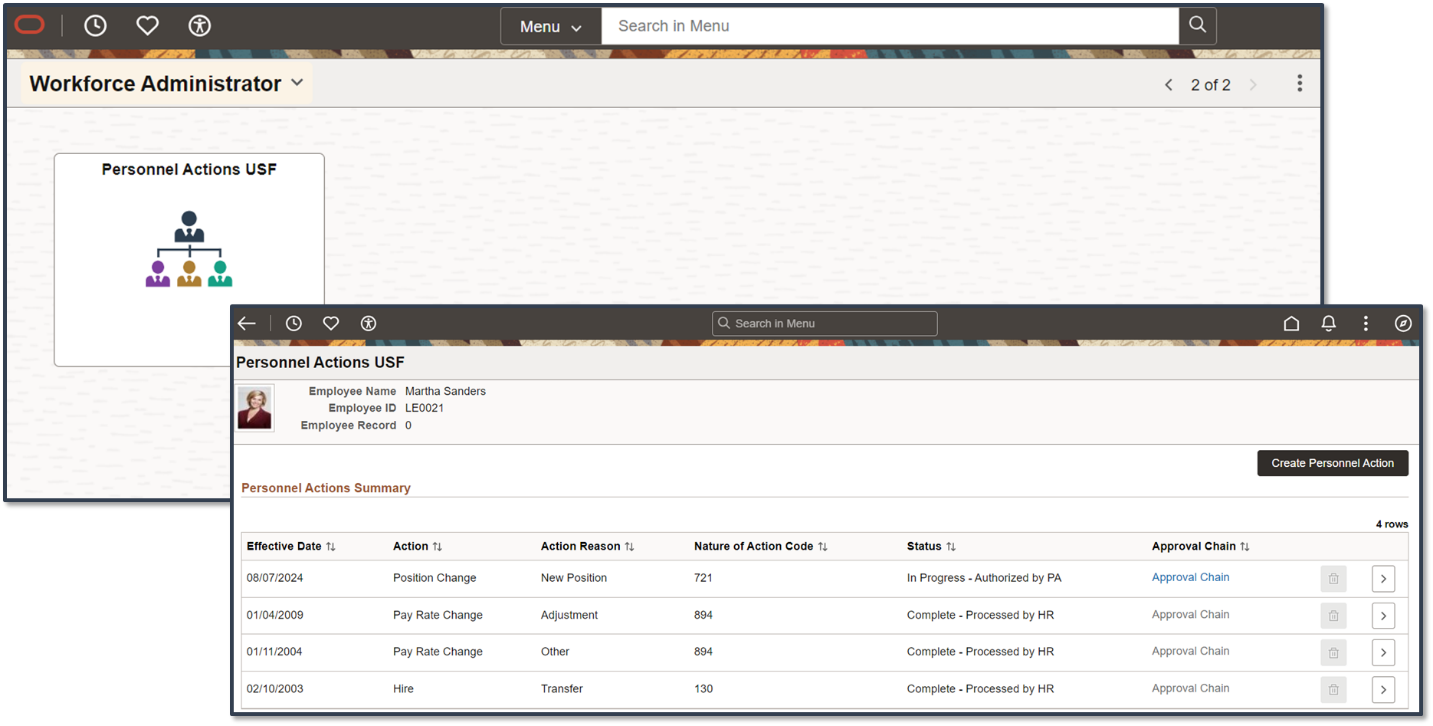
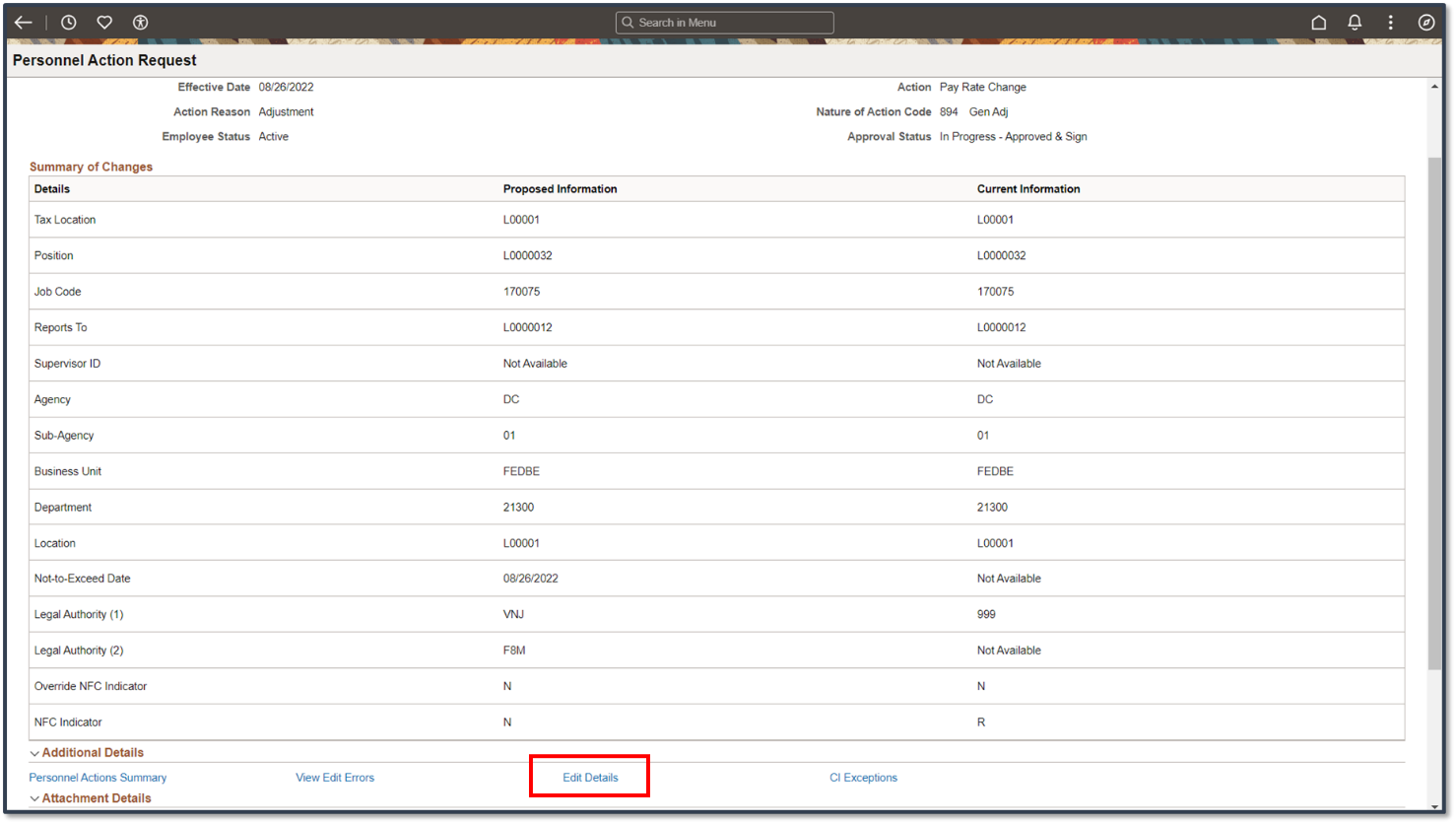
Before this enhancement, the Edit Details hyperlink in the approval component enabled Final Approvers of Personnel Action Requests to initiate a guided process for modifying details based on their evaluation of the request and comments from the requestor or previous approver.
The screenshot below shows the Edit Detail link for Final PAR approvers using which they can modify details of the changes requested before final approval.
However, final administrators cannot modify key fields before finalizing, which delays completion and requires pushing requests back to originators, especially with multiple approvers.
PeopleSoft HCM Image 50 introduces a highly requested enhancement to allow Final Approvers of Personnel Action Requests to adjust the key fields like Effective Date, Action, Action Reason, Nature of Action Code, and Business Unit before giving final approval. With the enhancement delivered, when a final approver of a Personnel Action Request selects the Edit Details hyperlink on the Approval component (existing link available for Final Approvers on approval component), a modal page will allow the approver to modify Effective Date, Action, Action Reason, Nature of Action Code and Business Unit before selecting Continue to review and modify other Personnel Action Request details.
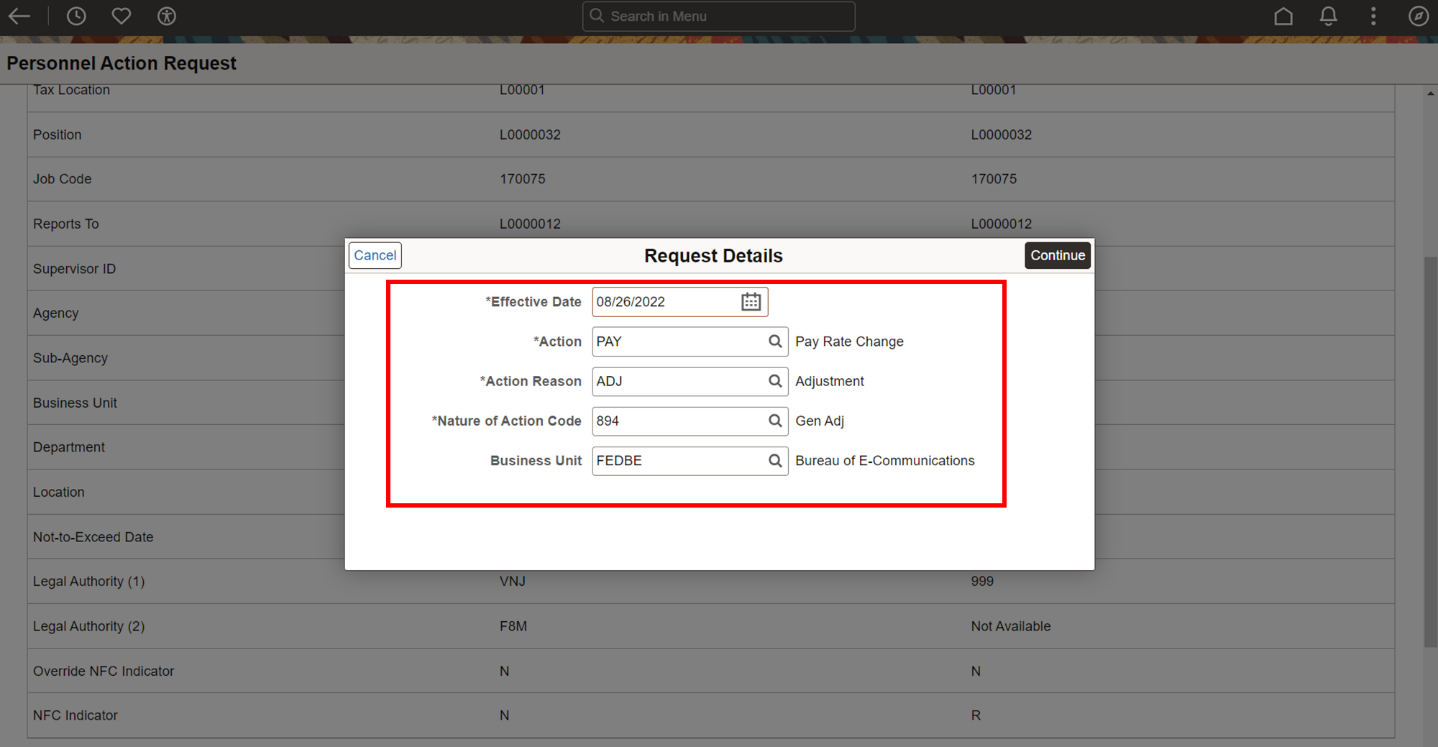
This enhancement gives final approver administrators the power to make corrections themselves, avoiding delays from routing requests back to the initiator.
Watch the PeopleSoft HCM Image 50 Highlights Video to know about other enhancements delivered with the image.
Here is the PeopleBooks Online Help Link to read more about the enhancements delivered in the image: