
With the recent release of Fluid Receipts and Returns, we have delivered the final set of features from the ‘Classic’ eProcurement application.
The delivered tiles include the applications that are most used by Requesters including Create / Edit Requisition, My Requisitions (Inquiry and Requisition status in the Requisition lifecycle), Change Requests and Casual Receipts / Returns:

Figure 1: The eProcurement Home Page
There are additional eProcurement classic applications that will not be brought into the Fluid version since they tend to be more administration tasks. Although, for any completely new feature, we will provide a Fluid administration tile (such as the new Order Sheets feature).
Although initially designed five years ago as a smaller mobile application with limited functions, we quickly found that most customers wanted the new Fluid ‘look and feel’ to replace the existing desktop eProcurement applications. This makes sense since eProcurement, at its heart, is essentially a shopping application (albeit a more complex one) and organizations want that same consumer grade experience for their Requesters.
When creating a Requisition in Fluid eProcurement, there are many ways to add a Line (Search, Browse, Services, Favorites, Custom Forms etc.), all of which can be completely tailored to your Requesters using Role Actions that controls at the detail level what a Requester can see and the actions they can take.
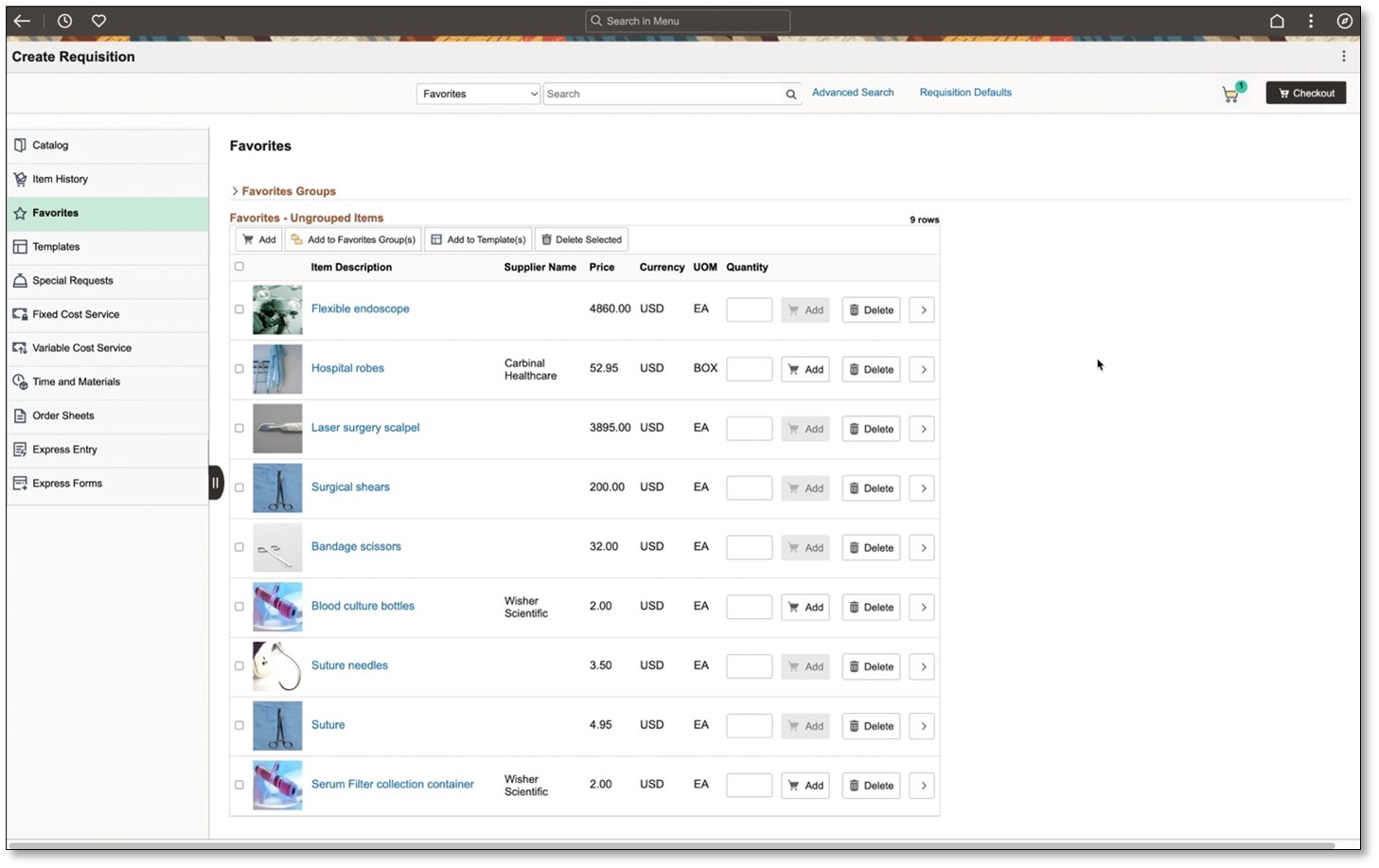
Figure 2: Selecting Favorites from the menu
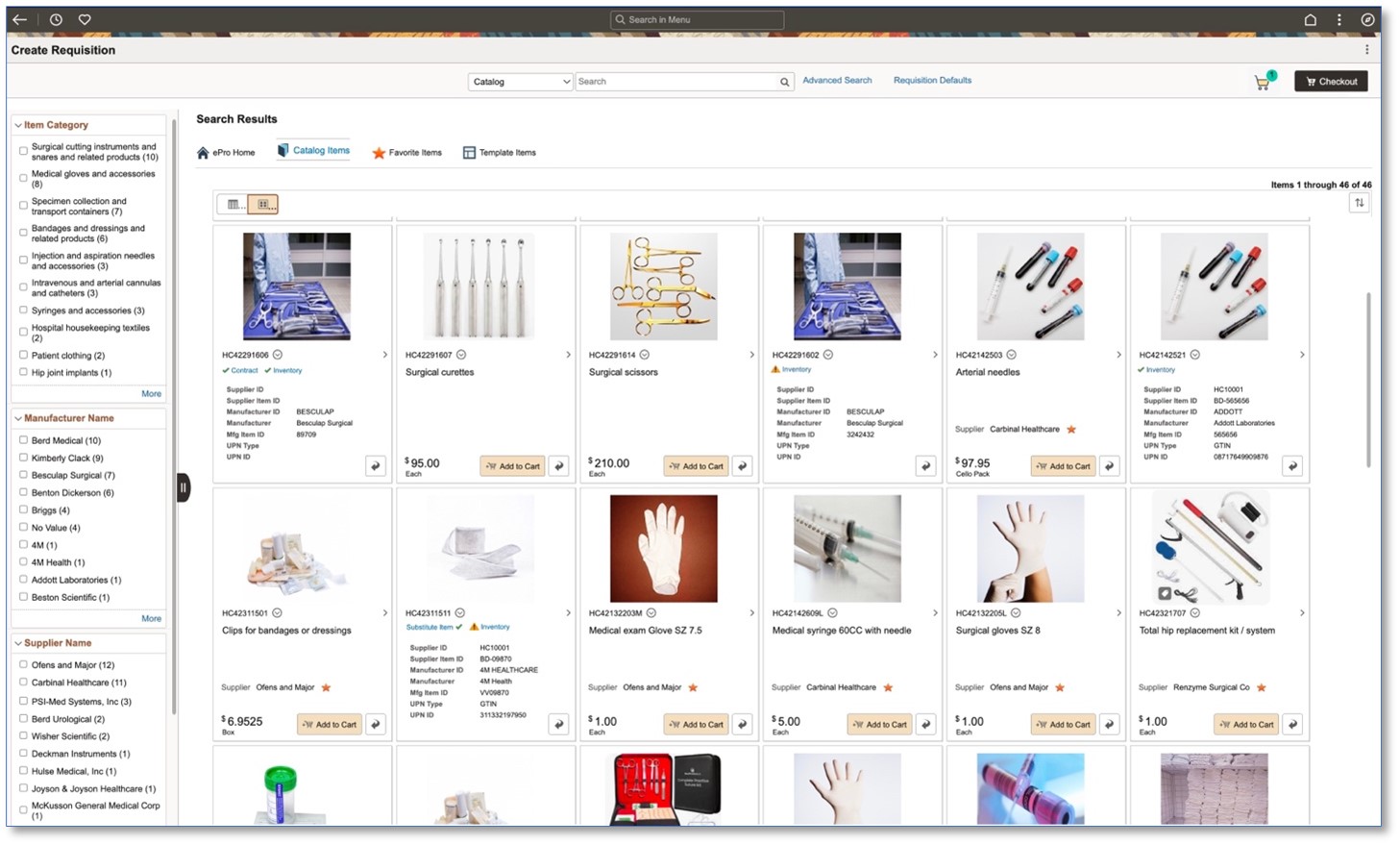
Figure 3: Searching or Browsing in Tile view

Figure 4: The shopping cart slides out from the right when the cart icon is selected
Switching to another device, like a tablet or smartphone, will allow Requesters to easily pick up where they left off since all the data is automatically saved even if the browser is closed accidently or it times out.

Figure 5: Checking out on a tablet
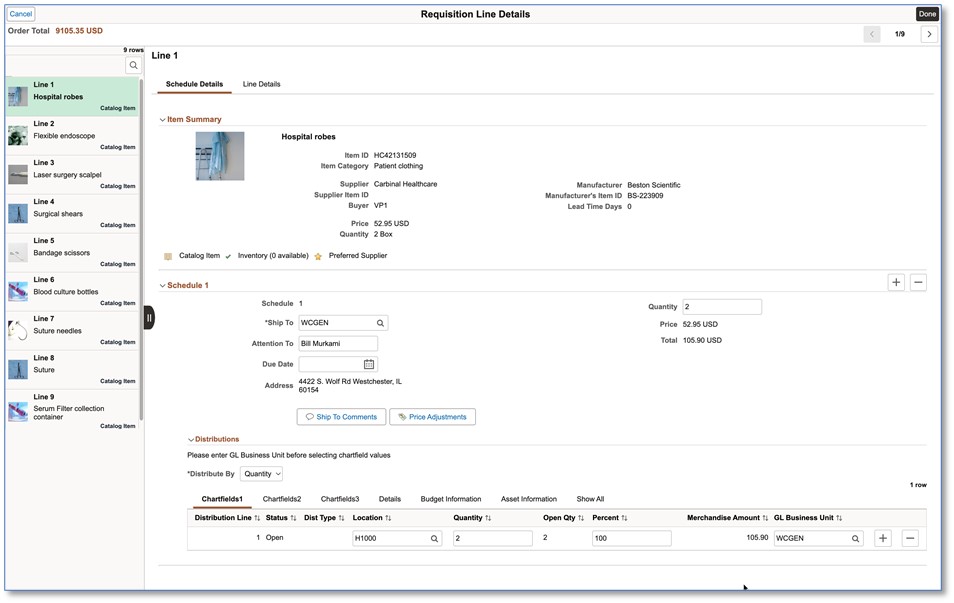
Figure 6: Entering Shipping and Accounting information during checkout

Figure 7: Checking out on a smartphone
The Requester can easily track the progress of their Requisition through our Requisition lifecycle with icons that light up as each stage of the lifecycle is reached
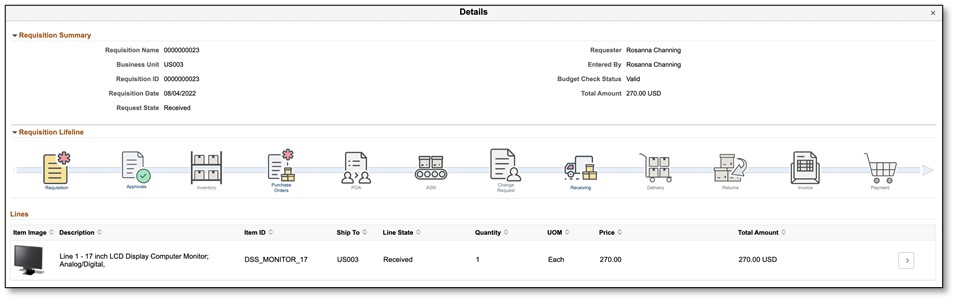
Figure 8: The Requisition lifecycle with clickable icons allowing transaction drill down
Finally, the Requester can receive and return their items with a few clicks
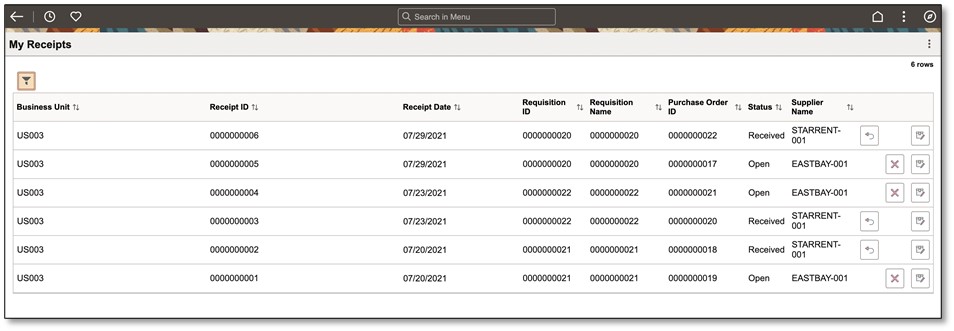
Figure 9: Requester My Receipts page
Watch this space for more exciting features in eProcurement as we continue to enhance and build on this strong foundation.
For more information on Peoplesoft Fluid eProcurement, check out these videos:
PeopleSoft Fluid eProcurement Cart and Checkout – YouTube
PeopleSoft eProcurement Fluid Requisition Order Sheets – YouTube