
Entering address information does not need to be a manual, error-prone task. Address Autocomplete using Oracle eLocations is available in PeopleSoft Financials Update Image 57 and helps users find and select a matching address as they begin typing. After a user chooses a suggestion, PeopleSoft automatically fills the related address fields – reducing keystrokes, helping improve accuracy, and bringing more consistency to address data across enabled pages. Oracle eLocations is available at no additional charge.
Smoother Address-Entry Experience
The experience is like the type-ahead suggestions people use every day in websites, maps, and other applications. As a user starts typing an address, PeopleSoft displays matching suggestions from Oracle eLocations. Selecting one of the suggestions populates the available address information automatically, giving employees a faster way to enter a complete address while helping organizations reduce variation from manual entry.
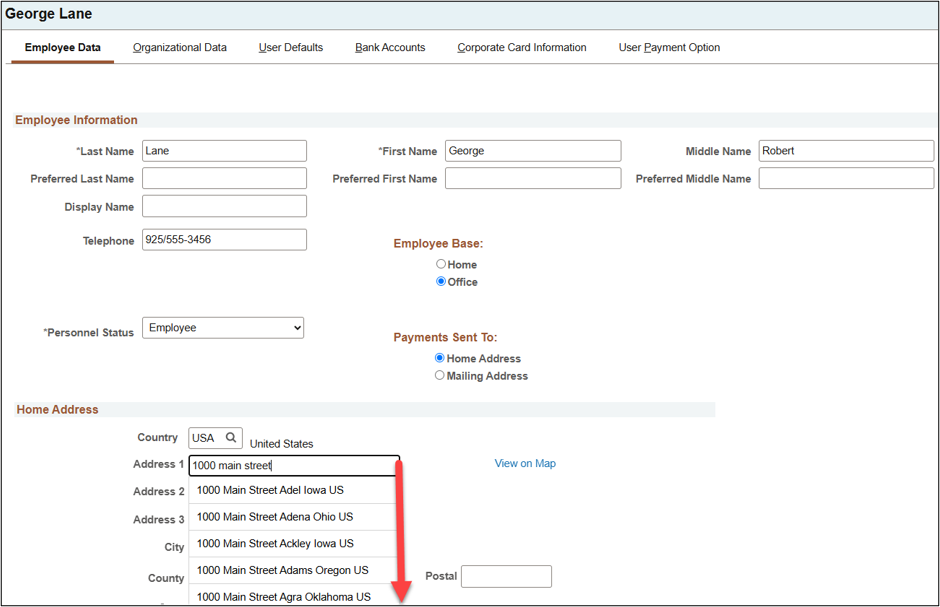
The feature also supports a View on Map option for the selected location. Users can review the mapped location before they continue, adding a useful confirmation step when the physical location matters.
Enabling the Functionality
Use the Enable Address Autocomplete component to quickly implement the functionality on PeopleSoft components.
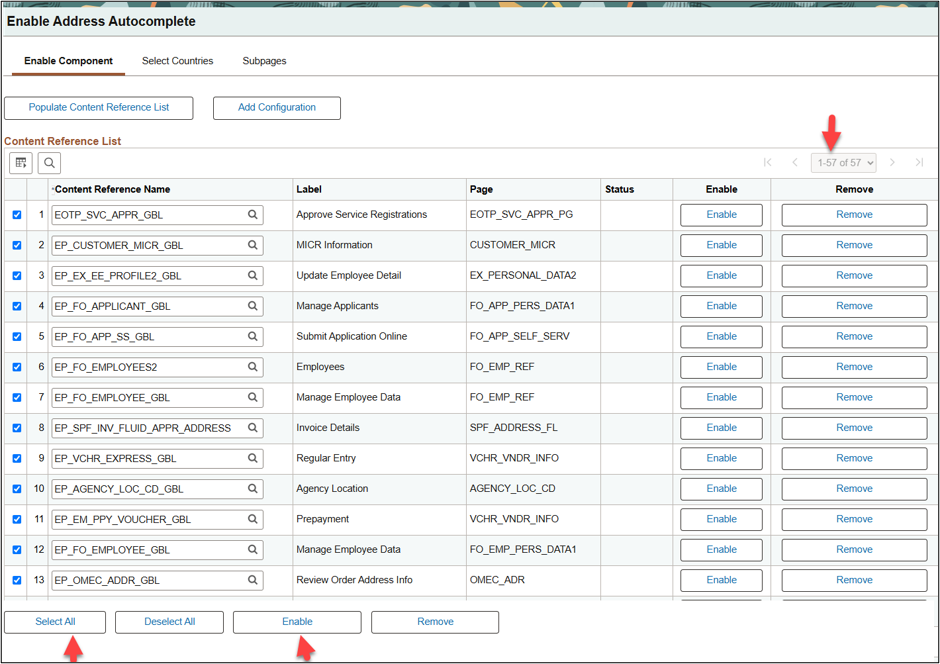
On the Enable Component page, use the Select All and Enable buttons to enable functionality for content references containing eligible address fields.
Complete the configuration by reviewing the Select Countries page for supported countries. Users can only use the feature for countries identified in this configuration. Review the Subpages tab for a list of subpages included in this enhancement.
Better Address Data with Less Effort Address Autocomplete gives organizations a practical way to streamline address entries across PeopleSoft. By enabling it for all applicable components and countries, you can provide employees with consistent experience while helping promote more accurate address information.