
An owner’s manual may apply to a whole fleet. An invoice may support several assets and leases. Service instructions may be needed on related work orders. Adding the same file to each record takes time.
PeopleSoft’s Asset Document Repository lets you add one or more files to selected assets, leases, and work orders in a single operation. Teams across Asset Management, Lease Administration, and Maintenance Management can use the same workflow to add supporting documents where they are needed.
Choose the modules and records
Start at Asset Management > Asset Transactions > Asset Attachments. Select Lease Administration, Maintenance Management, or both to display their tabs.
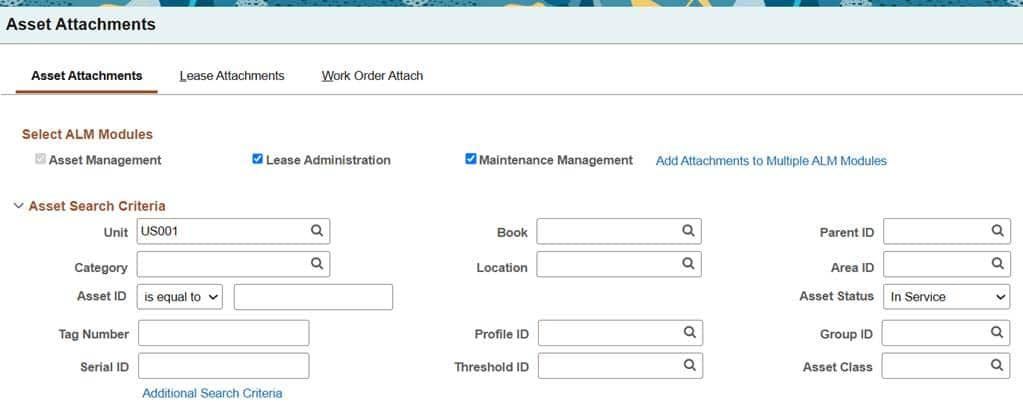
Search each relevant tab and select the records that need the document. Cross-module uploads require at least one asset along with the selected leases or work orders.
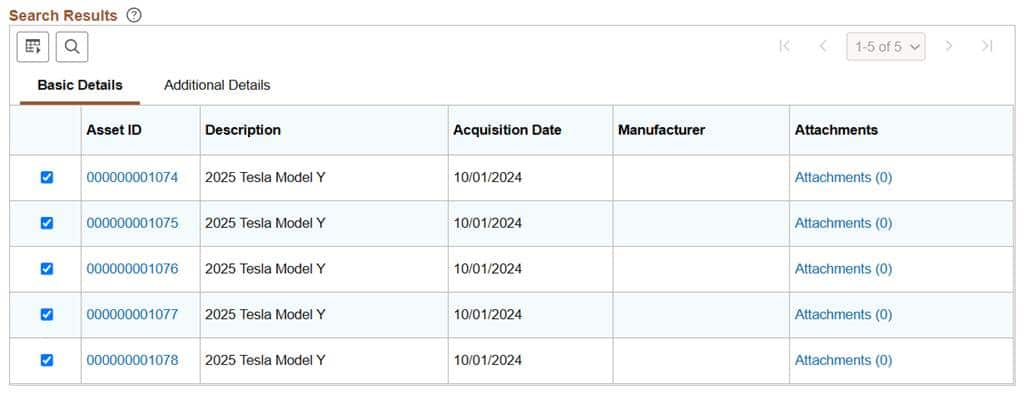
Include leases and work orders in the same workflow
For a fleet of leased vehicles, the same owner’s manual may be needed on the asset, the lease, and the work order records. Selecting the relevant assets, leases, and work orders lets you add the manual to all three groups through one upload.
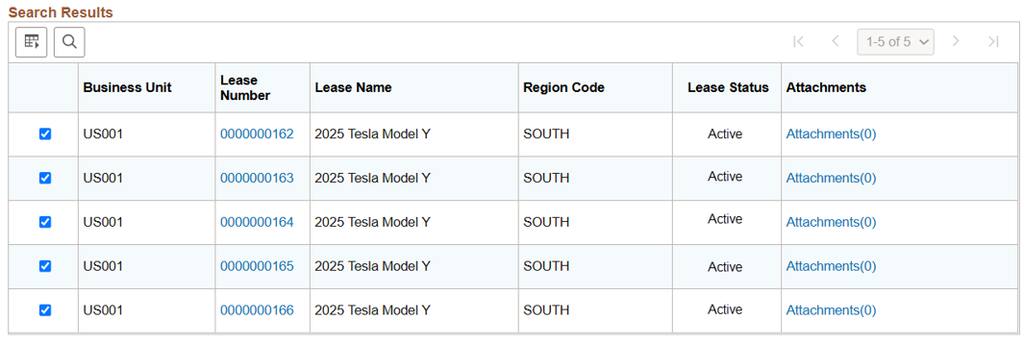
For maintenance work, use the Work Order Attach tab to find and select work orders. Choose Header for a document that applies to the work order or Task for information needed on a specific task. For example, service instructions could support both the asset record and the related maintenance work.
Add the files and check the results
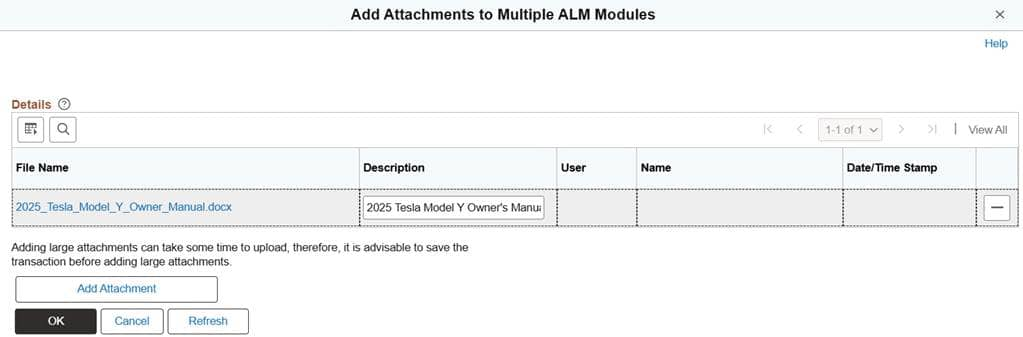
Choose Add Attachments to Multiple ALM Modules from the Asset Attachments tab, add the file or files, and enter a clear description. Select OK. Separate links also support uploads to multiple records within an individual module.
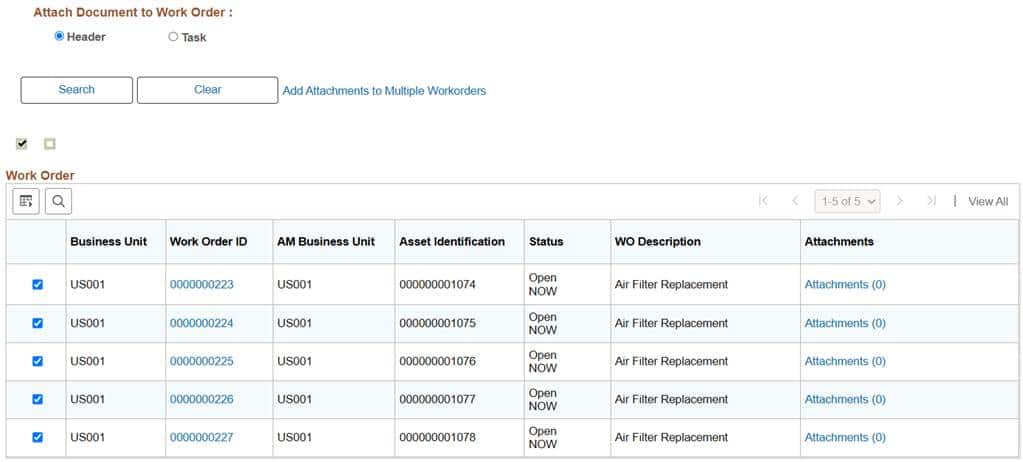
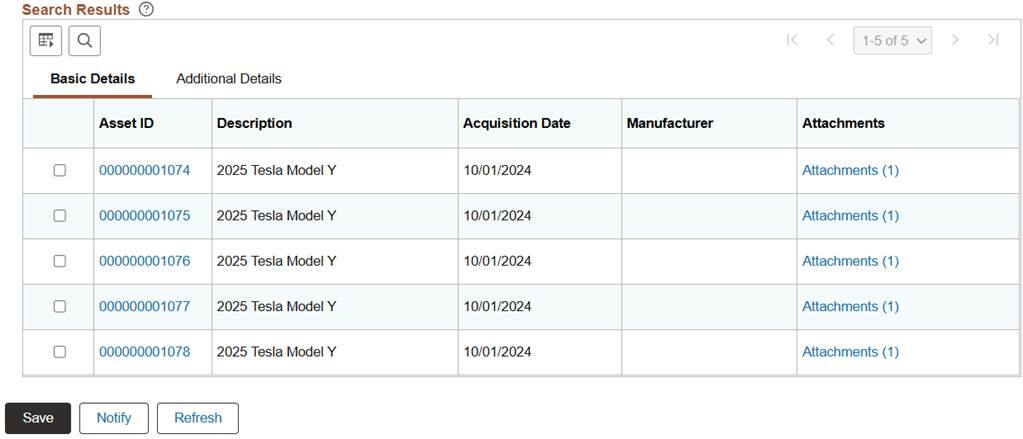
Review the attachment counts on the selected assets, leases, and work orders. The asset results below show Attachments (1) for the five vehicles. Once you have verified the counts, select Save to complete the transaction.
In Summary
The Asset Document Repository reduces repeated uploads and file storage by storing only one version of a file and sharing it across linked assets, leases, and work orders.
You can continue to access attachments as you always have, from the existing pages and components. For example, asset attachments are still available in the Basic Add component while you work with the asset record.