
One Landing Page. Every role. Faster outcomes.
With PeopleSoft HCM Image 54, U.S. Federal agencies can deliver a modern, streamlined user experience with the new PeopleSoft Landing Page and two new Federal-specific dashboards that are designed to put the most-used tasks and content in front for all types of users. With the new Landing Page experience, now users can find all the content they frequently use, and they need to action on upfront as soon as they login.
Key takeaway #1: A modern landing page that organizes work by role and by section
The new Landing Page brings content together “in one place” and organizes it using sections, so users don’t have to bounce between locations to find what they need. Easier navigation means higher acceptance by users and thereby, higher adoption, less confusion, and quicker completion of common HR tasks.
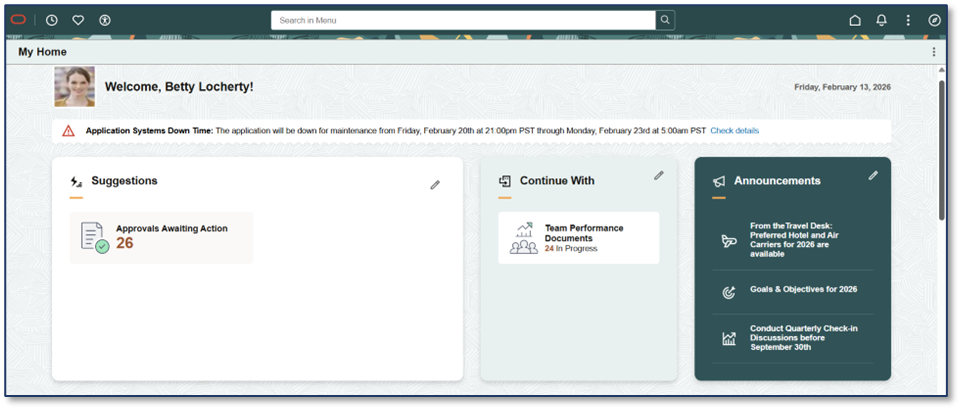
- The ‘Suggestions’ section allows users to stay on top of actions that need their attention.
- The ‘Continue With’ section allows users to complete any unfinished, draft transactions.
- The ‘Announcements’ section keeps users notified about key announcements they need to know.
Why sections matter?
Sections create meaningful “buckets”, so similar transactions and tasks stay together enabling cleaner experience with fewer clicks.
Key takeaway #2: Empower employees with a personal information self-service dashboard
Employees can find the most important self-service transactions all in one place with the new Personal Information dashboard tile available under the Quick Access section created for Employees on the new landing page.
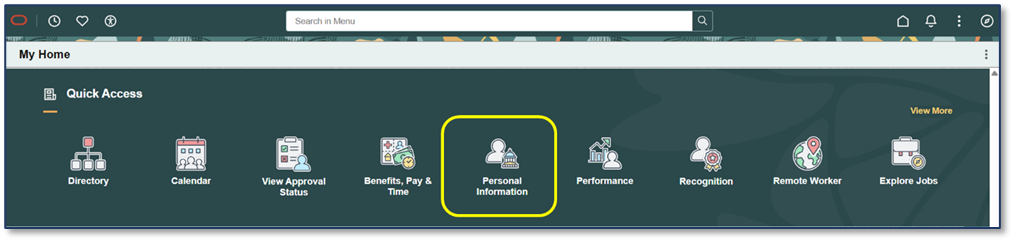
The Personal Information dashboard is built to help Federal employees initiate personal information updates with ease. It’s designed to feel modern and intuitive supporting personal and work-related detail management in a fresher, more user-friendly way.
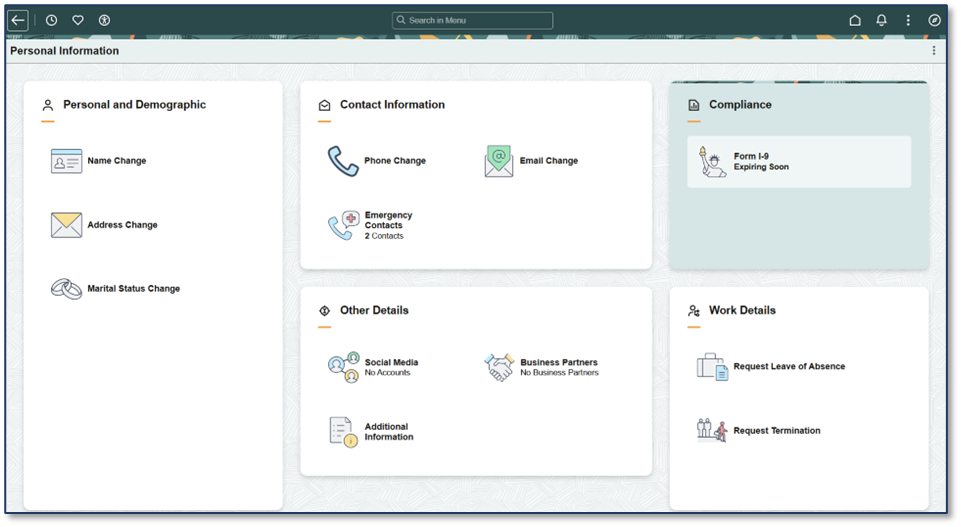
Note: Currently, actions such as Name Change, Address Change, and Marital Status Change launch classic pages. However, soon, a modern Fluid-based interface will be made available, enabling U.S. Federal employees to complete these actions on any device.
Outcome: Better employee self-service, fewer routine inquiries, and more confidence in completing updates correctly.
Key takeaway #3: Help managers stay on top of their teams
Managers get a dedicated Team section on the landing page plus a Team dashboard to quickly access manager self-service actions and meet day-to-day supervision needs more efficiently.
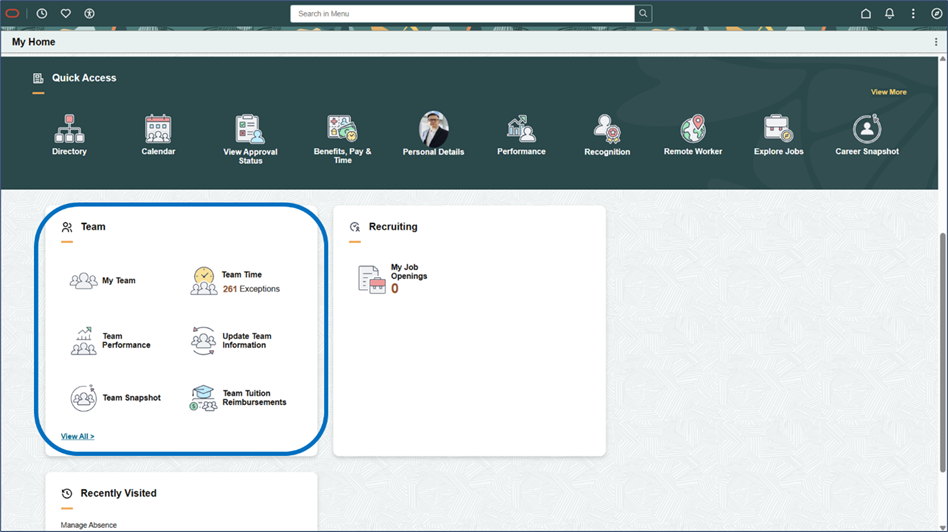
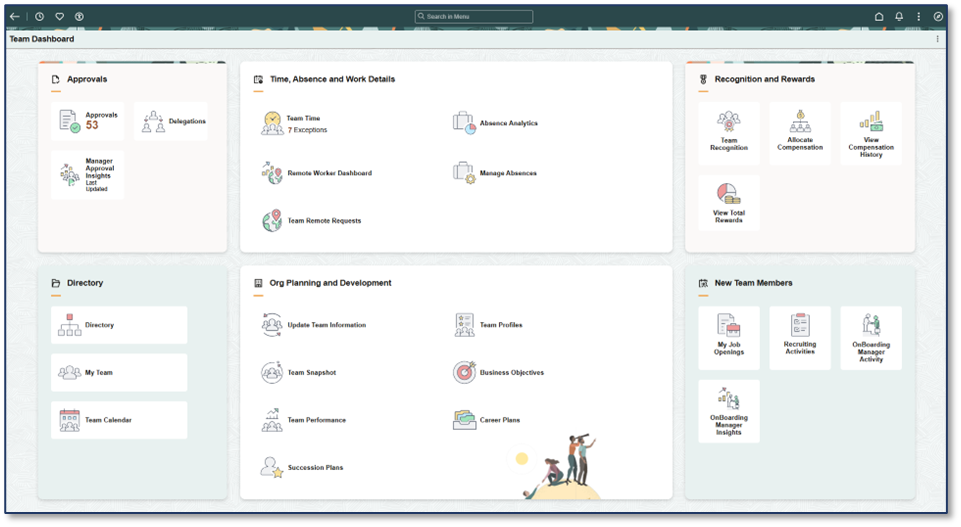
Outcome: Less time searching, more time leading.
Key takeaway #4: Give administrators a single command center for Personnel Action Requests
Administrators can use a brand-new “Manage Personnel Actions” dashboard that consolidates “everyday” content into one single dashboard.
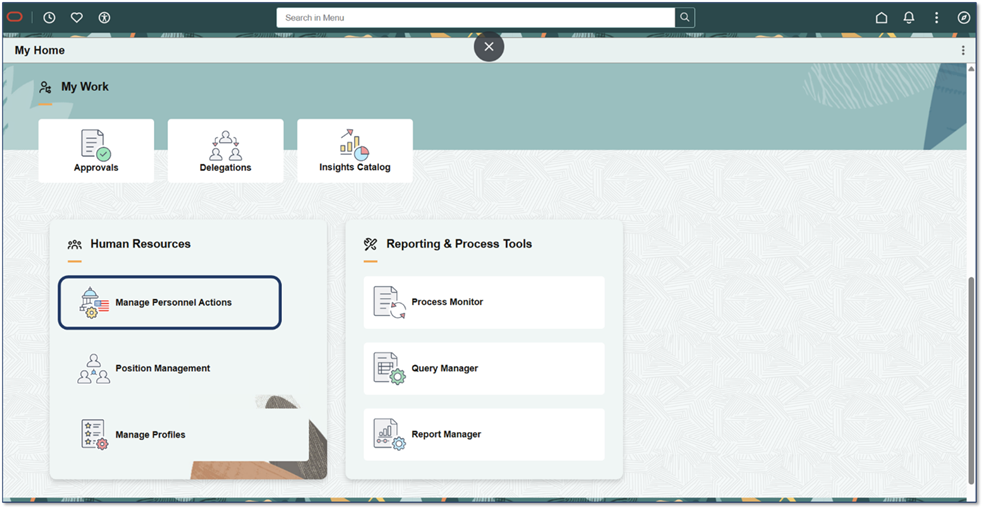
The Manage Personnel Actions dashboard organizes work into practical sections for administrators such as:
- Add People and Hire Personnel section allows administrators to add new people and perform any tasks related to new personnel.
- Administer Personnel Actions section allows administrators to maintain information for an existing person and their assignments.
- Position and Profile Management section allows Position and Profile Administrators to manage positions and easily get to the Position Management and Profile Management transactions.
- Compliance and Reporting section allows administrators to access any frequently used compliance and reporting transactions.
- Approvals and Delegations section allows administrators to access any pending and delegated approvals.
- Insights section allows administrators to review all analytic dashboards they have access to in one single navigation.
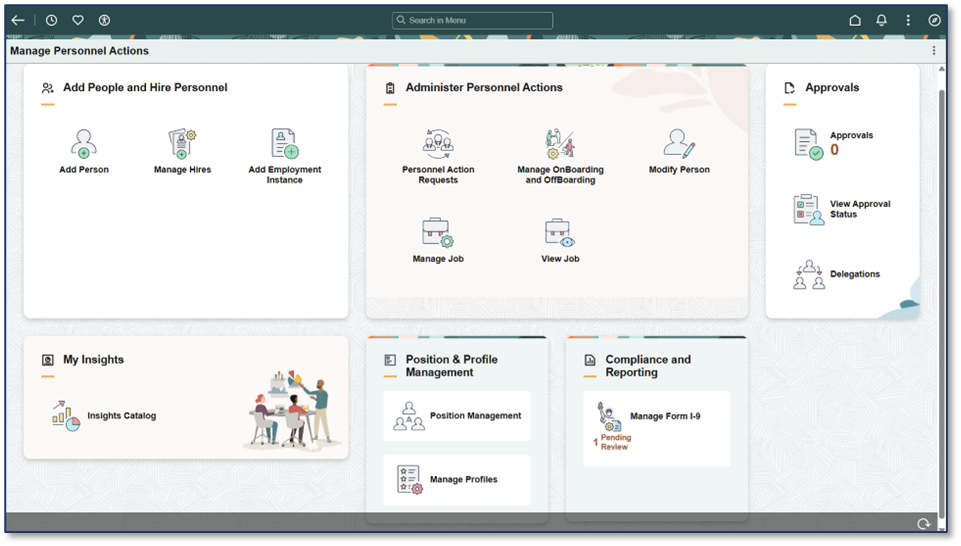
Outcome: Reduced menu-based navigation, faster processing, clearer visibility.
Key takeaway #5: Flexible design allows agencies to tailor the landing page experience for today’s user needs
With the new Landing Page, agencies can design a whole new experience to users based on their day-to-day needs. While the new Landing Page and dashboards show a strong model for employees, managers, and administrators, agencies can create their own landing page, sections, or dashboards and organize content to match their needs using the samples delivered by PeopleSoft.
Outcome: Standard foundation with configurable experience.
In nutshell
If your agency is looking for a simpler, more modern, unified navigation experience for every user and task, PeopleSoft HCM Image 54 delivers value from day one. With fewer clicks to complete common tasks, role-aware sections and dashboards that keep everyone focused and aligned, and real-time notifications that guide next steps, the PeopleSoft Landing Page helps ensure nothing gets missed. The result is a faster, more consistent experience for employees, managers, and HR administrators, streamlining processes, improving productivity and adoption right away.
Learn More
Refer to the following content to learn more:
- PeopleSoft HCM Image 54 Highlights Video
- PeopleSoft HCM Image#54 Highlights Blog Post by Julie Alonso
- PeopleSoft HCM Image 54 PeopleBooks
- Transforming the Modern User Experience: The New PeopleSoft Landing Page by Russell Broom
- Notification Publisher: Delivering Timely, Targeted Communications by Russell Broom