
With the new LTS (Long Term Support) release of MySQL 9.7.0 https://dev.mysql.com/doc/relnotes/mysql/9.7/en/ , Dynamic Data Masking (DDM) is one of the new features introduced as part of Enterprise Edition.
The recent blog by Mike Frank, MySQL Product Management Director, details why DDM is important in every industry where PII (Personal Identifiable Information) data is stored https://blogs.oracle.com/mysql/introducing-dynamic-data-masking-in-mysql-protect-sensitive-data-without-app-changes
While Mike gives overview on DDM, I am describing here how we can install, enable and use this new feature of MySQL 9.7 Enterprise Edition.
How Does Dynamic Data Masking work in MySQL?
Overview:
Masking is applied when a query reads a masked column, while write operations on those columns remain unaffected. This feature relies on the Enterprise object_policy component, which manages the storage and retrieval of masking policy definitions.
During query processing, any reference to a masked column is substituted with the corresponding policy-defined CASE expression. The outcome is determined based on the current user or their active roles.
Setup and Installations:
As described above, Dynamic Data Masking depends on the Enterprise object_policy component, which stores masking policies within the mysql schema and provides services for creating, managing, and retrieving these policies.
My setup consists of VM with Oracle Linux Server 9.7, and I installed MySQL Enterprise Edition 9.7.0 rpm release with the default settings.
Step 1:
Installing/Executing MySQL package-provided installation script that will create the required table in mysql schema and INSTALL COMPONENT component_object_policy.
This is available on path /usr/share/mysql-9.7/ (default path with rpm installation) with name install_component_object_policy.sql.

You can view this:
cat /usr/share/mysql-9.7/install_component_object_policy.sql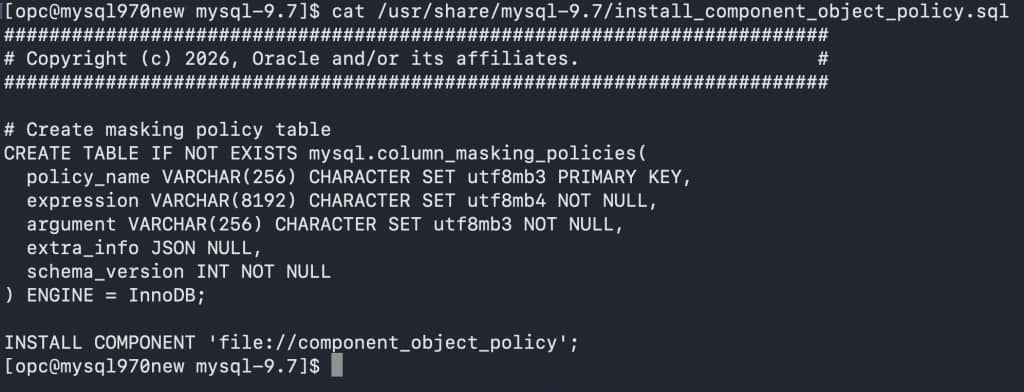
To execute the .sql:
mysql -uroot -p < /usr/share/mysql-9.7/install_component_object_policy.sqlSame can be executed from mysql prompt also using SOURCE command:
SOURCE install_component_object_policy.sql;The script creates the policy table and installs the component. The component-managed table is created in one of the MySQL self-used database ‘mysql’ and name is column_masking_policies. Details of this table can be viewed by logging into MySQL and executing below commands:
use mysql;
show tables like 'column_masking%';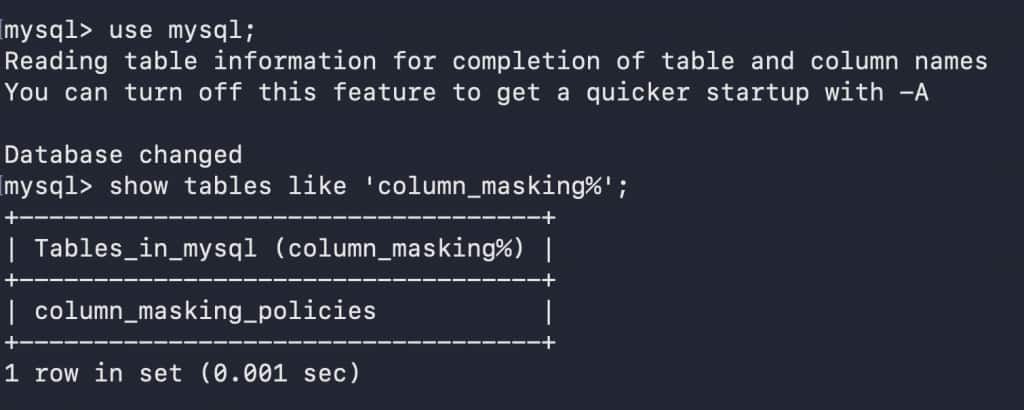
Details of this table can be viewed using ‘show create table column_masking_policies\G ’
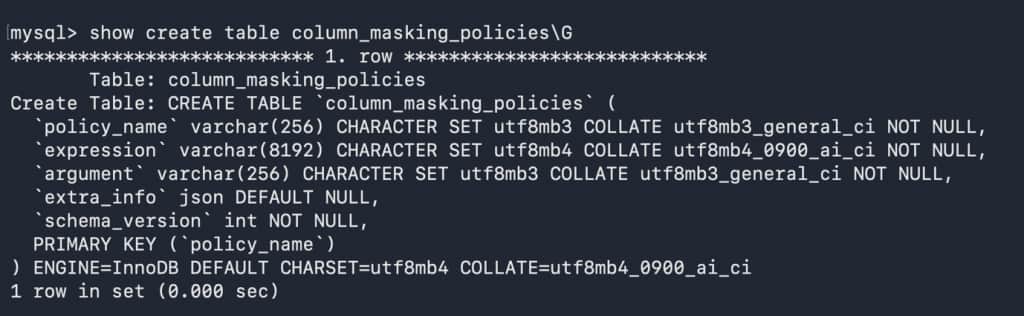
| Column | Meaning |
| policy_name | Unique policy identifier used by CREATE, DROP, SHOW, and column assignments |
| expression | Stored policy expression, in UTF-8 MB4. |
| argument | The policy parameter name used as the column placeholder. |
| extra_info | JSON field reserved for future metadata expansion. |
| schema_version | Component table format/version marker used for upgrade handling |
Step 2:
Installing masking components:
Masking Functions are part of MySQL Enterprise Edition https://dev.mysql.com/doc/refman/9.7/en/mysql-enterprise-data-masking.html. These masking functions mask the data. For DDM, we need to install masking component in mysql prompt.
INSTALL COMPONENT 'file://component_masking’;
INSTALL COMPONENT 'file://component_masking_functions’;
Check the installation:
SELECT * FROM mysql.component;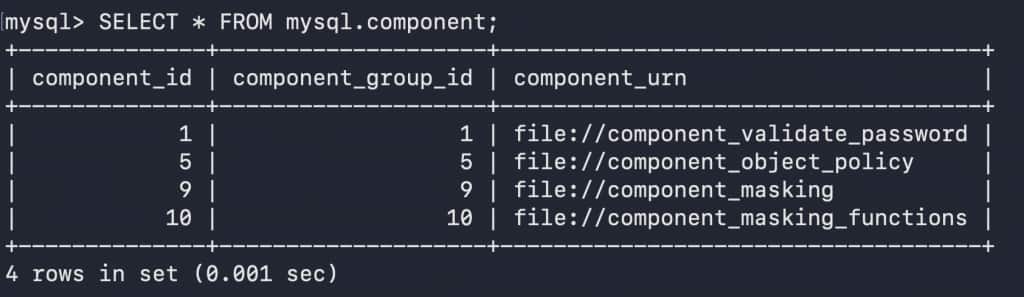
Component with ID 9 and 10 are the ones we installed in previous 2 steps.
Components 1 i.e. component_validate_password is installed by default.
Step 3:
Now let’s create some sample data:
CREATE SCHEMA IF NOT EXISTS demo_ddm;
USE demo_ddm;
DROP TABLE IF EXISTS employee_details;

CREATE TABLE employee_details (
 emp_id INT PRIMARY KEY,
 first_name VARCHAR(32),
 last_name VARCHAR(32),
 ssn VARCHAR(16),
 doj datetime,
 zip_code VARCHAR(10));

INSERT INTO employee_details VALUES
  (1,'James','Smith','900-01-0001','2026-02-04','10001'),
  (2,'Mary','Johnson','900-01-0002','2025-04-07','90210'),
  (3,'Robert','Williams','900-01-0003','2023-05-07','60601'),
  (4,'Patricia','Brown','900-01-0004','2012-05-03','30301');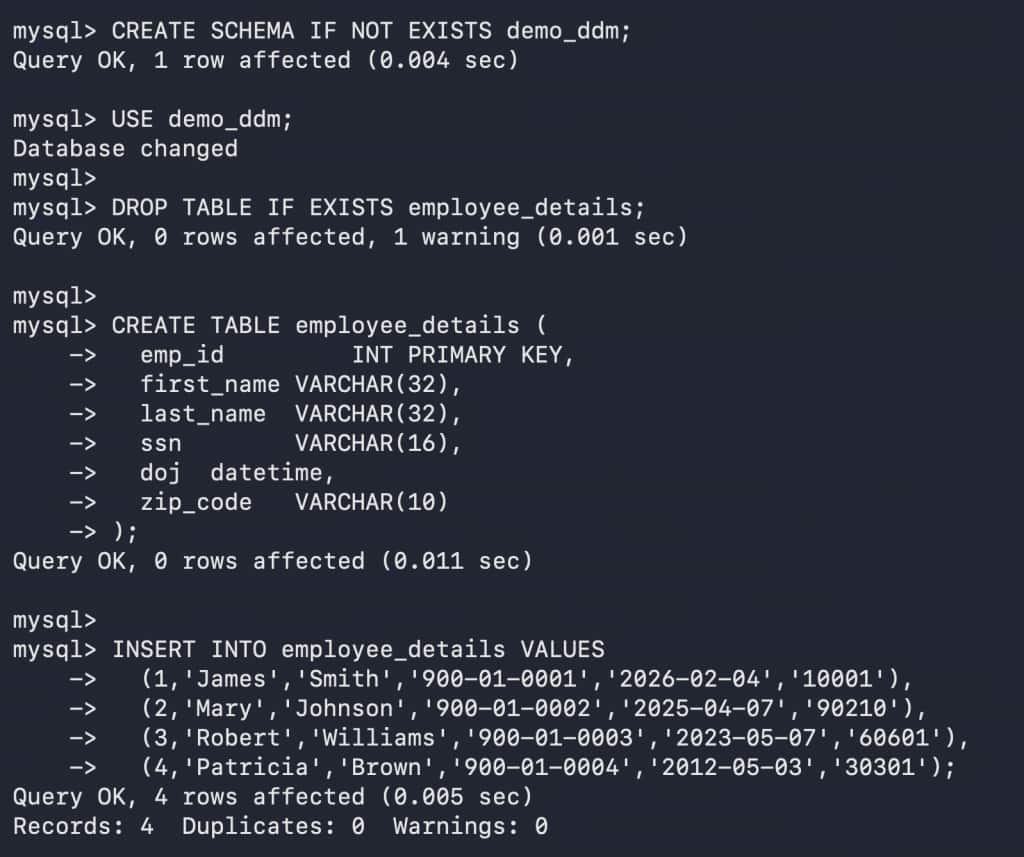
Step 4:
Create MySQL users and roles so that we can display DDM capability:
— Creating ‘admin’ user who can see data as it is
CREATE USER IF NOT EXISTS 'admin'@'%' IDENTIFIED BY 'Welcome1!';
— Creating ‘dba_l1’ user who can see masked data only
CREATE USER IF NOT EXISTS 'dba_l1'@'%' IDENTIFIED BY 'Welcome1!';
— Grant SELECT privilege
GRANT SELECT ON demo_ddm.employee_details TO 'admin'@'%';
GRANT SELECT ON demo_ddm.employee_details TO 'dba_l1'@'%';
— Creating ‘pii_read’ role and granting access
CREATE ROLE IF NOT EXISTS 'pii_read'@'%';
GRANT SELECT ON demo_ddm.employee_details TO 'pii_read'@'%';
— assigning this role to admin user.
GRANT 'pii_read'@'%' TO 'admin'@'%';
Step 5:
Let’s first understand what MASKING POLICY is and how we create it.
Masking Policy can be created at USER as well as ROLE level. Here we are creating for USER; for ROLE, we will do later.
DDL for creating MASKING POLICY at USER level:
CREATE MASKING POLICY IF NOT EXISTS policy_name(policy_param)
CASE WHEN CURRENT_USER_IN('user_list')
THEN policy_param
ELSE masking_expression_using_policy_param
END;| Part | Description |
| policy_name | Name of the reusable policy. It must be non-empty, must not end in a space, and must not exceed 64 characters. Name matching is case-insensitive under utf8mb3_general_ci. SHOW CREATE MASKING POLICY preserves original case. |
| policy_param | Single parameter that represents the target column value. It must be a valid identifier, non-empty, not end in a space, and not exceed 64 characters. Resolution is case-insensitive. |
| CURRENT_ROLE_IN(…) | Gatekeeper that returns true if any active role matches the authorization list. |
| CURRENT_USER_IN(…) | Gatekeeper that returns true if the current user matches the authorization list. |
| ‘role_list’ / ‘user_list’ | Comma-separated authorization IDs. In CREATE MASKING POLICY, the argument must be a string literal. |
| THEN / ELSE | One branch must return the original parameter directly; the other branch returns the masked value. |
| IF NOT EXISTS | If a case-insensitive matching policy already exists, creation succeeds with no effect and emits a warning; the existing definition is kept. |
Let’s Create Masking policy
CREATE MASKING POLICY mask_ssn_policy(ssn_col)
CASE WHEN CURRENT_USER_IN('admin')
  THEN ssn_col
  ELSE mask_ssn(ssn_col)
END;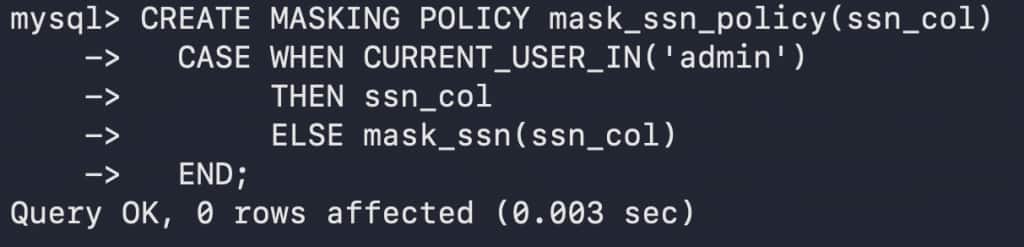
Here, mask_ssn_policy is a policy name defined such that if user admin logs in, he will see actual SSN but for other users, SSN will be masked.
Let’s attach this Policy to Table demo_ddm.employee_details
ALTER TABLE demo_ddm.employee_details
ALTER COLUMN ssn
SET MASKING POLICY mask_ssn_policy;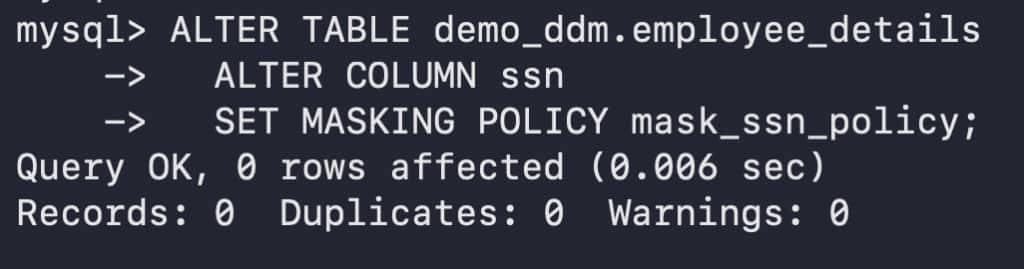
Here we say in table employee_details, for column ssn, attach masking policy mask_ssn_policy.
Now if logged in user is admin:
SELECT emp_id, first_name, last_name, ssn, doj, zip_code
FROM demo_ddm.employee_details
ORDER BY emp_id;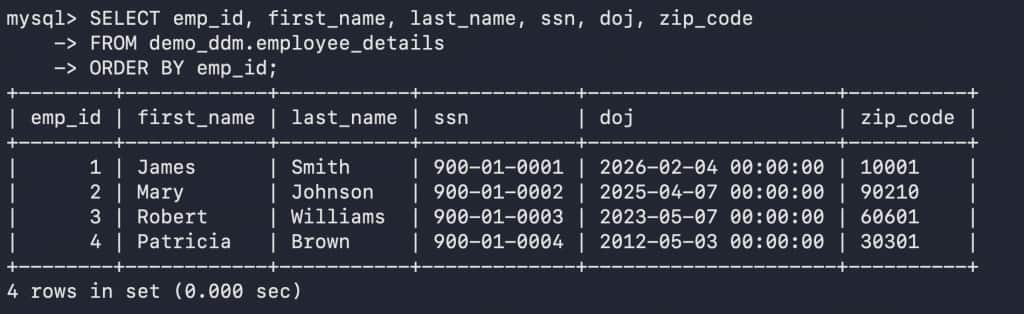
if logged in user is root or dba_l1:
SELECT emp_id, first_name, last_name, ssn, doj, zip_code
FROM demo_ddm.employee_details
ORDER BY emp_id;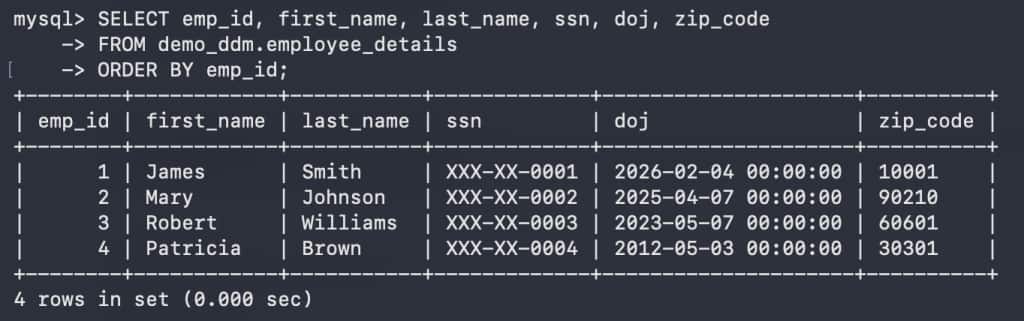
Let’s create another policy for column name
CREATE MASKING POLICY mask_name_policy(name_col)
CASE WHEN CURRENT_USER_IN('admin')
  THEN name_col
  ELSE mask_outer(name_col, 1,1)
END;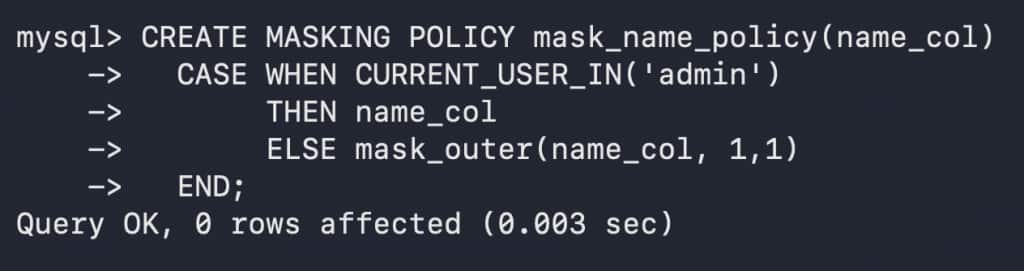
If user is admin, then name should be displayed as it is else first and last letter be replaced by ‘X’.
Attaching policy to table and respective columns:
ALTER TABLE demo_ddm.employee_details
ALTER COLUMN first_name SET MASKING POLICY mask_name_policy,
ALTER COLUMN last_name SET MASKING POLICY mask_name_policy;
Let’s login with admin user:
SELECT emp_id, first_name, last_name, ssn, doj, zip_code
FROM demo_ddm.employee_details
ORDER BY emp_id;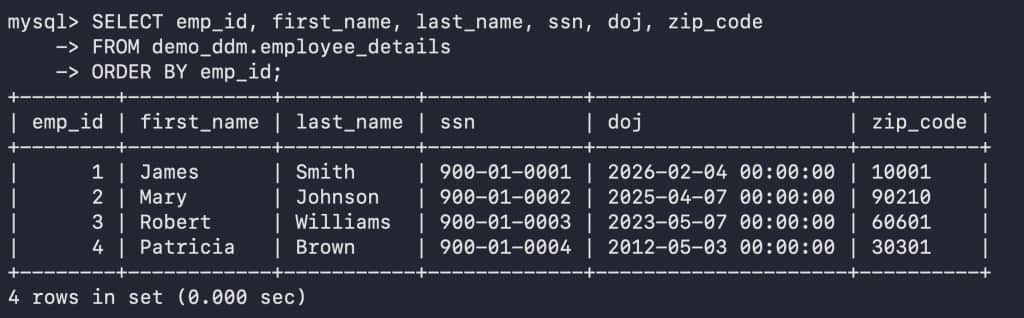
Let’s login with root user:
SELECT emp_id, first_name, last_name, ssn, doj, zip_code
FROM demo_ddm.employee_details
ORDER BY emp_id;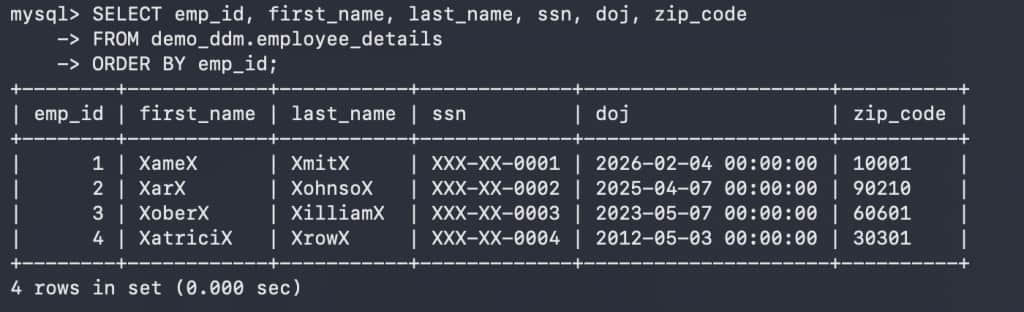
Now with dba_l1 user:
SELECT emp_id, first_name, last_name, ssn, doj, zip_code
FROM demo_ddm.employee_details
ORDER BY emp_id;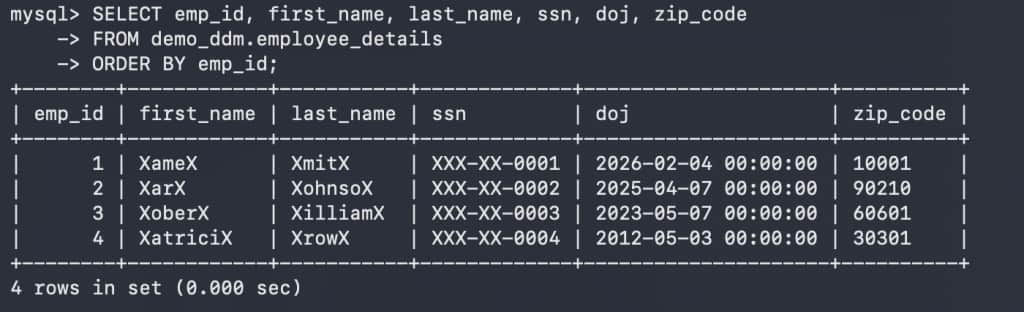
Remove SSN masking from table employee_details:
ALTER TABLE demo_ddm.employee_details MODIFY COLUMN ssn varchar(16) NOT NULL;
Let’s create a policy for ROLE pii_read:
CREATE MASKING POLICY mask_name_forRole(name_col)
CASE WHEN CURRENT_ROLE_IN('pii_read')
  THEN name_col
  ELSE mask_outer(name_col, 1,1)
END;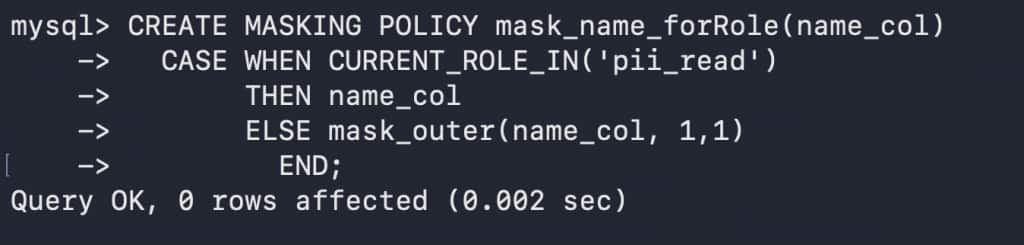
Attaching policy to table:
ALTER TABLE demo_ddm.employee_details
ALTER COLUMN first_name
SET MASKING POLICY mask_name_forRole;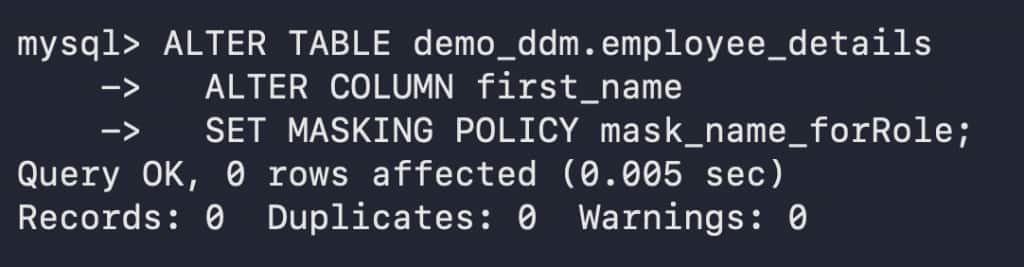
Remember we attached admin user to role pii_read. Hence we will login with admin see what is displayed.
SELECT emp_id, first_name, last_name, ssn, doj, zip_code
FROM demo_ddm.employee_details
ORDER BY emp_id;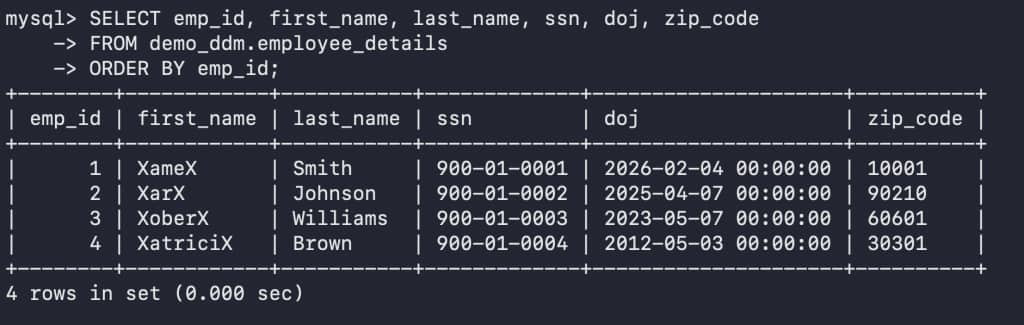
I can see MASKED data only although I am logged in with ‘admin’ user.
Let’s set the ROLE
SET ROLE pii_read;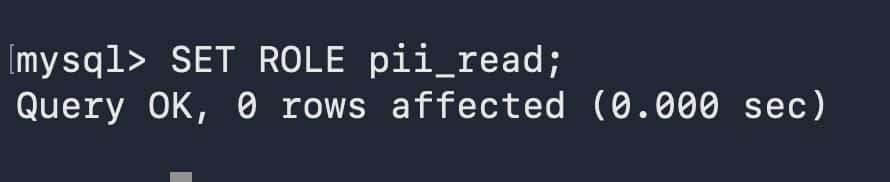
Now execute select:
SELECT emp_id, first_name, last_name, ssn, doj, zip_code
FROM demo_ddm.employee_details
ORDER BY emp_id;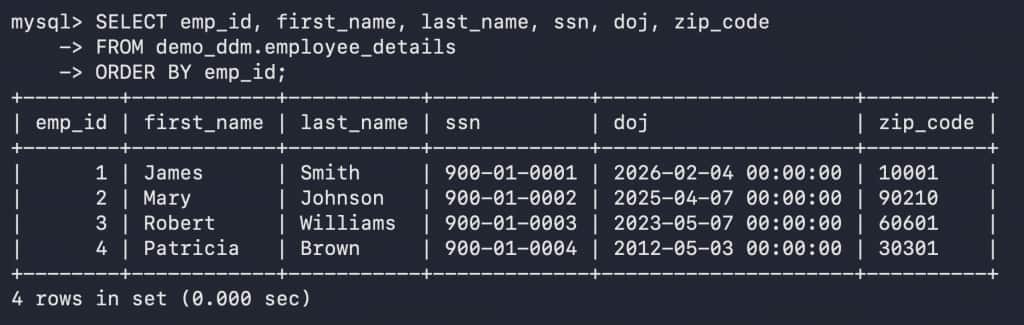
Here I can unmasked data. Hence when I have moved to ROLE, I can see full data, but when I am with just user, I will see masked name.
Uninstalling masking component:
Execute script uninstall_component_object_policy.sql present by default in same folder /usr/share/mysql-9.7/ in linux machine
mysql -uroot -p -h localhost < /usr/share/mysql-9.7/uninstall_component_object_policy.sqlLogin into MySQL and execute SELECT on demo_ddm.employee_details table and note the error we will get.
SELECT emp_id, first_name, last_name, ssn, doj, zip_code
FROM demo_ddm.employee_details
ORDER BY emp_id;
Detach Masking Policy with table:
ALTER TABLE demo_ddm.employee_details MODIFY COLUMN ssn varchar(16) NOT NULL;
ALTER TABLE demo_ddm.employee_details MODIFY COLUMN first_name VARCHAR(32);
ALTER TABLE demo_ddm.employee_details MODIFY COLUMN last_name VARCHAR(32);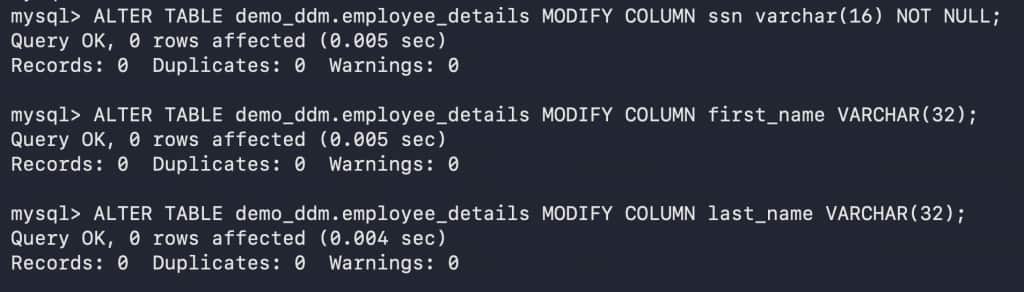
Now execute the SELECT:
SELECT emp_id, first_name, last_name, ssn, doj, zip_code
FROM demo_ddm.employee_details
ORDER BY emp_id;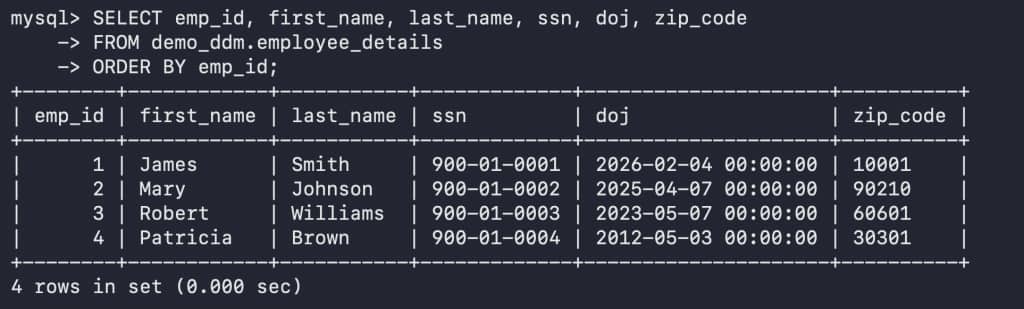
Check the components installed in MySQL:
select * from mysql.component;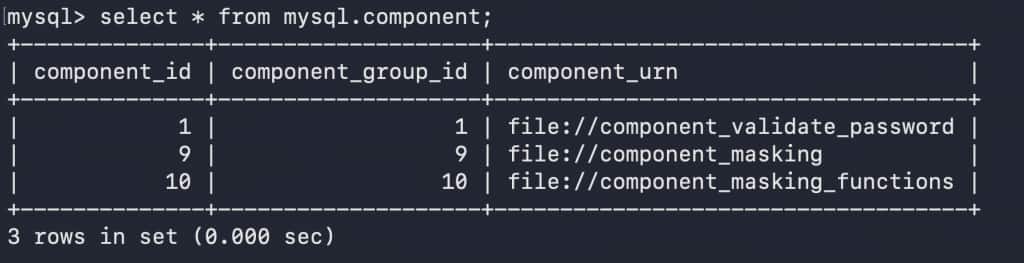
Conclusion:
This feature is designed to be enforced at server side so that we can avoid any kind of data mishandling directly on MySQL.
Since is applied at query time and server level, it can used while extracting data for other purposes like building other setups like DWH, CRM, AI, Reporting etc.
Actual data will remain in MySQL; safe and secured and masked data can be extracted for other uses.
Learn more / try it
- MySQL 9.7 Release Notes: https://dev.mysql.com/doc/relnotes/mysql/9.7/en/
- Try OCI MySQL HeatWave (Free Trial): https://www.oracle.com/heatwave/free/