
In-Memory Dynamic Scans (IMDS) is a feature that allows parallelizing In-Memory table scans without having to use Parallel Query. IMDS is able to parallelize In-Memory table scans using lightweight threads. The feature is used in conjunction with the Resource Manager. This is required because Resource Manager is what determines how many threads will be used based on CPU count and the current load on the system. One of the big advantages of IMDS is that communication between the threads only occurs within the invoking process so there is no external contention.
When talking about In-Memory Expressions and Join Groups I usually refer to them as the high-performance features of Database In-Memory. IMDS has the potential for taking performance much further and I dub this feature the “supercharged” feature of Database In-Memory.
With Database In-Memory, performance is effectively gated by available CPU and memory bandwidth. There is no I/O involved since the objects are populated in their entirety within the IM column store, and since the IMCUs are read only for analytic queries there is very little serialization that has to take place. This is why I refer to the ultimate Database In-Memory query as being dominated by CPU time. The goal is that all of the query time is spent scanning and filtering data in the IM column store. The following SQL Monitor active report illustrates this by showing 100% of the activity being consumed by CPU scanning the LINEORDER table in the IM column store:
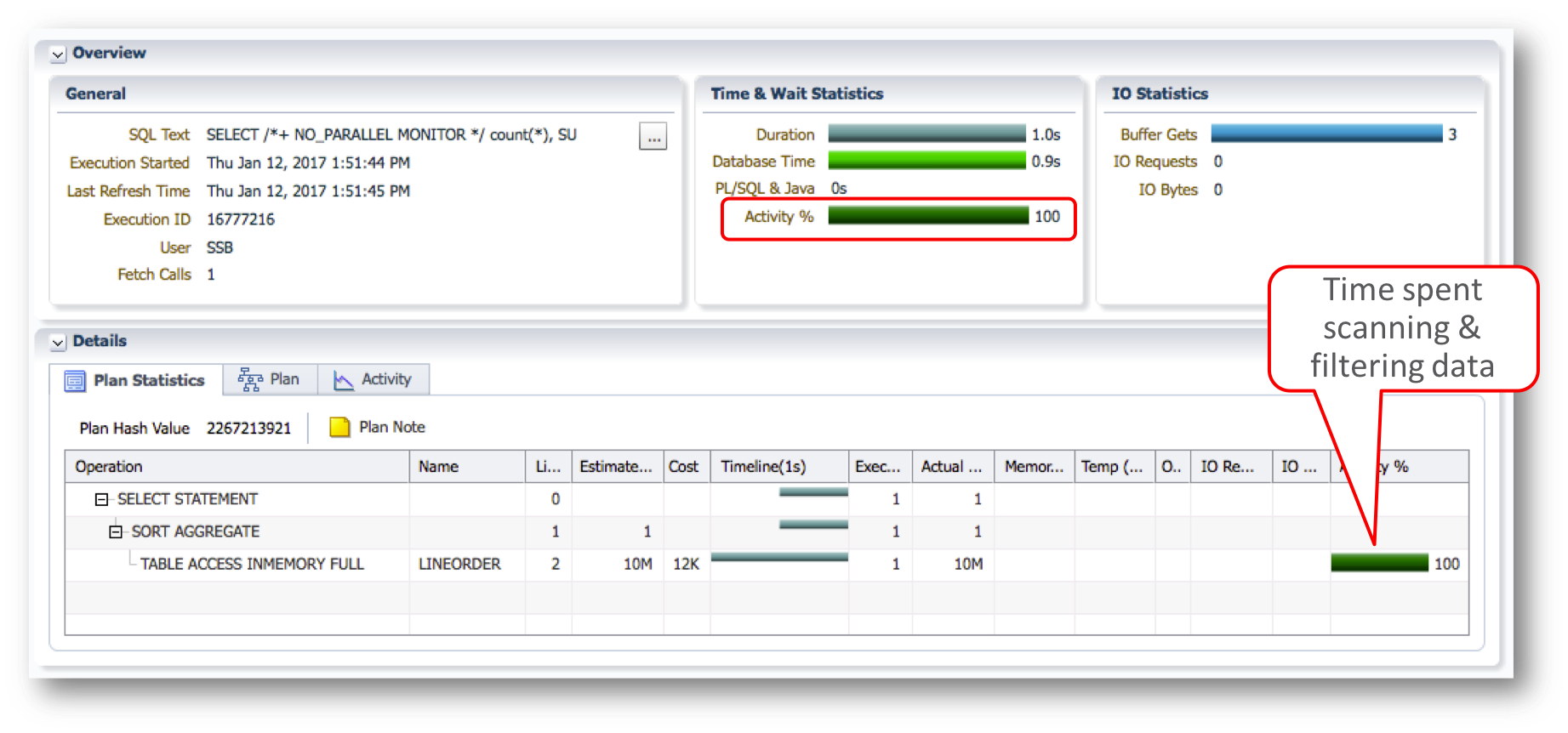
This brings us back to improving the performance of In-Memory queries. IMDS provides the ability to dynamically parallelize queries without having to invoke parallel query and manage its usage across the instance or RAC. In addition, IMDS will dynamically scale based on CPU load, something that parallel query cannot do. This is especially important in mixed workload environments where parallel operations are often avoided because they can require too many CPU resources.
Let’s see an example of IMDS at work. We’ll use a very simplistic query for the LINEORDER table to avoid any complications:
select sum(LO_QUANTITY) from lineorder;
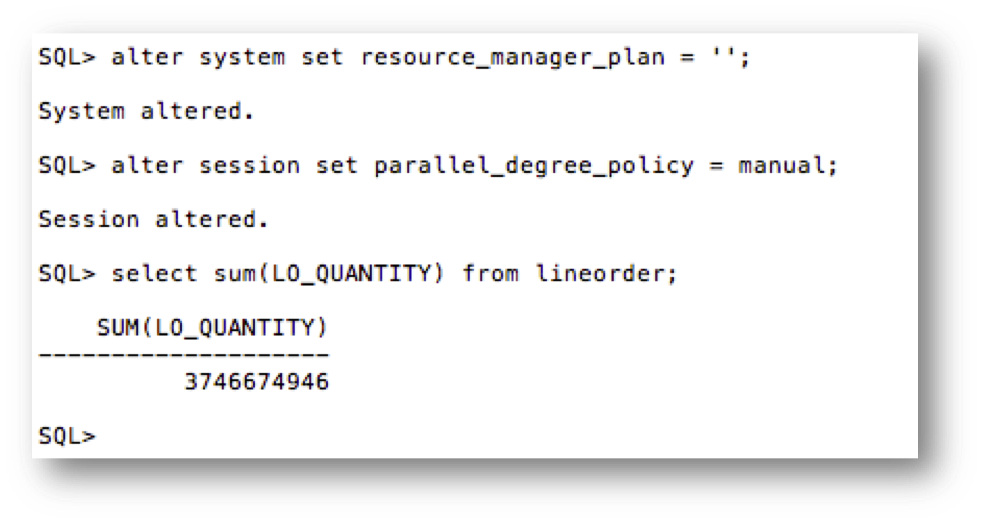
In our first example we’ll disable Resource Manager (remember that Resource Manager must be enabled to use IMDS) and parallelism so that we get a simple serial query:
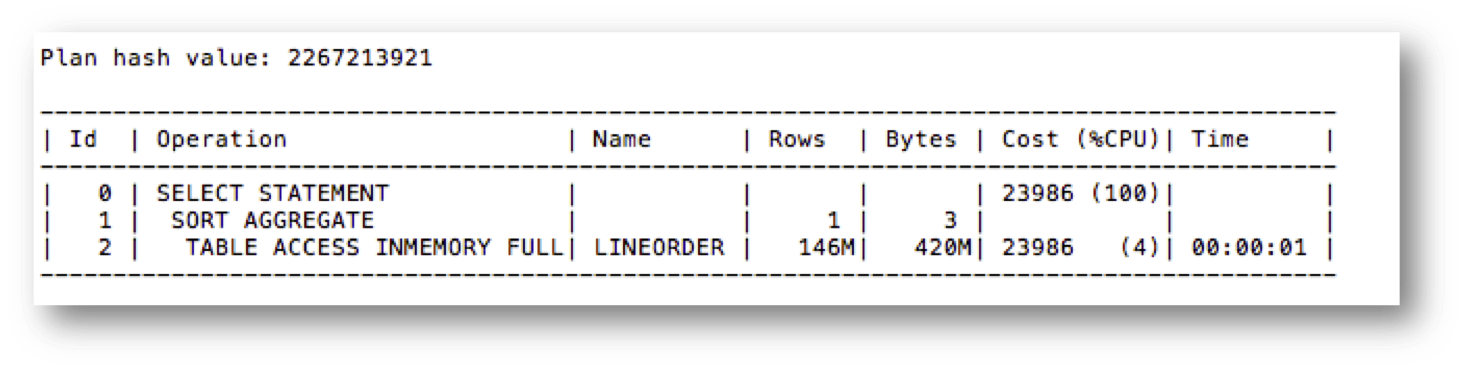
The execution plan shows a serial, in-memory execution:
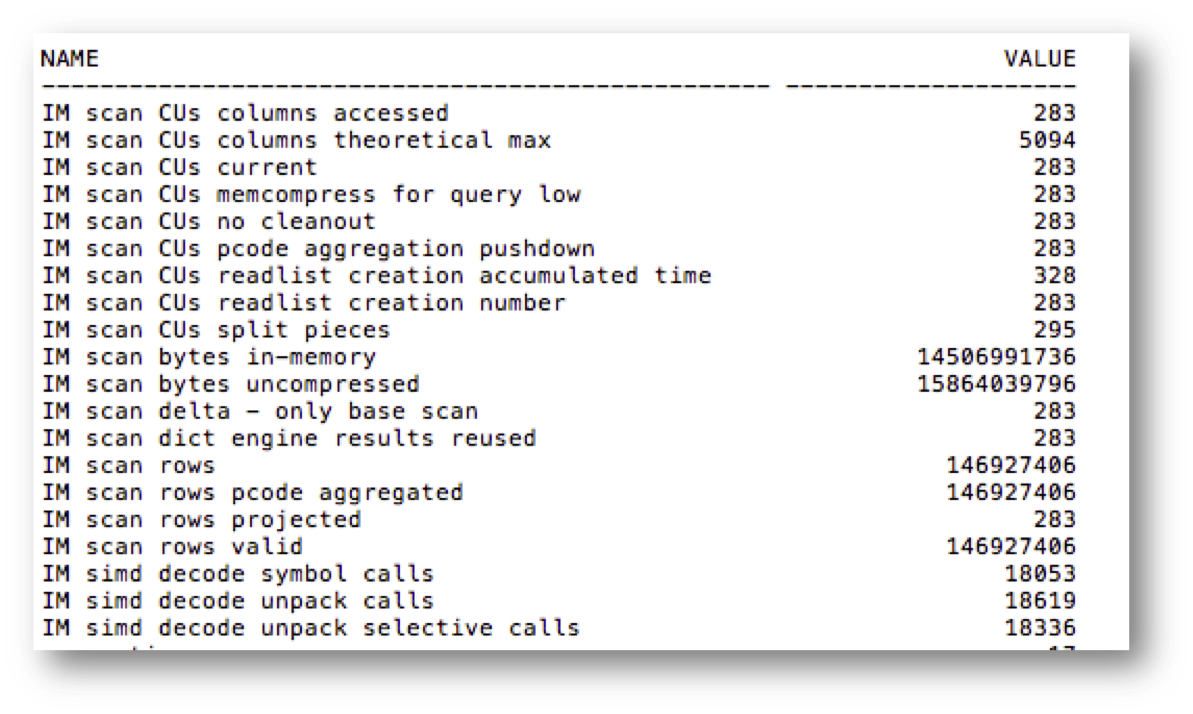
And the session level statistics show the normal IM Scan statistics that we’ve talked about in our other blog posts:
Now we’ll enable Resource Manager and see what changes:
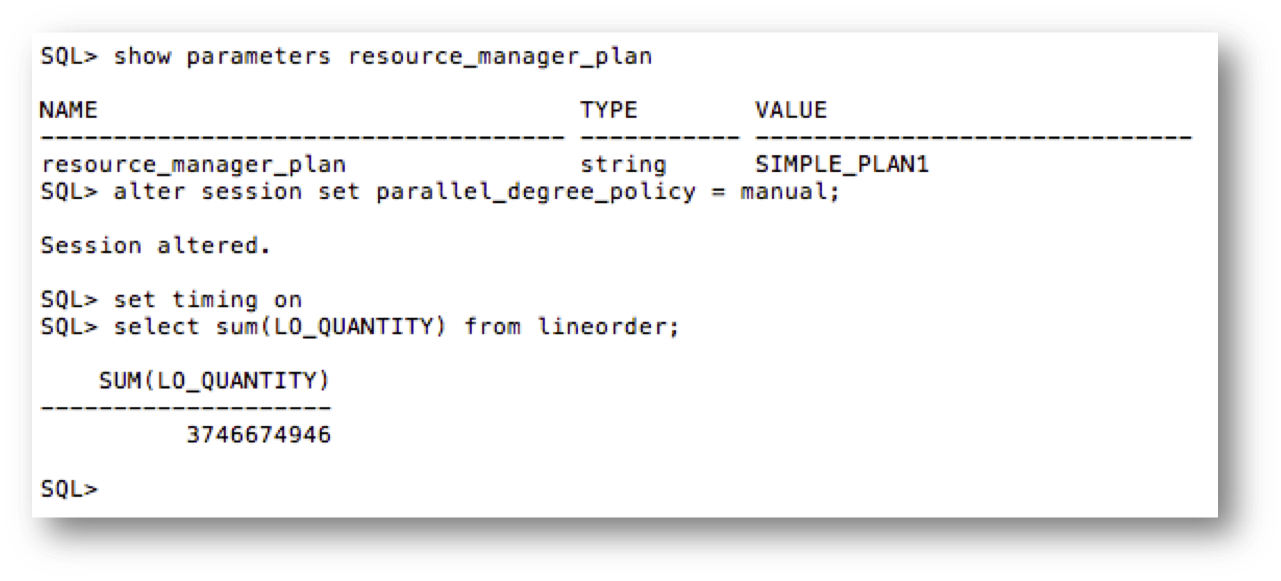
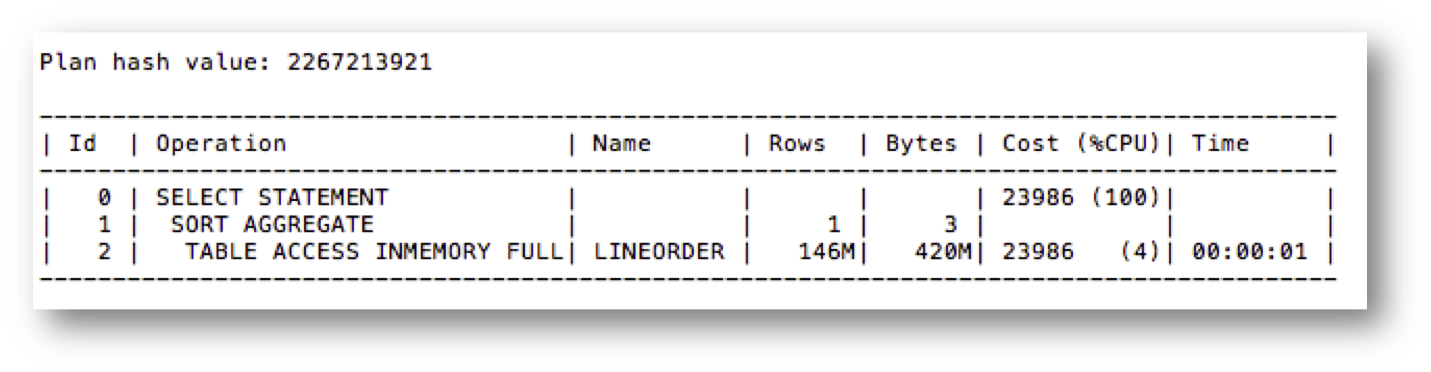
The execution plan remains the same:
And let’s take a look at the session level statistics:
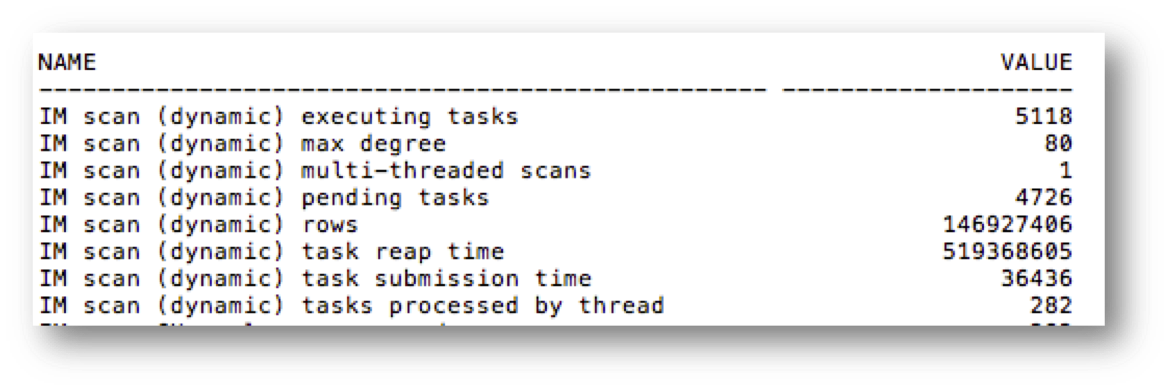
Note that we now see a new set of “IM scan (dynamic)” statistics (I truncated the other statistics to highlight these new ones). These indicate that we used IMDS during the query execution.
There is also information available in a SQL Monitor active report to identify if IMDS was used. If you click on the binoculars for the table scan operation in a SQL Monitor active report, you can see that a popup window shows that IMDS was used:
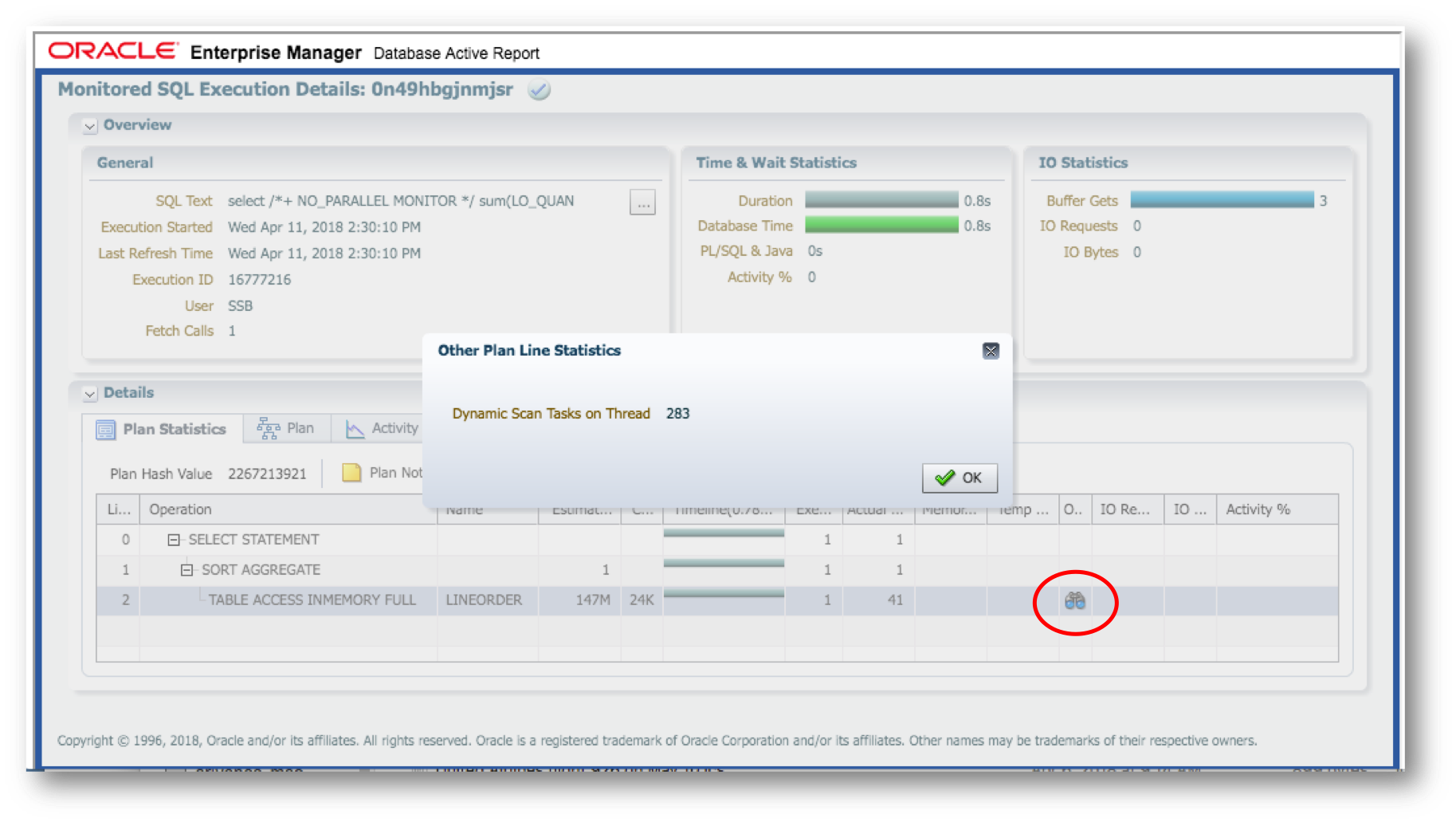
Does IMDS also work with Parallel Query? Let’s see:
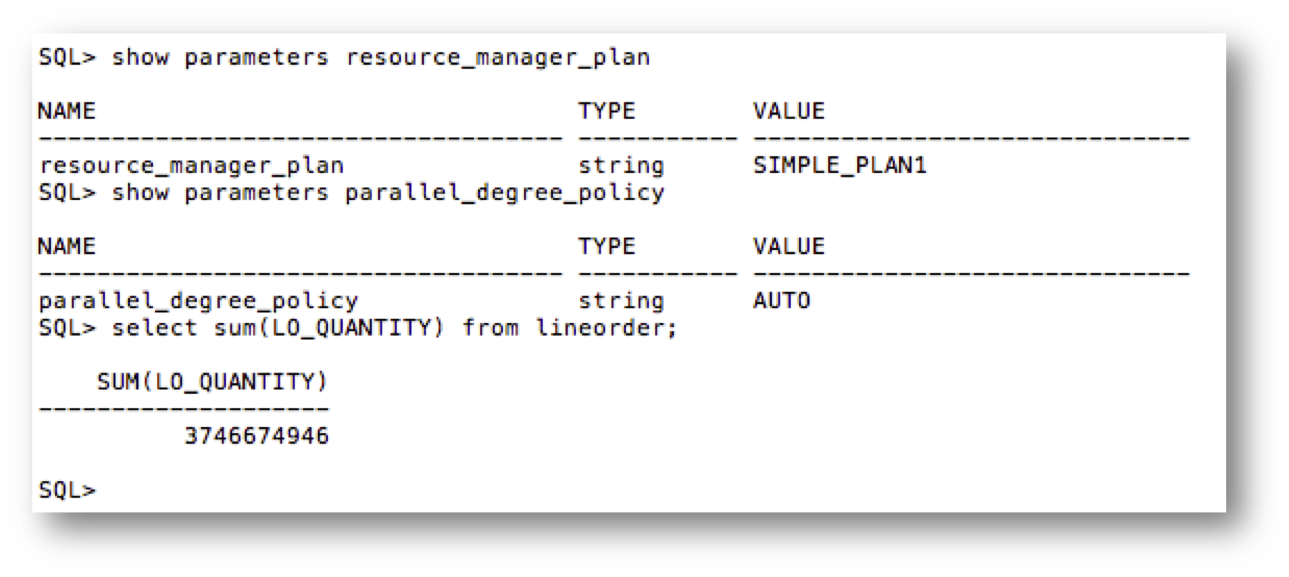
We’ve enabled both Resource Manager and Auto DOP. Let’s see if we get a parallel plan:
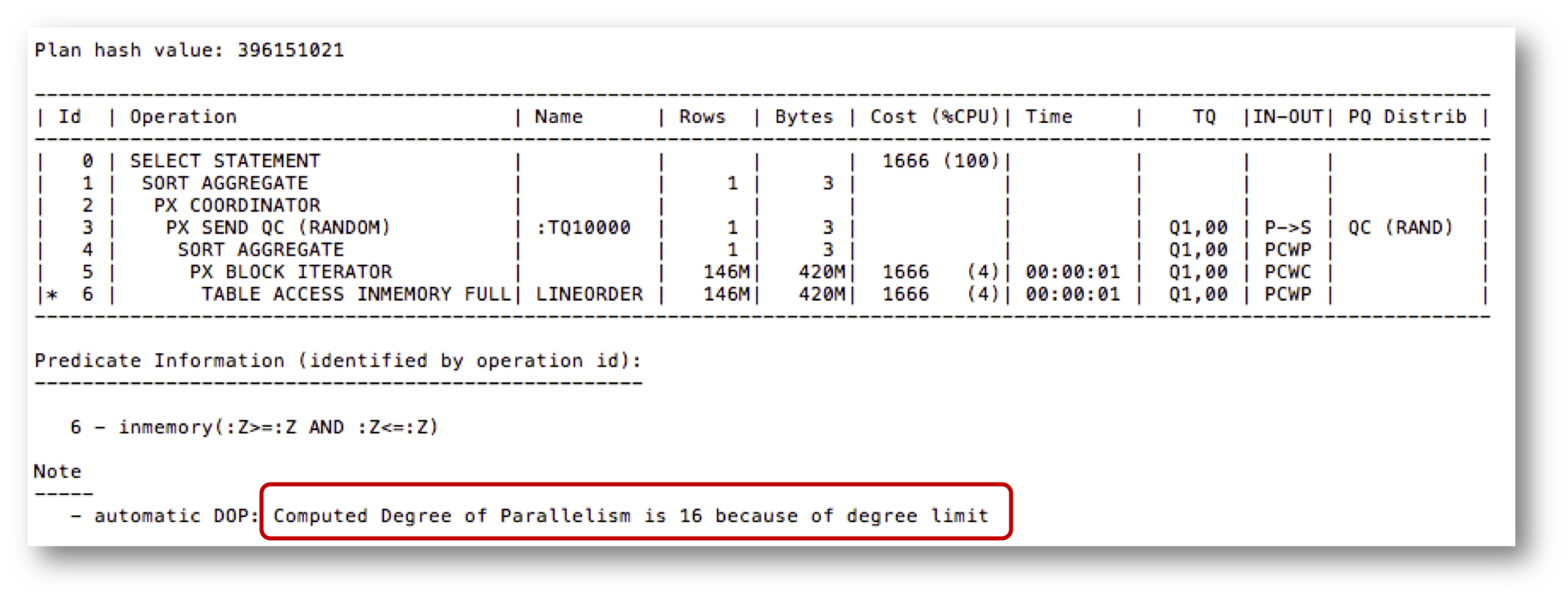
The query did go parallel, with a parallel degree of 16. Let’s see if we took advantage of IMDS:
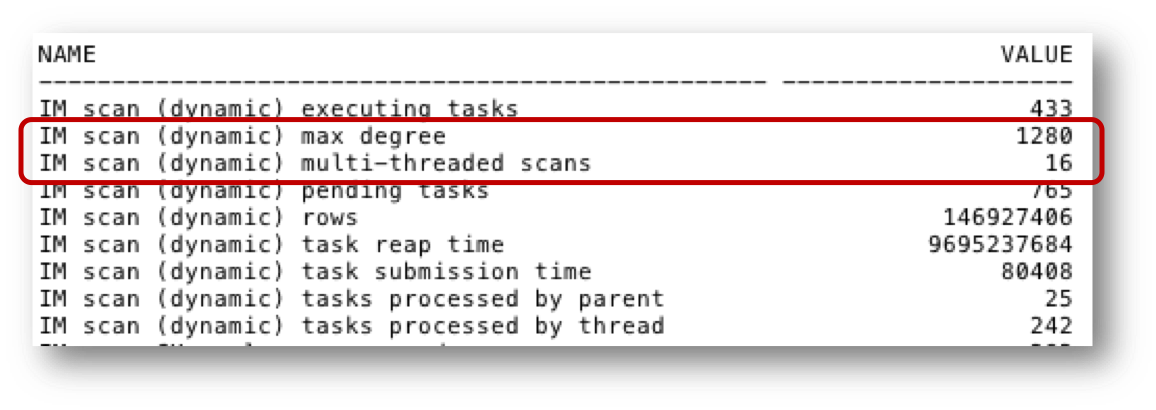
Sure enough we see that we did take advantage of IMDS for the query execution. In fact, we can see that we executed 16 multi-threaded scans, one for each of the parallel query processes that ran in the query (see the DOP section in the execution plan notes – and again I truncated the rest of the session statistics).
What about performance? I ran the same query on a much larger LINEORDER table with and without IMDS for a serial query to highlight the performance difference:
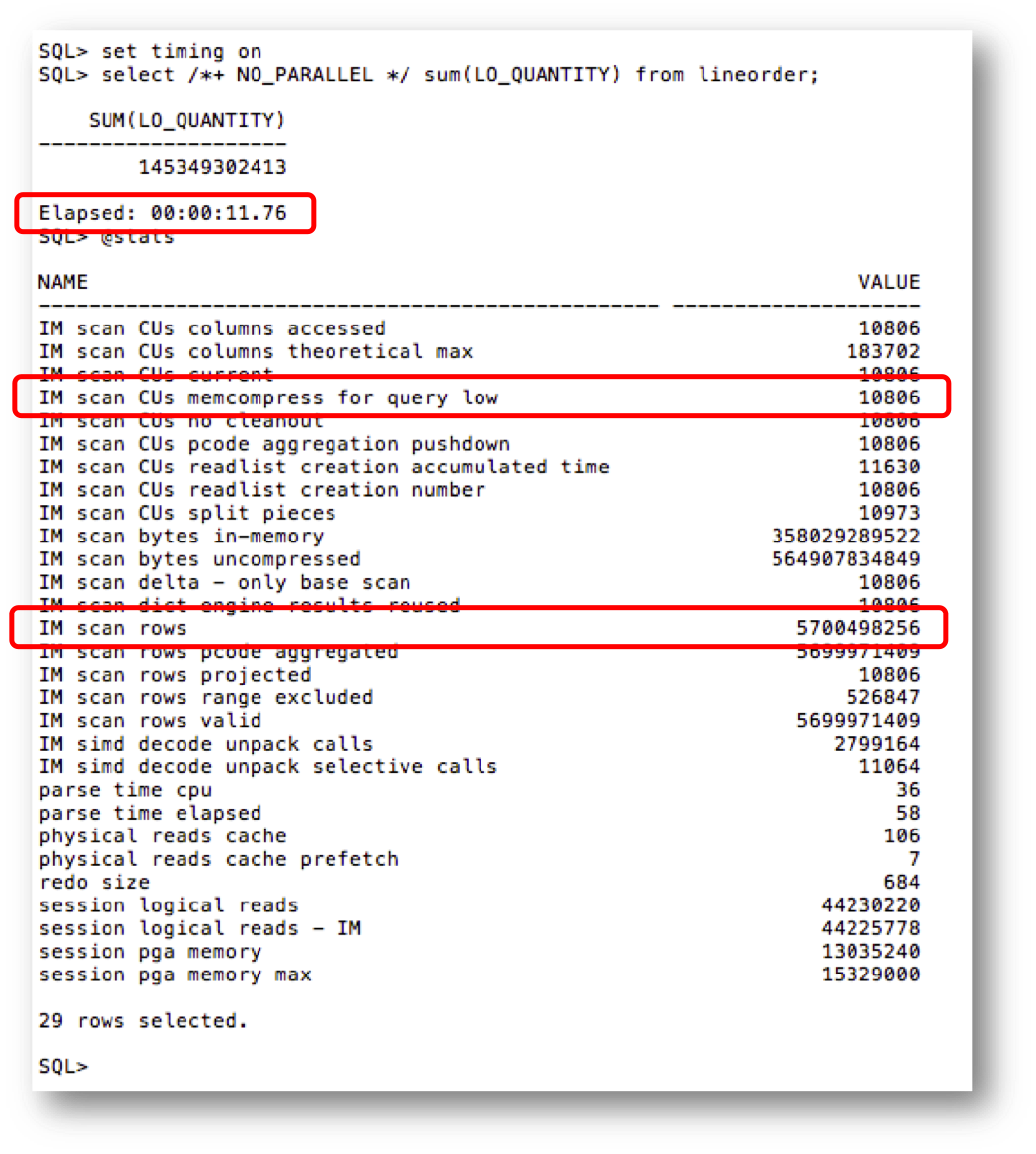
Without IMDS the query took 11.76 seconds and as we can see from the session statistics the query ran in-memory. In fact, the query scanned 10,806 IMCUs and almost 5.7 billion rows.
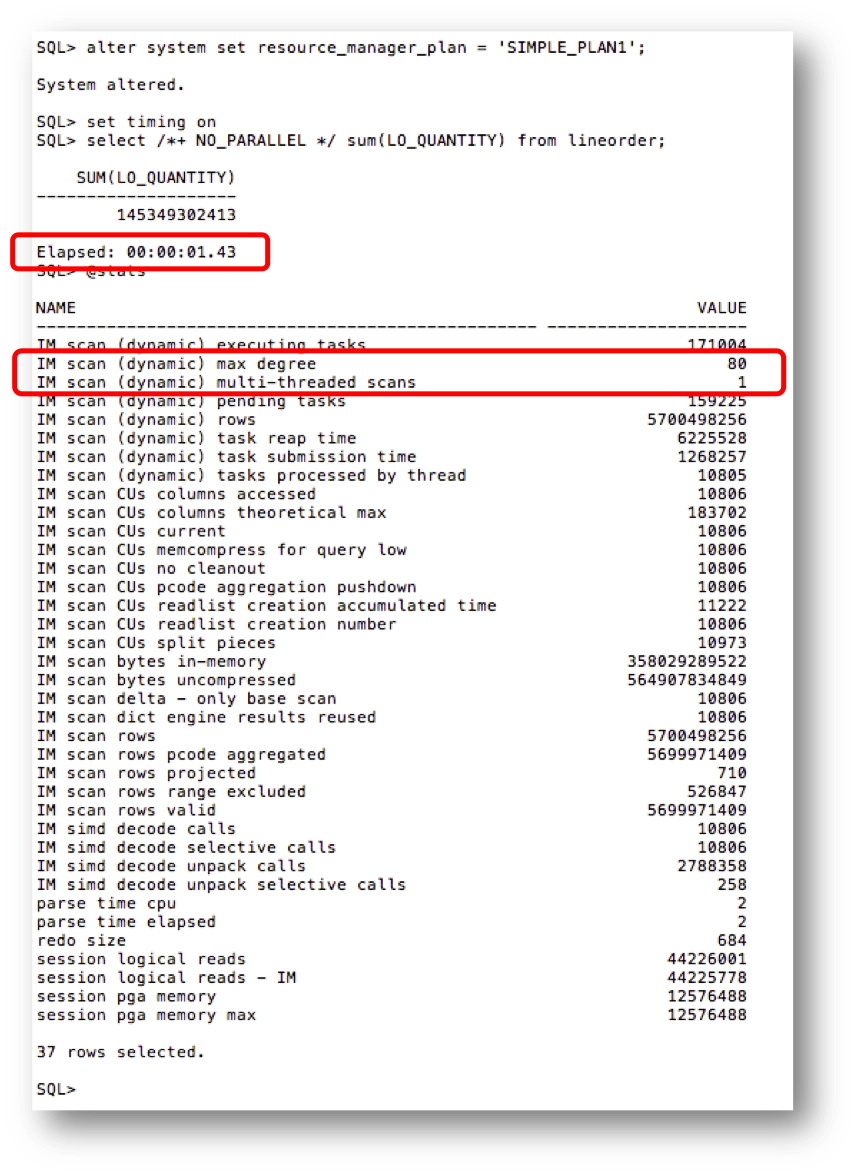
With IMDS enabled the query only took 1.43 seconds as we were able to use up to 80 threads to help speed up, or supercharge, the query. Quite an impressive difference! Also let’s not forget that since Resource Manager is managing the CPU workload, this will not affect the overall performance of other, existing workload. It is worth noting that if Resource Manager prevents the use of IMDS because sufficient CPU resources are not available then performance will not be any worse than if the query ran serially. IMDS represents a big step forward in not only supercharging Database In-Memory scan performance but also in dynamically taking advantage of idle CPU resources on the database server to automatically scale performance based on available resources. Stay tuned for more information about IMDS.
Original publish date: April 19, 2018