
A validated file isn’t a working agent yet. This article covers what happens between your editor and production: trying a workflow with real questions, debugging what it did, saving a DRAFT, and releasing through your pipeline.
Debugger term: pinned output. Fix one node’s output in the debugger to check downstream nodes without rerunning everything upstream.
Try it out
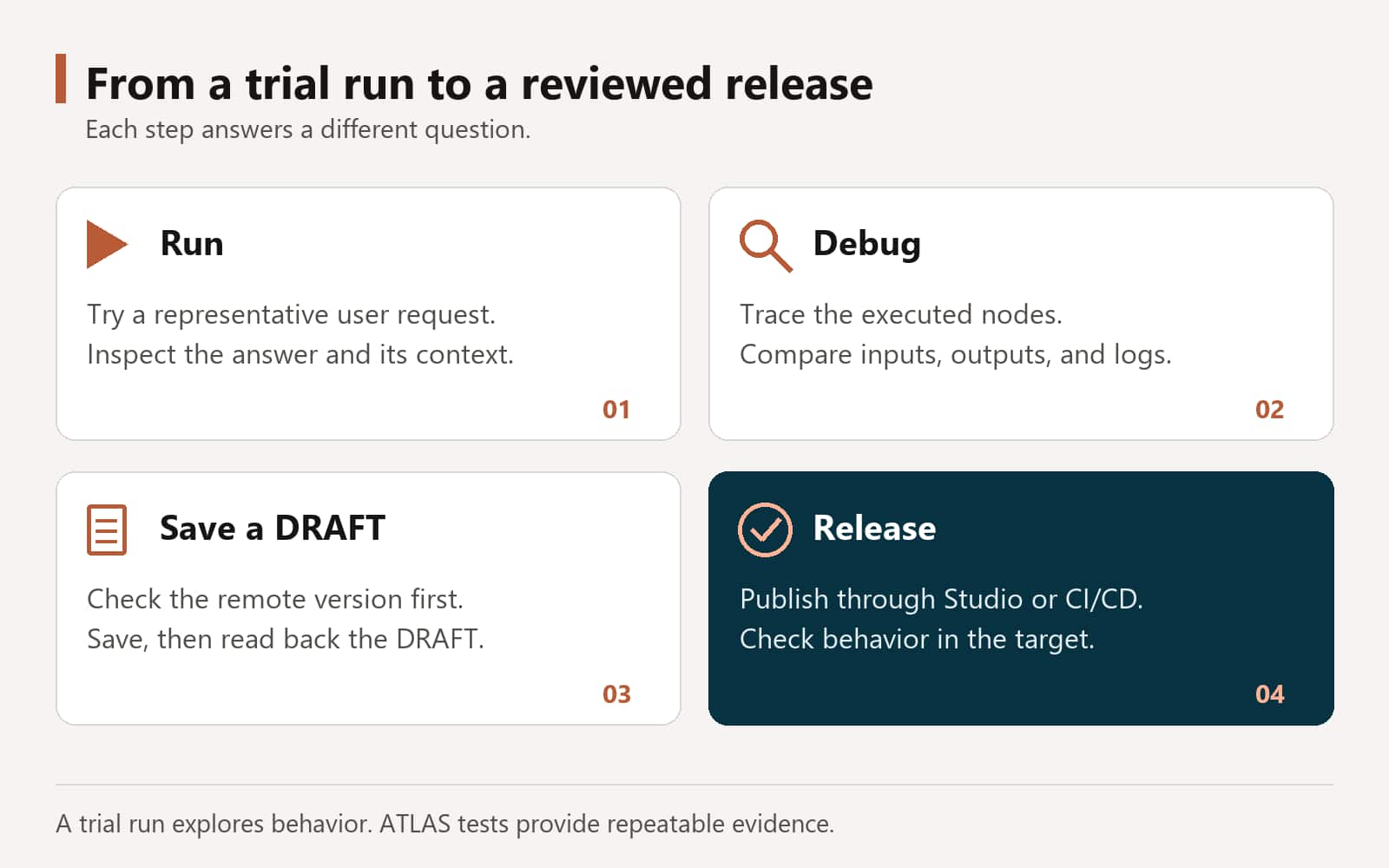
Ask the assistant to run your workflow with a real question and show you the answer. A trial run uses your connected environment, so it needs a working sign-in. It isn’t a test: nothing is checked or recorded, it just shows you what happens.
Try it: Run it like a chat user
Run position_to_job_requisition.wf with “Find active positions in business unit [business unit ID] and department [department ID]” and show me the answer a chat user would get.
Debug what happened
When an answer looks wrong, ask about it the way you’d ask a colleague. The assistant looks at the last run before it suggests anything, and it doesn’t change your workflow unless you ask it to.
Which path it took
“Which nodes ran on the last run, and why did it go down the lookup path instead of the create path?”
What a node produced
“What did FIND_POSITIONS return, and did SELECT_POSITION receive the position I asked for?”
How a node is set up
“Explain how the routing step is configured and what it’s told to output.”
Whether a later node works
“Pin this output on FIND_POSITIONS and run it again, so I can check SELECT_POSITION on its own.”
What a different setting does
“Try the routing step with a stricter prompt in debug only. Don’t change the workflow.”
What the server logged
“Show me the server logs for the last run.”
When a value comes through empty, the assistant checks the expressions on that node first: that they’re written correctly, that they point to a node that really ran before this one, and that the field exists in that node’s actual output.
Try it: Ask for a diagnosis
Run position_to_job_requisition.wf with “Show positions in business unit [business unit ID] and department [department ID]”. Then tell me which path it took, what FIND_POSITIONS returned, and whether the reply used only returned fields. Don’t change the workflow.
Testing has its own blog
Trial runs show you what happens; tests prove it. Part 10 covers how tests are created, run, and reported.
Save a DRAFT
When you’re happy with a change, ask the assistant to save it. Saving puts your local file on the server as the DRAFT version, so you and your team can open it in AI Agent Studio. It never publishes.
Try it: Save a reviewed change
Save position_to_job_requisition.wf to its DRAFT version. If the DRAFT on the server is newer than my local file, stop and show me instead of overwriting it.
- If someone changed the DRAFT on the server after you last pulled it, the assistant stops and asks before replacing it.
- After saving, it reads the saved DRAFT back so your local file matches the server.
Workflows aren’t published from the CLI
The skill won’t publish a workflow from the CLI, even when asked, and won’t look for a way around that. Publish in AI Agent Studio or through your CI/CD pipeline. A few other artifact types, such as policies, document schemas, functions, and connector definitions, can be published from the CLI, but only when you explicitly ask.
Release through CI/CD
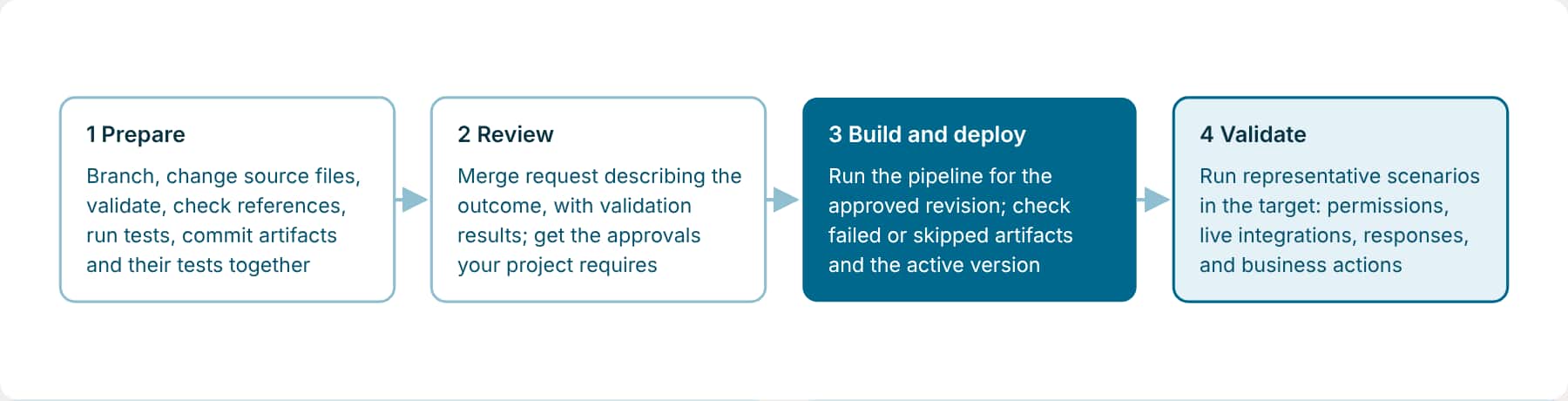
With artifacts and tests as files, they can move through the same Git-based process as code. The process has four stages.
Good habits
- Short-lived branches, and merge requests described by outcome.
- Record the source revision, deployment reference, and test-report links with each change.
- Check the deployed artifacts and their behavior even when the pipeline says success.
- On a failed build, keep the build number and console output, fix the source or configuration, and run a new build.
Keep these out of the commit
env.propertiesand any credentials- Generated
test-reports/folders - Debugger sidecars and
.debug/scratch files
Your pipeline can sign in without a browser and run all of a package’s tests in one step; the Command map lists the commands.
Key takeaways
- Ask the assistant to run your workflow with a real question to see what happens; ATLAS tests are what prove it works.
- Debug by asking plain questions about the last run. The assistant investigates before it changes anything.
- Save DRAFTs when you’re ready. Publish workflows in AI Agent Studio or through CI/CD, and check the target environment after every deploy.
Previous: Test What You Build with ATLAS | Next: Best Practices for Building with the AI Studio CLI
Back to the Learning Path for Fusion AI Agent Studio CLI