
We’re excited to announce a new release of Oracle Cloud Infrastructure Data Integration. This release adds connectivity to Oracle Fusion Applications.
Cloud native, serverless integration
OCI Data Integration is a recently launched, cloud native, fully managed, serverless extract, transform, and load (ETL) solution. Organizations building data lakes for Data Science on OCI. Departments building data lakes, data marts, and data warehouses using Autonomous Databases can gain great business value by using a solution that can help simplify, automate, and accelerate the consolidation of data for use.
Data Integration is graphical, providing a no-code designer, interactive data preparation, profiling options, and schema evolution protection, all powered by Spark ETL or ELT push-down runs. If you’re not familiar with this new service and want to more, check out the blog, What is Oracle Cloud Infrastructure Data Integration?
Oracle Cloud Infrastructure Data Integration is available in all OCI commercial regions.
New features
Today, we’re learning about extracting data from Oracle Fusion Applications through Oracle Business Intelligence Cloud Connector (BICC) in OCI Data Integration.
Oracle Fusion Applications is a suite of 100% open standards-based business applications that provide a new standard for the way businesses innovate, work, and adopt the technology. Delivered as a complete suite of modular, service-enabled enterprise applications, Oracle Fusion Applications works with Oracle’s Applications Unlimited portfolio to evolve the business to a new level of performance.
OCI Data Integration uses the Oracle Business Intelligence Cloud Connector (BICC) to enable connections to Oracle Fusion Applications as data sources. You use an Oracle Fusion Applications data asset as a source to extract data from Oracle Fusion Applications, such as an ERP or HCM cloud. Data Integration loads the extracted data into a predefined external storage location that’s configured in BICC. In this blog, we load the data from Fusion Applications to Object Storage in Parquet format and Autonomous Data Warehouse.
Prerequisites
- Based on the previous blogs on Oracle Cloud Infrastructure Data Integration and Oracle documentation, you have set up a workspace, projects, applications, and understood the creation and running of a data flow using an integration task or using a data loader task.
- The bucket is created in OCI Object Storage.
- Object Storage policies are required to use BICC and network requirements for accessing Oracle Fusion Applications from OCI Data Integration.
- Go to the Fusion SaaS BIACM environment and select the Configure External Storage menu option from the right menu bar.
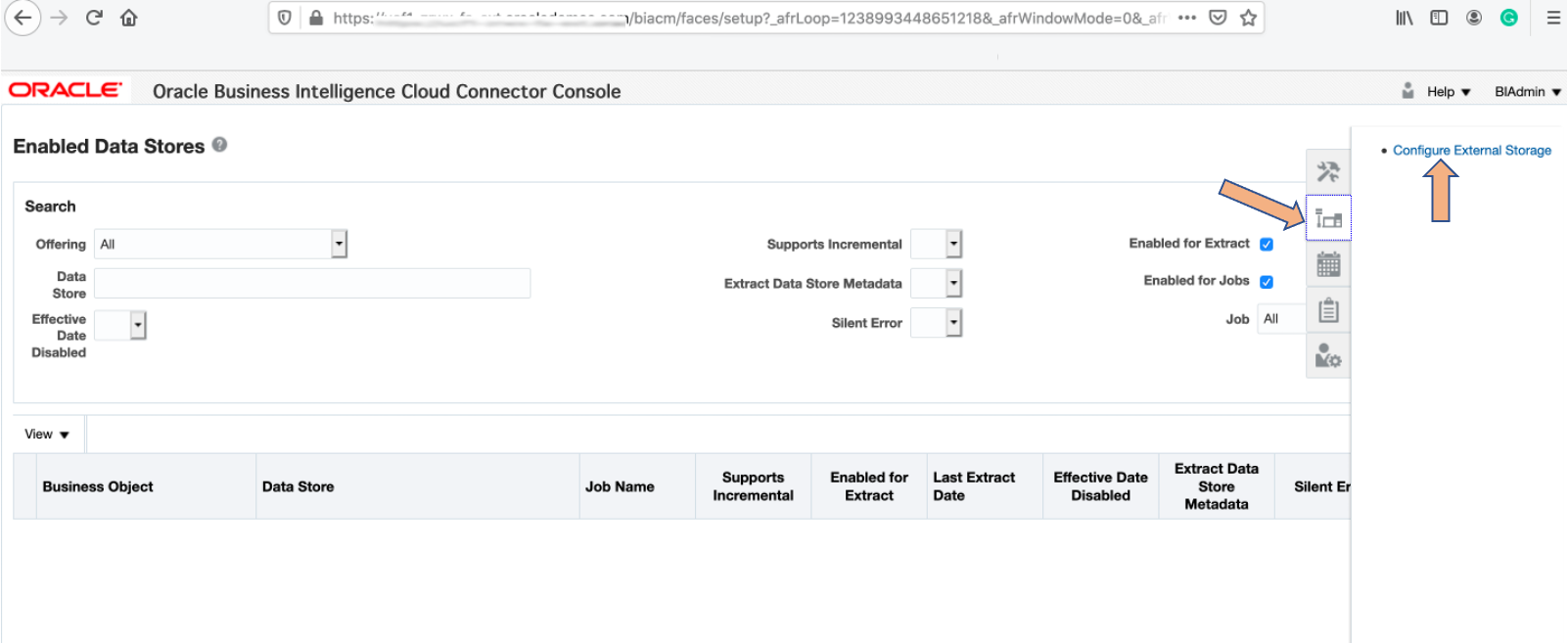
Figure 1 – Configuring External Storage
- Click the OCI Object Storage Connection tab and create a connection by clicking the + symbol.
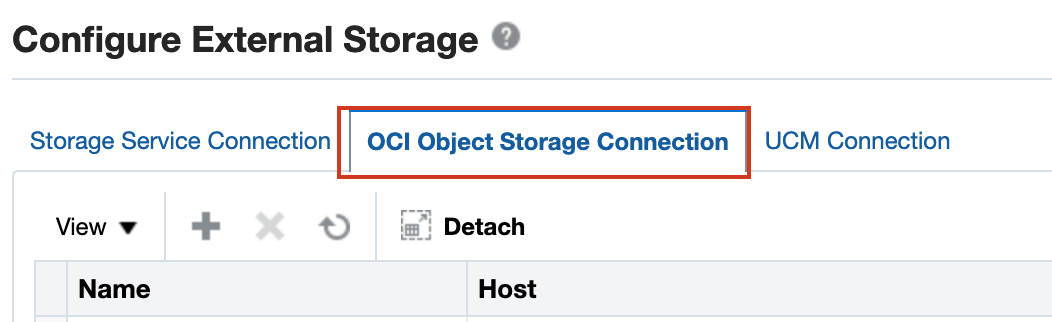
Figure 2 – Object Storage as External Storage
- Provide the Object Storage the details from document Storage Type — OCI Object Storage Connection and export the public key into OCI.
- These prerequisites for configuring external storage are a one-time activity. Based on the business requirements, you can add an OCI Object Storage connection.
Implementing Fusion Applications integration with Oracle Cloud Infrastructure Data Integration
In this example, we join the geographical information coming from Fusion Applications with Bank Customer data present in JSON format. The joined data is then split into multiple customer locations. Data for customers from India (IN) gets loaded in Object Storage in Parquet format and data for customers from the US location gets loaded in Autonomous Data Warehouse.
Configuring data assets
After the prerequisites are complete, you can create data assets and select Fusion Application as data asset type.
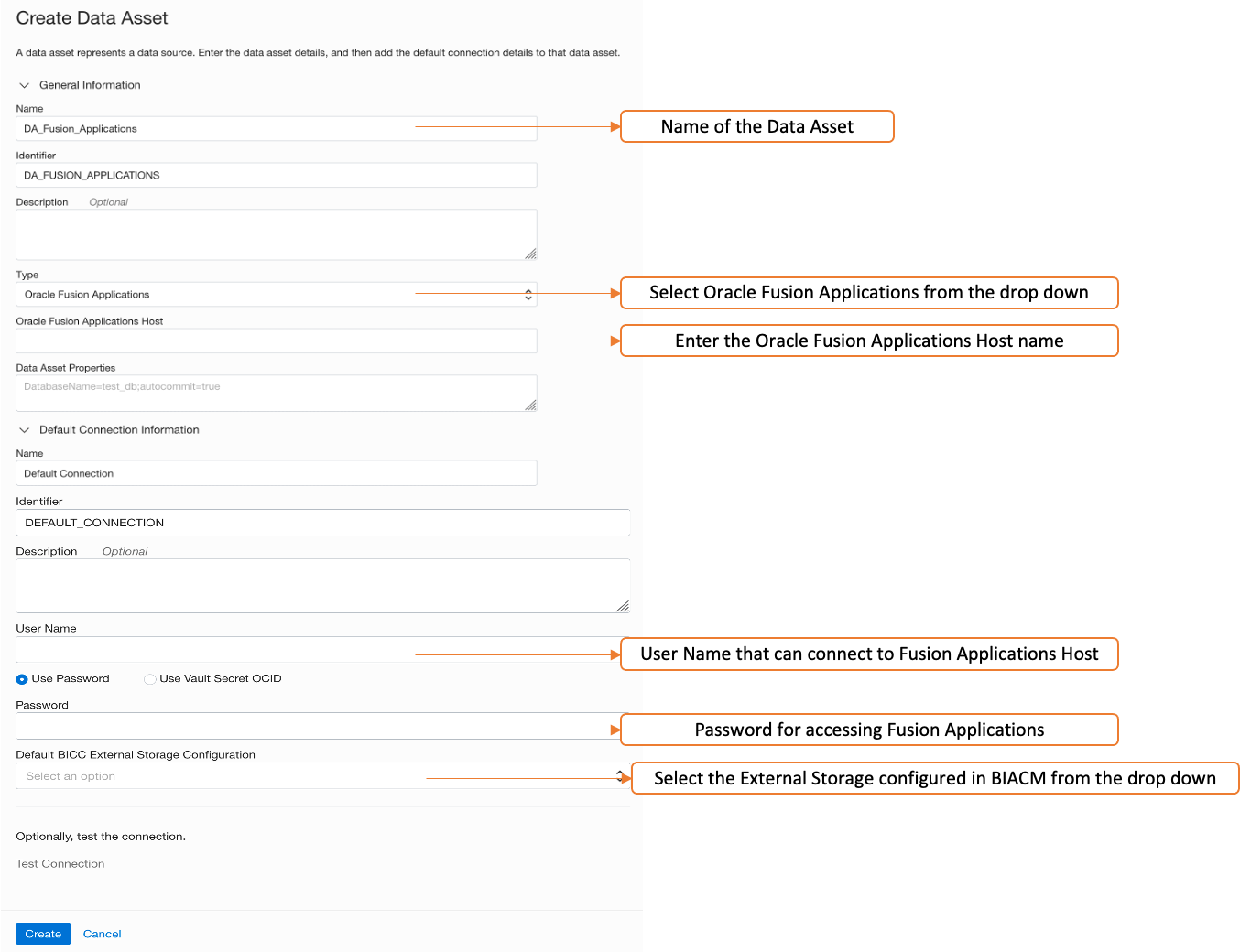
Figure 3 – Create Data Asset for Fusion Applications
Using data assets in Data Flow and data loader tasks for Fusion Applications
You can use data assets in the data flow or data loader task. Create the data flow, and select and drag the source operator in the canvas. Use the Fusion Applications data asset. In the following example, full extracts have been configured.
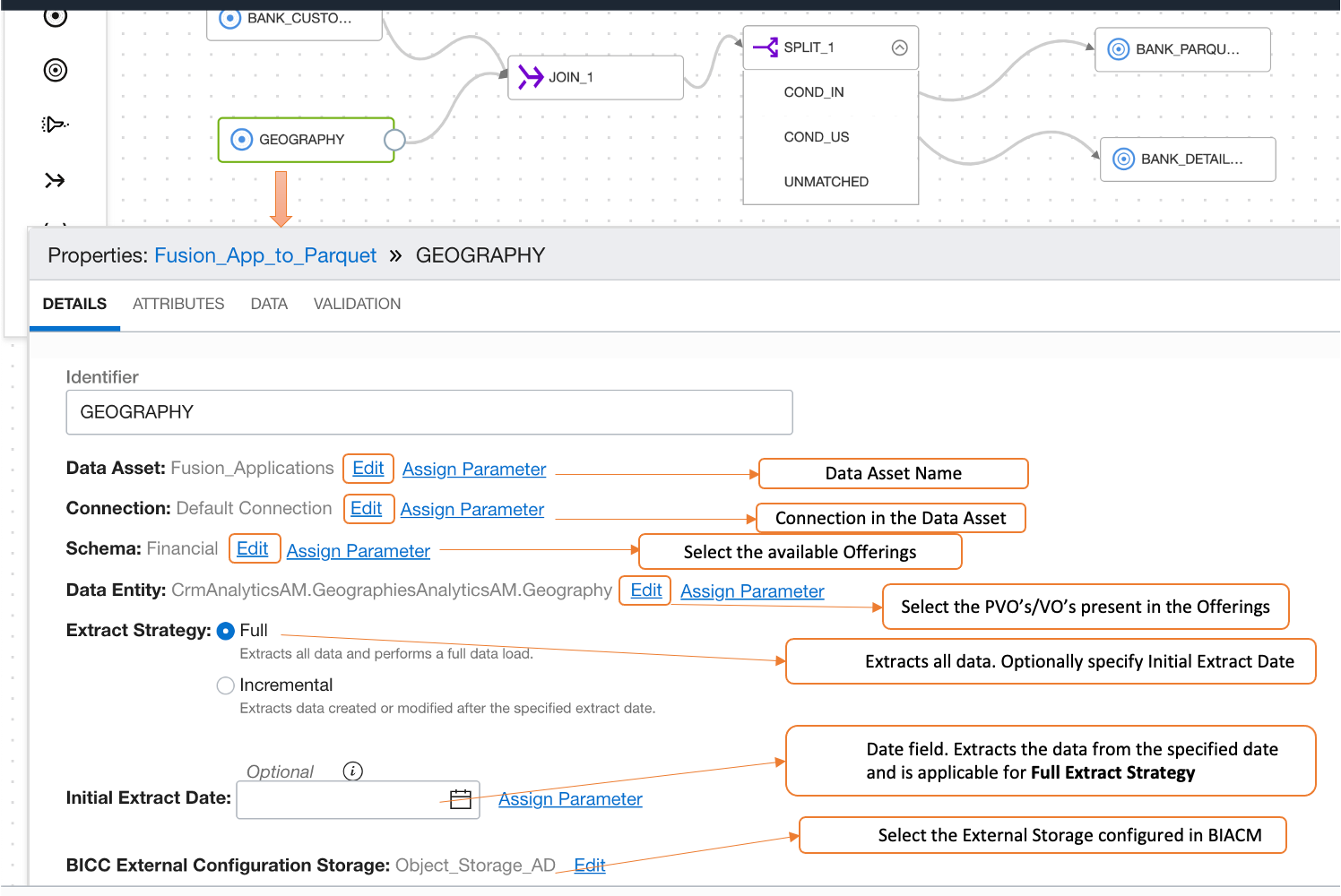
Configuring Data Asset in Data Flow for Fusion Applications
When the data flow is complete, save it, create an integration task, publish it to an application, and run the corresponding task.
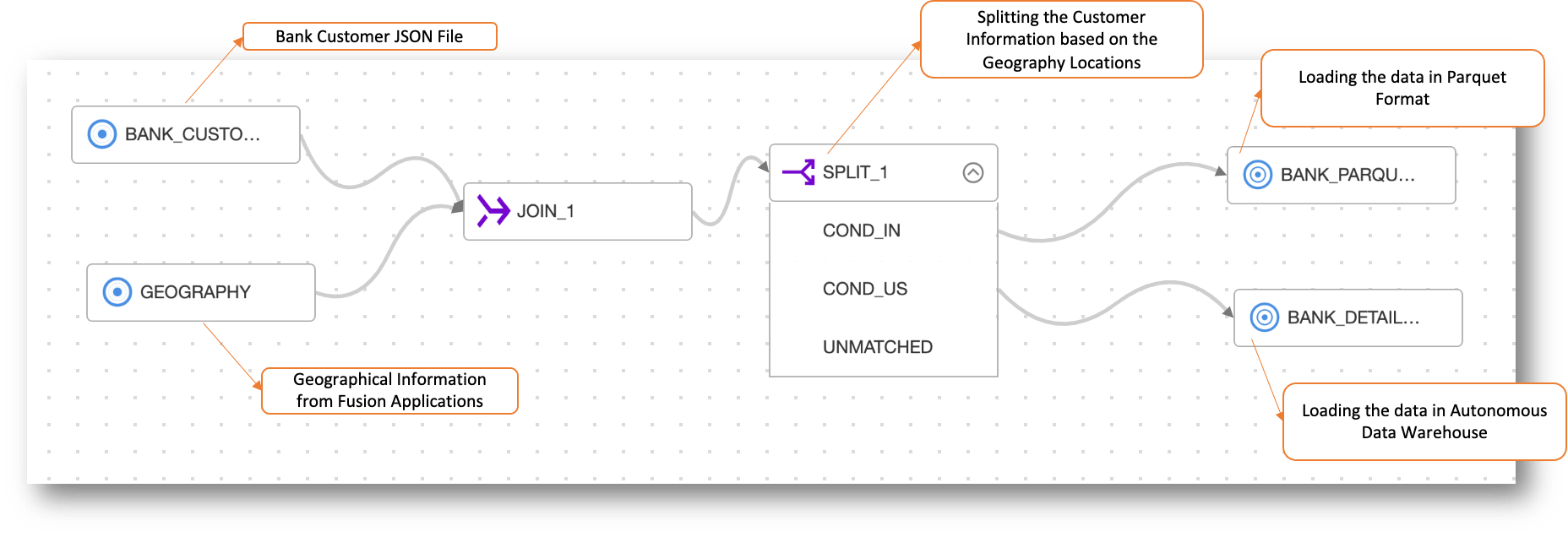
Transformations and Complete Data Flow
You can browse the Runs tab within the application to monitor the progress of the run.
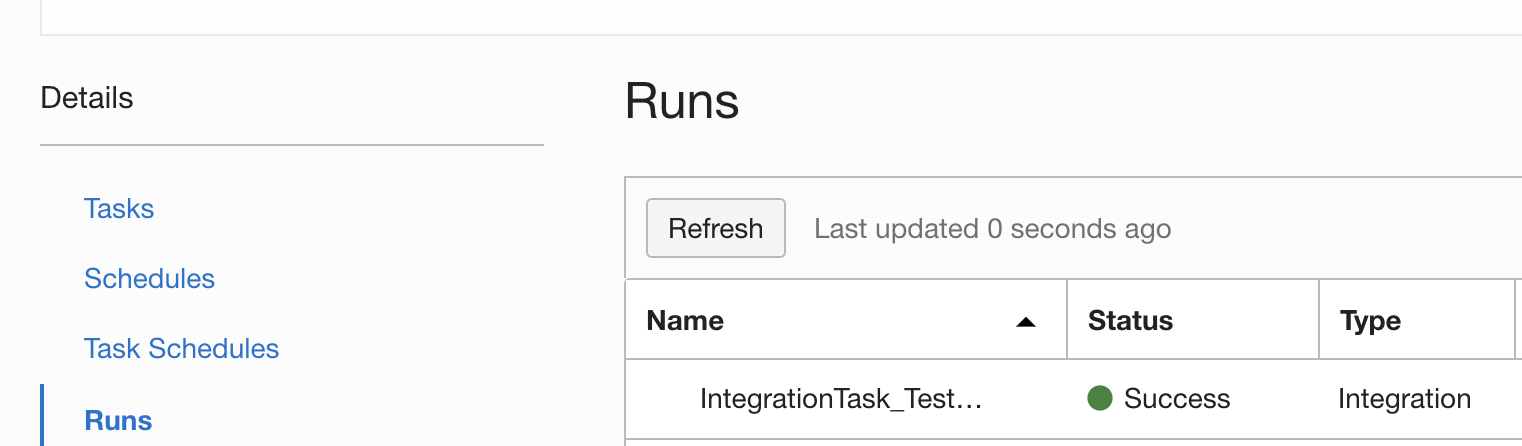
Task Run Successfully Executed
You can also configure incremental extracts in the data flow or data loader task for the data assets related to Fusion Applications.
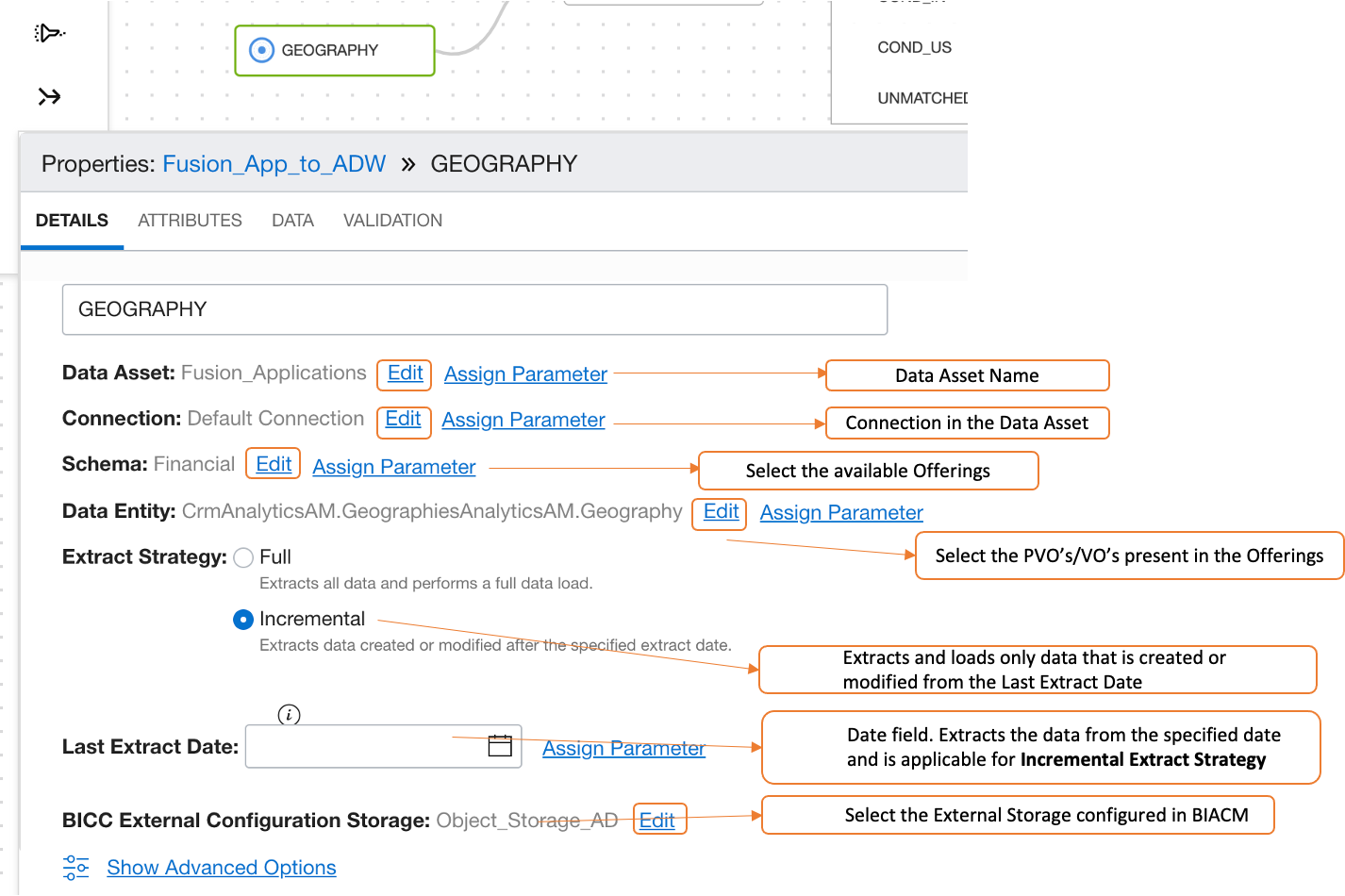
Data Asset Incremental Load Configuration for Fusion Applications
For the multiple Incremental Loads, you can define the parameter for the last extract date and pass the date value during run-time.
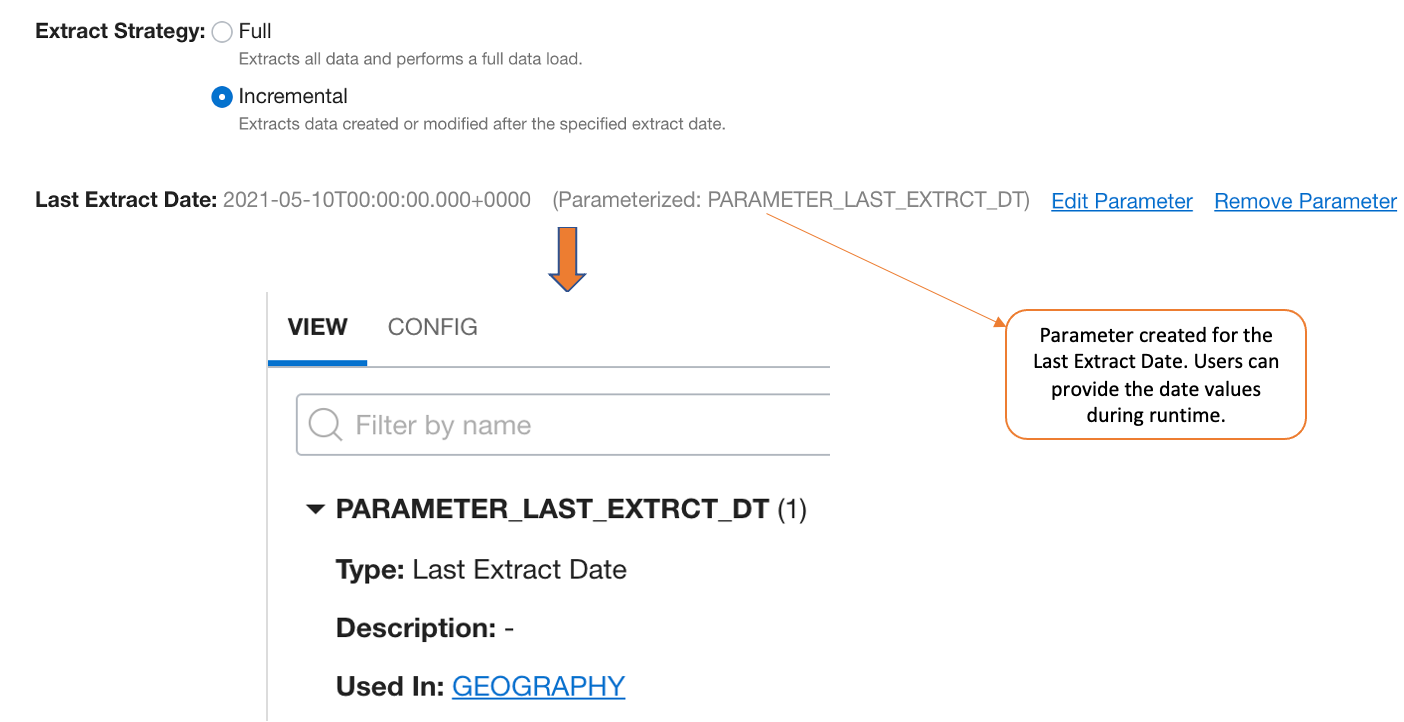
Parameterize the Incremental Loads
Conclusion
This concludes our overview of implementing Fusion Applications integration with Oracle Cloud Infrastructure Data Integration. You’ve seen how easy it is to load and transform data from Fusion Applications into Object Storage in Parquet format and in Autonomous Data Warehouse using OCI Data Integration. With the help of Object Storage, you can store the Fusion Applications data in data lakes and with Autonomous Data Warehouse, you can perform analytics and derive the business insights.
Want to know more?
Organizations are embarking on their next-generation analytics journey with data lakes, autonomous databases, and advanced analytics with artificial intelligence and machine learning in the cloud. For this journey to succeed, they need to quickly and easily ingest, prepare, transform, and load their data into Oracle Cloud Infrastructure. OCI Data Integration’s journey is just beginning! Try it out today!
For more information, review the Oracle Cloud Infrastructure Data Integration documentation, associated tutorials, and the Oracle Cloud Infrastructure Data Integration blogs.