
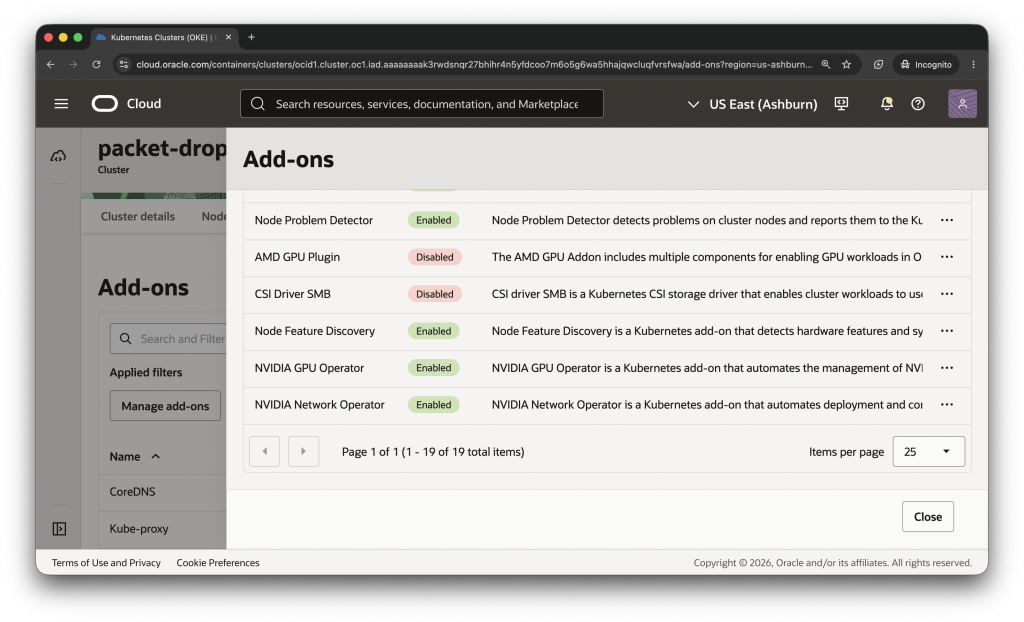
Oracle Cloud Infrastructure Kubernetes Engine (OKE) now supports three optional cluster software add-ons to improve the experience of running GPU-accelerated workloads: the NVIDIA GPU Operator, the NVIDIA Network Operator, and Node Feature Discovery. Available on enhanced clusters, these add-ons provide a way to deploy and configure supported GPU, networking, and node-discovery components through OKE. This approach can help simplify initial configuration and ongoing maintenance for artificial intelligence (AI), machine learning (ML), and high-performance computing (HPC) workloads on Kubernetes.
Why did we build this?
Provisioning GPU worker nodes is only one part of preparing a Kubernetes environment for accelerated workloads. Administrators also need to align NVIDIA GPU drivers, container runtime and toolkit components, Kubernetes device plugins, node labels, monitoring components, and, depending on the workload architecture, networking drivers, secondary networking and remote direct memory access (RDMA) components. These elements must be compatible with the cluster’s Kubernetes version, worker-node image, GPU shape, and network configuration. Only after all these components are installed and appropriately configured can your containerized workloads make use of the GPU resources available on the node.
These new add-ons address the challenges highlighted above and can help reduce the amount of GPU-related software that teams install, configure, and maintain manually while retaining configuration flexibility required for specialized environments.
Managed Add-ons
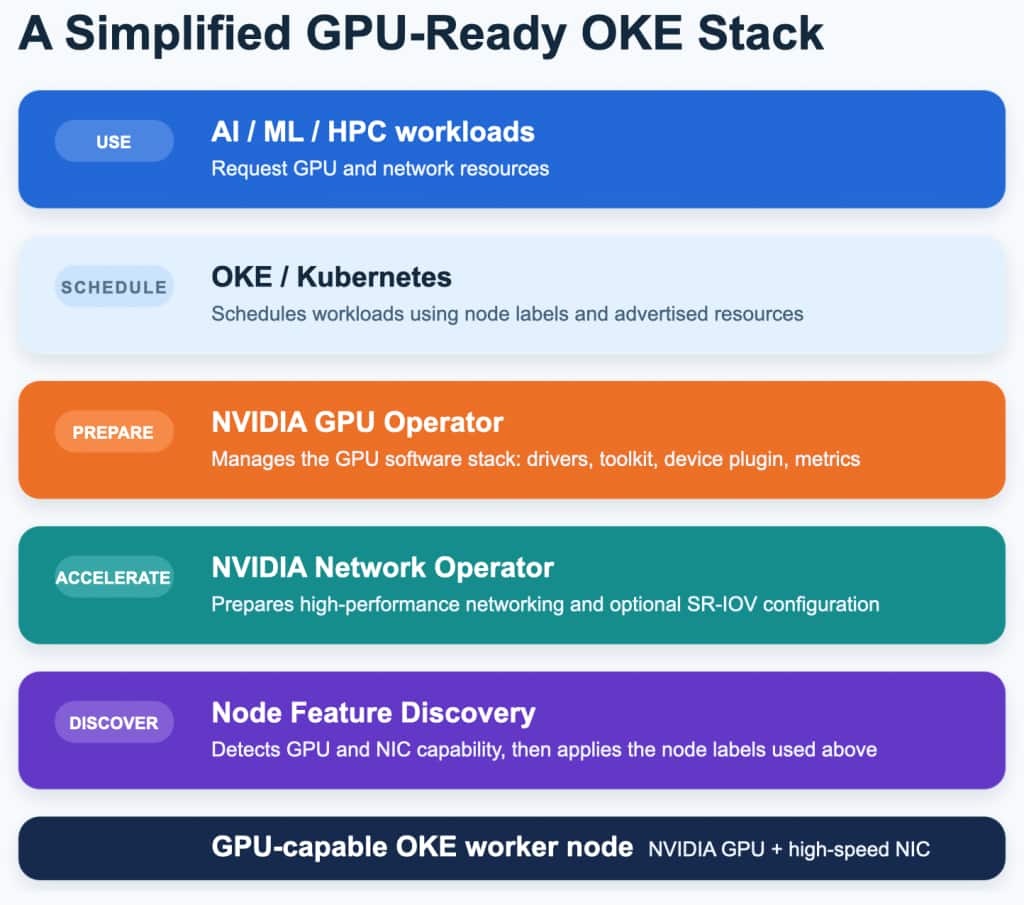
These operational components are delivered through OKE cluster add-ons, software tools that support and extend Kubernetes clusters. On enhanced clusters, administrators can:
- Enable or disable an add-on.
- Select a supported add-on version.
- Choose automatic updates or select a fixed version.
- Apply supported key/value configuration arguments.
Oracle manages the add-on lifecycle, reducing the amount of operational software your teams must deploy and maintain manually. All three of these new add-ons are optional, meaning they are disabled by default. When automatic updates are selected, OKE deploys add-on updates that are compatible with the cluster’s supported Kubernetes version.
The NVIDIA GPU Operator
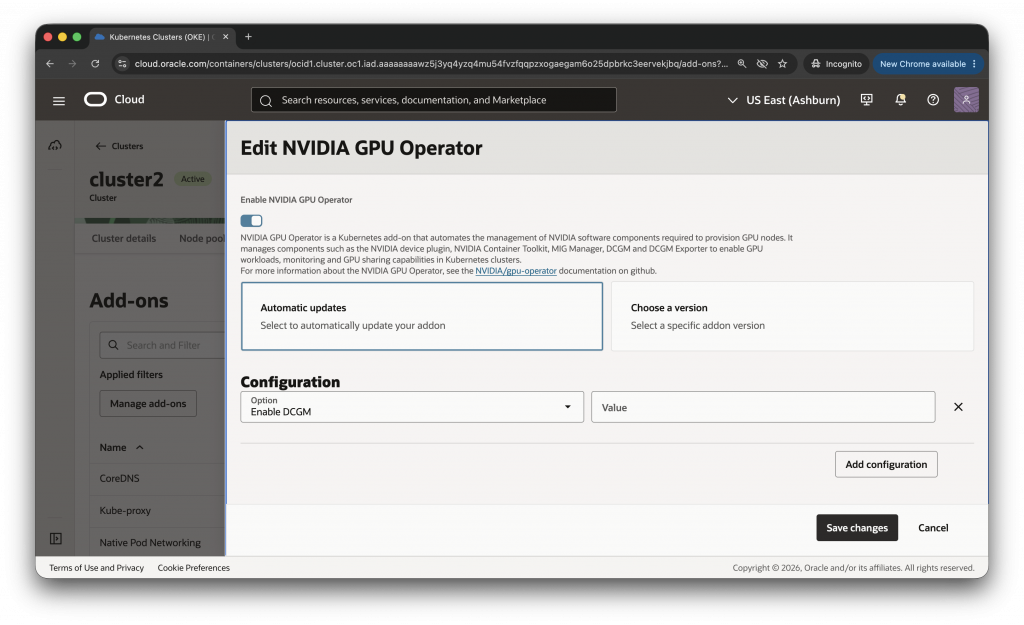
To address basic GPU usage requirements, including exposing the number of GPUs on each node of your cluster, keeping track of the health of your GPUs, and running GPU-enabled containers in your Kubernetes environment, OKE introduced the NVIDIA Device Plugin for Kubernetes as an add-on. The NVIDIA GPU Operator add-on provides a broader, operator-based approach to managing NVIDIA software components used by GPU workloads. When deployed as an OKE add-on, the NVIDIA GPU Operator manages components such as the NVIDIA device plugin, NVIDIA Container Toolkit, NVIDIA Multi-Instance GPU (MIG) Manager, NVIDIA Data Center GPU Manager (DCGM), and DCGM Exporter. Supported configuration arguments allow administrators to tailor the deployment for their environment.
DCGM and DCGM Exporter provide GPU telemetry and monitoring capabilities for Kubernetes environments. For supported GPUs, administrators can also enable MIG Manager. NVIDIA Multi-Instance GPU (MIG) can divide a supported GPU into multiple separate instances with dedicated compute and memory resources, allowing multiple workloads to share the GPU.
If the NVIDIA GPU Plugin add-on is already enabled on a cluster, disable or remove it before enabling the NVIDIA GPU Operator. OKE provides the disableNvidiaGpuPlugin configuration option for this purpose. Use a supported OKE GPU worker-node image and verify the current Kubernetes, add-on, image, and driver compatibility requirements before deployment.
For current configuration arguments and defaults, see the NVIDIA GPU Operator add-on documentation.
The NVIDIA Network Operator
As training and inferencing workloads scale across nodes, communication between GPUs can consume an increasing share of total job time. Technologies such as RDMA and GPUDirect RDMA are used to reduce communication overhead, and can improve GPU utilization, scaling efficiency, and time to result.
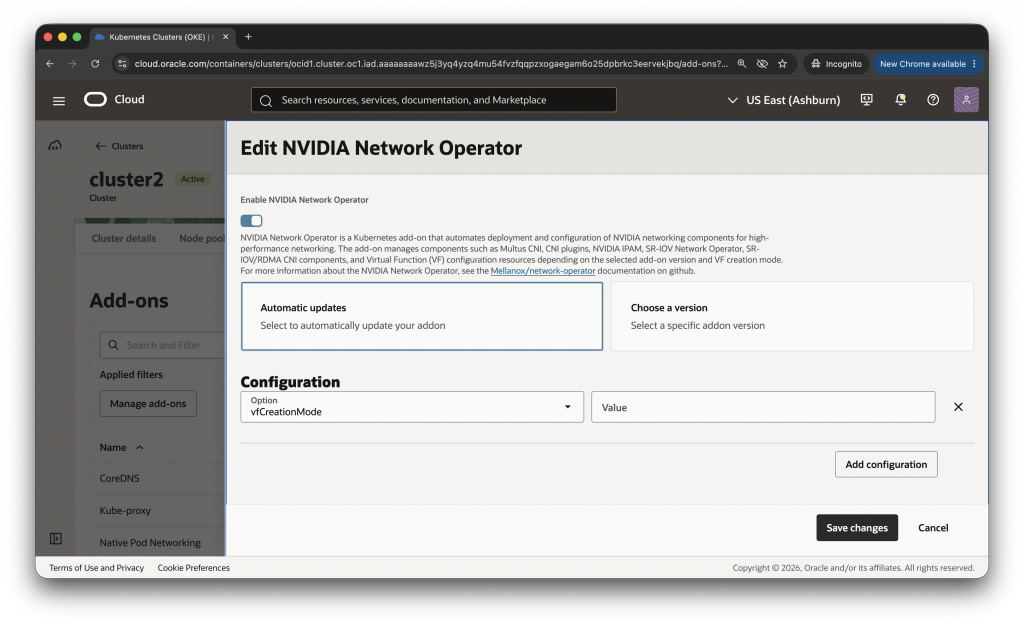
The NVIDIA Network Operator addresses these requirements by automating the deployment and configuration of supported NVIDIA networking components (ConnectX SuperNICs and BlueField DPUs) in a Kubernetes cluster, including those used to enable fast networking, RDMA, GPUDirect RDMA, and Adaptive RDMA for Spectrum-X Ethernet. The NVIDIA Network Operator add-on automates the deployment and configuration of supported NVIDIA networking components for Kubernetes. Depending on the selected add-on version and virtual function (VF) creation mode, the add-on can manage components such as Multus Container Network Interface (CNI), secondary-network CNI plugins, NVIDIA IP Address Management (IPAM), SR-IOV Network Operator, SR-IOV and RDMA CNI components, and virtual function configuration resources.
In Single Root I/O Virtualization (SR-IOV) configurations, a physical network device can expose multiple virtual functions that Kubernetes can allocate to pods. This approach allows Kubernetes to allocate these virtual functions, effectively a portion of a host’s available network capacity, to pods in order to enable high-performance networking for containerized applications and improve utilization of GPU capacity. OKE supports both SR-IOV Network Operator and custom VF creation modes. Review the current documentation to select the appropriate VF creation mode and confirm supported worker node images, drivers, shapes, network adapters, Kubernetes versions, and add-on versions.
For current configuration arguments and prerequisites, see the NVIDIA Network Operator add-on documentation.
Node Feature Discovery
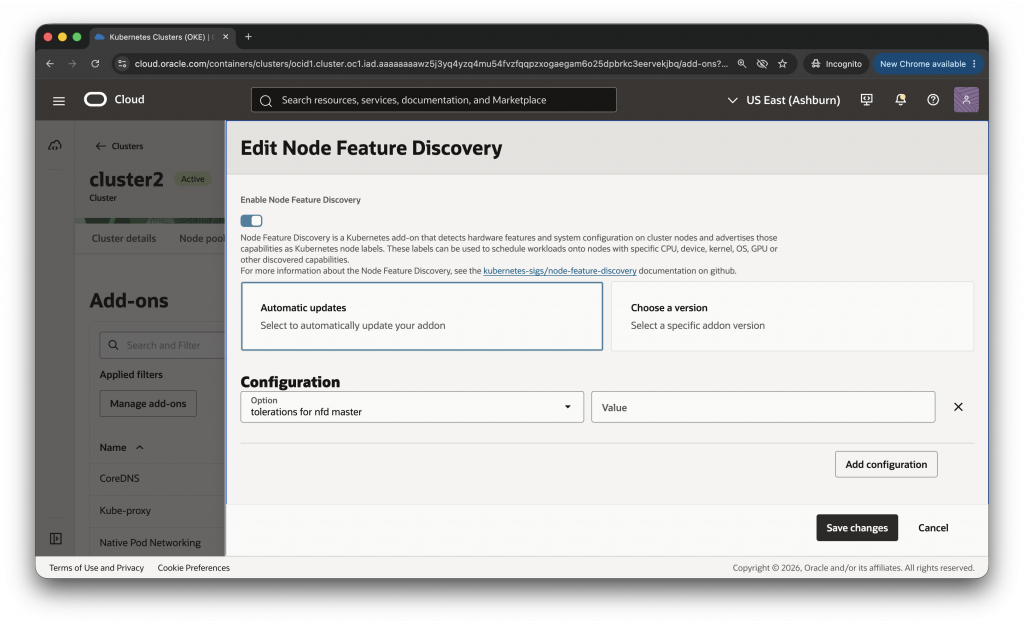
Node Feature Discovery (NFD) detects hardware features and system configuration on Kubernetes worker nodes and advertises those capabilities through node labels. The Kubernetes scheduler can use these labels to place workloads on nodes with specific capabilities, such as GPUs, PCI devices, kernel features, RDMA support, or other discovered capabilities.
Before enabling the NVIDIA GPU Operator or NVIDIA Network Operator add-on, enable the OKE Node Feature Discovery add-on or use an existing compatible NFD deployment. If a compatible NFD deployment is already present, use the skipNodeFeatureDiscoveryDependencyCheck configuration argument to skip the add-on dependency check.
For current configuration arguments, see the Node Feature Discovery add-on documentation.
Conclusion
The NVIDIA GPU Operator, NVIDIA Network Operator, and Node Feature Discovery add-ons provide platform teams with a managed way to deploy and configure components for GPU software management, high-performance networking, and hardware discovery through OKE. Leveraging these add-ons can help reduce the time platform teams spend assembling and maintaining cluster infrastructure, and can allow AI/ML teams to unlock access to GPU and networking capabilities from OCI that are required to run demanding workloads at scale.