
At Oracle Cloud Infrastructure (OCI), we’re continuously working to simplify and improve the way customers interact with cloud operations and support workflows. Today, we’re excited to introduce the new OCI Service Limit Increase experience — a modernized, streamlined workflow designed to make requesting service limit increases faster, easier, and more transparent.
A Simpler, Smarter Experience
Service limits are an important part of managing cloud resources at scale. As customers grow workloads and expand into new regions and services, requesting increases should be straightforward and efficient.
The new experience introduces a redesigned workflow built with OCI’s Redwood design standards, delivering a cleaner and more intuitive interface directly within the OCI Console.
But this release goes beyond visual improvements.
What’s New
Managing service limits is now simpler with a streamlined experience in the OCI Console. From a single location, you can review your limits, quotas, and current usage, as well as request increases when needed. Guided questions throughout the request process help ensure you provide the information needed for evaluation, making it easier to submit complete and accurate requests.
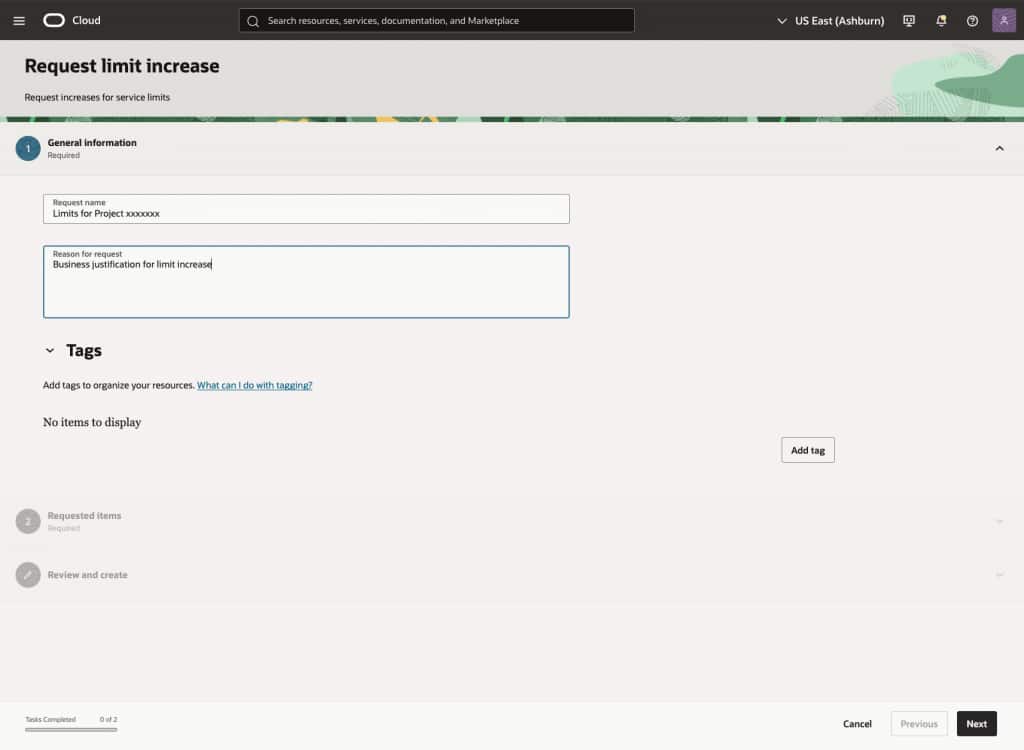
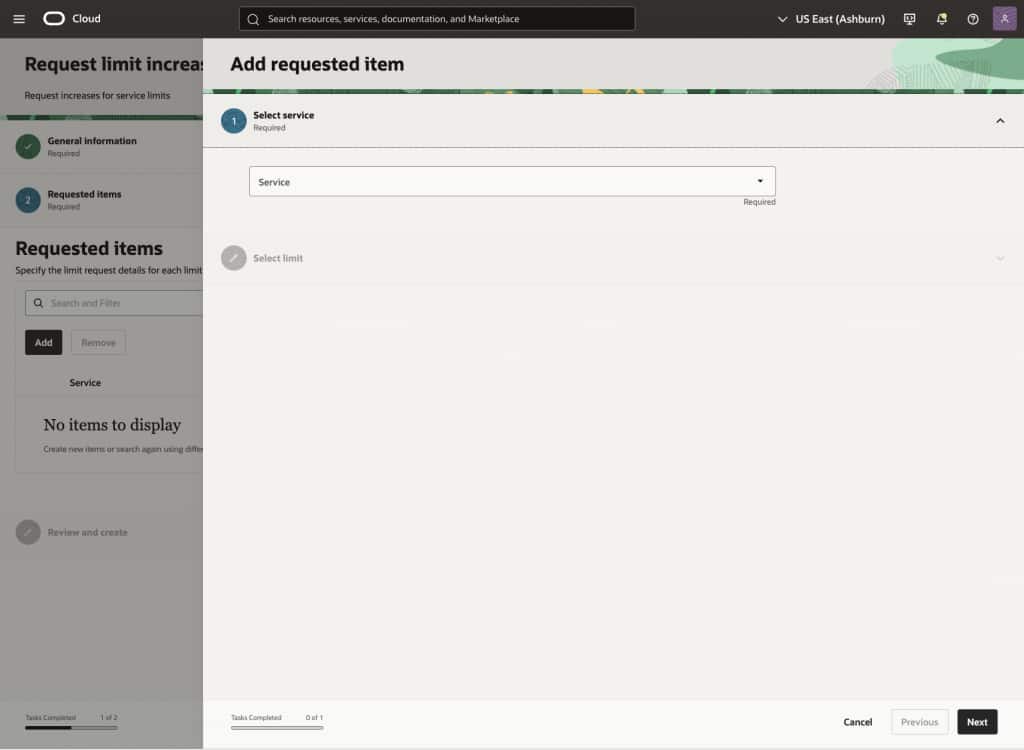
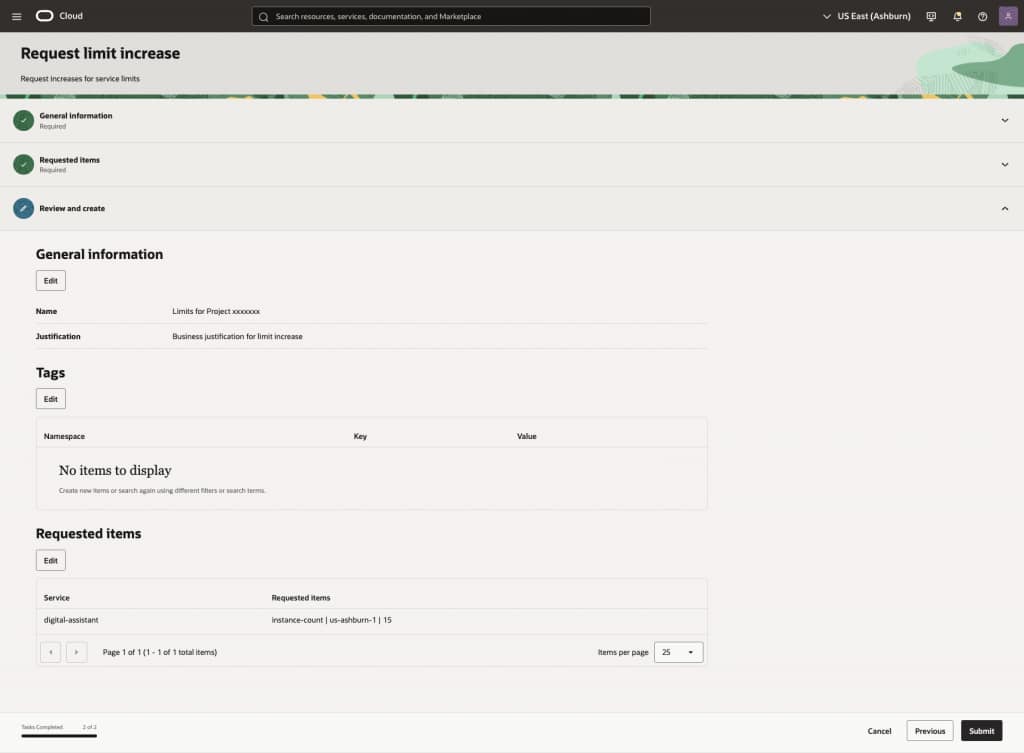
Three-Step Request Workflow
The new workflow guides you through three steps, from entering general information to reviewing and submitting your request.
| General Information Input | Adding Requested Items | Review and Submit |
|---|---|---|
 |  |  |
Service-Specific Guidance
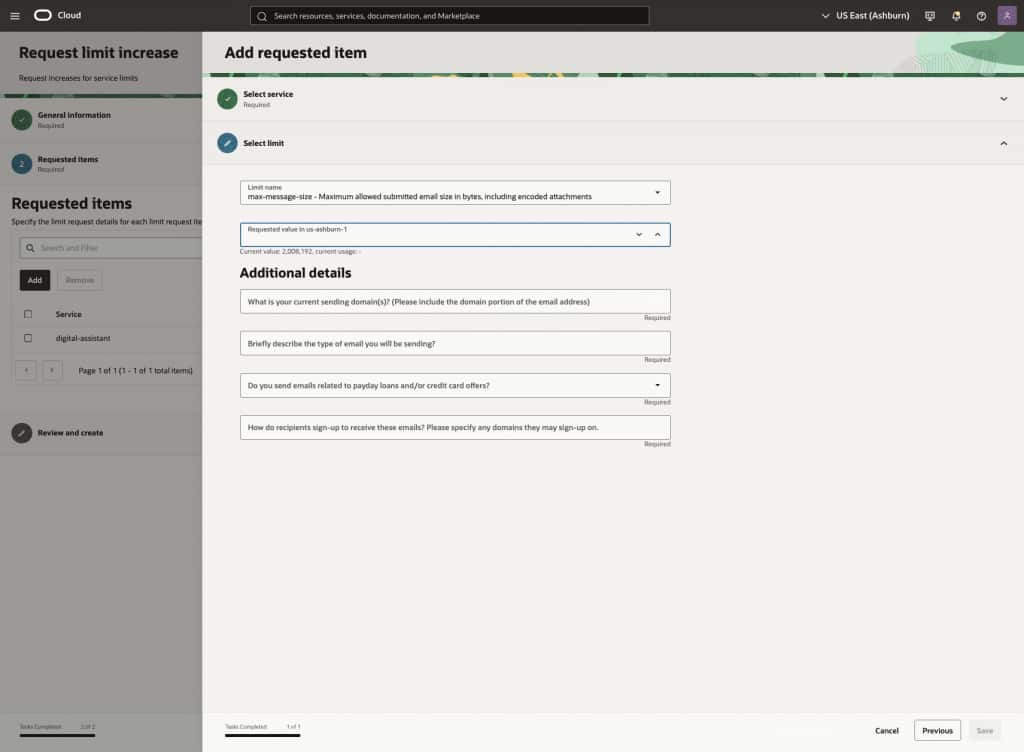
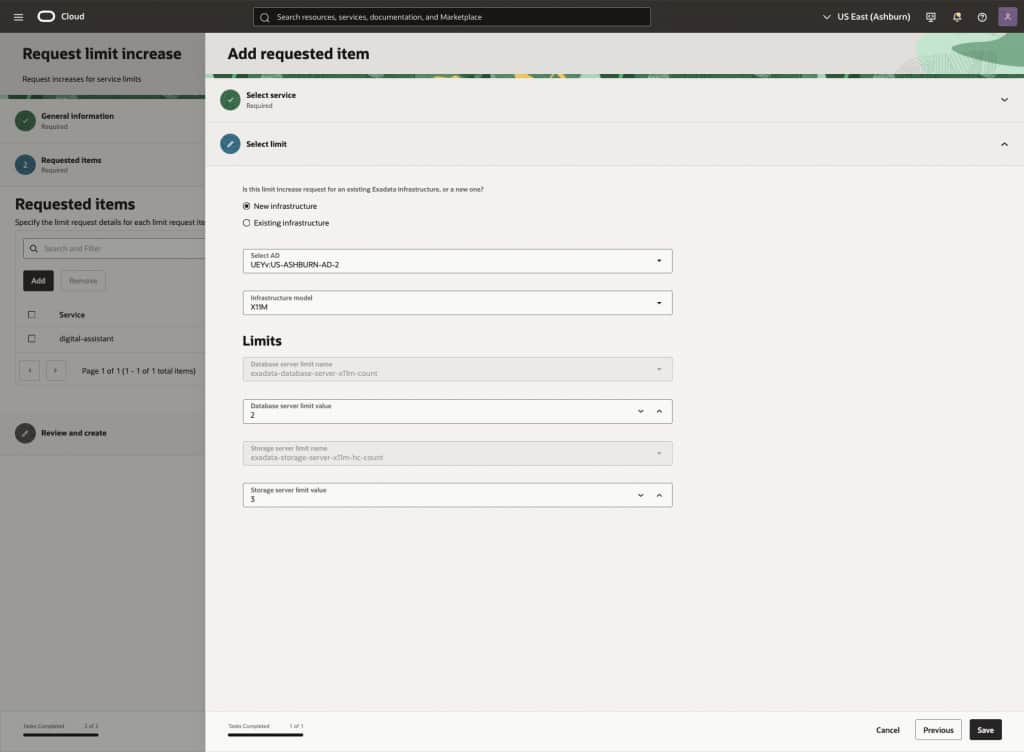
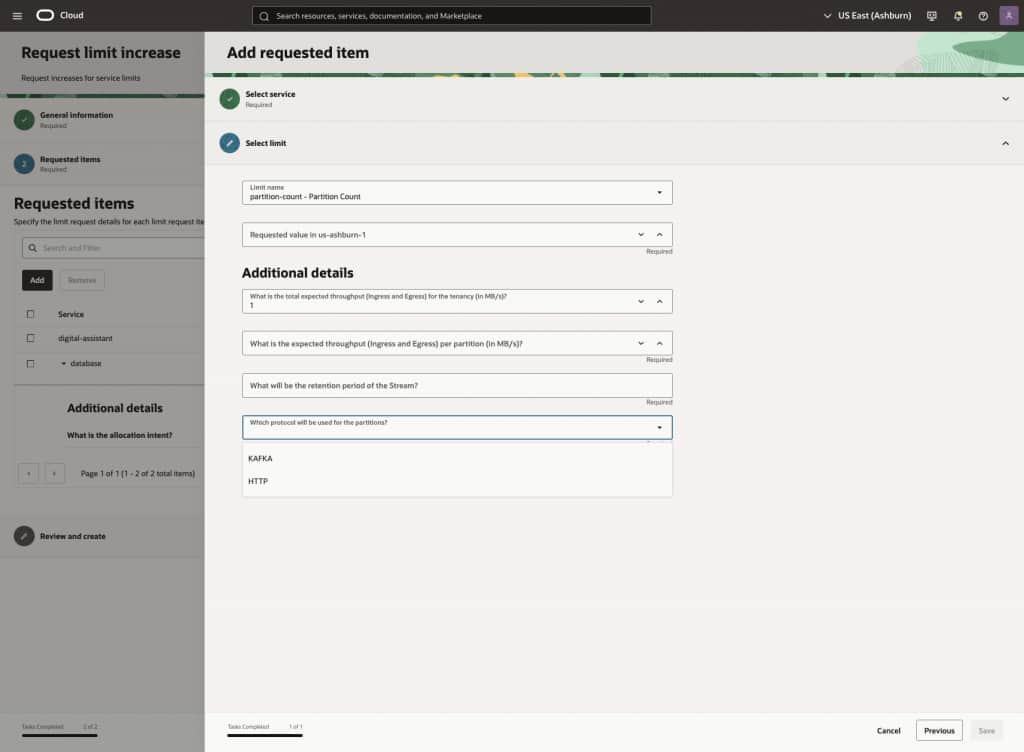
For supported OCI services, guided questionnaires collect the information needed to evaluate your request. The examples below show how questionnaires are tailored for different services.
| Email Delivery Questionnaire | Exadata Questionnaire | Streaming Questionnaire |
|---|---|---|
 |  |  |
Key Improvements
- Improved tracking and traceability: Each service limit increase request is assigned a unique request OCID, making it easier to track, audit, archive, and reference requests across support and operational workflows.
- Faster request processing: Streamlined request forms help reduce the need for follow-up questions, enabling faster review and approval of service limit increase requests.
- Consistent request experience: Standardized workflows provide a predictable, guided process for submitting service limit increase requests across OCI services.
Accessing Service Limit Increase Requests
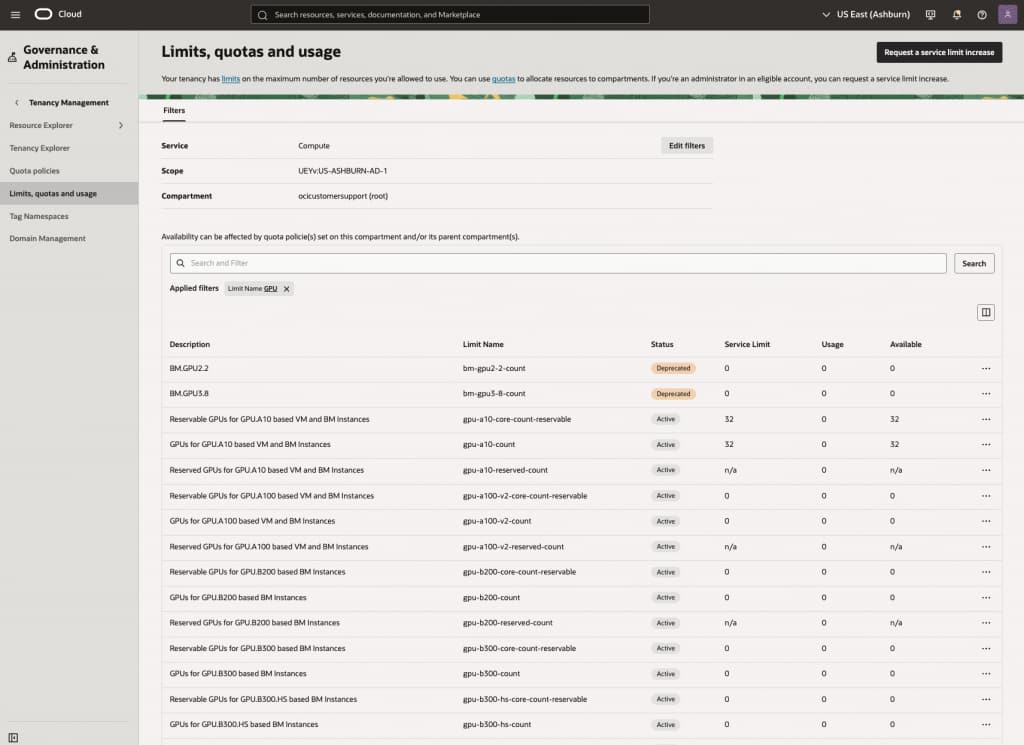
Customers can view service limits, quotas, and resource usage from the Limits, Quotas, and Usage page in the OCI Console.
To access this page:
- Sign in to the OCI Console with an account that has the appropriate permissions.
- Navigate to Governance & Administration → Limits, Quotas, and Usage.
- Review your current service limits, quotas, and usage.
- Remember to “Edit Filters” to choose the service you would like to review.
- Using the filters to search by name or description will help provide more targeted search results.
- Use the limit request form on this page to submit a service limit increase request.
| Limits, Quotas, & Usage Page | Support Center: Limit Increase Request Submissions |
|---|---|
 | 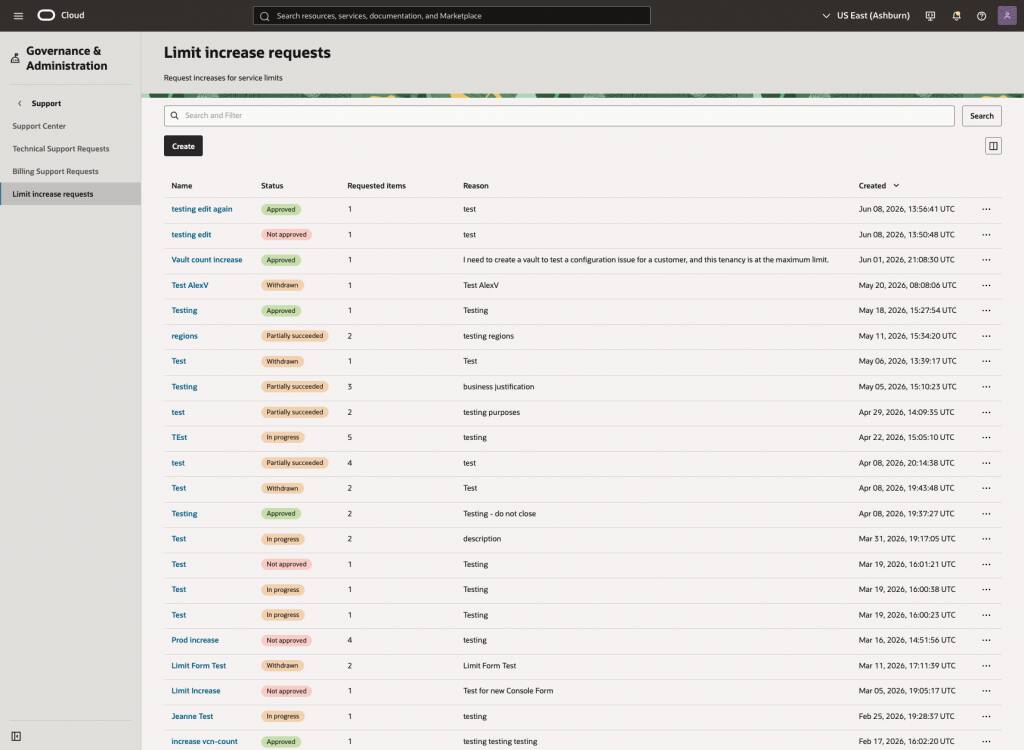 |
The limit request form on the Limits, Quotas, and Usage page is the only way to request a service limit increase. While customers may encounter contextual links throughout the OCI Console, these links ultimately direct them to the Limits, Quotas, and Usage page where the request must be submitted.
If you do not have access to submit a service limit increase request, contact your Oracle sales representative or account team for assistance.
Help Shape the Future of the Limits Experience
This release is another step in our ongoing investment in improving the Limits, Quotas, and Usage experience in OCI. By streamlining the request process and providing service-specific guidance, we’re making it easier to request service limit increases and manage your resources with confidence.
We’re committed to continuing to evolve this experience, and your feedback will help shape what’s next. If you use service limits in the OCI Console, we’d appreciate your input through our short survey. Your feedback will help us prioritize future enhancements and build capabilities that better support the way you work.
If you haven’t explored the new experience yet, sign in to the OCI Console and try it today.