
Why Disaster Recovery Cannot Be an Afterthought
Every business relies on applications to serve customers, process transactions, and generate revenue. A prolonged outage, one caused by a natural disaster, infrastructure failure, or an unexpected regional disruption, can translate directly into lost revenue, eroded customer trust, and regulatory consequences. The question is not whether disruptions will occur, but rather whether your organization is prepared to recover when they do.
For organizations running containerized workloads on Oracle Cloud Infrastructure (OCI) Kubernetes Engine (OKE), the good news is that a robust, automated disaster recovery solution is available today: OCI Full Stack Disaster Recovery (FSDR). This blog walks you through why cross-region DR matters for OKE clusters and how to configure it using FSDR to help ensure your applications keep running despite regional disruptions.
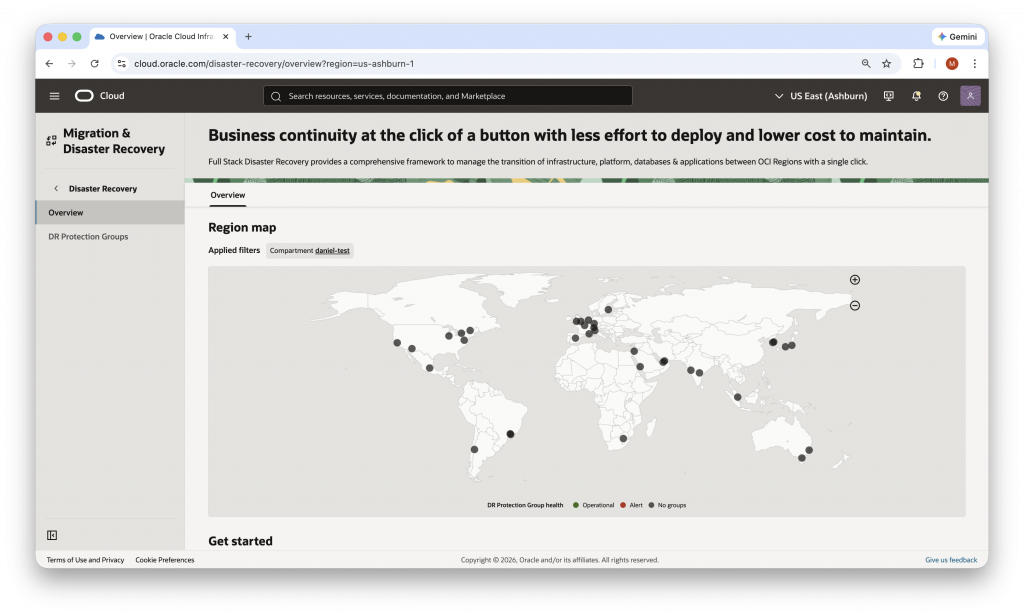
The Business Case: What Is the Cost of Downtime?
Organizations often treat disaster recovery as a technical checkbox rather than a strategic investment. In reality, the cost calculation is straightforward: unplanned downtime is almost always more expensive to the business than the cost of a well-designed DR solution.
Consider the following dimensions of downtime impact:
- Revenue loss: Every minute an application is unavailable is a minute customers cannot complete transactions or access services.
- Reputational damage: Service outages are visible to customers and partners, and recovery time is often scrutinized publicly.
- Operational disruption: Internal teams are pulled into emergency response mode, diverting effort from planned work.
- Regulatory exposure: Depending on your industry, extended outages may trigger compliance or SLA breach consequences.
A warm standby DR approach, one where a secondary environment is pre-deployed and ready in another region, improves your Recovery Time Objective (RTO), meaning your applications can be restored to service much faster following a disruption. The investment in cross-region DR is, in most scenarios, a fraction of the cost of a single significant outage.
Introducing OCI Full Stack Disaster Recovery for OKE
OCI Full Stack Disaster Recovery is a managed OCI service that orchestrates the failover, switchover, and DR drill lifecycle for your entire application stack, including compute, storage, databases, and OKE clusters and the workloads running on them
Unlike static DR runbooks maintained in spreadsheets or text files, Full Stack DR Plans are dynamic and connected to your live production environment. They can be validated and tested without requiring diverting resources for an exhaustive gameday effort. Key capabilities include:
- Single-click failover and switchover between OCI regions or availability domains.
- DR Drill plans that simulate recovery in the standby region without touching production.
- Automated backups for Kubernetes workloads, including namespace replication, and container image replication using OCI Registry (OCIR).
- Integration with OCI Block Volumes and OCI Vault for persistent volume and secrets management.
Full Stack DR Plans are living runbooks in sync with your production environment, and are testable and executable with a single click.
Reference Architecture: Phoenix (PHX) to Ashburn (IAD)
A typical cross-region OKE DR configuration pairs a primary region with a geographically separate standby region. In this example configuration, we use:
- Primary Region: US West (Phoenix / PHX) for our productions OKE workloads.
- Standby Region: US East (Ashburn / IAD) for our pre-deployed and kept in sync, warm standby OKE cluster.
This architecture follows a warm standby model: the standby cluster in IAD is provisioned and ready to receive workloads, but is not actively serving production traffic. When a switchover or failover is triggered, FSDR can orchestrate the full transition: scaling the standby cluster, restoring Kubernetes namespaces from backup, updating persistent volume references, and updating container image and load balancer references automatically. The benefit of this approach over an active-active disaster recovery model is cost: the standby region does not have to be sized to receive production traffic and only scales up when needed. In contrast, an active-active approach is a configuration where both primary and secondary sites are fully operational, allowing workloads to run simultaneously across both locations. This setup helps ensure continuous availability and minimizes downtime by distributing traffic and data across multiple active nodes, providing high resilience and fault tolerance, but at a cost of needing to be sized appropriately for production traffic.
For organizations with workloads concentrated in a particular geographic area, Oracle recommends configuring DR in geographically distant regions. For example, customers leveraging regions in Europe may benefit from using standbys in Asia Pacific or North America to further strengthen resilience while addressing compliance with data sovereignty requirements.
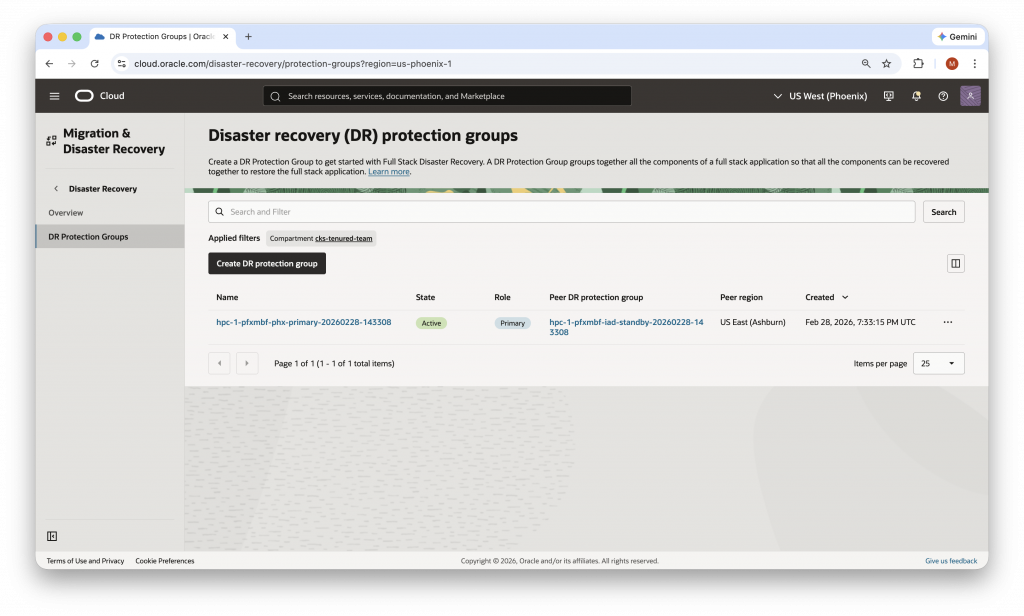
How to Configure Cross-Region DR for OKE: Step-by-Step Overview
The following steps summarize the end-to-end configuration process. For detailed technical instructions, refer to the OCI documentation linked in the Call to Action section at the end of this blog.
Step 1: Prepare Your Standby OKE Cluster
Before configuring FSDR, ensure your standby OKE cluster in the secondary region mirrors the key characteristics of your primary cluster. This includes matching system components installed via helm, critical add-ons (such as specialized operators, ingress controllers, etc.), ensuring node pool parity, and provisioning equivalent Object Storage buckets in both regions for Kubernetes configuration backups. We recommend having separate object storage buckets for logs and backups. One approach to ensuring a like for like cluster configuration is to use the same infrastructure as code (IaC) templates, for example the Oracle Cloud Infrastructure Terraform provider, to provision both clusters. Using IaC templates to configure your cluster reduces the likelihood of issues that may arise from resources being created out of order.
Step 2: Configure IAM Policies
FSDR operations require you to configure appropriate policies. Ensure that your tenancy policies include permissions to manage the disaster-recovery-family resource in the relevant compartments. Misconfigured policies are one of the most common blockers to a successful DR Protection Group association. Remember to validate these early. For detailed information, refer to Identity and Access Management (IAM) Policies for Full Stack Disaster Recovery.
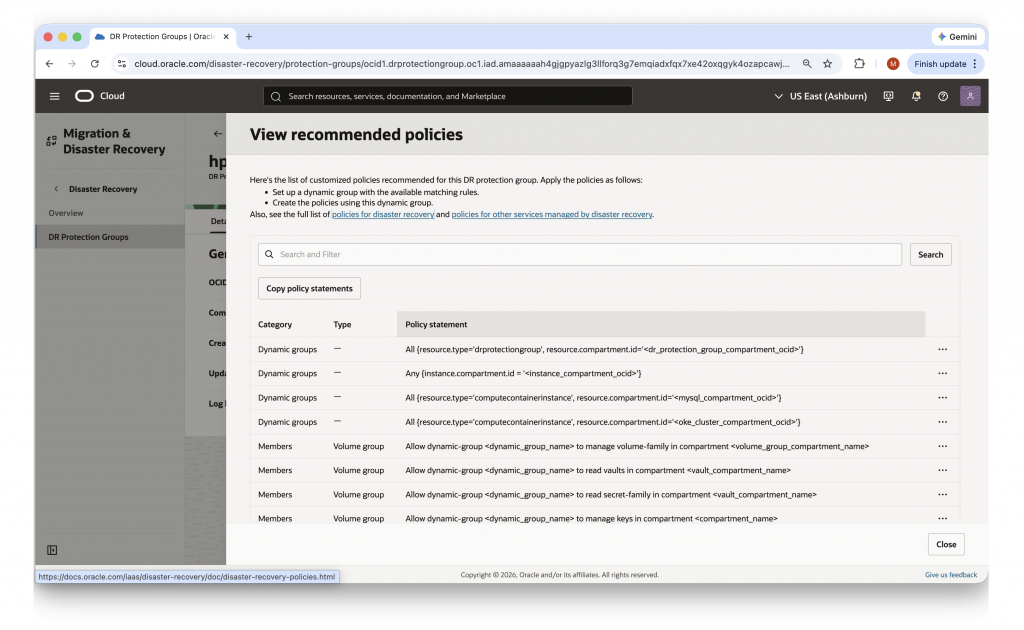
Step 3: Create and Pair DR Protection Groups
In the OCI Console, navigate to Full Stack Disaster Recovery and create a DR Protection Group (DRPG) in each region. In our example, we have designated PHX as PRIMARY and IAD as STANDBY. Add your OKE cluster as a member resource to each group, then associate the two groups to establish the peer relationship. Both groups should show an Active status once the association is confirmed.
![OCI Console — Member Resource dialog showing OKE Cluster selected as the resource type within a DR Protection Group.]](https://blogs.oracle.com/cloud-infrastructure/wp-content/uploads/sites/83/2026/03/Screenshot-2026-03-09-at-11.16.55-AM-1024x630.png)
Step 4: Configure OKE Backup Settings
Within the OKE member configuration in your PRIMARY DRPG, define the namespaces you want to include in DR operations using a namespace allow-list. Include only the application namespaces you want replicated, and exclude system or helm-installed system namespaces already present in the standby region.
You can also enable container image replication at this stage and configure an automated backup schedule. For example, a twice-daily backup schedule helpzs ensure your recovery point is always recent. This is also where advanced settings can be set to map load balancers and node pools with scaling policies during fail over.
Step 5: Configure Persistent Volume Protection
If your workloads use Kubernetes Persistent Volume Claims (PVCs) backed by OCI Block Volumes, you must include those volumes in your DR topology. Create a Volume Group in the primary region containing the relevant block volumes, add it as a member of your PRIMARY DRPG, and enable cross-region backup by creating a volume group backup and copying it to the standby region. This step is required for the DR Plan refresh to validate successfully.
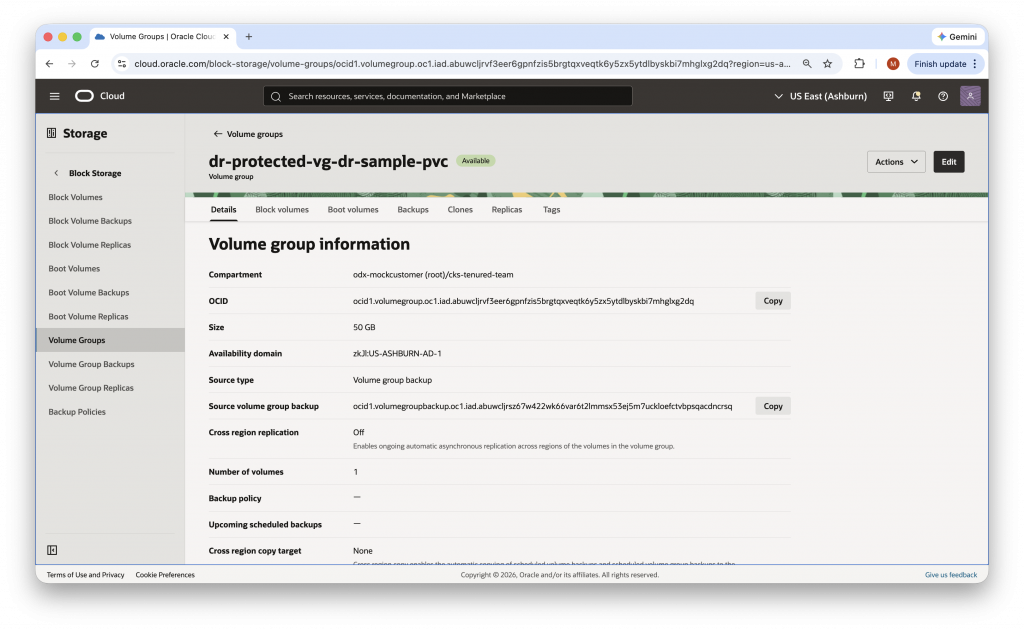
Step 6: Generate and Verify DR Plans
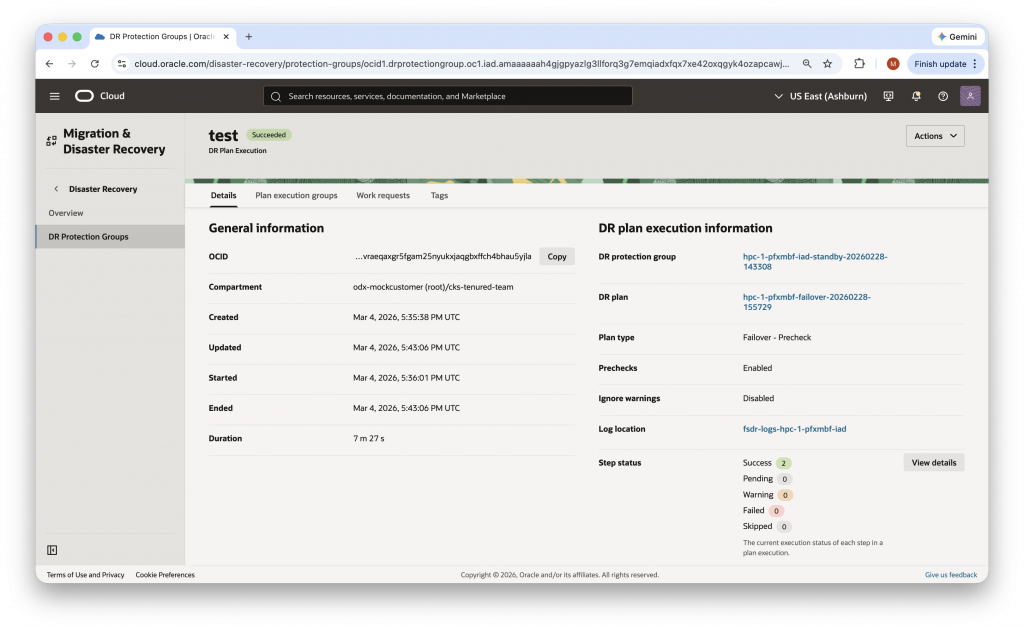
Once your protection groups and member resources are configured, generate your DR Plans from the STANDBY DRPG. Full Stack DR will automatically create Switchover, Failover, and DR Drill plans. Run a Plan Refresh followed by a Plan Verify to validate that all preconditions are met. Address any validation errors before proceeding to a drill or live execution. Remember to run a Plan Stop to return the primary protection group to being active. After creating and executing drill plans, the next step is to do the same for switchover and failover plans.
Step 7: Run a DR Drill
A DR Drill is a non-disruptive test that exercises your recovery plan in the standby region without impacting your primary production environment. Use the Start Drill execution to validate that your Kubernetes namespaces are restored correctly in IAD, that container images are accessible, and that persistent volumes are properly attached. Once validated, run Stop Drill to release the DR drill lock and return the protection group to a clean state.
Maintaining Your DR Posture: Ongoing Recommendations
Configuring DR is not a one-time event. To maintain a strong business continuity posture, Oracle recommends the following ongoing practices:
- Regular backups: Schedule OKE configuration backups at least twice daily to minimize your Recovery Point Objective (RPO). Scheduling backups at 00:00 and 12:00 UTC ensures at most 12 hours of configuration drift.
- Replicate images: Enable container image replication in your OKE member settings to ensure the standby region always has access to the latest container images without requiring internet access during a failover.
- Practice DR drills: Run DR drills on a defined cadence, perhaps at minimum quarterly, to validate your plans remain current as your infrastructure evolves. Full Stack DR makes running drills non-disruptive and repeatable.
- Verify DR plans: Re-run Plan Refresh and Plan Verify After any significant infrastructure change to confirm your DR plans reflect the current production state.
Take Action Today
If you already configured OKE to make use of OCI Full Stack Disaster Recovery in regions outside a potential area of disruption, we recommend proactively validating and testing your ability to maintain service continuity through a controlled switchover now — before you need it.
If you have not yet implemented cross-region disaster recovery, the time to act is before disruption occurs. OCI Full Stack DR significantly reduces the complexity of setting up and maintaining a DR posture for OKE, and can be configured and tested in a matter of hours rather than weeks.
To get started, refer to the following resources: