
Oracle Cloud Infrastructure (OCI) FastConnect is a streamlined solution to establish dedicated, private connections between your on-premises data center and Oracle Cloud Infrastructure. To simplify OCI adoption, Oracle collaborates with a set of FastConnect partners that provide pre-deployed connections at FastConnect locations worldwide.
One of our key strategic partners, Megaport, delivers a range of connectivity services, including the ability to connect OCI to a Cloud Exchange with an on-demand Network Functions Virtualization (NFV) solution.
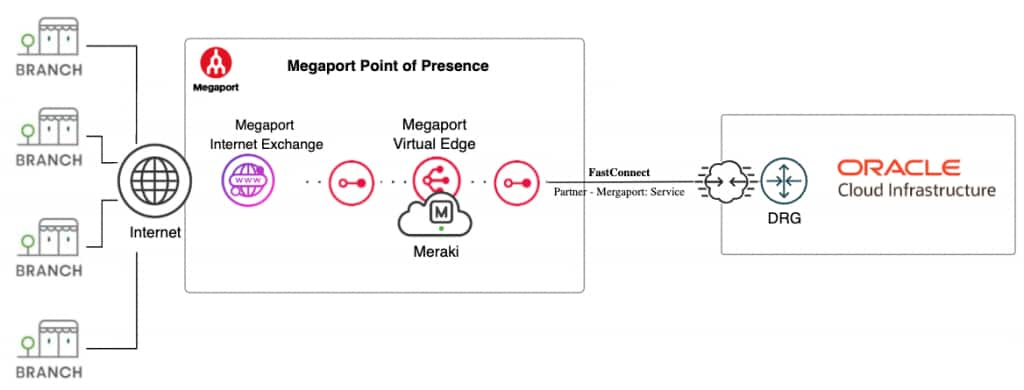
In this blog post, we will guide you through the process of connecting OCI to Megaport. You’ll also learn how to create a Megaport Virtual Edge (MVE) with Cisco Meraki SD-WAN, connect it to the internet, and establish BGP peering between the OCI Dynamic Routing Gateway (DRG) and Cisco Meraki.
The target architecture will be:
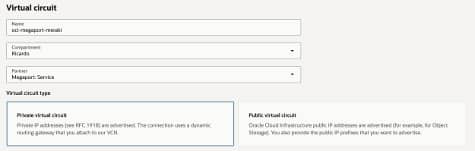
Create FastConnect partner with Megaport: Service
As a prerequisite, a DRG must already be provisioned in the target region. When creating the virtual circuit, select the “Private Virtual Circuit” type. Ensure that you fill in the necessary IP addresses and the remote Autonomous System Number (ASN) for BGP peering. Configurations for MD5 authentication and Bidirectional Forwarding Detection (BFD) are optional.
When the life-cycle state of the FastConnect is “Provisioned”, copy the OCID from the “FastConnect Detail” tab.
Create Megaport MVE with Meraki
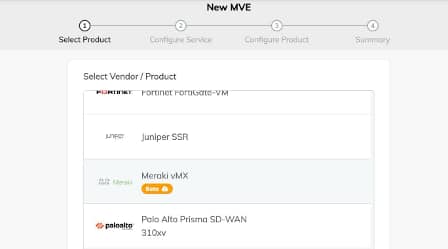
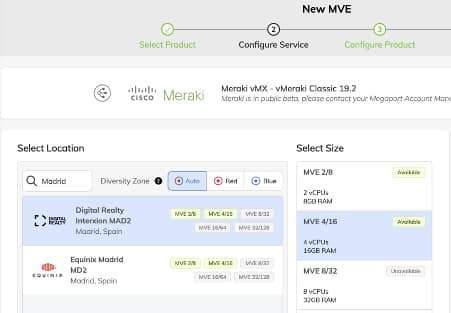
The next step is to access the Megaport Console and create a MVE instance with a Cisco Meraki vMX. Begin by selecting the appropriate product – in this case, choose “Meraki vMX”.
Next, select your desired location. For a resilient architecture, you can deploy multiple MVE instances; each with a Meraki vMX, either in different locations or within the same location using diversity zones.
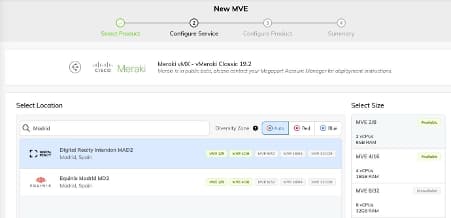
Select the size (vCPU/Memory) and term.
To complete the deployment, log in to the Meraki dashboard, generate the authentication token, and enter it into the Megaport Console.
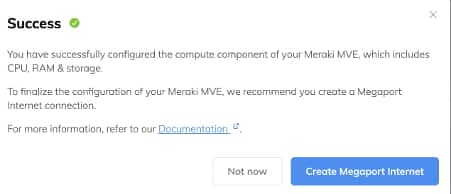
Create Megaport Internet connection
Create a Megaport Internet connection and assign it to the MVE’s vNIC-0 (WAN) interface.
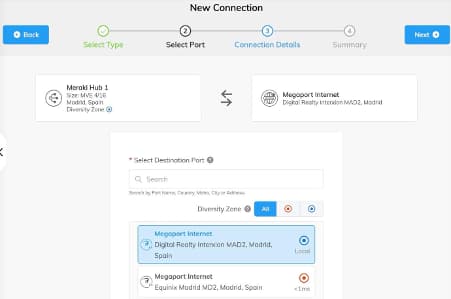
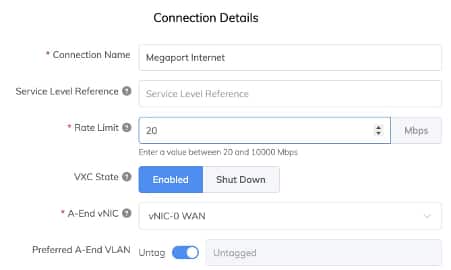
The MVE with Meraki vMX is now connected to the internet via Megaport Internet. As part of this service, a static public IP address is assigned.
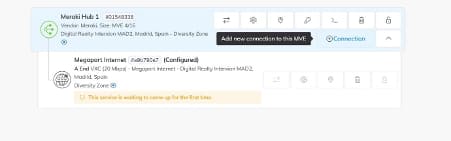
To connect the MVE with Meraki vMX to OCI, add a Virtual Cross Connect (VXC) to the MVE.
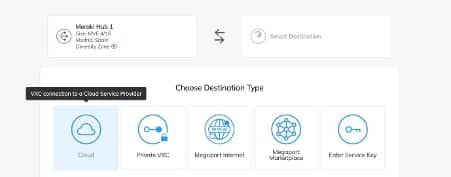
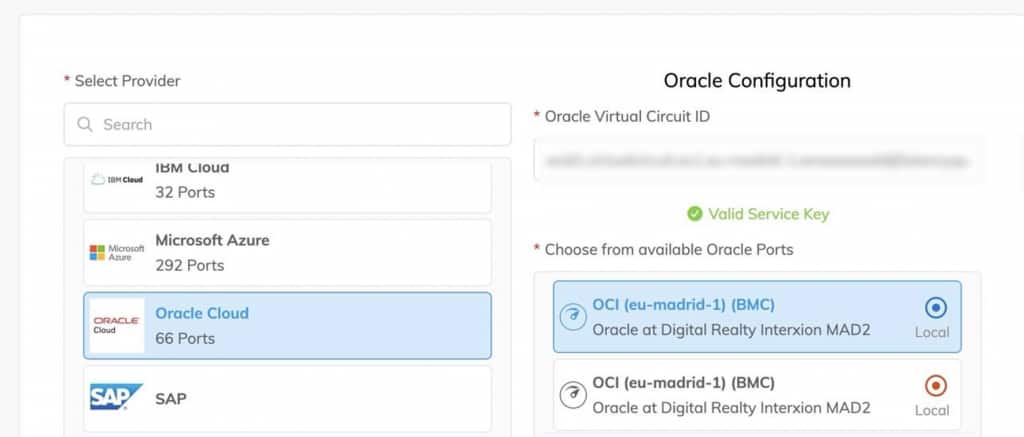
After selecting Oracle Cloud, provide the Fastconnect OCID.
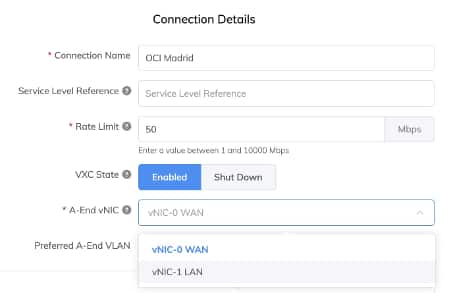
Select vNIC-1 LAN for connecting to OCI.
Establish BGP peering between Meraki and OCI DRG
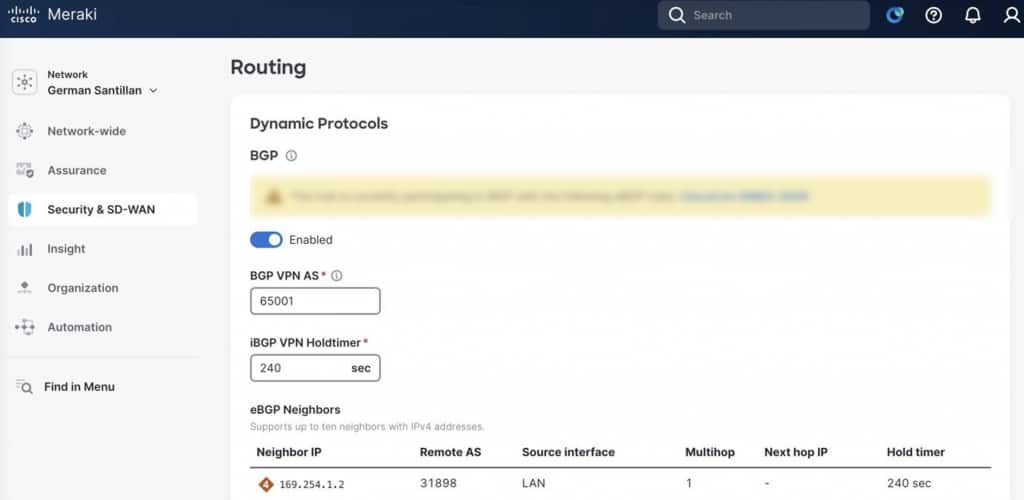
The final step is to establish a BGP session between the Meraki vMX and the Oracle Cloud Infrastructure (OCI) Dynamic Routing Gateway (DRG).
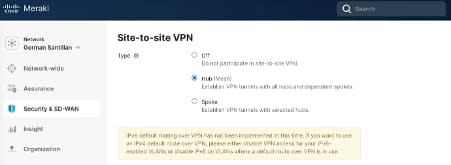
To configure BGP, set the Meraki vMX as a Hub in the Site-to-site VPN section.
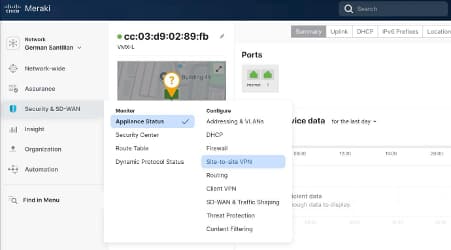
Finally, in the routing section, enter the BGP configuration details required to establish the connection. Ensure that these parameters match the information provided in the Oracle Console.
For connections to OCI with SD-WAN, Megaport’s Network as a Service (NaaS) solutions streamline and accelerate deployment.
Customers will get the flexibility to build cloud exchanges that connect to the cloud using leading SD-WAN, firewall, and routing solutions – all operating within optimized, on-demand NFV environments.

German Santillan. Solutions Architect, Megaport.