
Every organization has dashboards that users rely on every day – an executive KPI dashboard, a regional sales tracker, an operations command center, or a team-specific performance workbook. When users sign in, you might want them to start directly from that dashboard instead of navigating from the Oracle Analytics home page each time.
Oracle Analytics Cloud (OAC) lets administrators set a workbook as the landing page for consumers. This gives users a focused starting point and helps organizations provide a more app-like analytics experience.
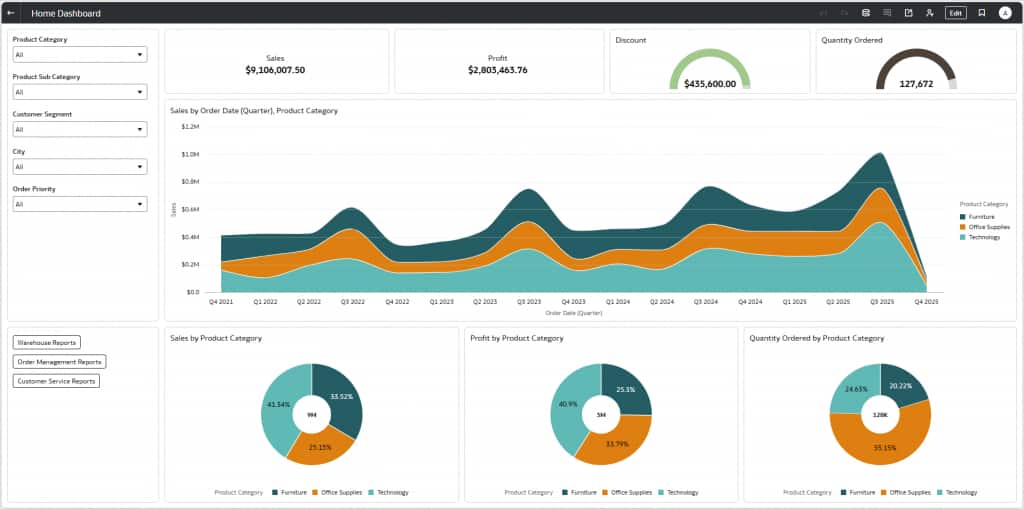
The example in this article sets the “Home Dashboard” workbook (shown here) as the landing page for a specific user named “consumer”.
Why set a workbook as the landing page?
The first page a user sees when they sign into Oracle Analytics is the landing page. By default, the landing page for all users is the Oracle Analytics page. This works well as a general starting point, but many organizations want to guide users to a specific analytical experience.
Custom pages versus workbooks as landing pages
Administrators and authors with the Create and Edit Custom Pages permission can create custom pages with specific artifacts and layouts, then share those pages with other users or roles. Consumers can choose to set a custom page as their own default landing page.
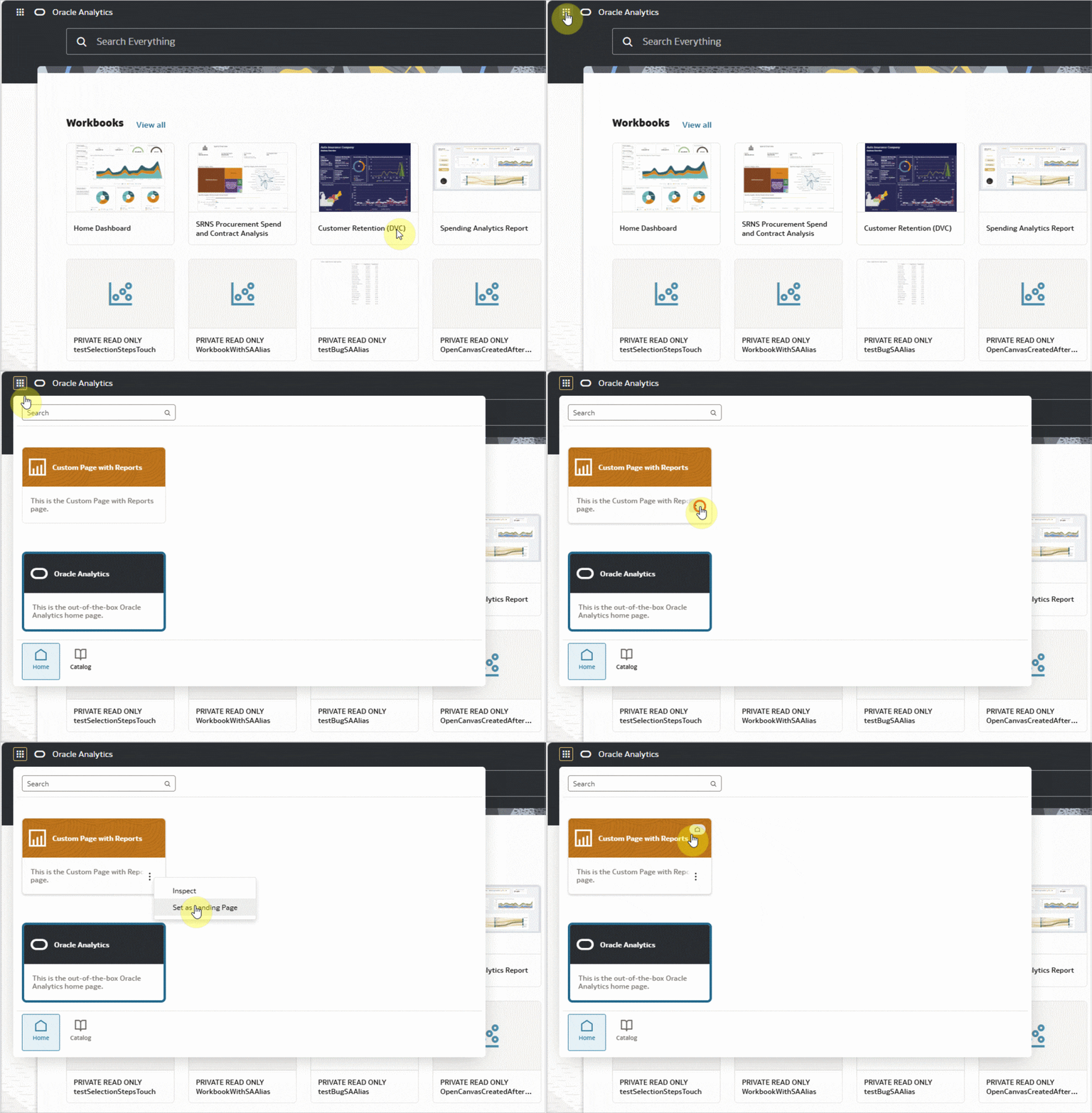
Custom pages help organize content such as workbooks, watchlists, and other artifacts. However, some organizations want users to open directly in a specific workbook. In these cases, setting a workbook as the landing page provides a more focused experience.
For example, a sales organization might want sellers to land directly on their pipeline workbook. An operations team might want shift leads to start from a workbook that tracks incidents and service levels. A leadership team might want executives to begin with a curated KPI dashboard. In each case, the workbook becomes the front door to the analytics experience.
Set workbooks as landing pages
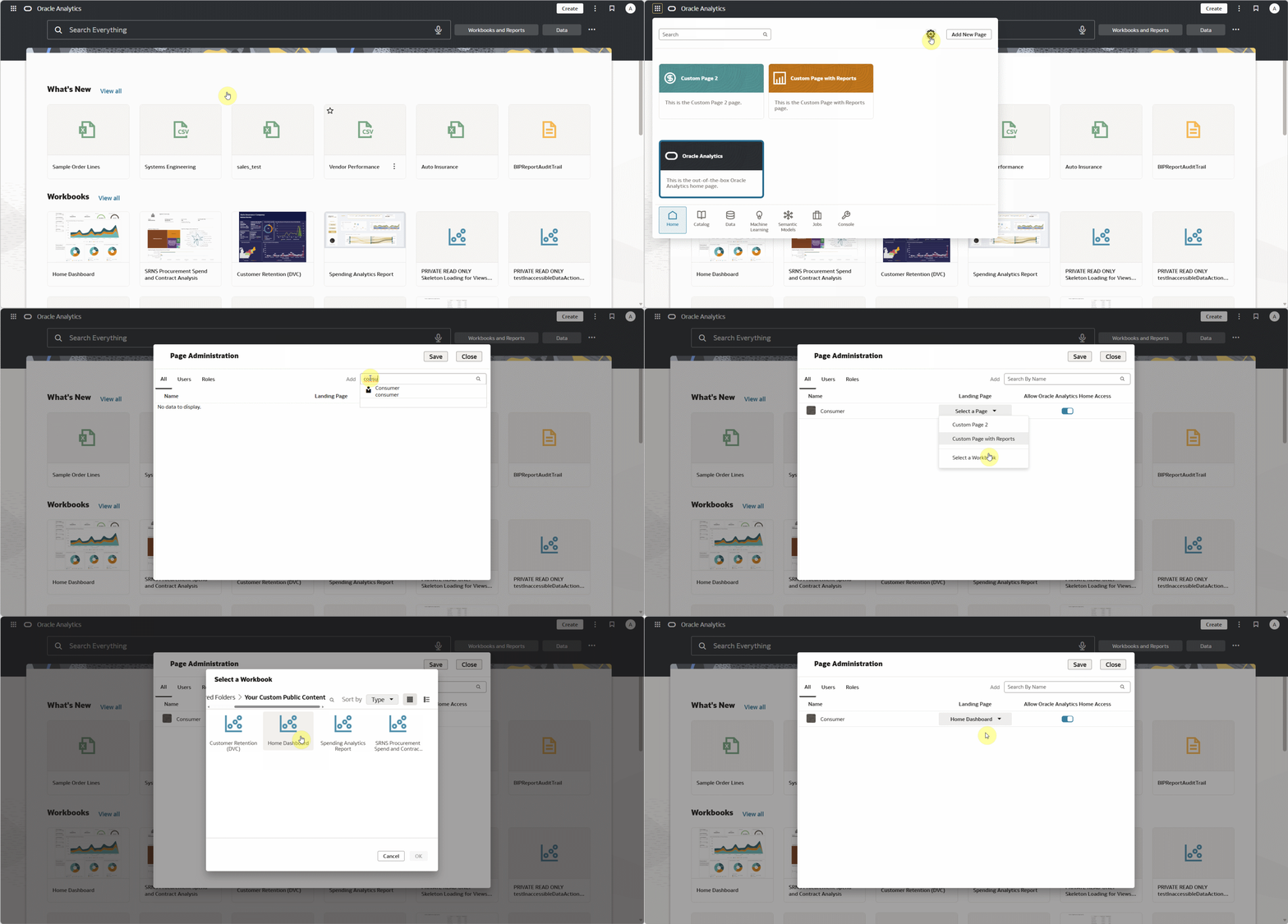
Administrators or users with the Manage Default Landing Page Assignments permission can set a workbook as the landing page for specific users or roles. This feature helps your organization to centrally manage the starting experience for users without asking each user to update their own landing page.
In the following example, the administrator opens the Page Administration dialog, locates the Home Dashboard workbook, and sets it as the landing page for the Consumer user.
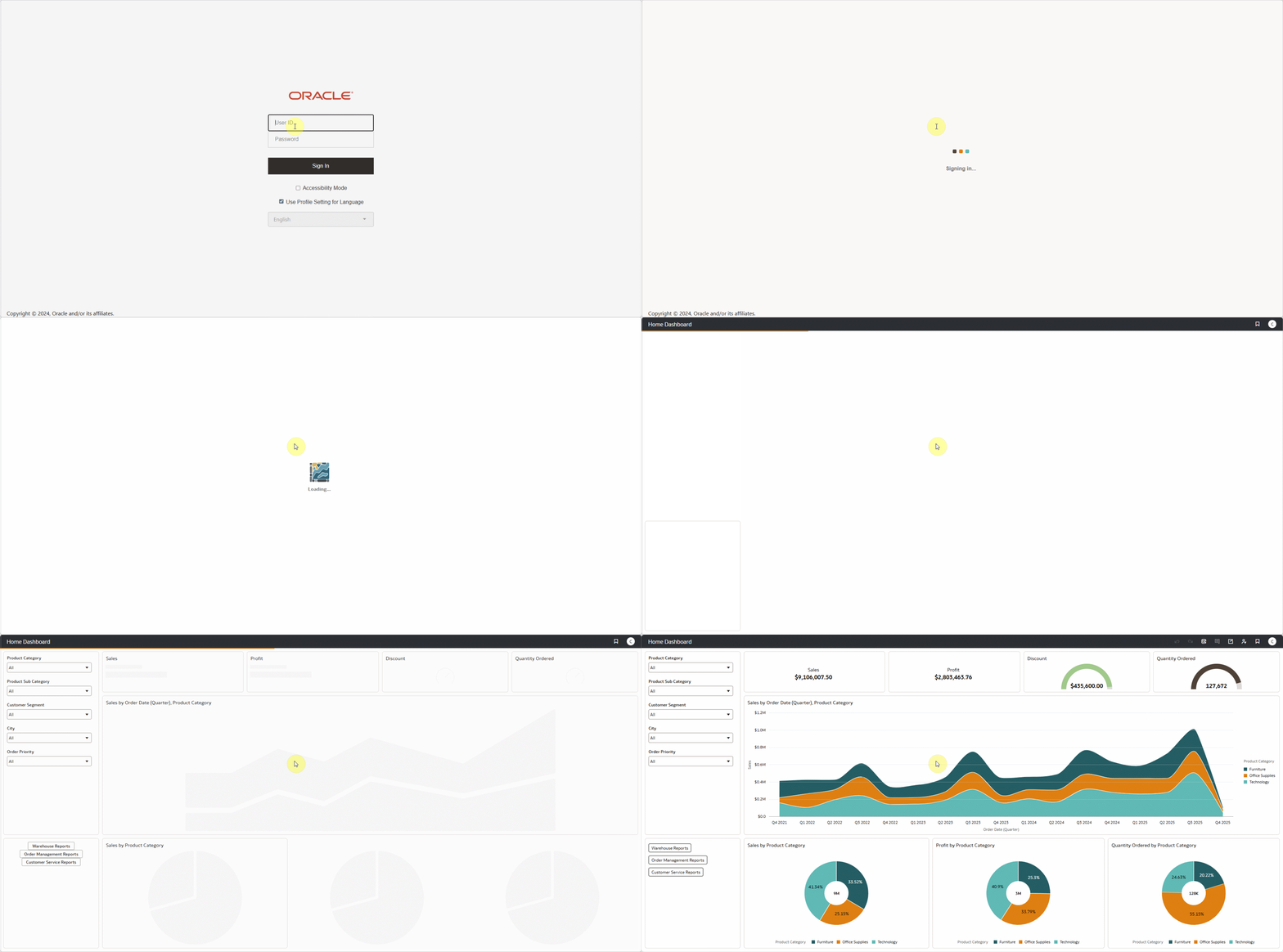
When the assigned user signs into OAC, the workbook selected by the administrator opens as their landing page. This assignment takes precedence over a consumer’s default custom page.
Note: Users must have access to the workbook assigned as their landing page. Always save or move the workbook to a folder that the target user (or role) can access, and verify that the user or role has the required permissions before assigning the workbook as their landing page.
Create an app-like workbook experience
A workbook that opens as a landing page should be intentional and focused. Workbook authors can use the Present workspace to configure the workbook, so users see the right level of navigation, filtering, and workbook chrome.
Use the following settings to create a more focused landing workbook experience:
1. Turn off the back button if you want to present the workbook as the primary starting point.
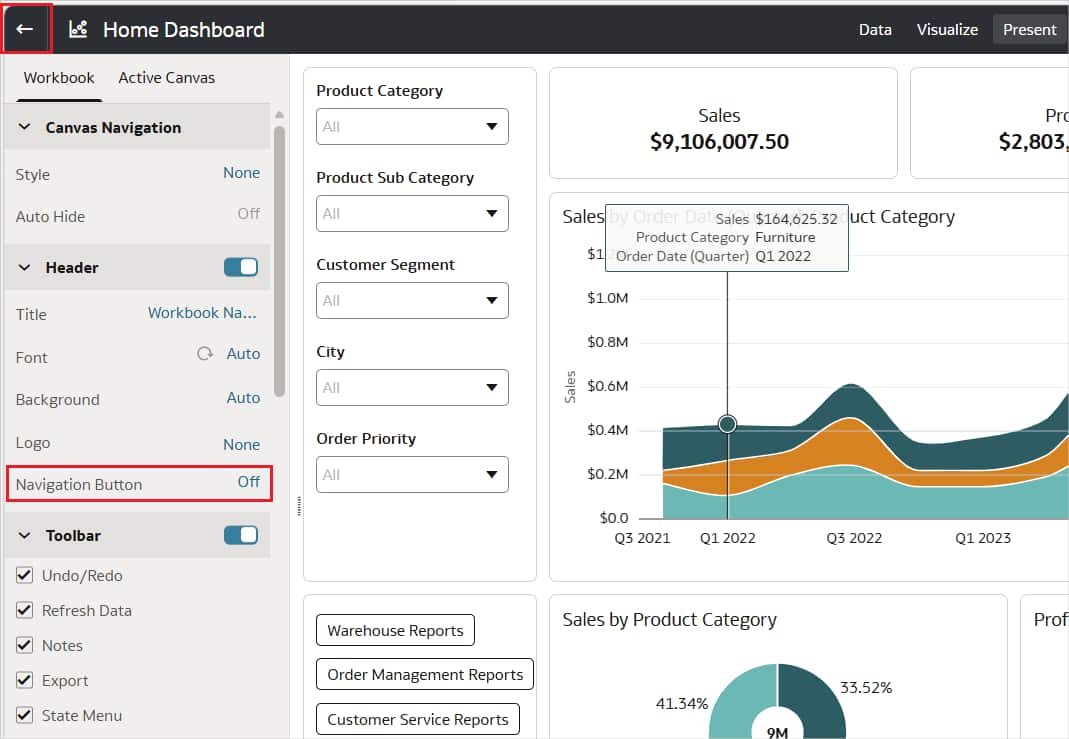
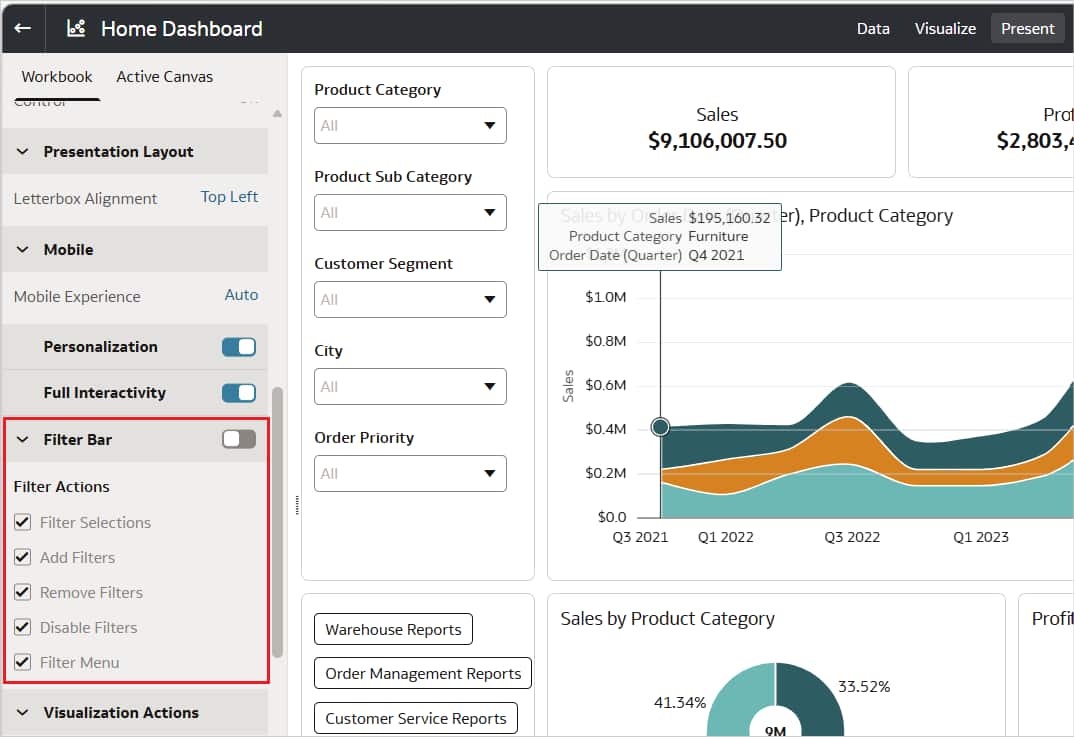
2. Hide the workbook filter bar when the dashboard design already provides the controls that the users need.
3. Configure or hide the workbook header when you want a cleaner, embedded-app style experience.
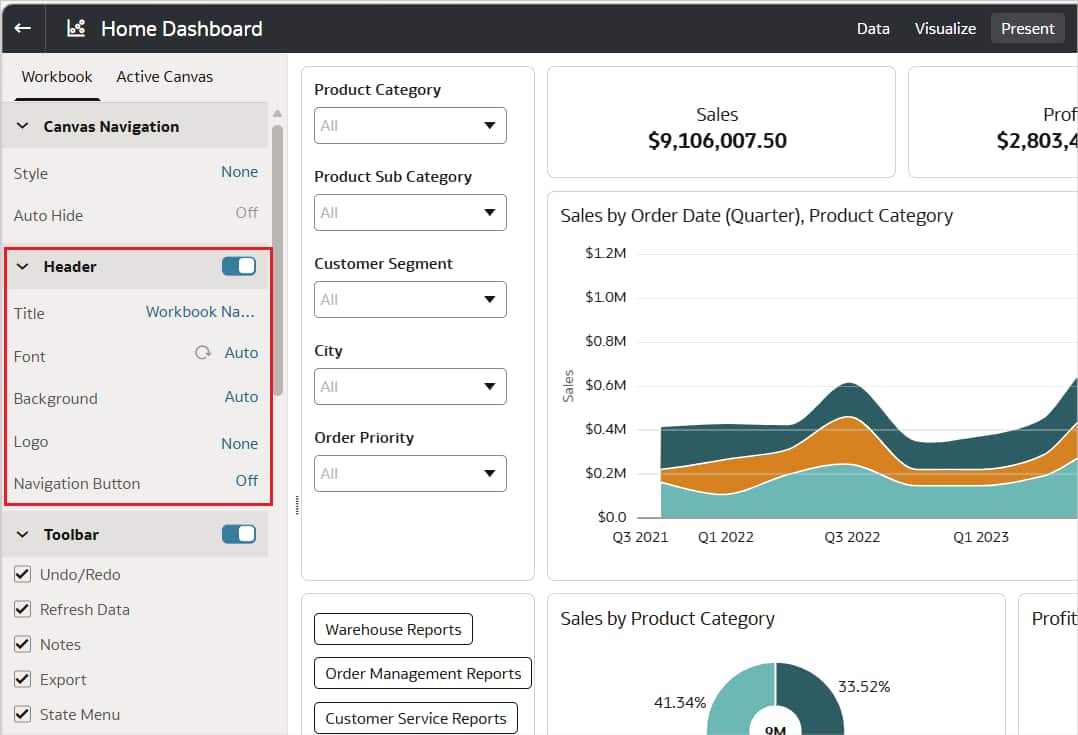
These settings help present the workbook as a guided analytics application.
Call to Action
Workbook landing pages help organizations guide users directly to the analytics content that matters most. Your organization can create a consistent starting point for teams, reduce extra navigation, and make OAC feel more tailored to each audience.
For a demo of how to set up a workbook landing page, watch this demo video.
To learn more about custom pages in OAC, watch the Custom Pages in OAC demo video.
Visit the Oracle Analytics Community to ask questions, share feedback, and learn from other Oracle Analytics users.