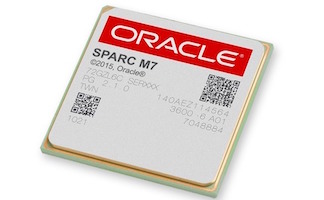
We’ve been blogging here recently about the advantages of SPARC M7’s on-chip hardware encryption, as well as some Oracle partners whose software already works with it. Some readers have been asking “how can I tell if XXXX software is automatically making use of it?” A very good question, which we’d like to answer via an update on Dan Anderson’s seminal 2012 blog post, How to tell if SPARC T4 crypto is being used?
Back then, SPARC T4 hardware encryption was access mostly via userland calls, which could be observed via DTrace. Since then, the Solaris Cryptographic Framework in Solaris 11 makes more direct utilization of native SPARC hardware encryption instructions. This impacts numerous third-party applications, including recent versions of the bundled openssl). While a cleaner approach, it makes DTrace less effective as a way to observe encryption in action.
These Solaris commands allow access to SPARC CPU performance counters, and it just so happens that one of these counters tracks on-chip hardware encryption. For SPARC T4 and later, on Solaris 11:
# # Run on a single-socket SPARC T4 server
#
# # Show instruction calls: all processes, all vCPUs, once for 1 sec
# cpustat –c pic0=Instr_FGU_crypto 1 1
  time cpu event      pic0
1.021    0 tick         5
1.021    1 tick         5
1.021    2 tick         5
1.021    3 tick        11
1.010    4 tick         5
1.014    5 tick         5
1.016    6 tick        11
1.010    7 tick         5
1.016    8 tick       106
1.019    9 tick       358
1.004   10 tick        22
1.003   11 tick        54
1.021   12 tick        25
1.014   13 tick       203
1.006   14 tick        10
1.019   15 tick       385
1.008   16 tick      2652
1.006   17 tick        15
1.009   18 tick        20
1.006   19 tick       195
1.011   20 tick        15
1.019   21 tick        83
1.015   22 tick        49
1.021   23 tick       206
1.020   24 tick       485
1.019   25 tick        10
1.021   26 tick        10
1.021   27 tick       471
1.014   28 tick      1396
1.021   29 tick        10
1.018   30 tick        26
1.012   31 tick        10
1.021   32 total     6868
# # Show number of instruction calls for all processes, per CPU socket
# cpustat –c pic0=Instr_FGU_crypto –A soc 1 1
time soc event      pic0
1.014    0 tick      7218
1.014  256 total     7218
# # Show number of instruction calls for existing process 10221
# cputrack –c pic0=Instr_FGU_crypto –p 10221 –o outputfile
Note 1: Oracle VM for SPARC (aka LDoms) before v3.2 did not allow these command inside a Guest LDom; starting with v3.2, one can set an LDom’s perf-counter property to strand or htstrand.
Note 2: By default, Solaris 11 does not allow these commands in non-global zones; to do this, set limitpriv=”default,cpc_cpu” and reboot the zone.
Now you can see these numbers go up and down as hardware encryption is used (or not). For something just a bit more intuitive, I whipped up a little bash script which shows relative usage over time. Feel free to adapt to fit your needs. Here’s the script and a run done just before a command was issued in another window which makes serious use of hardware crypto (this on a SPARC M7 server):
# cat crypto_histo.bash
#! /bin/bash
while (true); do
    echo `cpustat  -c pic0=Instr_FGU_crypto -A soc 1 1 | \
        awk '/total/ {
            num=4*int(log($NF)/log(10));
            hist="";
            for (i=0; i<num; i++) hist=hist"=";
            print hist
        }'`
done
#
# # Run this, then run ‘openssl speed -evp AES-192-CBC’ in another window
# ./crypto_histo.bash
============
============
============
============================
================================
====================================
====================================
====================================
====================================
====================================
====================================
============
================
============
============
============
SPARC hardware encryption: Always On, Blazingly Fast, and now Eminently Observable.