
Decision points enable multiple branches, allowing for different outcomes based on various conditions. In scripting, this concept is mirrored by constructs like `switch`, `Select Case`, or `if/else if/else` statements. This article provides a high-level overview and does not delve into the specifics of conditions. It addresses two main questions:
1. What if two or more branches have identical conditions?
This scenario should be avoided—a well-designed decision point will have a unique condition for each branch. Overlapping conditions can lead to unpredictable or unintended behavior.
2. What happens if I create many (more than four) branches from a single decision step?
The article explores the implications and considerations of having multiple outcome paths stemming from a single decision point.
Multiple Conditions with the Same Result
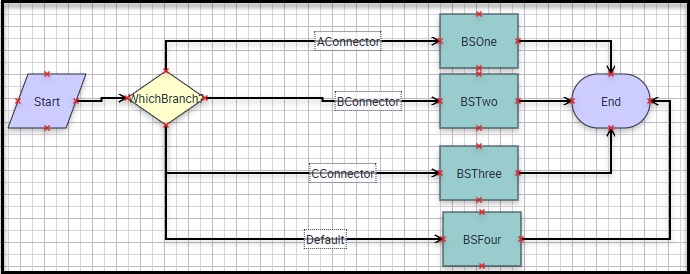
Figure 1: For the first idea I have this Workflow Process.
There are four connectors leaving the decision step, each leading to a distinct Business Service Step. All connectors, except for the Default branch, have identical conditions. The Default branch has no condition; it serves as the fallback path if none of the other branch conditions are met. In scripting terms, this is similar to the “default” case in a switch statement, the “Case Else” in a Select Case structure, or the “else” clause in an if/else if/else construct.
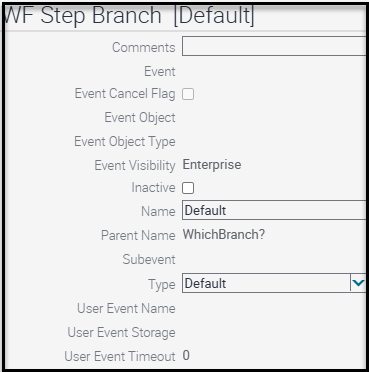
Figure 2: This is the Default connector.
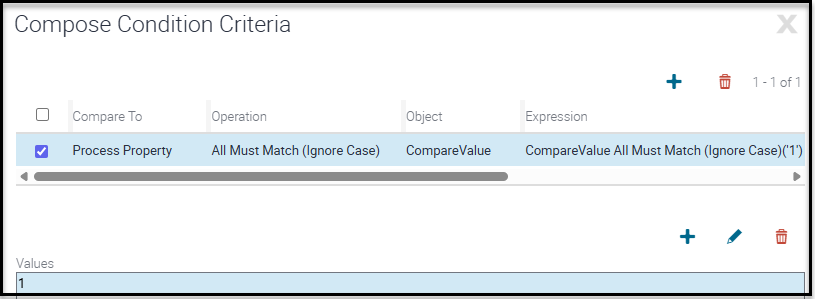
Figure 3: This is the condition evaluated by each branch.

Figure 4: Here is the Process Property with the static value of 1.
Each Business Service Step will return the name of the Step when reached so that we know which path evaluated to true.

Figure 5: This is an example of what is returned by each Business Service Step.
But if all the conditions are the same, which branch will execute?
The engine evaluates each branch’s condition in alphabetical order based on their names. It proceeds through the branches until it finds one where the condition is true and then executes that path. In your scenario, with four branches having identical conditions, the branch named “AConnector” comes first alphabetically, so its associated Business Service Step will be executed—even though the other branches’ conditions would also evaluate to true if given the opportunity.
- AConnector <-This comes first alphabetically and will execute.
- BConnector
- CConnector
- Default
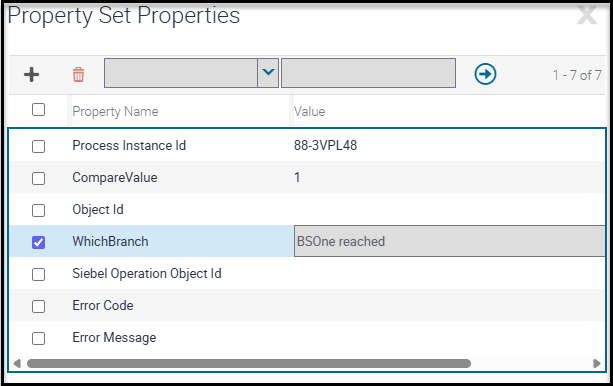
Figure 6: As expected, this is the result.
CAUTION: Ensure that each branch has a unique condition that cannot be true at the same time as any other branch. Overlapping (non-mutually exclusive) conditions can lead to unexpected behavior, as only the first matching branch—based on evaluation order—will be executed.
Configuring Multiple Branches Emerging from a Decision Step
There are no technical restrictions on the number of branches you can create from a Decision Point—you could have 100 or more if needed. However, Workflow Processes are designed to be visually intuitive. While having many branches does not cause technical issues, it can significantly impact the clarity and readability of your workflow.
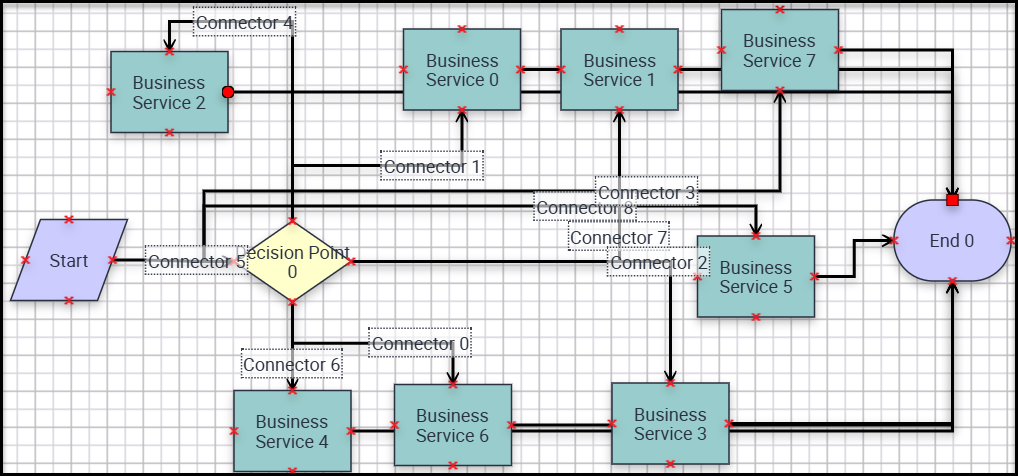
Figure 7: Ugh! Hard to follow those branches to their end points. Imagine more branches?
CAUTION: If your Workflow Process becomes hard to understand, consider breaking it into smaller, more manageable subprocesses to improve clarity and maintainability.
Looking Ahead
When considering replacing your script with a Workflow Process, keep these two workflow concepts in mind.