
Facing a heavy load of data-entry work? It might be time to revisit our Mass Update processing tools to streamline the workload. Mass Update is an easy-to-use feature of PeopleSoft HCM that enables you to make changes to the data of large groups of people.
The Mass Update feature consists of the Mass Update Manager, the Mass Update Transaction Processor, and the Mass Update Execution Manager.
You use the Mass Update Manager as a front-end to:
- Define Mass Update definitions
- Create Mass Update transactions
- Execute Mass Updates in batch
In addition, the Mass Update Manager provides tools for reviewing and reporting on transactions before they are executed as well as the ability to delete pending Mass Update transactions.
The Mass Update Transaction Processor and Execution Managers are back end modules used in Mass Update. Each update transaction is an XML message that contains the elements involved in the update for a specific employee and employee record combination. The Transaction Processor interprets the XML message, provides access to the correct service, and returns acknowledgements to the online or batch calling process. The Execution Manager enables you to run multiple instances of the batch Mass Update process and run the instances in parallel to improve performance.
Use the following navigation to access Mass Update components:
Workforce Administration > Collective Processes > Mass Update
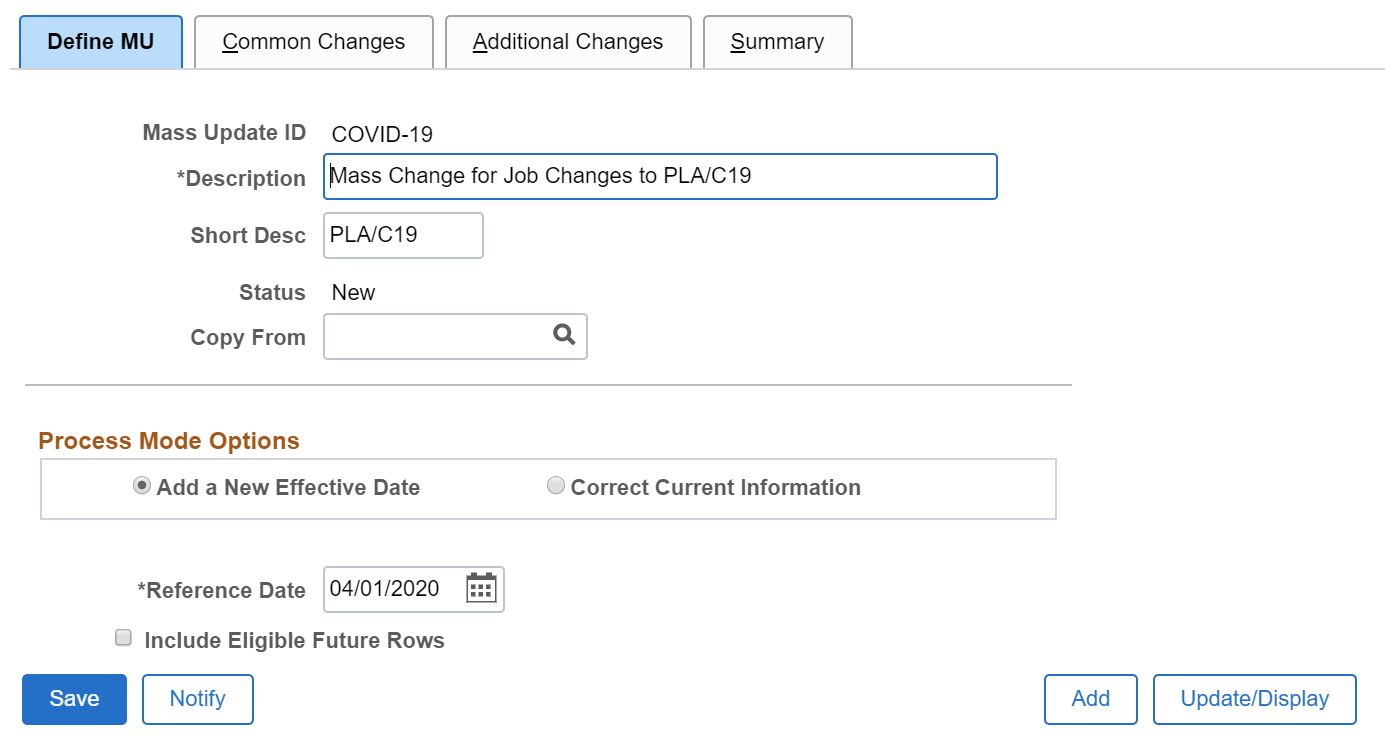
Determine whether to correct existing records or to add a new effective dated row.
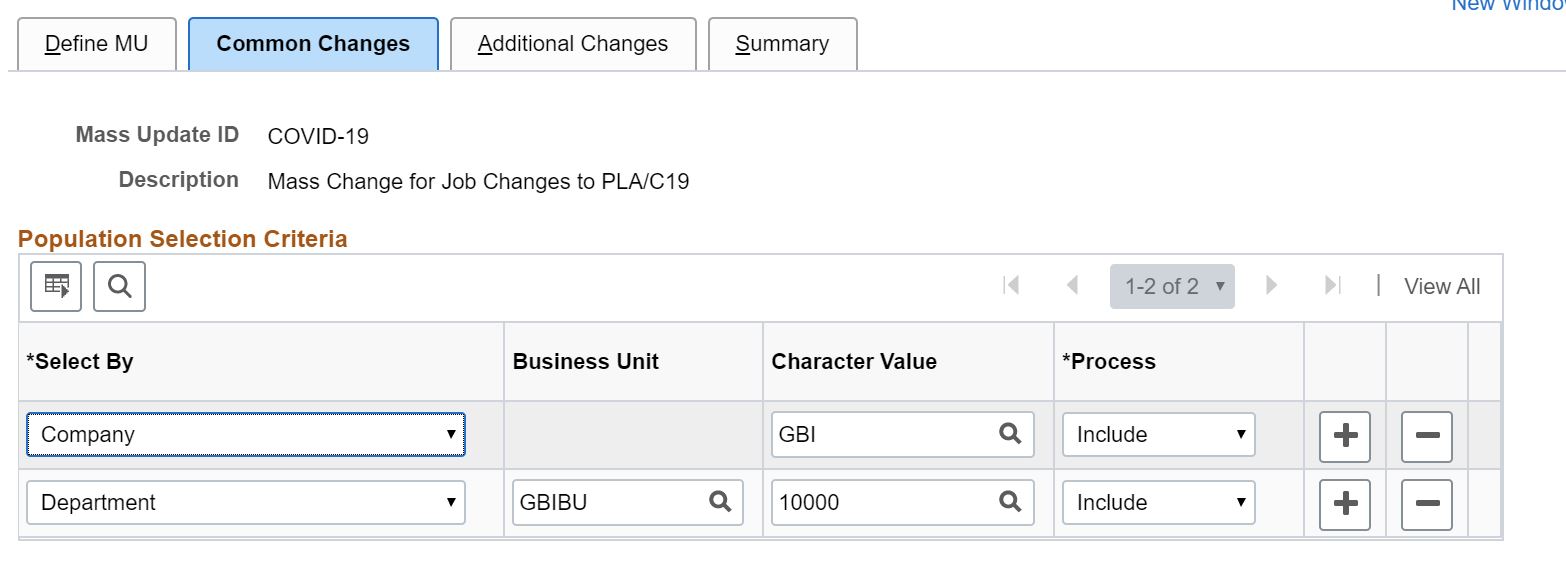
Determine selection criteria for the records you wish to process.
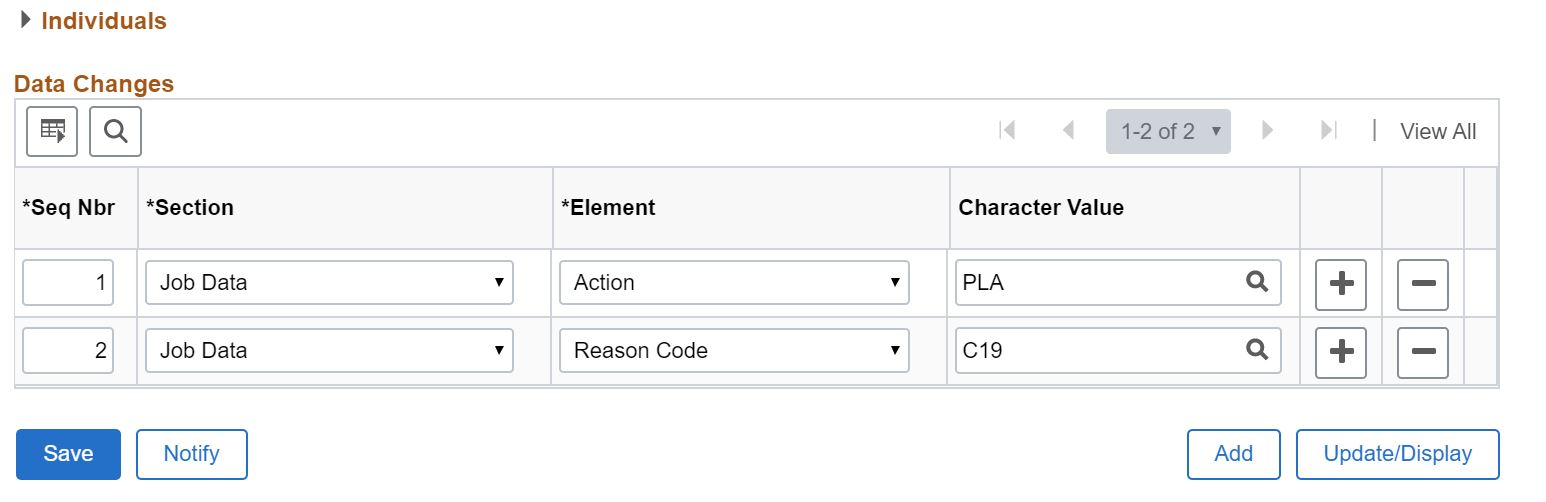
Define fields to change and the new values for those fields. Once the Mass Update process is defined, use the Batch process to select and extract data for processing. You can review and manage extracted data prior to executing the Mass Update.
When using Mass Update, remember our processing tips found in PeopleBooks:
- Test your update on a small group first
- Use the correction option only if you are certain you want to override existing data. If possible, insert a new effective dated row
- Familiarize yourself with the actual online transaction to understand the component rules before trying to automate
- Create several Mass Update IDs that you can use in combination rather than trying to create a complicated update
- When running Mass Update, take steps to improve performance, such as limiting the size of the transaction set
For more information on Mass Update:
- PeopleBooks: Understanding Mass Update Processing
- Knowledge Document 1322555.1: Mass Update Red Paper
- Knowledge Document 2519975.1: Need a Way To Update Large Groups of Employees?
For more information, see COVID-19 Updates for PeopleSoft and Oracle’s commitment to customers during the COVID-19 crisis.