
Keeping up with employee hours, exceptions, approvals, and absences can quickly become a time-consuming task for managers—especially when information is spread across multiple pages and applications.
The Team Time Dashboard changes that by bringing everything together in one intuitive workspace. Instead of jumping between screens, managers can review employee data, take action, and move seamlessly through their team—all from a single interface. Built around the way managers work, the dashboard helps you stay focused, make decisions faster, and spend less time navigating.
Get Started in Seconds
Imagine you’re reviewing your department roster. Once you select a team member, the dashboard opens directly within that employee’s context, presenting the information you need most.
A configurable header clearly identifies the employee you’re reviewing, helping ensure you’re always acting on the right record. When you’re ready to move on, simply navigate to the next team member without losing your place or momentum.
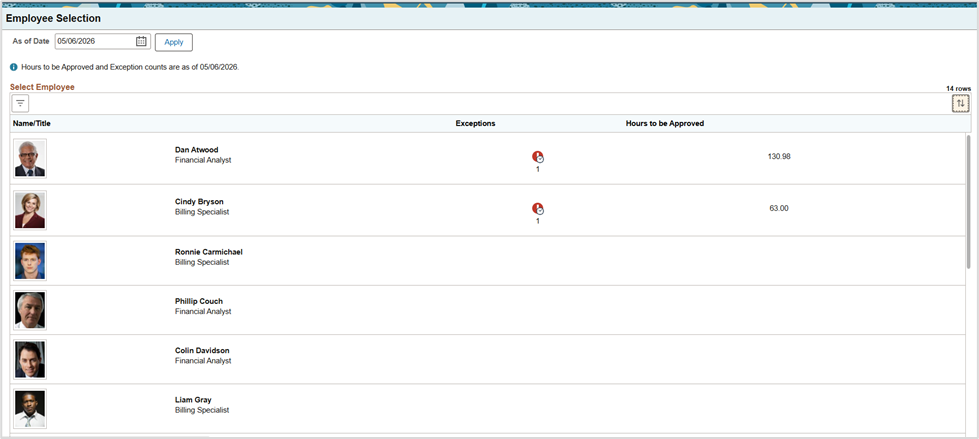
Picture 1: Employee Selection search results.
One Hub for Time and Absence Management
The Team Time Dashboard streamlines daily management tasks by organizing them into three focused areas:
Actions – See everything that requires your attention immediately, including pending approvals and exceptions. Counts update dynamically as you move between employees, helping you quickly identify where action is needed.
Time – Access time-reporting history, payable time details, and summary information without leaving the dashboard.
Absences – View upcoming absences, create a request, or cancel absences, and check balance information directly from the same workspace.
Beyond individual employee tasks, integrated sections such as Team Hub and Insights provide a broader view of team activity, including shared calendars, schedules, reporting locations, and analytics.
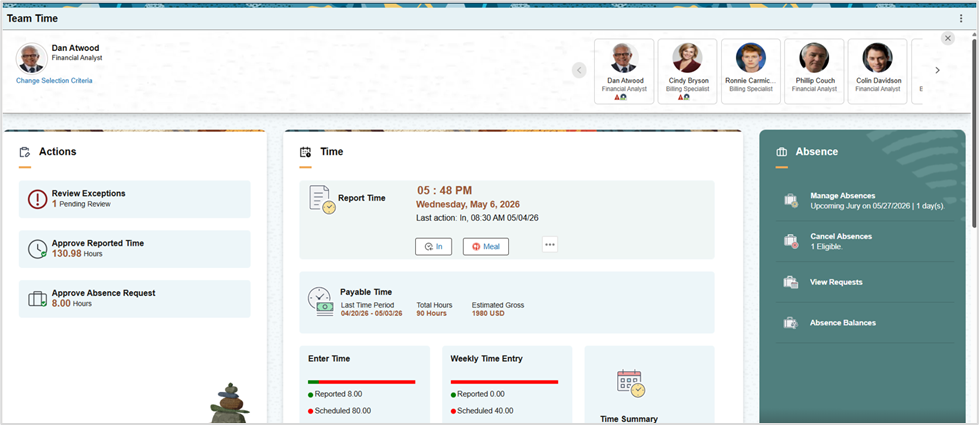
Picture 2: Team Time Dashboard featuring Actions, Time, Absence sections, and the Employee Card Traverser.
Navigate Your Team with Employee Card Traversal
One of the most powerful features of the Team Time Dashboard is the Employee Traverser—a new navigation experience designed specifically for managers.
Located in the upper-right corner of the page, this collapsible carousel allows you to move from one team member to the next with a simple click of Next or Previous. As you navigate, the dashboard refreshes automatically with the selected employee’s information, keeping your workflow uninterrupted.
Each employee card can be configured to display:
- Employee photos or initials
- Names, job titles, or other key information
- Visual indicators highlighting employees who require attention.
These visual cues make it easy to identify priorities before you even open an employee’s details.
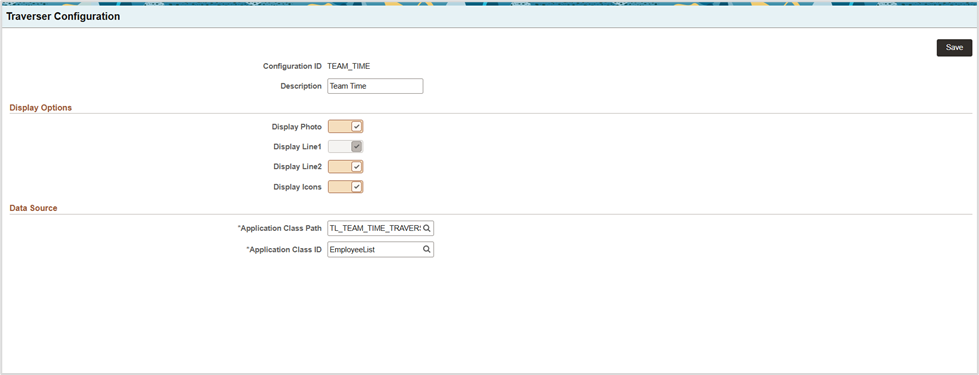
Picture 3: Card Traverser Configuration page.
The Bottom Line
The Team Time Dashboard brings Time and Absence management together in a single, action-oriented experience for managers. By combining employee context, actionable insights, and seamless navigation, it helps supervisors work more efficiently, reduce clicks, and stay focused on what matters most – supporting their teams.