
High-level SB294 Requirements:
- By February 1, 2026, and annually thereafter, employers must provide all current California employees with a stand‑alone written notice describing specified workers’ rights.
- The law also requires the employer to provide the written notice to each new employee upon hire and to provide the written notice annually to an employee’s authorized representative.
- By March 30, 2026, and at the time of hire for each new employee on and after that date, employers must provide employees with the opportunity to:
- Designate an emergency contact; and
- Indicate whether that contact should be notified; if the employee is arrested or detained at work or during work hours, and the employer has actual knowledge of the event.
- Employers may not discharge, demote, suspend, threaten, or otherwise retaliate against an employee for exercising rights under SB 294.
Penalties for Non‑Compliance
- Failure to provide the required workplace‑rights notice may result in civil penalties of up to $500 per employee for each violation.
- Failure to comply with emergency‑contact obligations may result in civil penalties of up to $500 per employee for each day the violation occurs, up to a maximum of $10,000 per employee.
Click on the link to view the SB294 law – Workplace Know Your Rights Act
Employee Self-Service
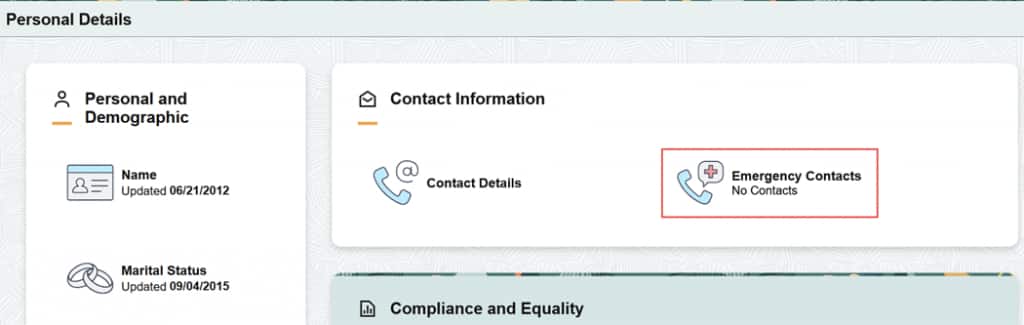
Navigation> Employee Self Service > Personal Details > Emergency Contacts
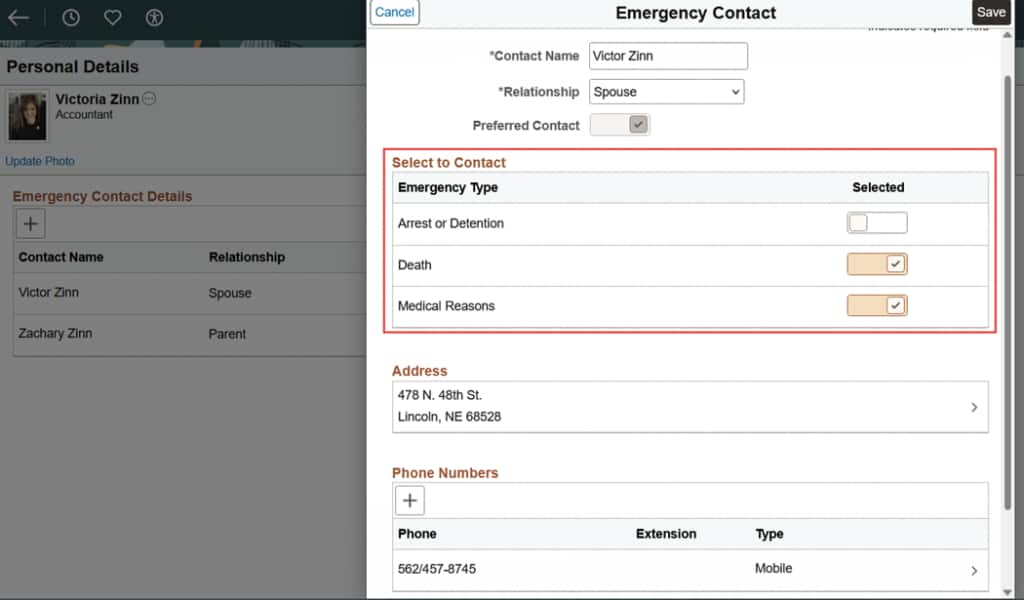
New SB294 Requirement (new fields) – Added ability for employee’s to designate a person to contact in case of an arrest/detention at work or during work hours.
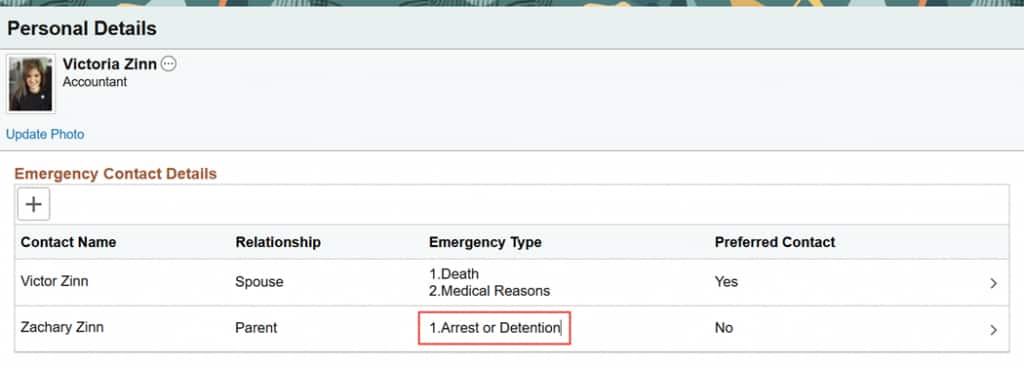
Employees can select one or more emergency contacts to be the contact person in case the employee gets arrested/detained at work or during work hours.
HR Administrator
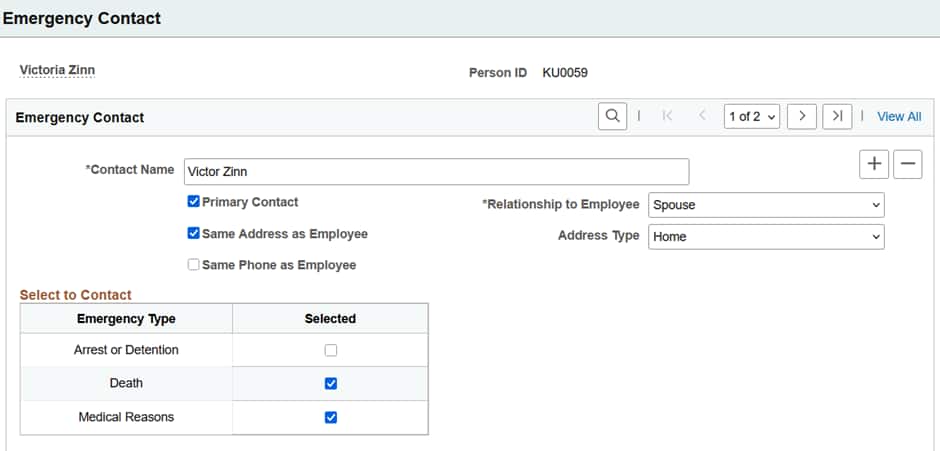
The HR Administrator can view, designate or change an employee’s emergency contact information in the Emergency Contact page (admin table).
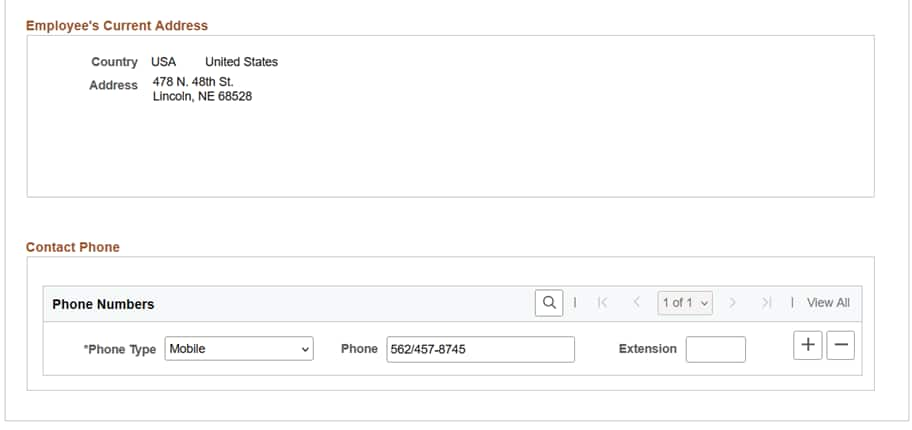
Navigation > Workforce Administration > Personal Information > Personal Relationships > Emergency Contacts
Manager
The manager can view their employee’s emergency contact information in manager self-service.
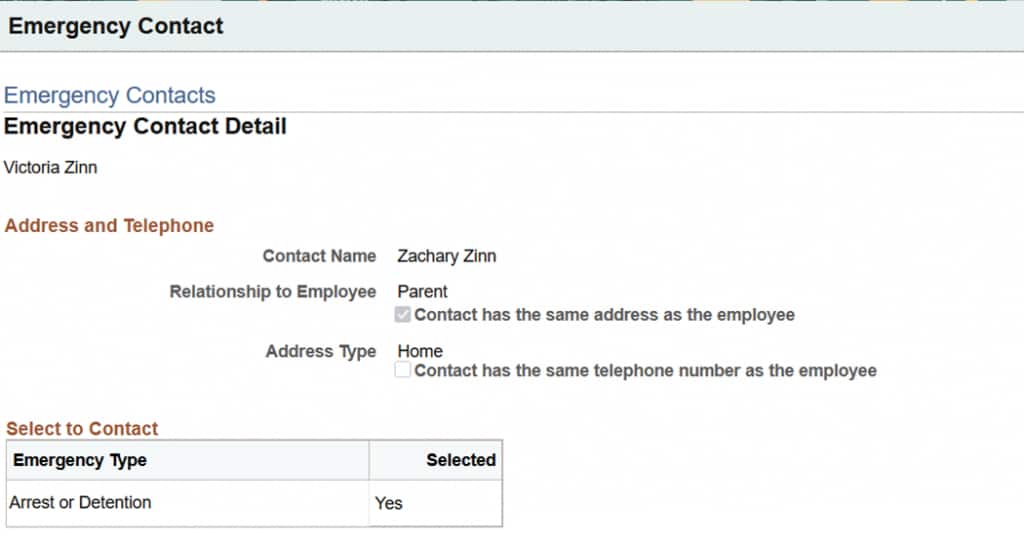
Navigation > Manager Self Service > Job & Personal Information > Emergency Contacts
Emergency Contact Setup Values
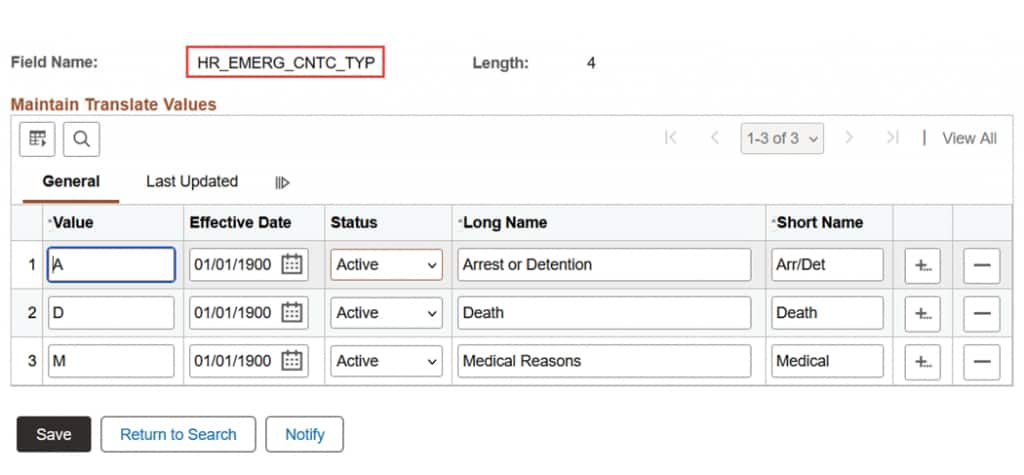
Navigation > PeopleTools > Utilities> Maintain Translate Values
The HR Emergency Contact values are translate values – Arrest or Detention, Death and Medical Reasons (these are the options that display in Employee Self Service and the Emergency Contact page). Organizations can update these delivered values based on your organizational needs.
HCM Installation Table
Check on Enable Emergency Type in the Installation Table.
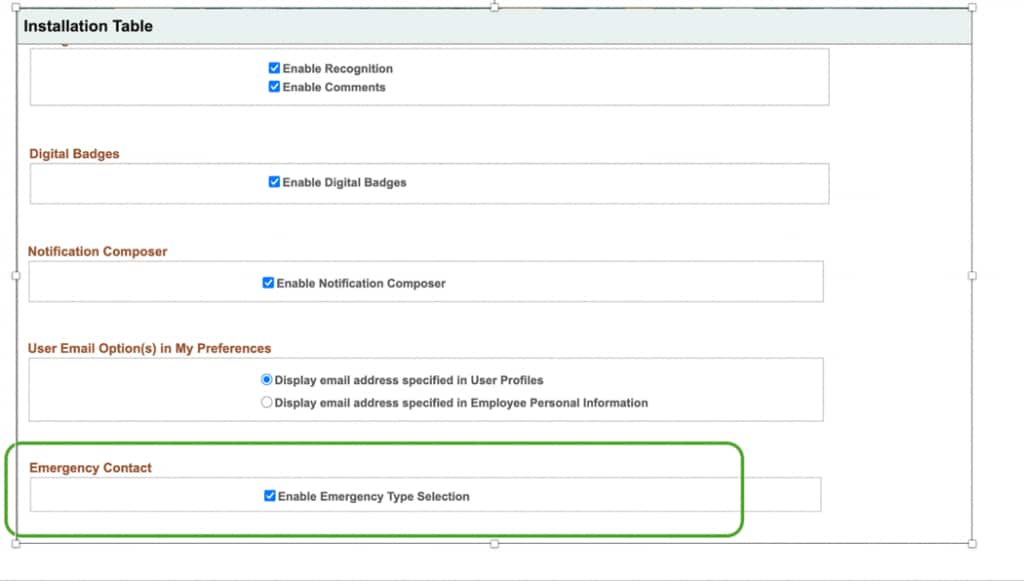
Oracle/PeopleSoft has delivered updates to the Emergency Contacts page to allow employees to designate an emergency contact in case of arrest/detainment at work or during work hours to comply with the California law SB294. We have posted a PRP, and this update will be included in Image 55.
PRP288075/bug39065025 has been posted – https://support.oracle.com/support/?patchId=39065025