
In PeopleSoft Financials Update Image 57, Grants Management includes an enhanced Federal Financial Report process that supports the current SF-425 Federal Financial Report and the SF-425A attachment for reporting multiple awards. The enhancement gives teams a practical way to use information from PeopleSoft to populate the government-provided forms.
A Simple Reporting Workflow
The process supports both single and multiple award reporting:
- SF-425 Federal Financial Report output for a single award.
- SF-425A attachment output when a submission covers multiple awards.
From PeopleSoft, users generate an XML file and import it into the applicable government PDF form. Adobe Reader is sufficient for this workflow.
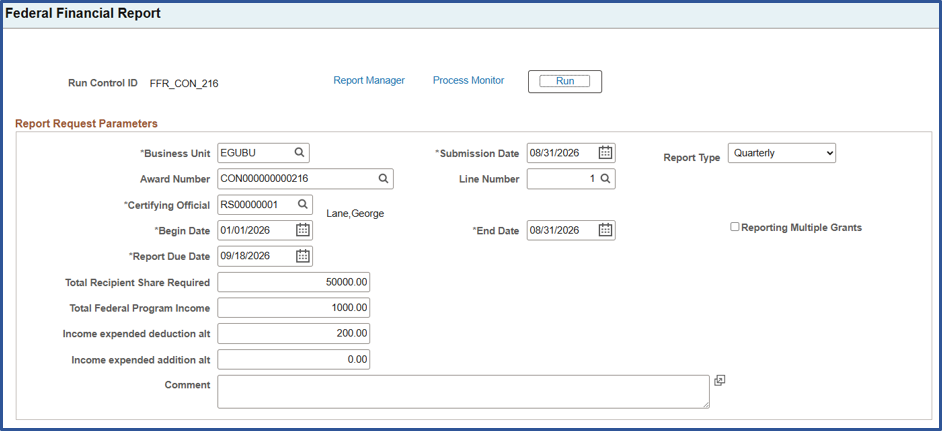
- Enter the reporting parameters on the Federal Financial Report run control page located under Grants > Interactive Reports.
- Run the process for a single award or use the multiple-award option by sponsor and letter-of-credit ID.
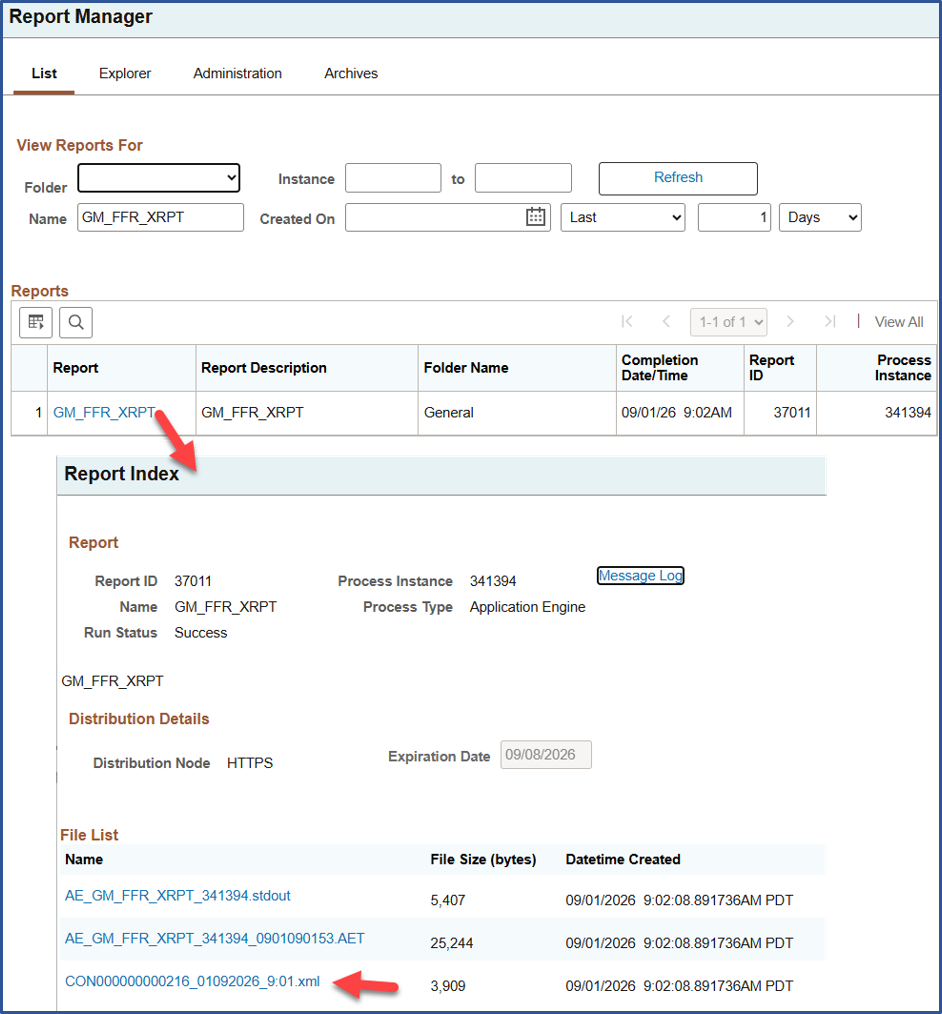
- Download the XML file from Report Manager. Award ID is included in the output file name to help distinguish files for import.
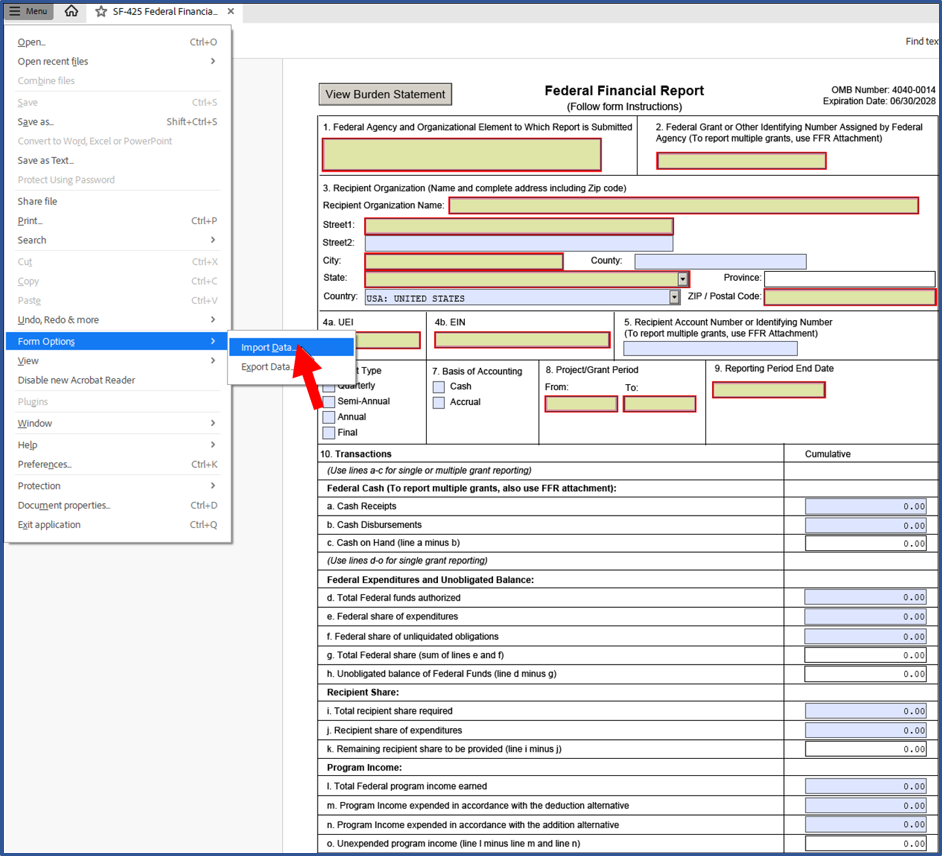
- Open the government SF-425 or SF-425A PDF in Adobe Reader, select Import, and choose the downloaded XML file.
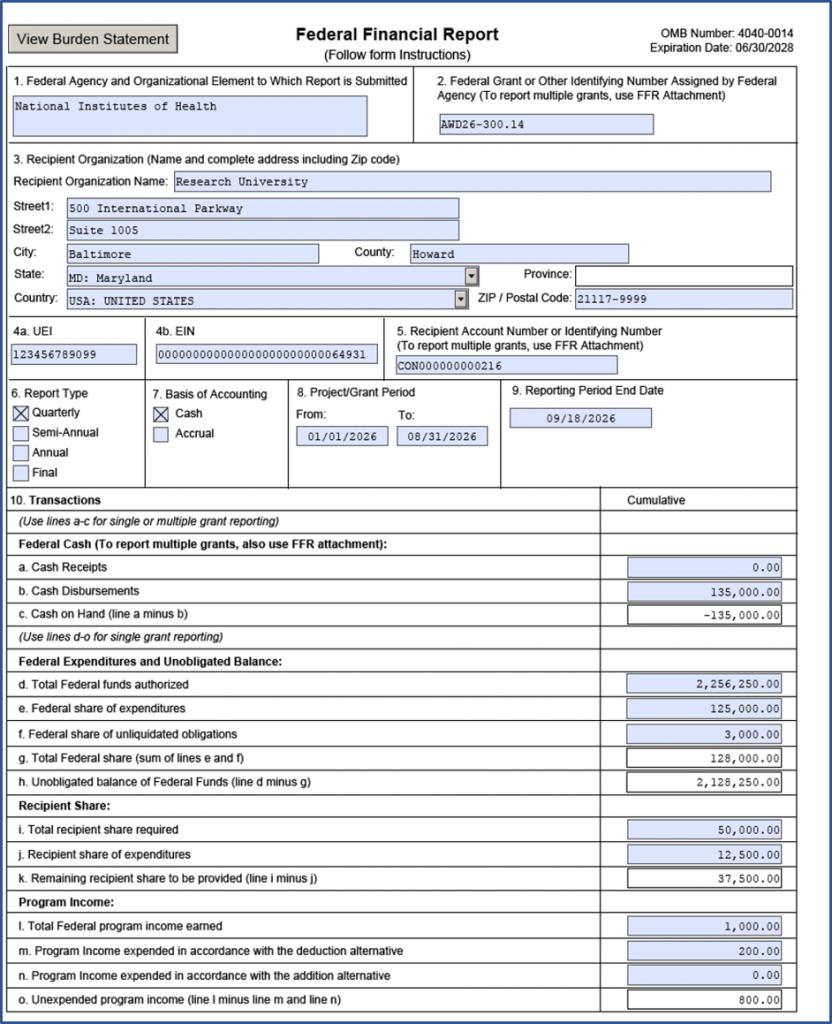
After you import the XML file, review the values in the government form and complete any missing information that is specific to the reporting period or submission. This review helps confirm that the report reflects the award terms, reporting dates, and certifying official information applicable to the award. For multiple-award reporting, use the separate SF-425A attachment to review the award-level detail that supports the accompanying SF-425.
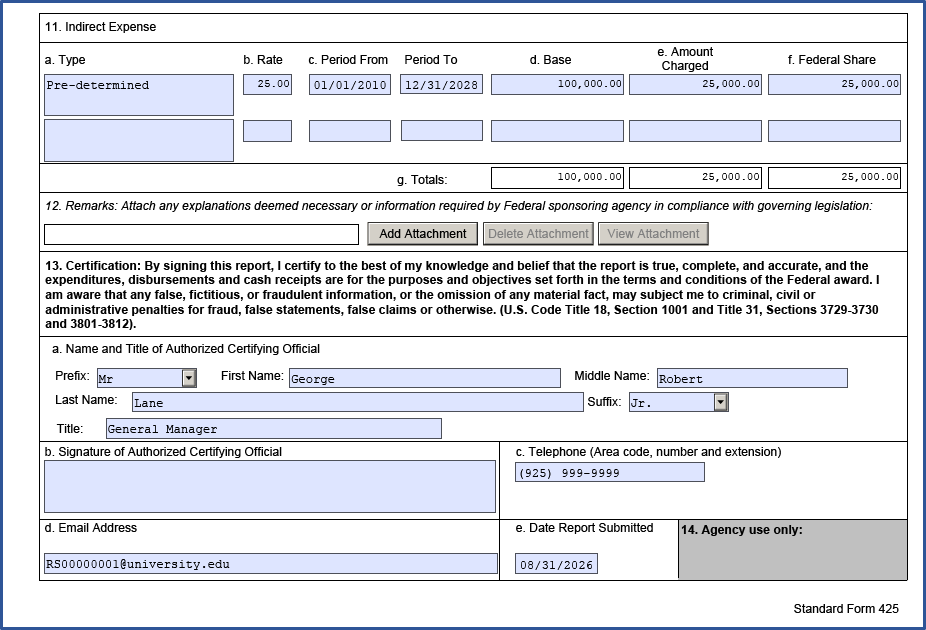
Support for Multiple Award Reporting
When reporting multiple awards, users run the process by sponsor and letter-of-credit ID. PeopleSoft produces the SF-425A XML as a separate file so the award-level detail can be imported into the government attachment form alongside the main SF-425 submission.
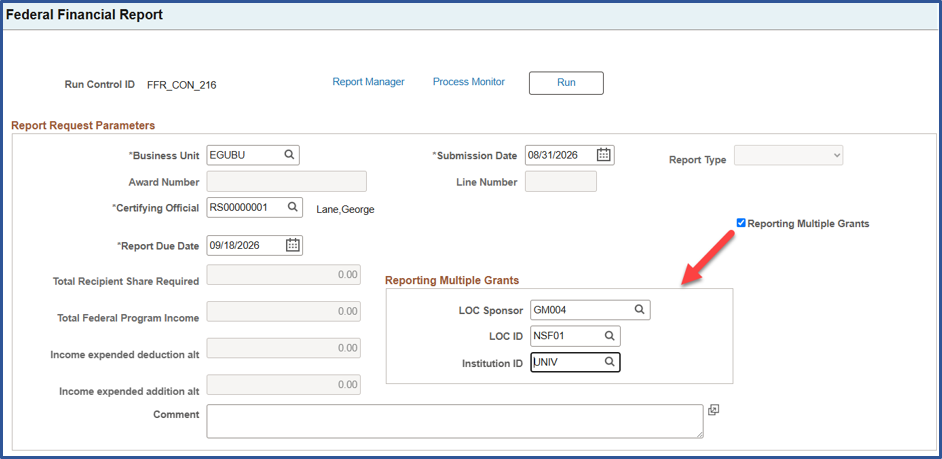
Prepare Your Setup for Reporting
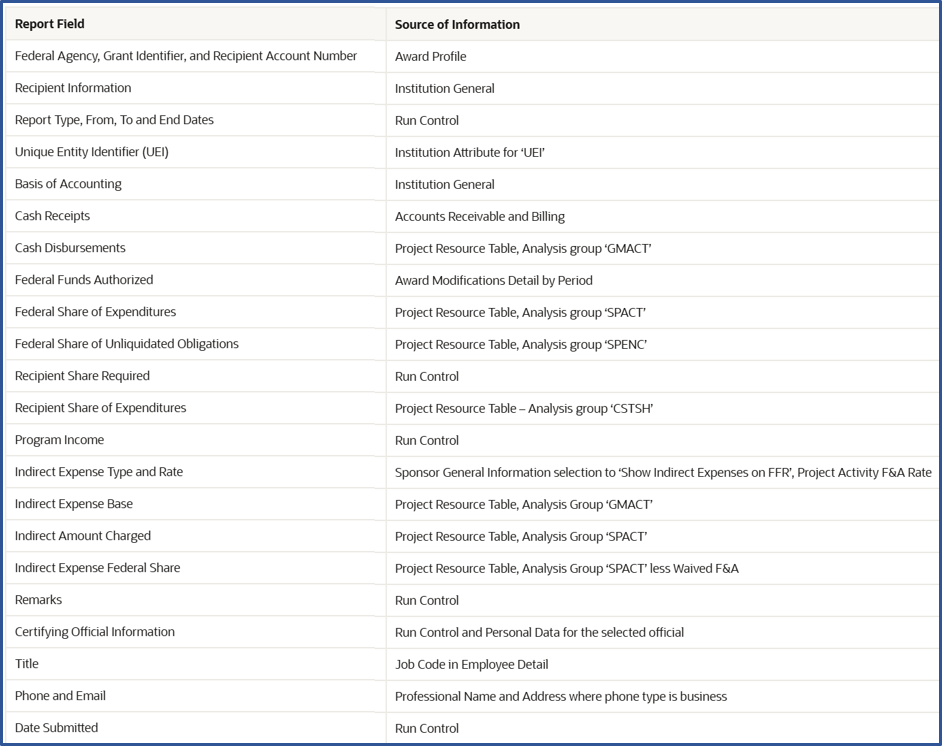
Report information is sourced from the award, sponsor, and institution component pages, together with Project Costing and Billing financial information and the run control. Review the setup configuration used in the report output. In particular, be sure to establish the Unique Entity ID attribute type by SetID and associate it with your institution. This ensures it’s included in the report when the XML is generated.
Use the ‘Source of Information for SF–425 and SF-425A’ table in PeopleSoft Online Help for Grants for more detail on each field in the report.
A More Flexible Solution for Federal Reporting
With Update Image 57, PeopleSoft Grants provides a current-form approach to federal financial reporting that starts with your PeopleSoft data and works with the official SF-425 and SF-425A forms. The XML-based process reduces manual re-entry and supports both single and multiple award reporting. The result is a clearer, more manageable path from award data to federal report preparation.