
Introduction
In today’s fast-paced supply chain landscape, efficient supplier onboarding is crucial for businesses to maintain agility and compliance. However, traditional registration processes rely on static templates and profiles questions. This can lead to incomplete data, and delays in getting suppliers up and running.
Oracle understands these challenges. Drawing from customer feedback in the Oracle community and idea spaces, we’re excited to introduce Conditional Profile Questions in PeopleSoft Supplier Life Cycle Management. This feature brings dynamic, branching logic to supplier and bidder registrations, making the process smarter and more tailored.
Feature Overview
Conditional Profile Questions build on PeopleSoft’s robust supplier registration framework by adding two key pillars: Conditional Template Questions and Conditional Profile Questions. At the heart of this feature is a tree-based structure that allows administrators to define branching logic, where each response leads to the next relevant question or determines the registration template.
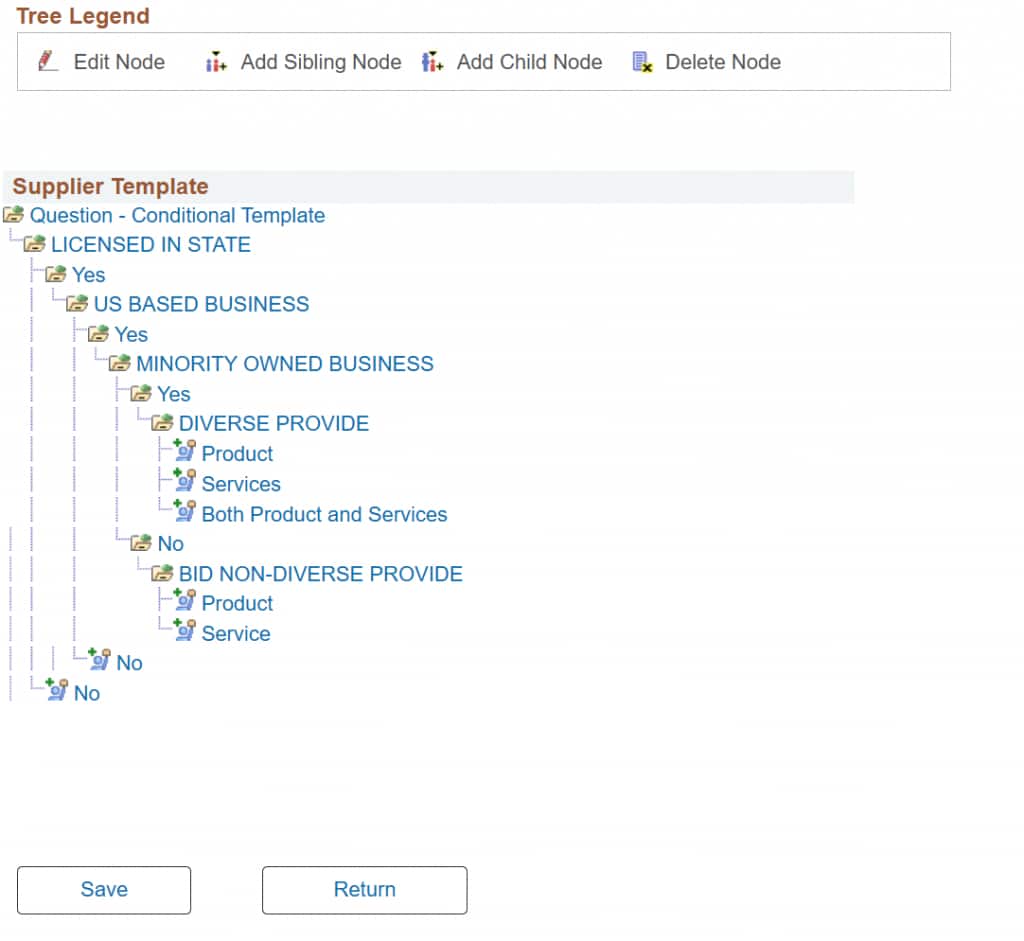
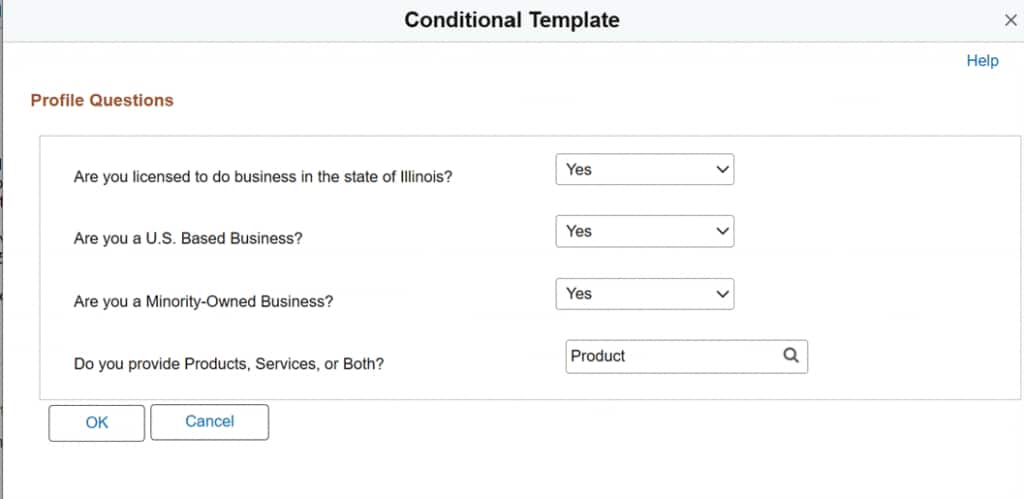
For instance, a supplier might first answer if they’re licensed to do business in a specific state. A “Yes” could branch to questions about business type (individual vs. organization), products vs. services, and diversity status—ultimately selecting an appropriate template with questions specific to their type of business. Similarly, profile questions in the Identification stage can branch based on responses, such as probing deeper into sustainable practices only if a supplier affirms environmental policies.
Key Capabilities and Highlights
- Flexible System Setup: Enable features via simple checkboxes in Supplier System Setup—”Conditional Template Question” and “Conditional Profile Question.” A new “Apply for Managed Invitations” option ensures secure, invitation-based registrations with automatic access code authentication.
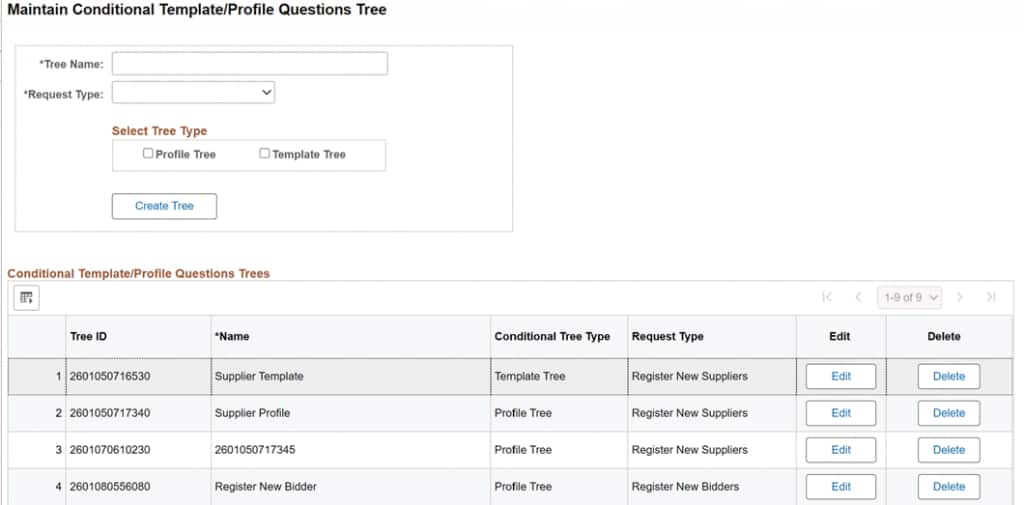
- Tree-Based Branching: Use the new Maintain Conditional Profile Tree page to build unlimited levels of nodes. Select question types (Yes/No, List, etc.) and associate outcomes that may derive a specific template tailored to the responses provided by the applicant. Built-in validations prevent infinite loops and ensure at least one sibling node per branch.
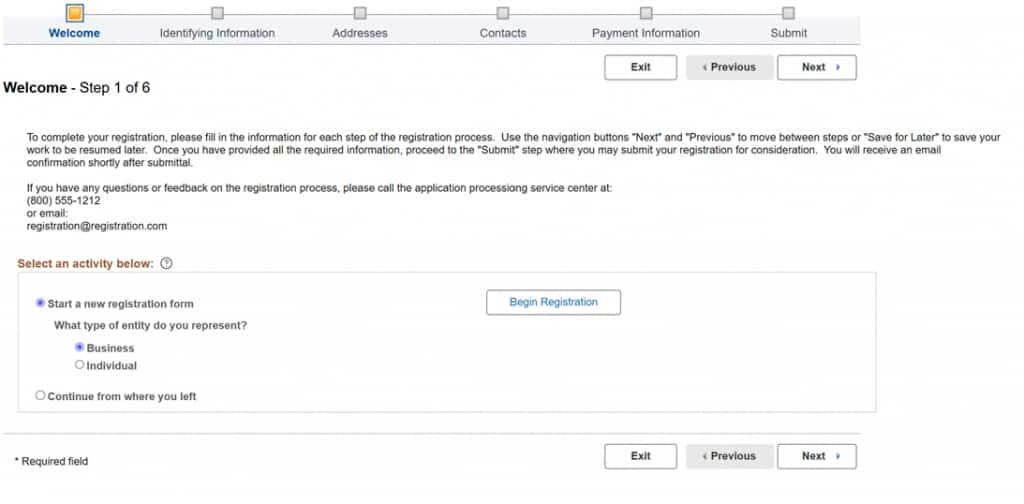
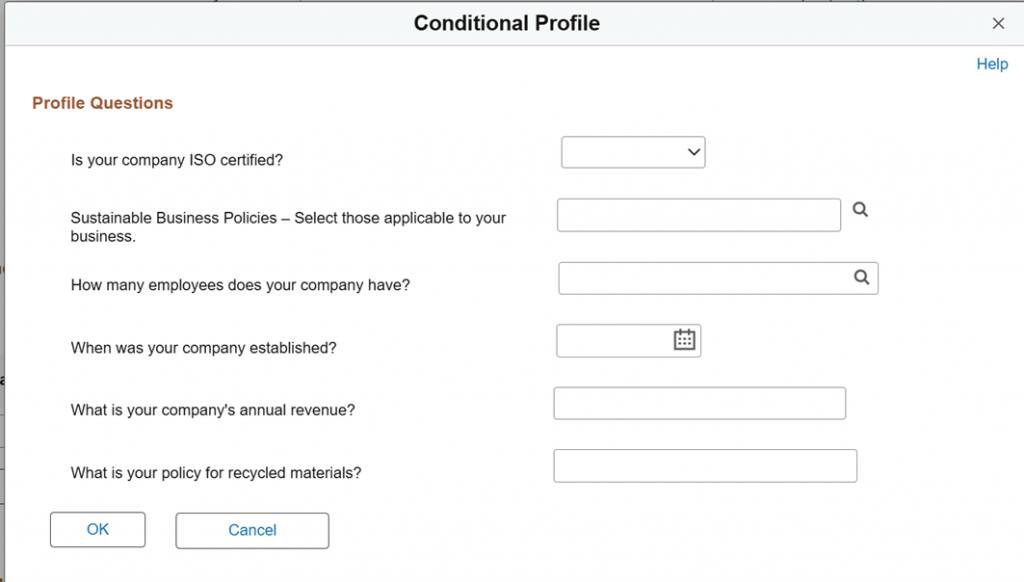
- Dynamic Registration Flow: In the Welcome train stop, a “Template Identification” button opens a modal for conditional questions. Responses guide template selection before proceeding. In the Identification stop, a “Conditional Profile Question” link presents branching queries based on the defined Tree ID.
- Editor and Approval flow: Editors can modify conditional profile responses during reviews, with changes tracked in Adjustment History. Approval pages (classic and fluid) display responses via a “View Profile Questions” link.
- Change Request: Suppliers can modify conditional profile responses via “Initiate Supplier Change” page.
- Backward Compatibility and Security: Existing profile questions remain supported when features are disabled. Open registrations must be completed before enabling to avoid disruptions.
- Integration to Supplier and Bidder: Component Interface integrations ensure data flows to supplier/bidder masters upon registration completion.
How to Configure and Register:
Getting started is straightforward. In the Supplier System Setup, check the relevant boxes to activate features—remember to complete any pending registrations first. Then, navigate to Maintain Conditional Profile Tree to create your first tree: Enter a Tree ID, select type (Template or Profile), and build branches by editing nodes to pick questions from Create Profile Questions (filtered by conditional checkboxes).
Supplier System Setup: Navigate to Supplier System Setup (Set Up Financials/Supply Chain > Procurement Options > Supplier Lifecycle Management > Supplier System Setup).
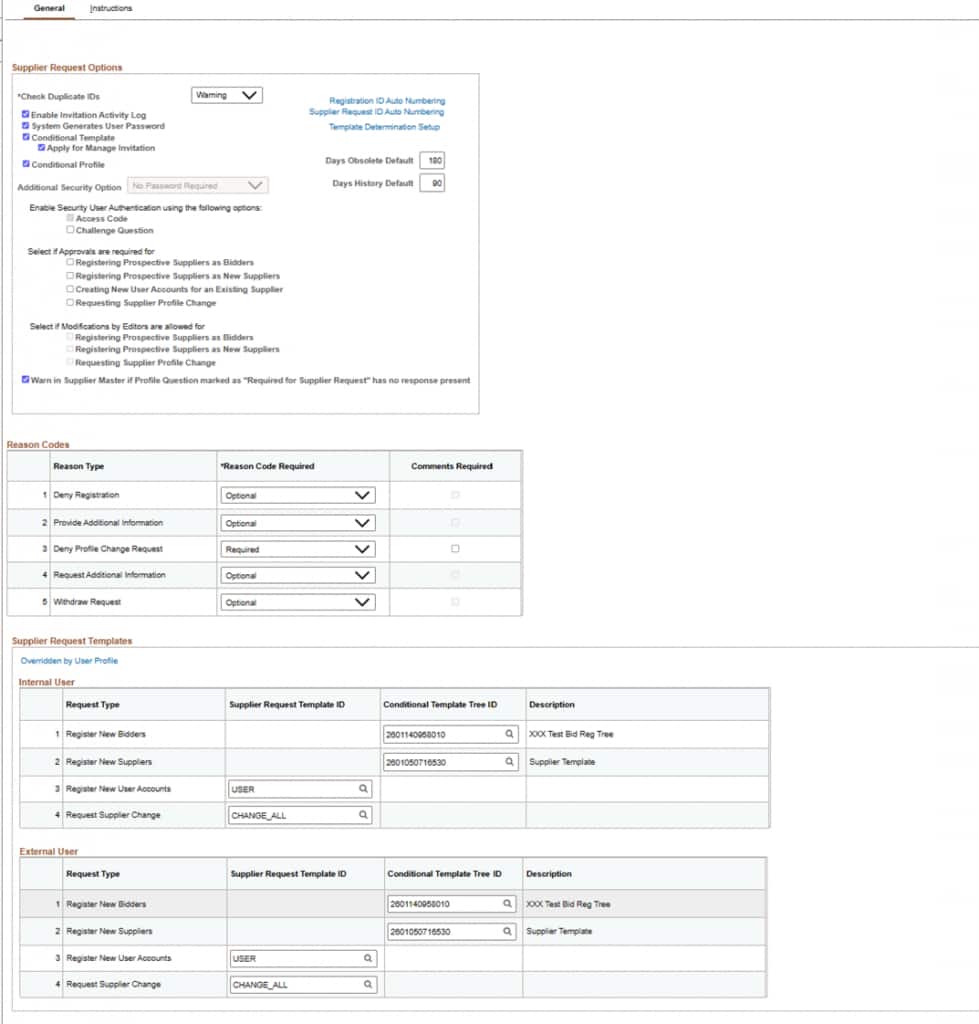
For templates, associate Tree IDs in Supplier Request Templates or Maintain Portal Content, hiding legacy Template IDs when conditional mode is active. In the registration process, the system auto-populates branches based on prior responses, with modals ensuring a smooth user experience.
Maintain Conditional Template/Profile Question Tree:
Use Maintain Conditional Profile Tree (new page, accessible only if features enabled).
Start New Registration (Internal/External Users):
Conditional Template derive template based on response:
Conditional Profile Question:
Business Benefits
This feature empowers organizations to create a more intuitive onboarding experience, reducing supplier drop-off rates by guiding users only through relevant questions. For procurement teams, it means richer, more accurate profile data—essential for diversity initiatives, compliance checks, and strategic sourcing.
Customers like those in manufacturing or services can now handle complex scenarios, such as diverse supplier certifications or environmental policies, without custom coding. Security is bolstered through invitation controls, and the scalability supports global operations with multi-level branching. Ultimately, it accelerates time-to-value, cuts administrative overhead, and fosters stronger supplier relationships in an increasingly diverse ecosystem.
Conclusion
Conditional Profile Questions represent a significant leap in PeopleSoft SCM’s supplier management capabilities, transforming static registrations into dynamic, response-driven journeys. By addressing real customer pain points, this enhancement not only simplifies setup but also delivers tangible efficiency gains.
Ready to implement? Check your Supplier System Setup and start building trees today. Share your experiences in the comments or on MOSC—we’d love to hear how it impacts your workflows!