
Inventory managers face a constant balancing act — ensuring the right supplies are available when needed while minimizing excess stock and costs. One of the most effective methods to achieve this is through the use of Par Locations. A Par Location defines the optimal quantity of items to be maintained at a specific storage or usage point. By setting and monitoring Par levels, organizations can streamline replenishment, prevent shortages, and avoid overstocking.
The importance of Par Location management grows in industries like healthcare, retail, and manufacturing where availability of critical items directly impacts service levels. To support this, PeopleSoft delivers powerful Insights Dashboards — the Par Location Dashboard and the Par Location Activity Dashboard — which provide real-time visibility into par stocking, replenishment cycles, and counting events. These dashboards transform traditional data into actionable insights for smarter inventory decisions.
The Power of the Par Location Dashboard
📌 What It Does
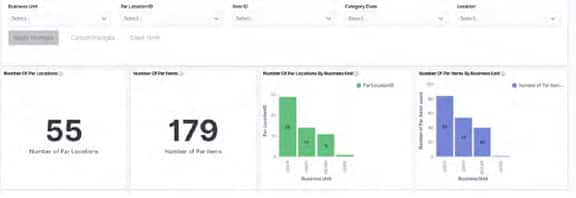
The Par Location Dashboard gives a comprehensive view of par locations, items, and replenishment activity across business units. By turning raw data into visual insights, it helps managers:
– See the total number of par locations and items.
– Identify distribution by business unit.
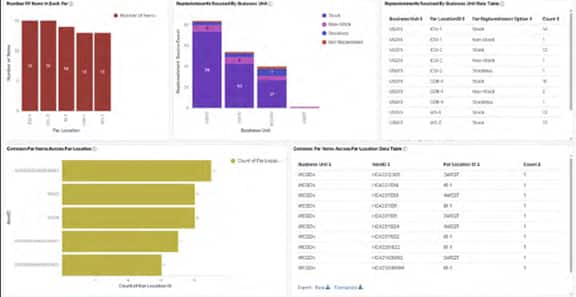
– Track common par items across multiple locations.
– Monitor replenishments by sourcing method (Stock vs. Non-Stock).
Why It Matters
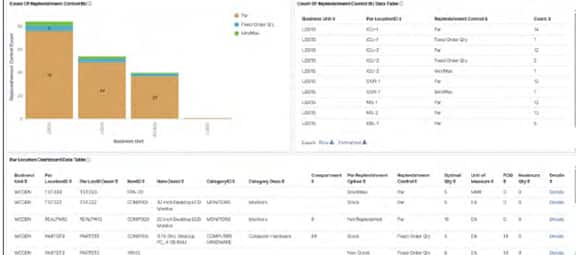
This dashboard goes beyond reporting — it highlights patterns in stocking and replenishment, helping managers optimize stock placement and reduce inefficiencies. With drill-down features and Excel export, users can analyze details like par location IDs, item categories, replenishment controls, and optimal quantities.
Staying on Top of Inventory with Par Location Activity
📌 What It Does
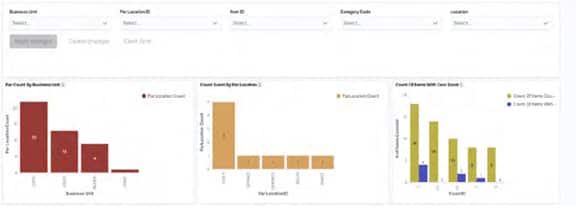
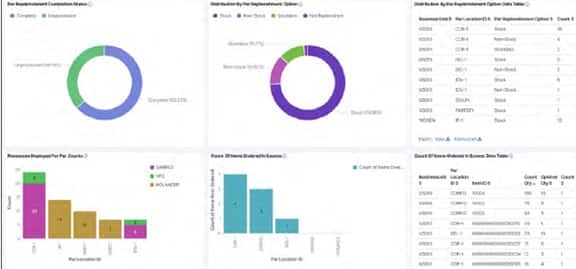
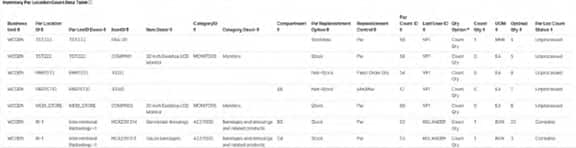
The Par Location Activity Dashboard focuses on day-to-day operational visibility. Key metrics include:
– Par counts by business unit and location.
– Zero stock items for quick action on shortages.
– Replenishment completion status (Complete vs. Unprocessed).
– Items ordered above optimal quantity (over-ordering).
– Resource allocation for par counts.
Why It Matters
This dashboard is a game-changer for operational accuracy. By tracking completion status and zero-stock trends, it helps prevent disruptions in critical supply availability. The ability to analyze over-ordering and resource deployment further ensures cost control and efficiency.
Conclusion
Together, the Par Location Dashboard and Par Location Activity Dashboard bring a new level of intelligence to PeopleSoft Inventory. Instead of static data, managers get interactive, visual insights that drive smarter decisions, reduce waste, and improve service levels.
Organizations that adopt these dashboards can expect:
✅ Real-time visibility into stock and activity
✅ Better control of replenishment cycles
✅ Improved accuracy in par counting
✅ Optimized use of resources
With PeopleSoft Insights, managing inventory is no longer about chasing numbers — it’s about driving operational excellence through data-driven decisions.