
Expedite PO processing with Priority-‘Rush’
If you missed our first post on raising urgent requisitions in PeopleSoft eProcurement, check it out to see how your clinical teams can flag time-sensitive needs from the start.
https://blogs.oracle.com/peoplesoft/peoplesoft-fluid-eprocurement-rush-orders
Continuing from requisition, the new ‘Rush’ priority seamlessly transitions into the Purchase Order (PO) process—critical for healthcare organizations where suppliers must act without delay.
How This Supports Healthcare Operations
Automatic Carry-Over: Urgent ‘Rush’ requisitions translate directly into ‘Rush’ POs, so your procurement and purchasing departments maintain continuity for emergency inventory.
Direct Rush POs: Buyers—such as supply chain analysts—can set a PO to ‘Rush’ directly (for sudden, unexpected needs such as disaster-response supplies), without originating from a req.
Rapid Identification: Healthcare buyers and approvers can filter/source by ‘Rush’ to identify and expedite high-priority POs, reducing wait times for frontline teams.
Clear Supplier Communication: Dispatched POs display RUSH ORDER prominently, both on printed and digital (XML) communications, signalling suppliers to prioritize restocking—essential for reliable patient care.
Workflow Efficiency: PO approvals and all printouts/reporting reflect the urgency, helping manage escalated orders for clinics, hospitals, and specialty units.
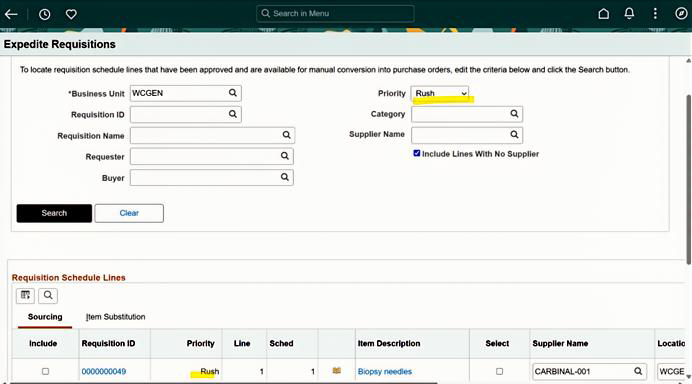
As shown in screen shot above, in Expedite Requisitions page buyer will be able to filter ‘Rush’ priority Fluid requisitions, select the desired row by clicking on include checkbox and then submit for sourcing to PO.
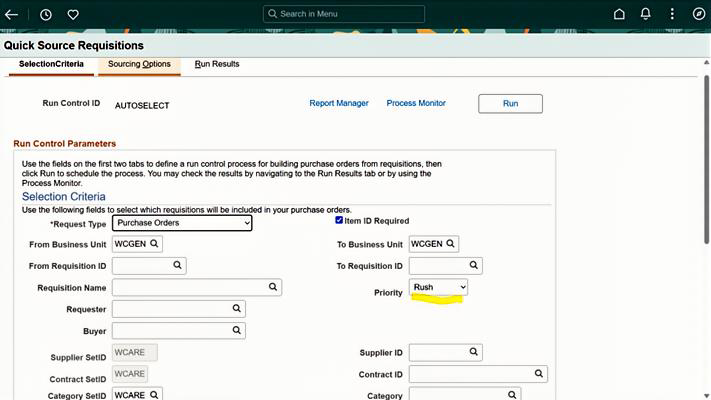
As shown in screen shot above, In Quick Source Requisitions page we will be able to set ‘Rush’ priority as one of the run control parameters for Fluid requisitions and source to PO.
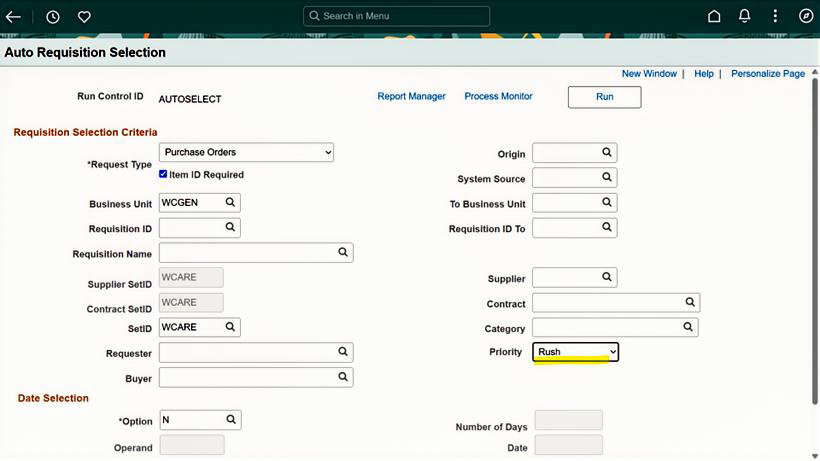
As shown in screen shot above, in Auto Requisitions Selection page we will be able to set ‘Rush’ priority as one of the run control parameters for Fluid requisitions and source to PO.
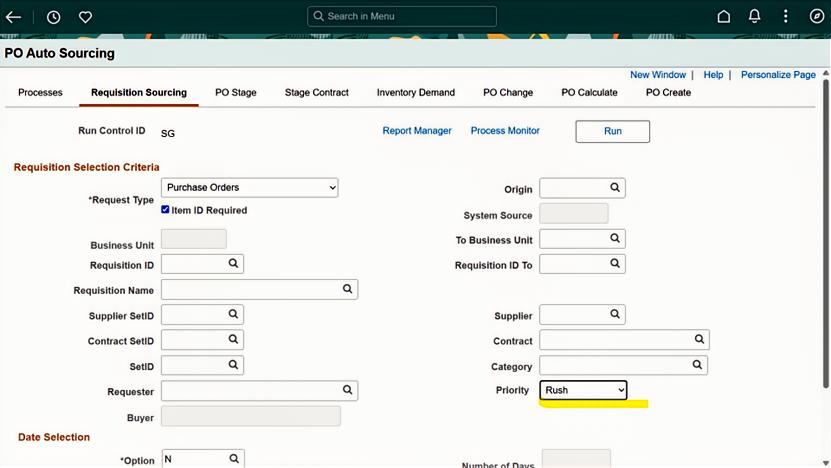
As shown in screen shot above, in PO Auto Sourcing-Requisition Sourcing tab page we will be able to set ‘Rush’ priority as one of the run control parameters for Fluid requisitions and source to PO.
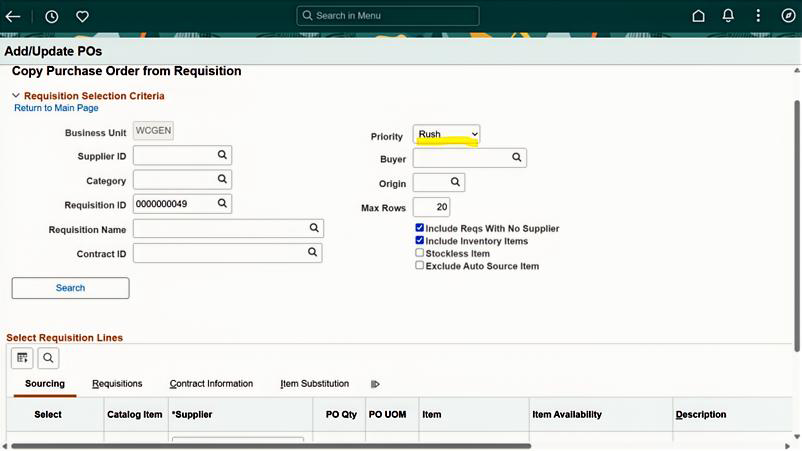
As shown in screen shot above, in Copy Purchase Order from Requisition page we will be able to set ‘Rush’ priority as one of the search criteria and copy Fluid requisitions to PO.
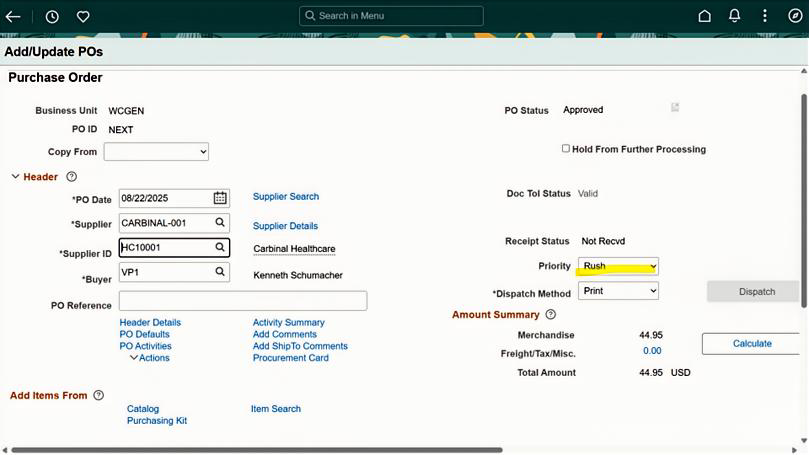
As shown in screen shot above, Buyer can create a Rush PO directly without any reference to Requisition by setting the priority field to ‘Rush’ on the main PO page. Similarly, for Express PO, Buyer can set the priority field to ‘Rush’.
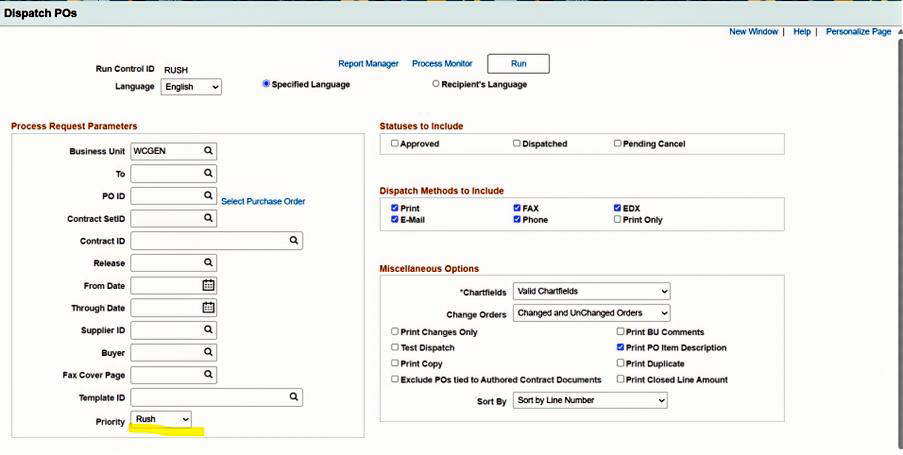
As shown in above screen shot, Buyer can choose ‘Rush’ Priority PO’s to Dispatch.
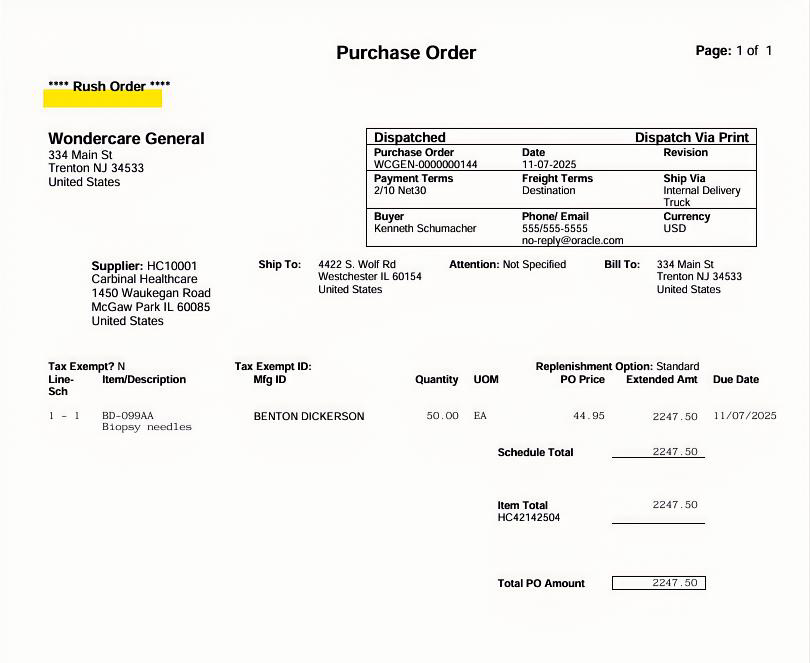
As shown in above screen shot, Buyer can immediately identify Rush Order PO’s.
Conclusion
For healthcare supply chain teams, time equals lives. The new ‘Rush’ priority in PeopleSoft—from requisition to PO—ensures the right supplies arrive exactly when needed, supporting clinicians and patients in every urgent moment.
Stay tuned for more PeopleSoft updates designed to enhance resilience, responsiveness, and control in your healthcare operations.
Take advantage of this feature available in PI53.