
In PeopleSoft Update Image 34, a requester inquiry skill was delivered to perform requisition inquiry-related tasks around the status of a previously entered requisition. This inquiry could be done by specific item ID or item ID description (part or full item description). To receive the results, users were required to enter the inquiry text using keywords in quotes, which was not as intuitive and conversational for users.
In the PeopleSoft Update Image 39, the requester inquiry skill has been enhanced to improve the user experience. The requester inquiry skill is now able to identify item or item description without relying on specific keywords.
The employees can access brand new PICASO (PeopleSoft Intelligent Chat Assistant from Oracle) which allows single chat interface for all the Chabot functionality. Requisition Inquiry Skill aka Requisition Assistant is one of the skills available in PICASO along with absence, expenses etc. PICASO is one central place where the user ask questions and the digital assistant will determine what skill to use.
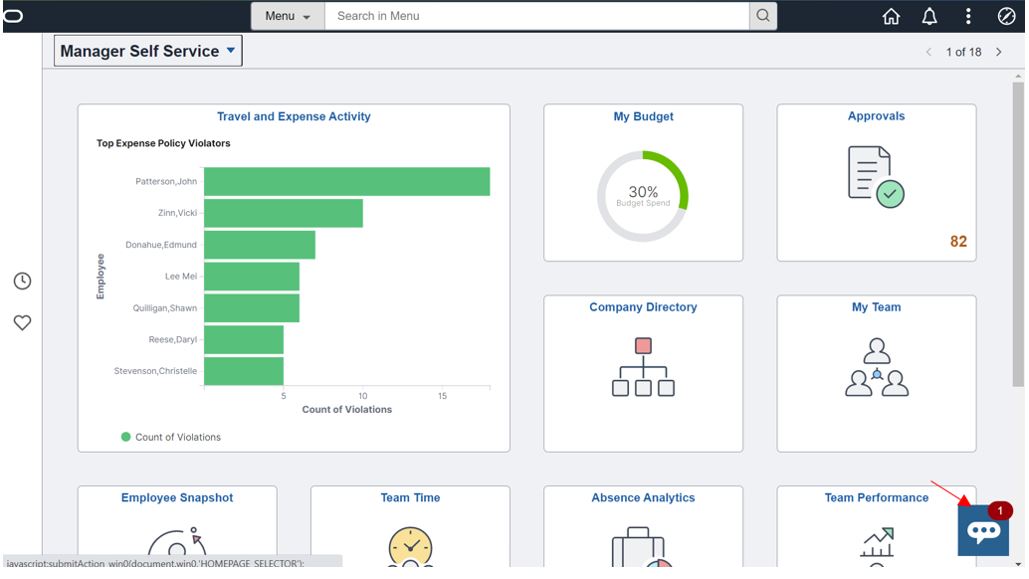
Click on the glyph icon to open a chat window, we shall see greeting message and the requisition assistant functionality available to start with in brief.
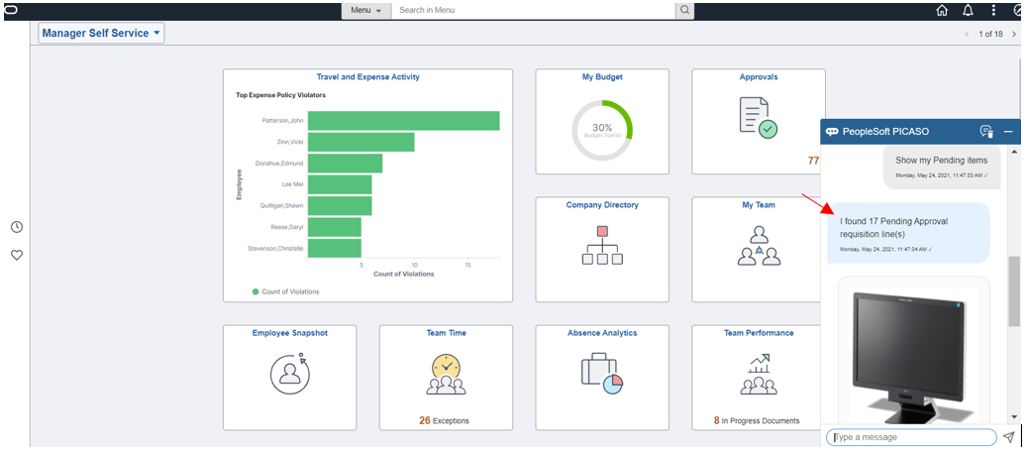
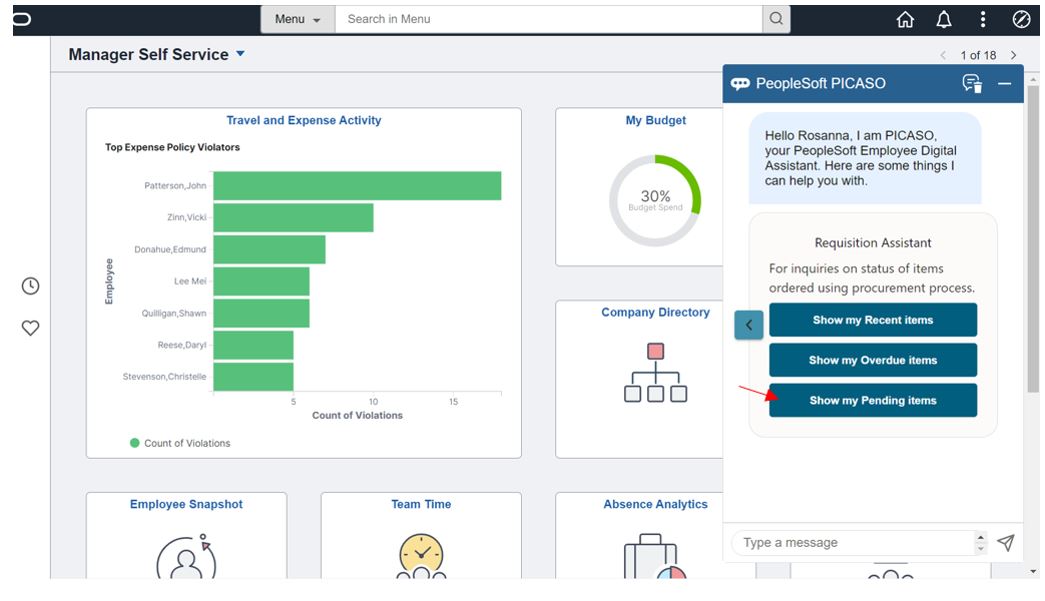 The requester can do item status inquiry in a conversational way by either typing or clicking on one of the buttons shown in screen shot above example click on button -Show my Pending items and we shall see the bot response in a conversational way along with item image if present.
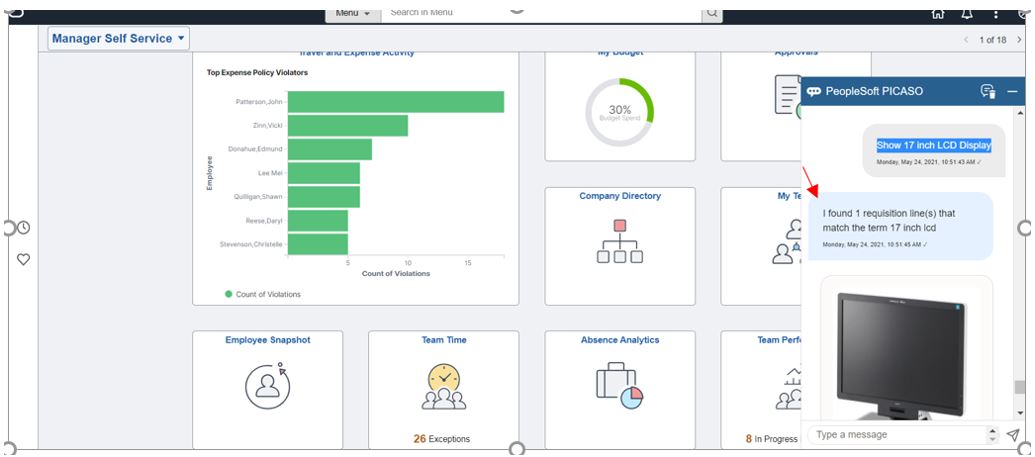
 A requester may type in a multi word item description without the need for quotes for example – Show 17 inch LCD Display, hit send message button.
 A requester will be able to view requisitions they have entered on behalf of another authorized requester in different business units .For example type- What is the status of Laptop requested for Kelly
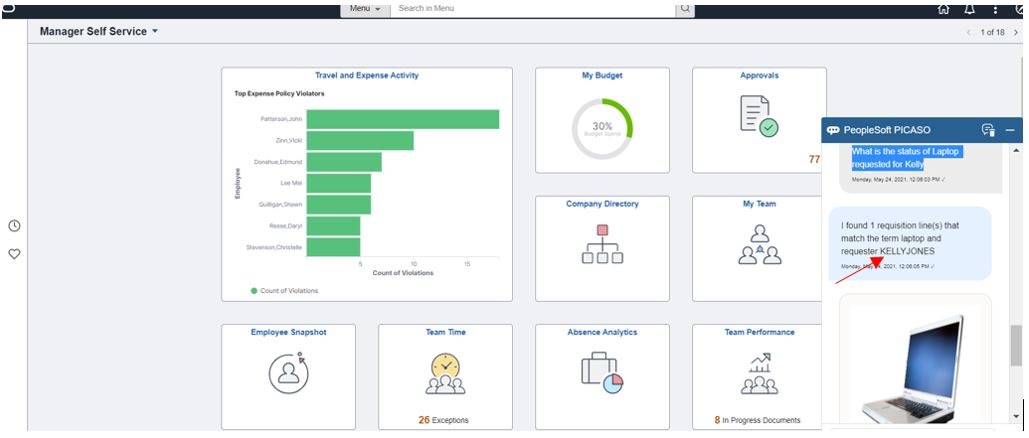
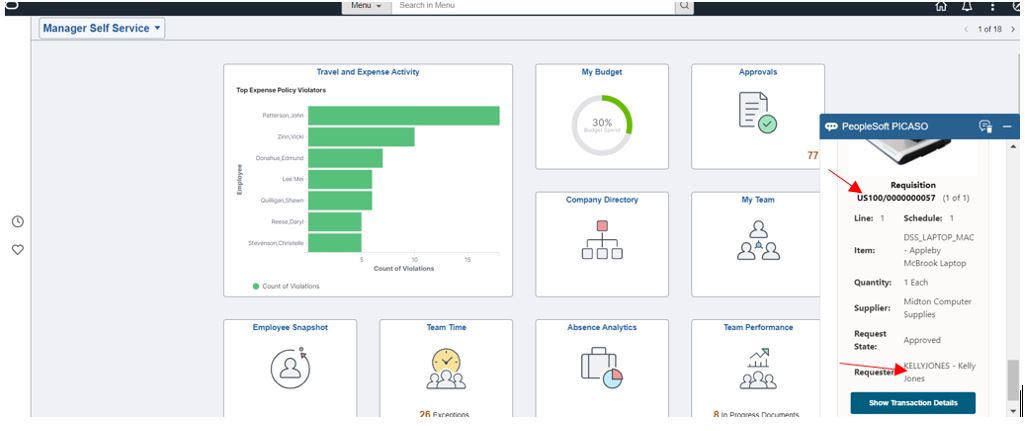 Requester will be able to view PO related information with multiple PO schedules if any.
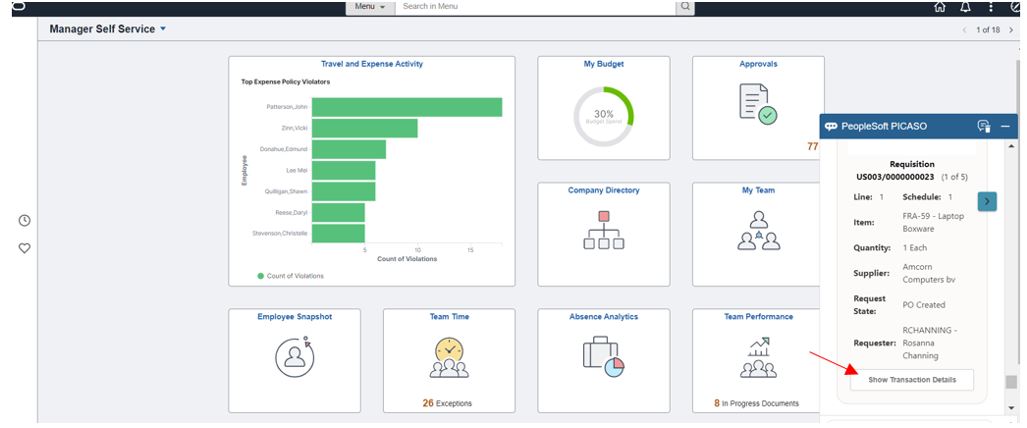
Click on Show Transaction Details button to see more information.
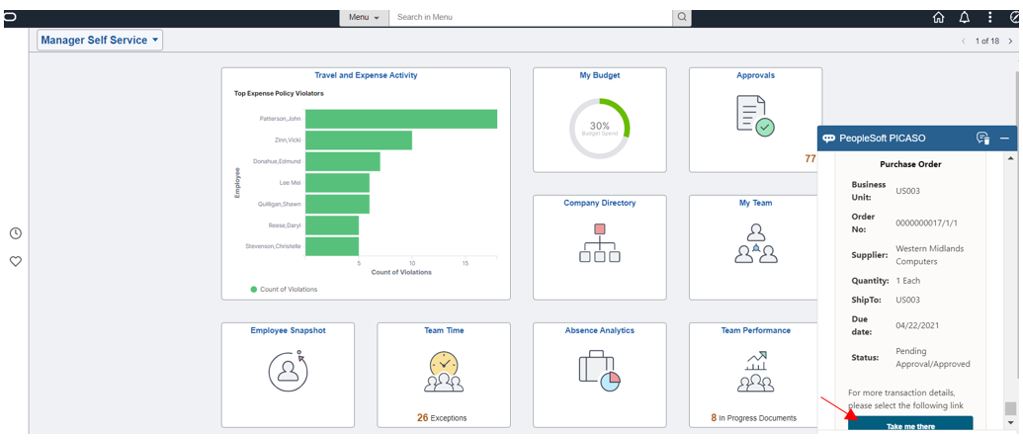 The Requester is provided with the capability to drill into the details by clicking “Take me there” button to launch into the application page to view more details. For example the ability to view Purchase Orders.
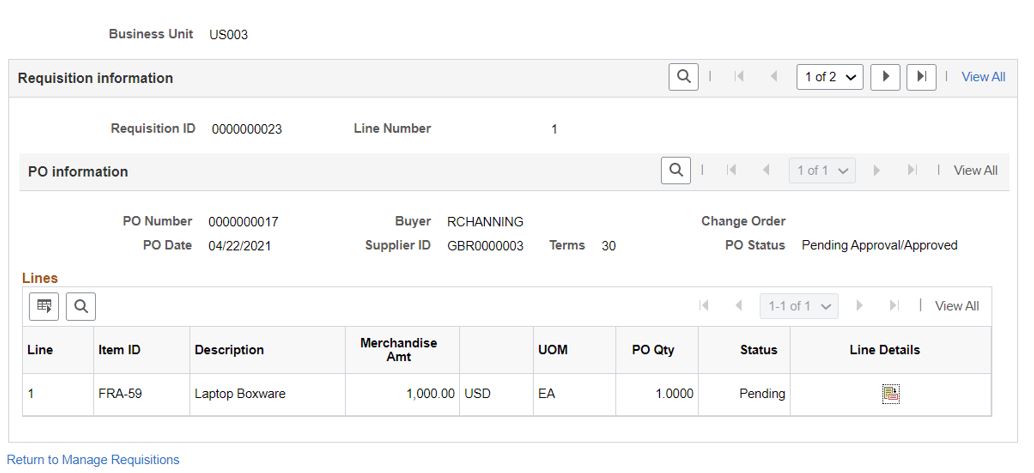
Similarly, requester can view application pages of approvals, material stock requests, etc. with the help of button “Take me there”.
Suppose the requester typed in text Monitor and, if the search results bring back a large number of rows, the requester may refine their search by using date constraints. For example, they can ask ‘Monitor I ordered yesterday’ or ‘Monitor I ordered last week’.
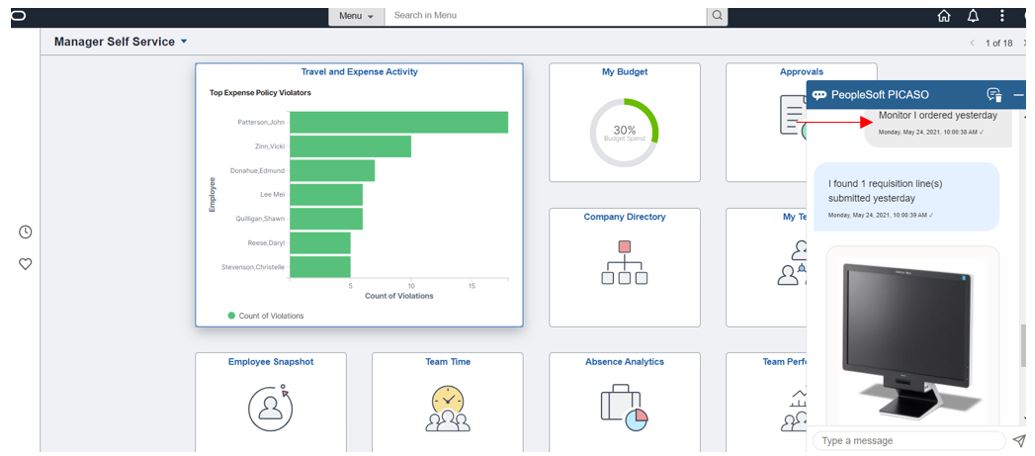
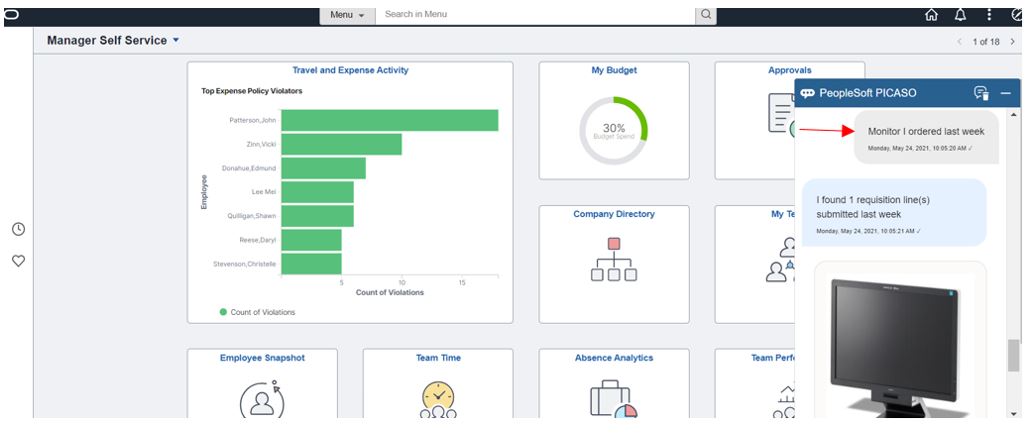
As of image 39, the enhanced requester inquiry skill is now fully integrated into the new PICASO digital assistant with multiple new features including ‘Request on behalf of’, Date constraints, Images, Inquiry by Status and the ability to launch into the relevant transactions for additional details.