
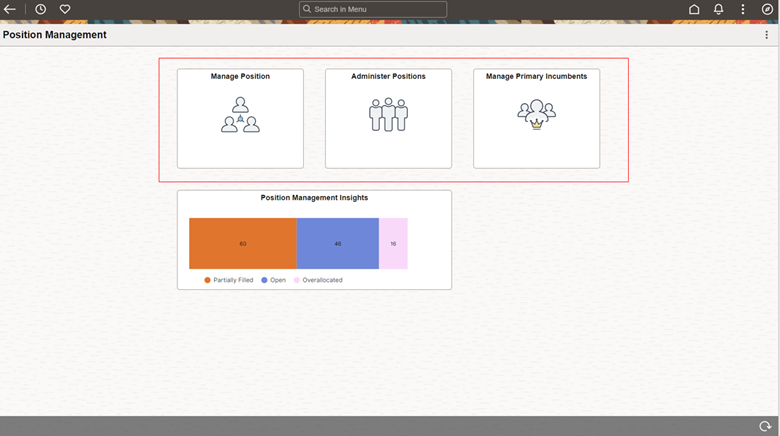
In Image 48, we delivered ‘Position Management Insights Dashboard’ for the Position Administrators to have better insight on Position Vacancy and Headcount Status.
Now, Position Administrators can see ‘Position Management Insights’ Tile added to the Position Management dashboard which show the ‘Position Vacancy Status Insights’ displaying how many positions are Partially Filled, Open and Overallocated in the organization.
The Position Management Insights dashboard allows Position Administrators to get an aggregated view of Position Data to answer the most commonly asked questions like:
- How many Total Positions do we have and the Positions Filled Status?
- How many Positions are eligible for Remote Work?
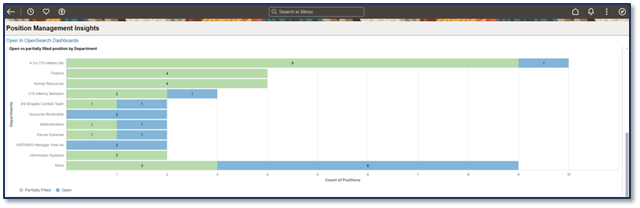
- How many Open Positions are there by Department and Job Title?
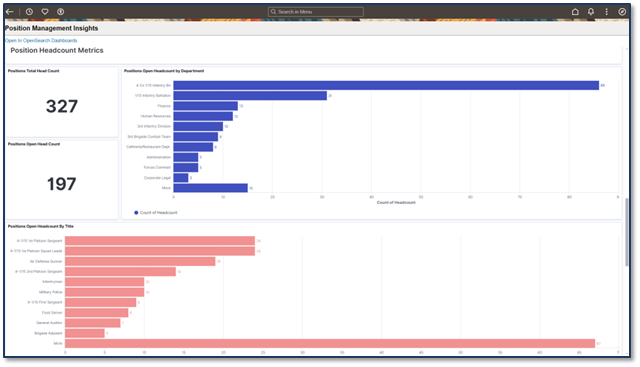
- What is the Open Headcount by Department and Job Title?
- What is the Position Total Headcount v/s Position Open Headcount?
- What are the Positions without Reporting Manager?
- Are there Position Approval Requests Pending Approval and by whom?
- Actionable Details Table
- Real Time Indexing allows administrators to make the most of insights based on latest position data changes.

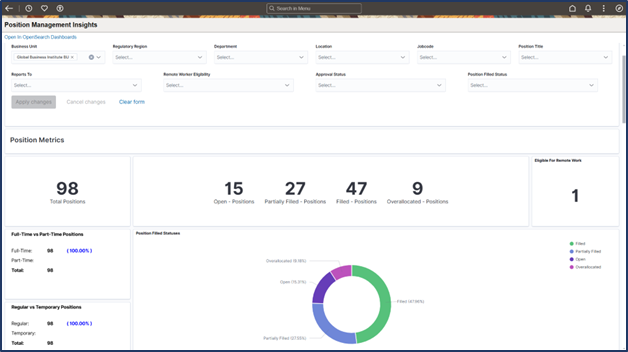
The data visualizations in the Position Management Insights dashboard are organized under four meaningful sections:
Position Metrics: The Position Metrics section includes visualizations like:
- Total Positions
- Positions Filled Status like ‘Open – Positions’, ‘Partially Filled Positions’, ‘Filled Positions’ and Overallocated Positions as metrics and a doughnut visualization to know percentage of positions in these statuses.
- Positions Eligible for Remote Work
- Full-time v/s Part-time Positions
- Regular v/s Temporary Positions
Position Headcount Metrics
The Position Headcount metrics provide insights on into the headcount availability in the organization and by Position Titles. Visualizations include:
- Positions Total Headcount
- Positions Open Headcount
- Positions Open Headcount by Department
- Positions Open Headcount by Title
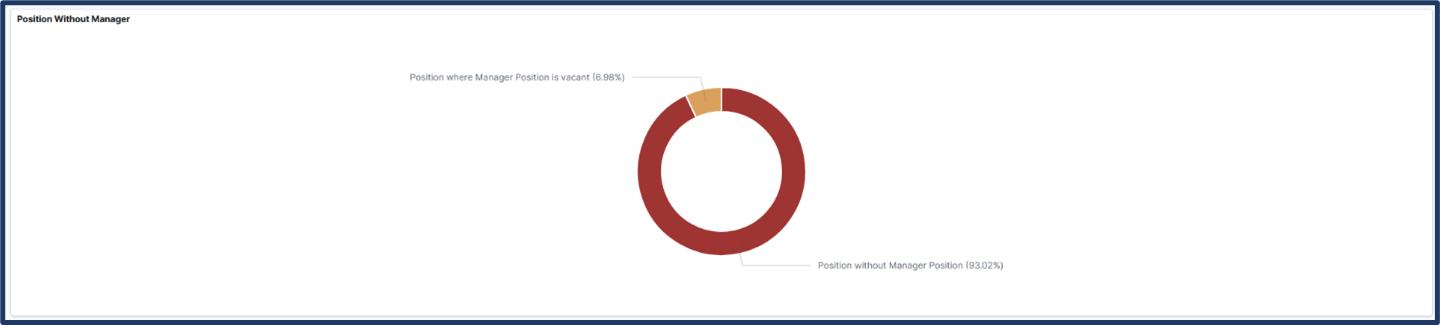
Positions Without Manager:
- Positions where there is no Reports To position assigned.
- Positions where the Reports To position is assigned but vacant.
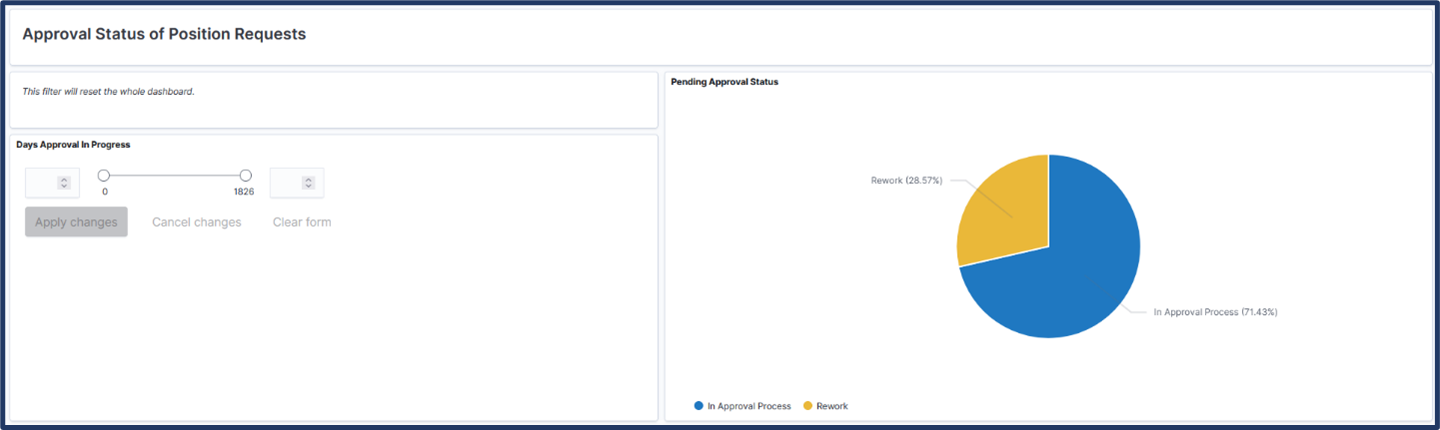
Approval Status of Position Requests:
- New Position Requests
- Update Position Requests
Using the ‘Days Approval in Progress’ slider available with the Position Approval Status visualization, administrators can review approval requests pending since the number of days they select. This helps Position Administrators review any long pending approval requests and complete such requests or find out what is causing such delays in the process.
Watch the following video feature overview to learn more about the enhancement: Position Management Insights