
PeopleSoft delivers multiple Configuration Tools that allow organizations to change the delivered system to meet their specific needs without making it difficult to apply maintenance and adopt new features. Examples of the Configuration Tools we encourage customers to leverage are the Page and Field Configurator, Event Mapping, Forms, and Approval Builder and Drop Zones.
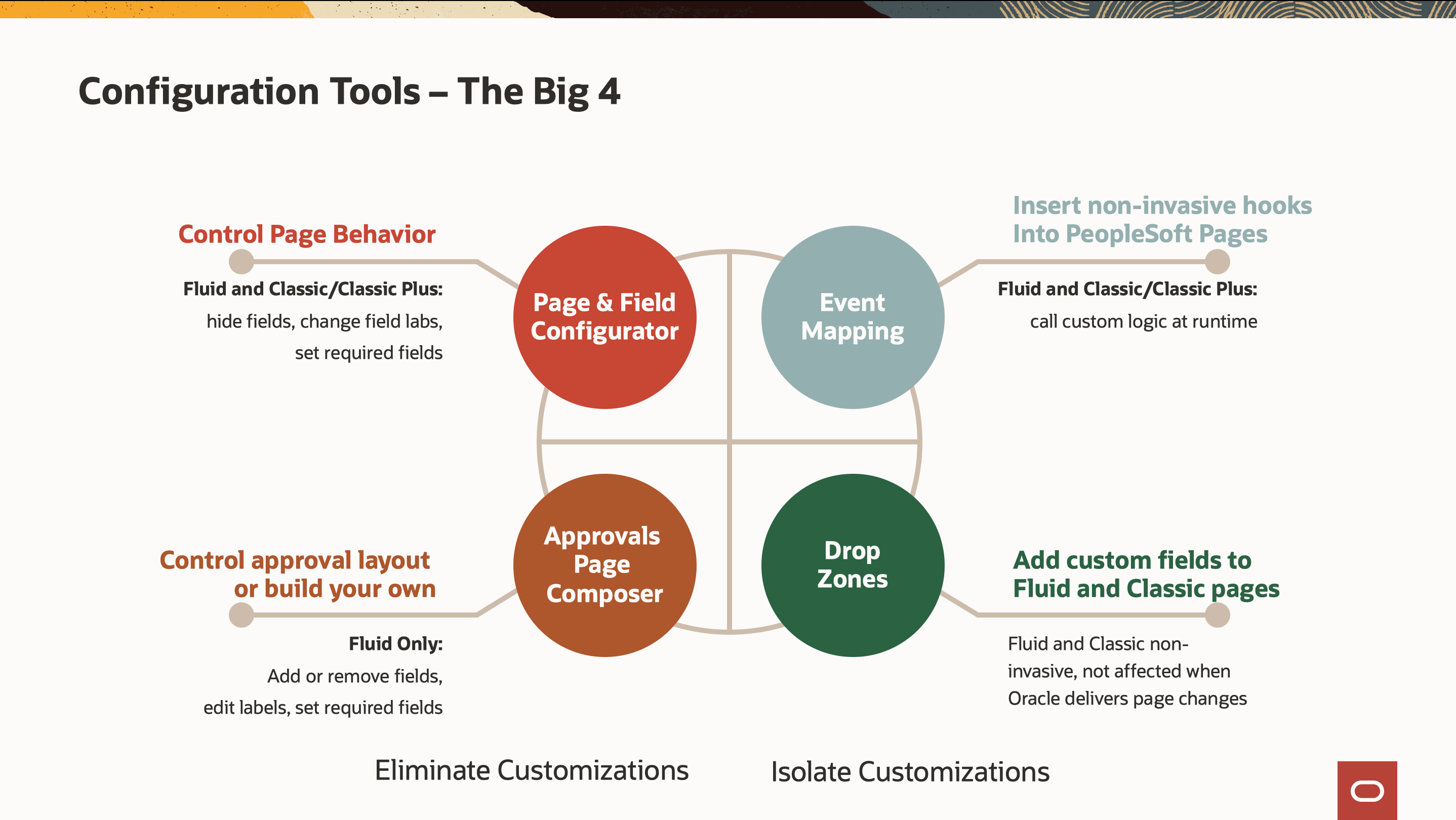
With Page and Field Configurator, organizations can make common changes to the look and behavior of the user interface. Using Event Mapping, it is easier to add new custom business logic. Forms and Approval Builder provides the option to build and maintain custom device-independent forms and approvals. And with Drop Zones, we’ve provided the flexibility for the addition of new fields to a Fluid and now a Classic page, all without impacting the lifecycle management of your PeopleSoft application.
Drop Zones are PeopleSoft-delivered out-of-the-box pre-defined areas on Fluid or Classic pages where we have placed a content container available for organizations to place custom content.
Custom Content can be fields for additional data capture or display, links to internal or external areas or websites, or simply an announcement text, users should see while on the page.
Now, content can be embedded directly on a transaction page, rather than placing the content in a separate window or in the related content frame.
PeopleSoft adds standard Drop Zones to the top and bottom of Fluid and Classic pages. Some products chose to put Drop Zones in the middle of the page on selected pages if there’s space for it that doesn’t interrupt the page prompt flow.
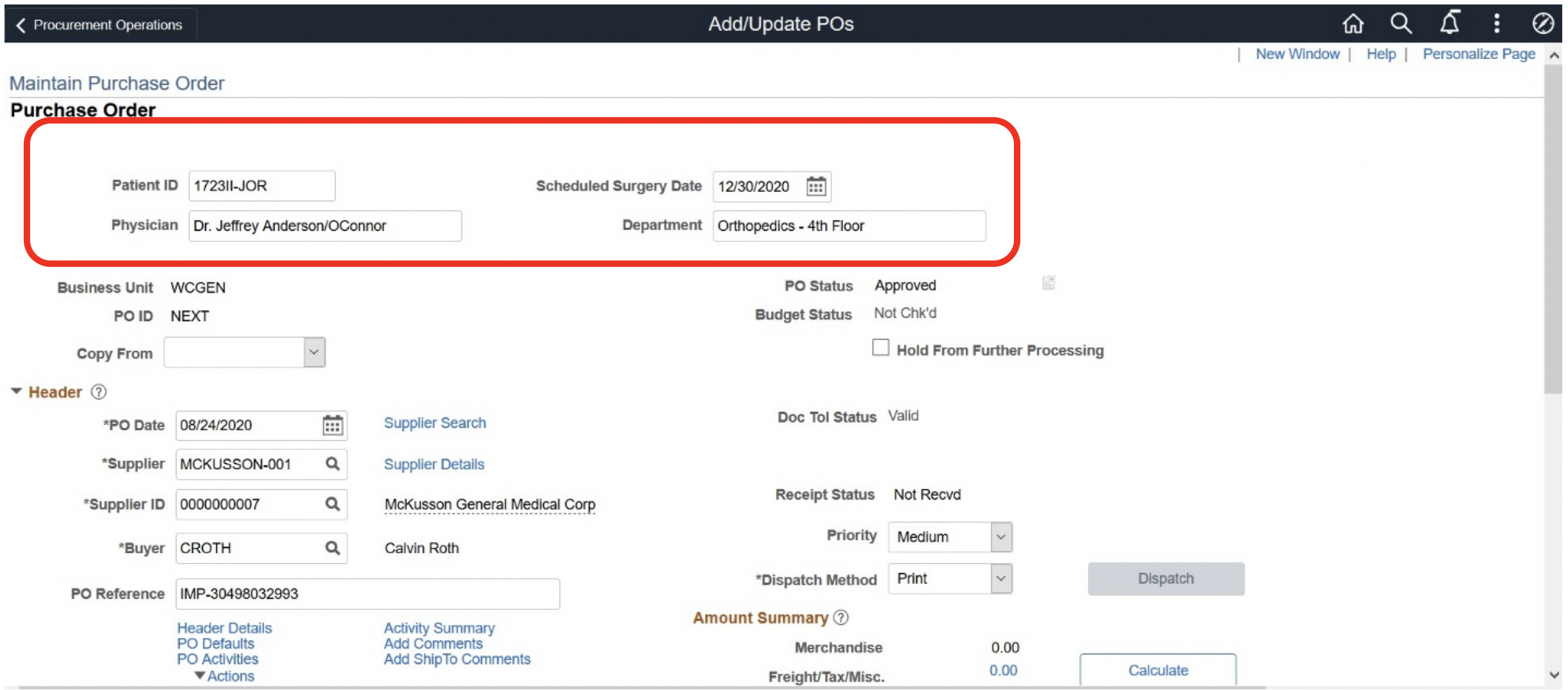
In PeopleSoft FSCM we added out-of-the-box Drop Zone containers at both the top and bottom of the Purchase Order Page and Voucher pages.
With this additional flexibility, Drop Zones can be used in a number of ways. In this example of a Drop Zone at the top of the PO page, a Healthcare organization is designating a specific purchase for a patient item, indicating the Patient ID, Physician, Date needed, and Department.
For the PO Line at the bottom of the page, an option for the Drop Zone container would be to place an image of the Item on order, with perhaps a link to the Supplier Website so a Buyer or the Physician can see more details like the Product Specifications that may not be saved in the system. Drop Zones do not necessarily need to have information internal to your organization. You may use the Drop Zone to provide images and links to other external sites.
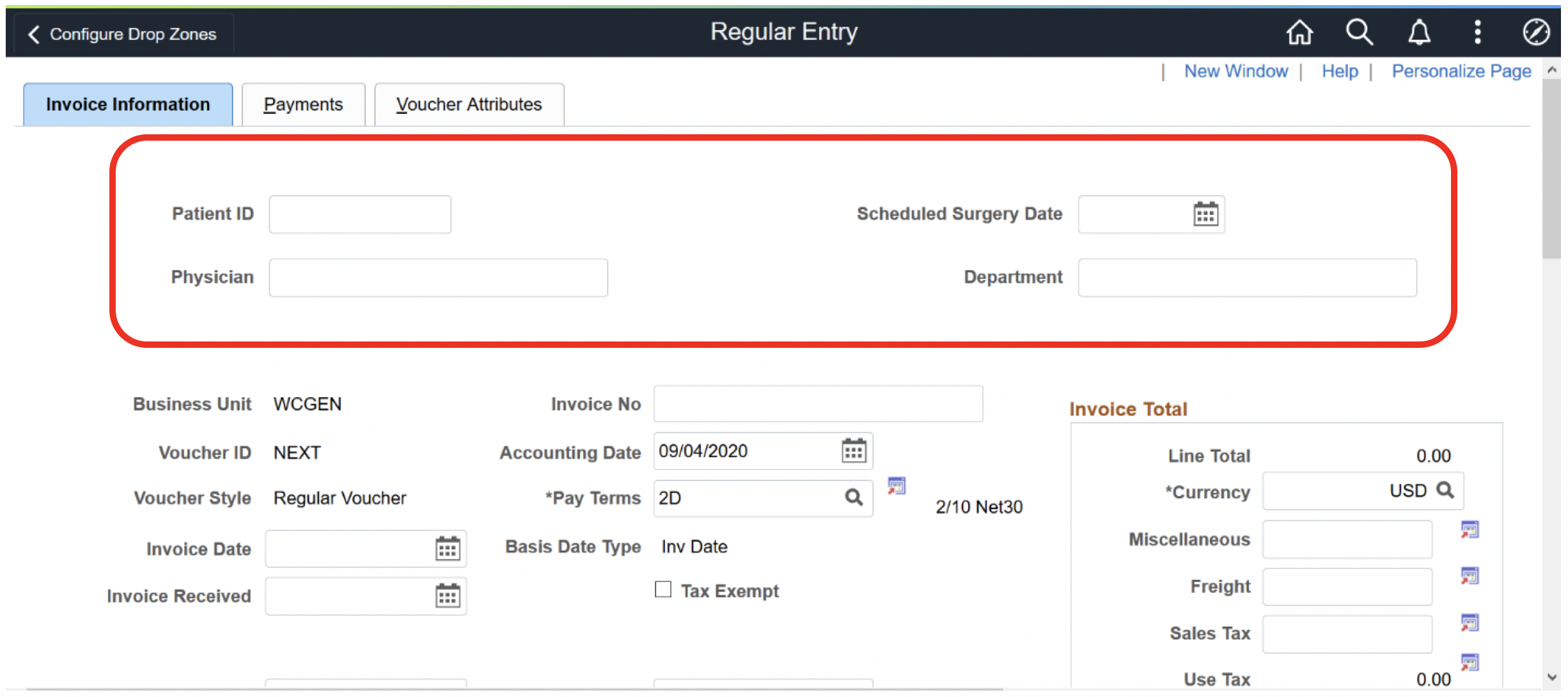
For the Invoice in Accounts Payable, the same fields we saw on the PO Header can be exposed as well, placed into the Drop Zone container on the Invoice Page.
To summarize, organizations can optionally use drop zones on both Fluid and Classic pages for any information they wish to expose to their users. To fully realize the value of drop zones, only leverage or use ones that have been added by PeopleSoft. Custom content can be added to the Drop Zone by an organization’s developers through configuration, but it is considered a customization where out-of-the-box PeopleSoft Drop Zones are not.
Drop Zones require PeopleTools 8.57 or above. Drop Zones minimize the ongoing maintenance costs of customized Fluid and Classic pages. The compare report considers the changes as configurations rather than customizations. The benefit of leveraging the out-of-the-box Drop Zones is any record or field included in the Drop Zone becomes a part of the Component buffer. When you save the Fluid or Classic page data, the custom content on the Drop Zone is also saved.
PeopleSoft delivers out-of-the-box Drop Zones to most of the Fluid pages and as of FSCM PeopleSoft Update Image 37 on selected Classic pages. There are a few exceptions, such as legislative pages, search pages, subpages, and pages where a high degree of configurability is already available. If there are other areas in FSCM where it would help to have more out-of-the-box Drop Zones, please enter an Idea in the PeopleSoft Idea Spaces on My Oracle Support.
For more info, go to www.peoplesoftinfo.com