
HCM Image 49 contains enhancements like Preferred Name, Onboarding Insights and HCM uptake of PeopleTools 8.61 and many more. Let’s take a look at some new features and functionality delivered in Image 49.
Human Resources:
Employee Self Service/Personal Data
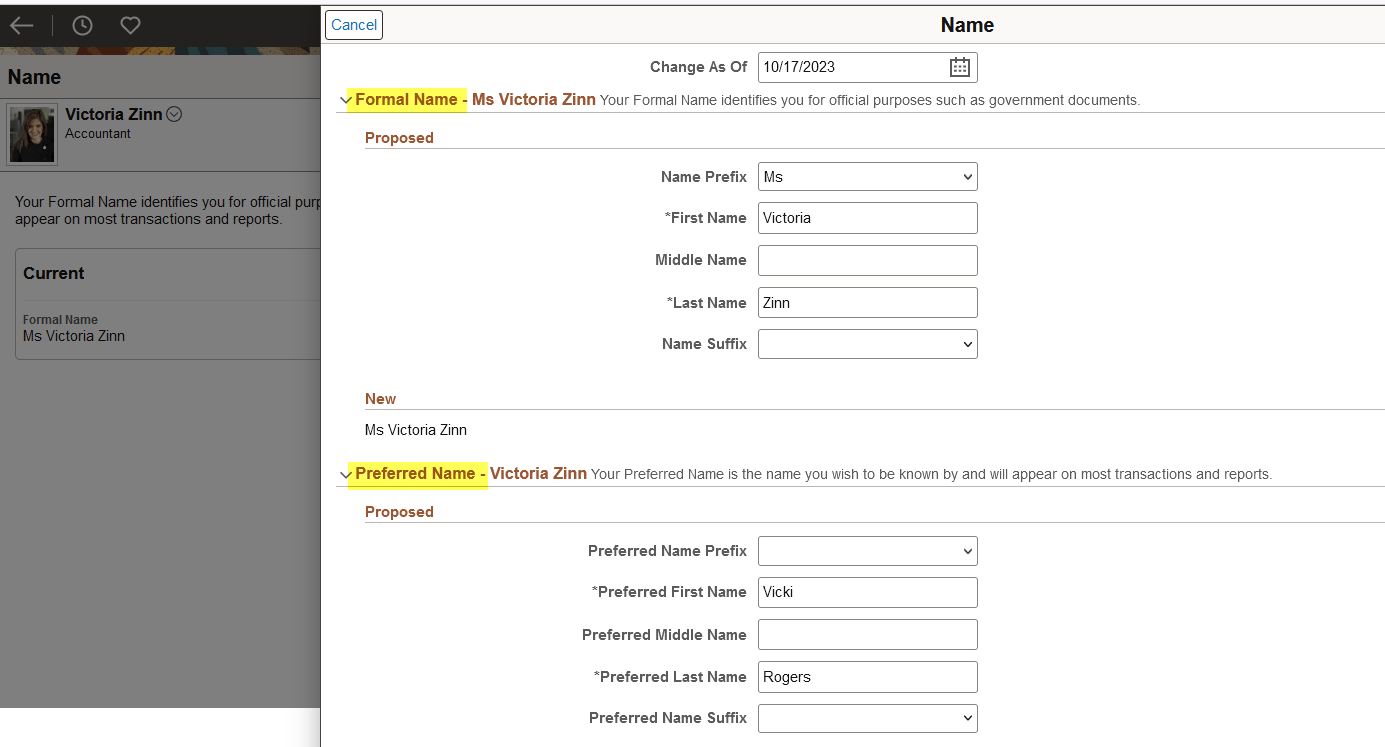
Now, with image 49, employees not only provide their legal name, which will be used for official purposes, they can enter preferred first, middle, and last name, which will be used as the display name on most PeopleSoft pages and reports.
Onboarding – Insight/Analytics by Manager and Admin
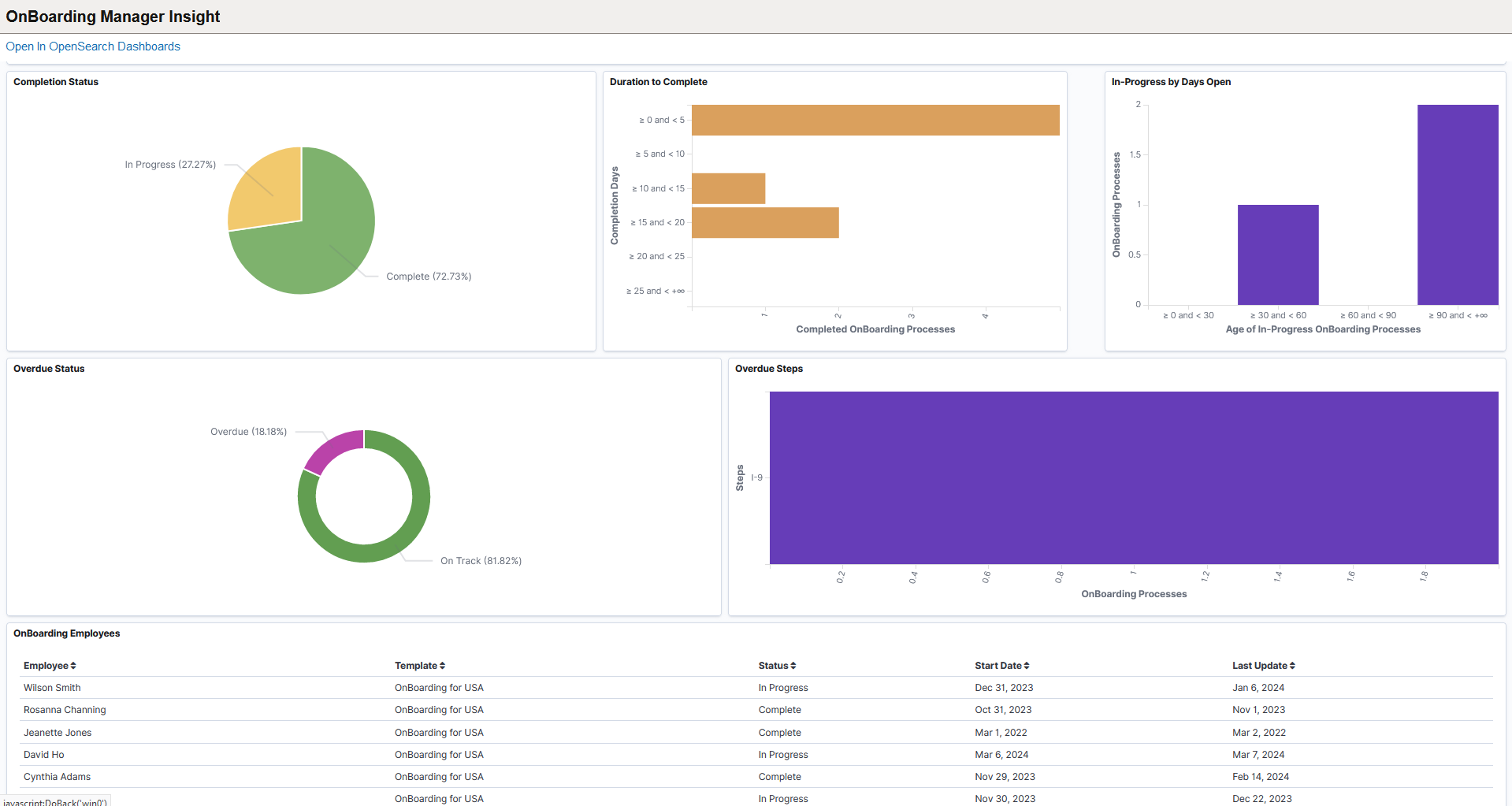
Onboarding Insights now provides access to a collection of visualizations to help oversee and manage employee’s OnBoarding activity guide processes.
Administrators and managers can now see the overall status of all OnBoarding activity guides, observe how long it takes employees to complete the OnBoarding process, and oversee activity guide processes that have been in progress for extended periods of time.
Recruiting Solutions
Image 49 Highlights include two new Recruiting features from the Customer Ideas Space – New Review Date and Printing Capabilities for applicants.
Customers requested a New Review Date that would provide applicants with information about when their applications would be reviewed. This is especially helpful for continuously posted positions. 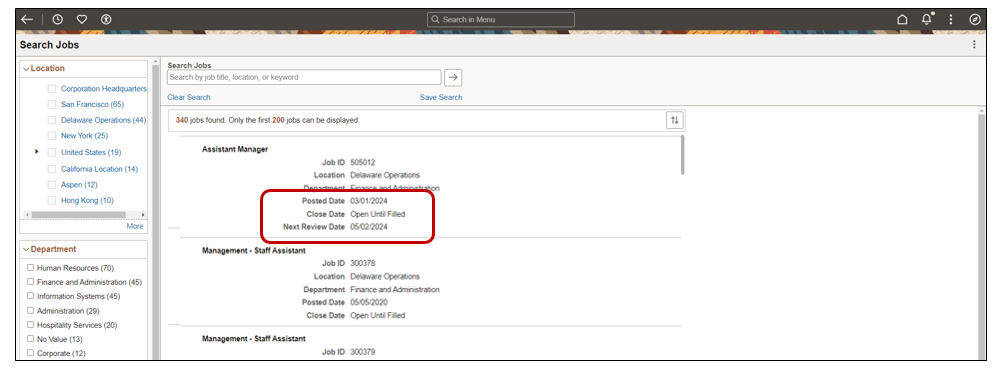
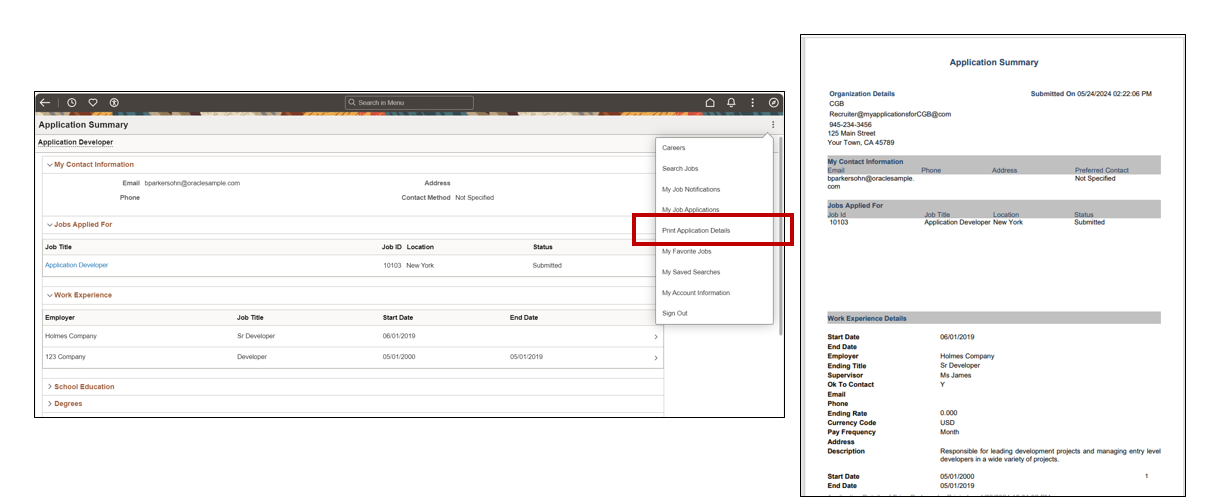
The second enhancement is the ability for applicants to view or print their submitted applications.
A bonus enhancement for Recruiters is we delivered the Posting, Close and Next Review Date on the Manage Job Openings page header. The dates are based on the Primary Posting Destination information. This allows the Recruiter to easily see the posting date information without leaving the page.

Benefits Administration
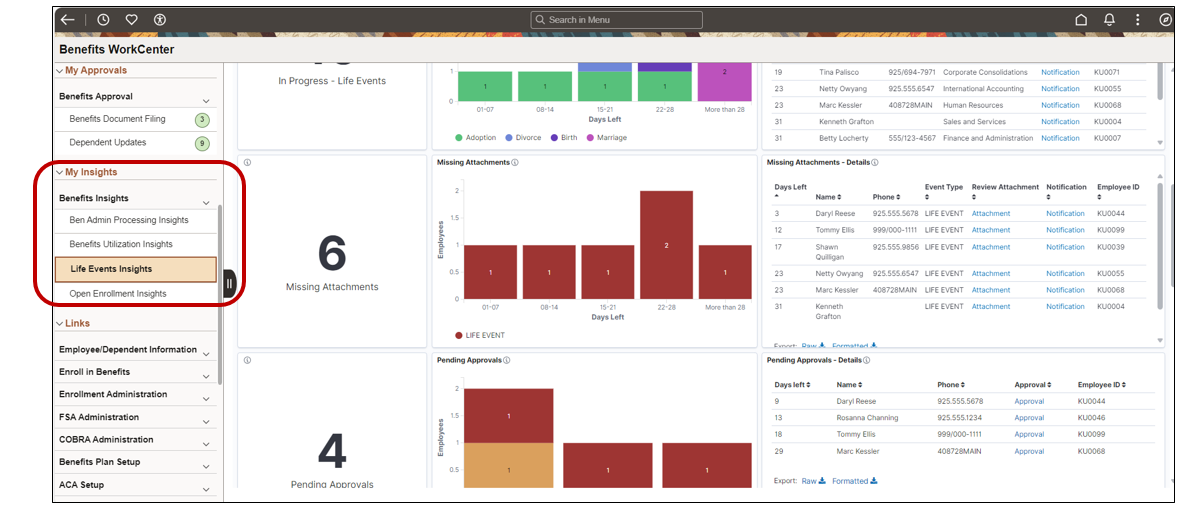
Enhancements for Benefits focused on usability features for the employee’s fluid enrollment process and for the Benefits Team WorkCenter.
To assist employees to easily find the Submit and Preview, we delivered three new configurable options. In addition, you can add a Back to Top button for those long enrollments too.

Another Benefits enhancement delivered in Image 49, is the ability for employees to see the previous pledge amount for Flexible Spending Accounts (FSA) and Health Savings Accounts (HSA) during their enrollment.

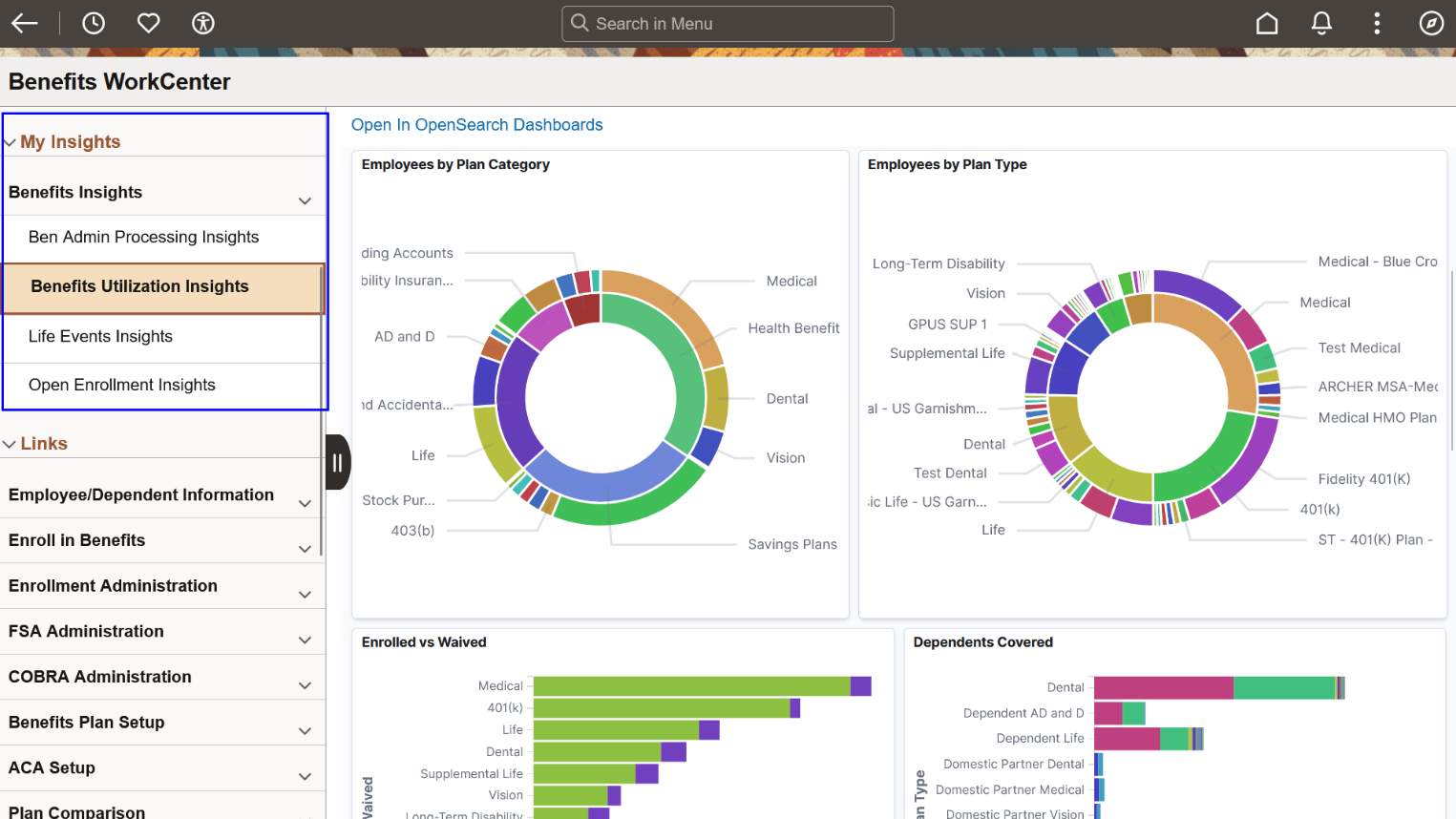
To make viewing Benefit’s Insights easier for the Benefits Team, we have now provided the ability to embed Insights into the WorkCenters. In this example, the Benefits Team can now view the visualizations in the Fluid Life Events Insights directly in the Benefits WorkCenter.
Time and Labor
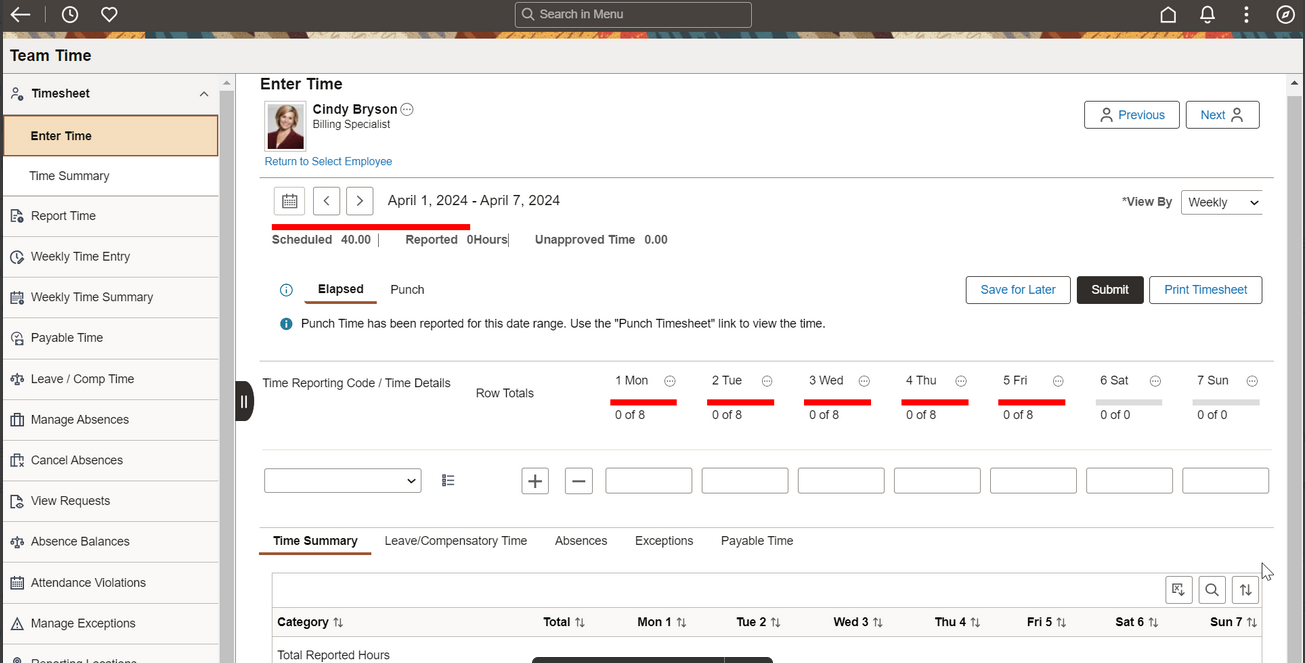
The Configurable Time Summary feature enables you to navigate seamlessly through different sections in the fluid TimeSheet like Time Summary, Payable Time, Leave or Compensatory Time, Exceptions, and Absence.
Global Payroll
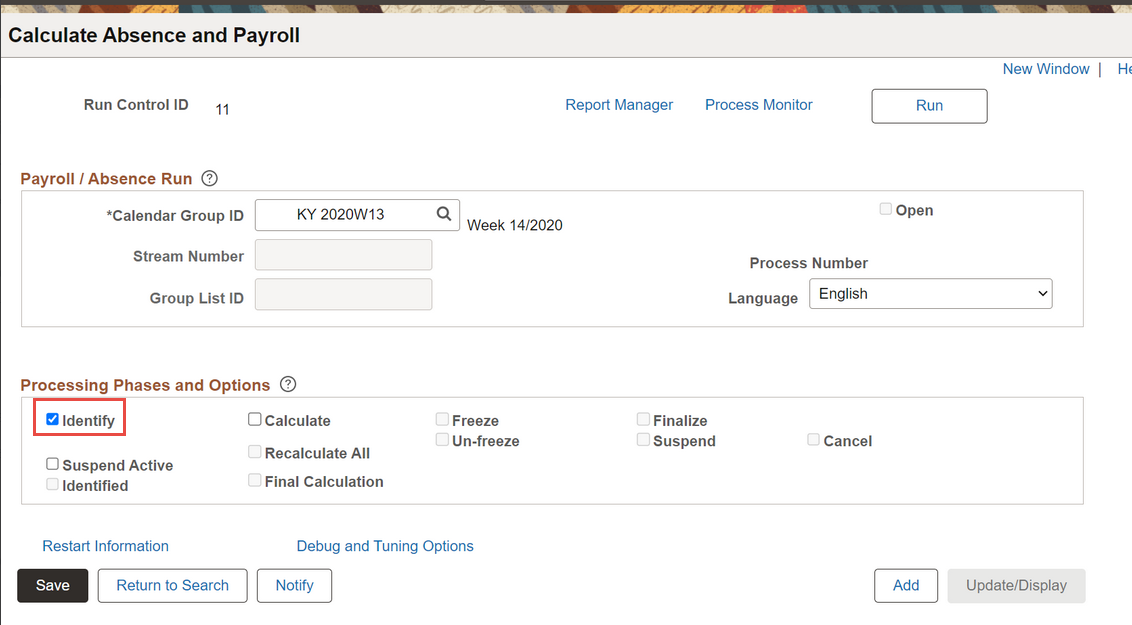
With Image 49, PeopleSoft now supports Cobol tracing for the Identification phase. The Detail option lets you generate a more detailed trace of specific programs for payees. When you select this option, you’ll see the Trace Program Selection, and Payee Selection group boxes.
Committment Accounting
The Actuals Distribution and General Ledger Interface Concurrent Processing for Commitment Accounting enhancement allows faster processing. Actual distribution distributes actual earnings, employer deductions, and employers’ taxes across established funding sources. Commitment Accounting Actuals General Ledger Interfaces process prepared actual expenses and liabilities transactions to be published to the general ledger based on Payroll for North America payroll paychecks. With the ability to run these processes concurrently will save overall processing time.
HCM PeopleTools 8.61 Uptake
HCM Image 49 is the first image to utilize PeopleTools 8.61 features. Below are some key new enhancements delivered as part of the PeopleTools 8.61 uptake for HCM.
Image 49 delivers the Insights Catalog tile and navigation collection, enabling authorized users to go to all HCM insights dashboards from one central location.
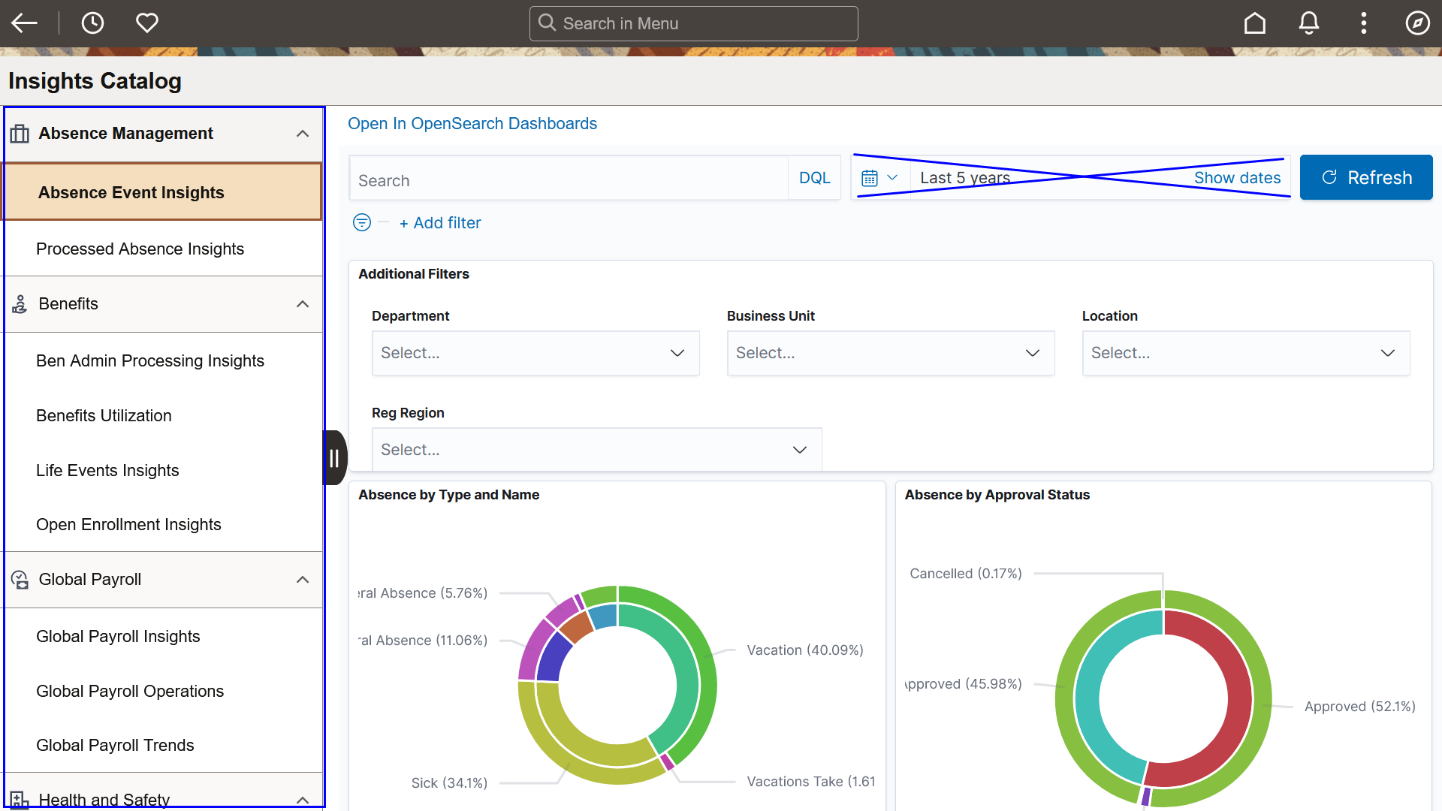
Administrators working with Fluid WorkCenters can navigate to insights dashboards specific to their job under My Insights. The example below shows the embedded insights in the Benefits WorkCenter.
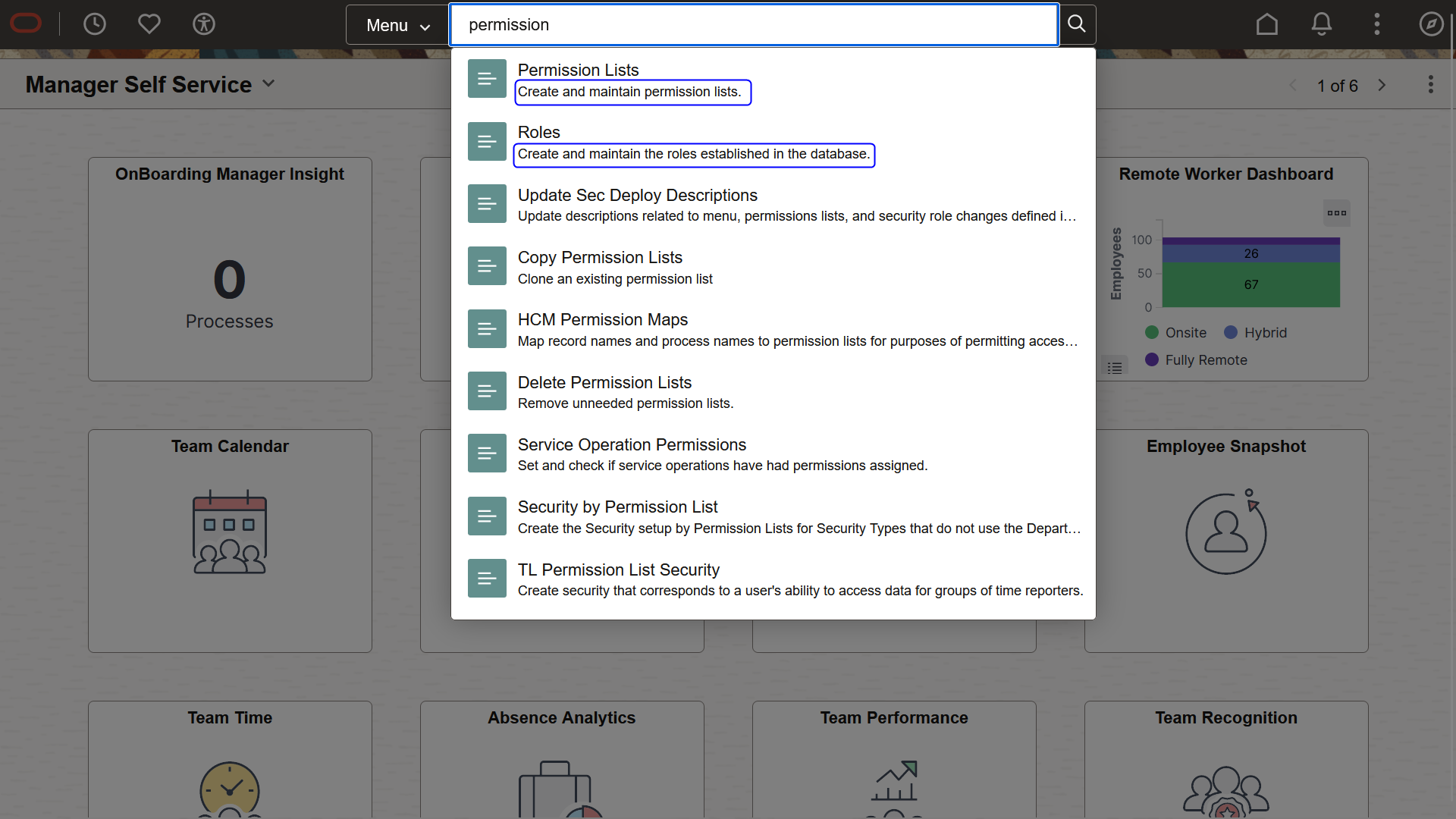
Now when you perform keyword searches using global search, the system displays content reference long descriptions in the suggestions search and global search results, providing additional details about the entries. Prior to 8.61, the results displayed the folder name of each entry.
With PeopleTools 8.61, there is a new Accessibility button is a on the fluid banner. It allows users to:
- Enable screen reader mode if they missed it from the signon page,
- View keyboard shortcut information for PeopleSoft applications,
- View additional Accessibility Help content configured by administrators.

To see additional features delivered in Image 49, check out the Highlight Video.