
Oracle Permitting and Licensing 25D launched on October 3, 2025, introducing a robust selection of new features across our four offerings – Permits, Planning and Zoning, Code Enforcement, and Business Licenses. With this release, we’re also expanding our Redwood Experience enhancements making Permitting and Licensing even more seamlessly integrated with the broader Oracle product suite.
Let’s take a closer look at some of the updates that are set to elevate your organization’s permitting and licensing processes.
New features include –
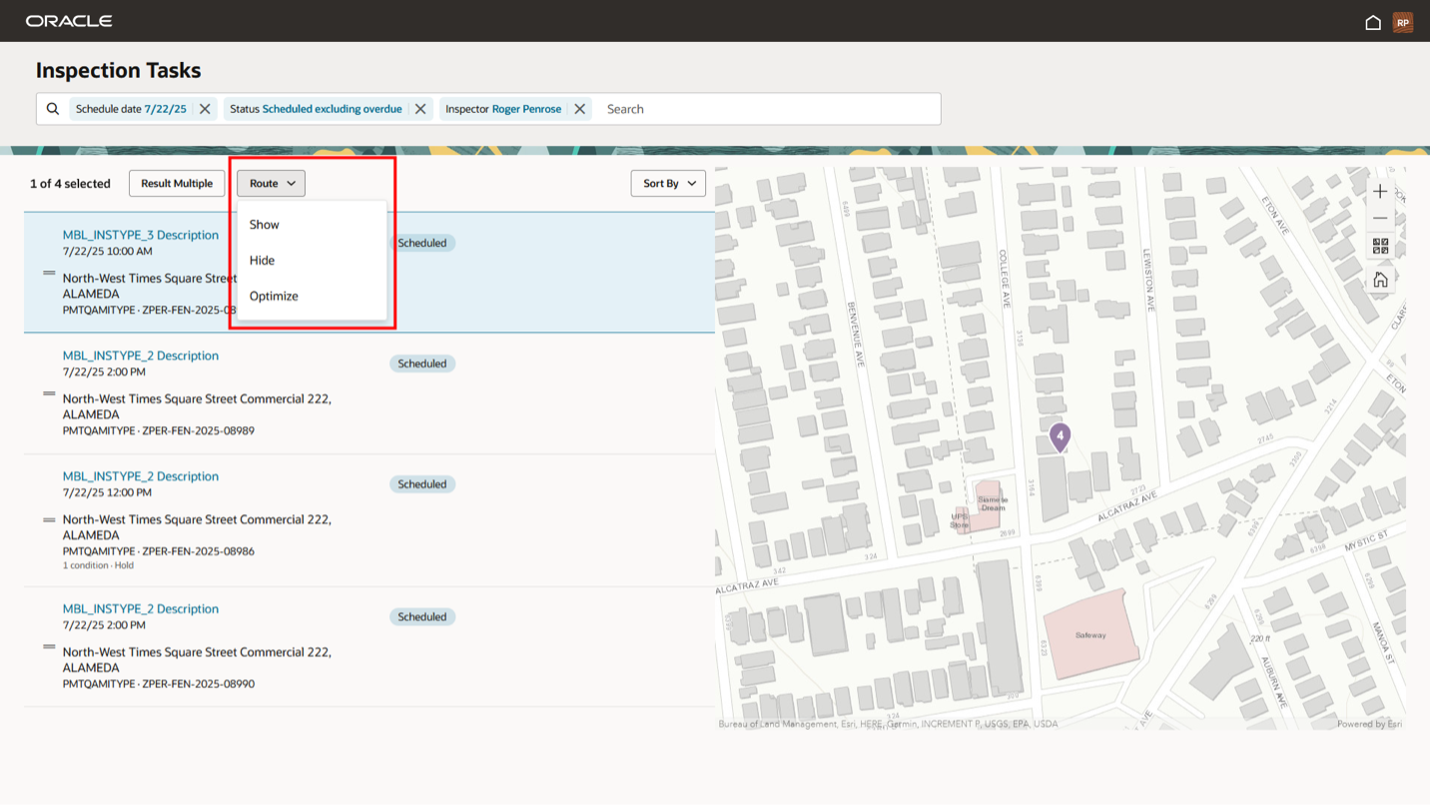
Optimized Inspection Routing on Map
Inspectors on the go will love this! The Inspector Application now lets you show or hide inspection routes directly on the map and optimize your daily path using ESRI key data. This means smarter, more efficient routing for your inspections – saving both time and resources. Plus, optimized routing instructions can be sent to your mobile device to use with navigation apps like Google Maps or Apple Maps.
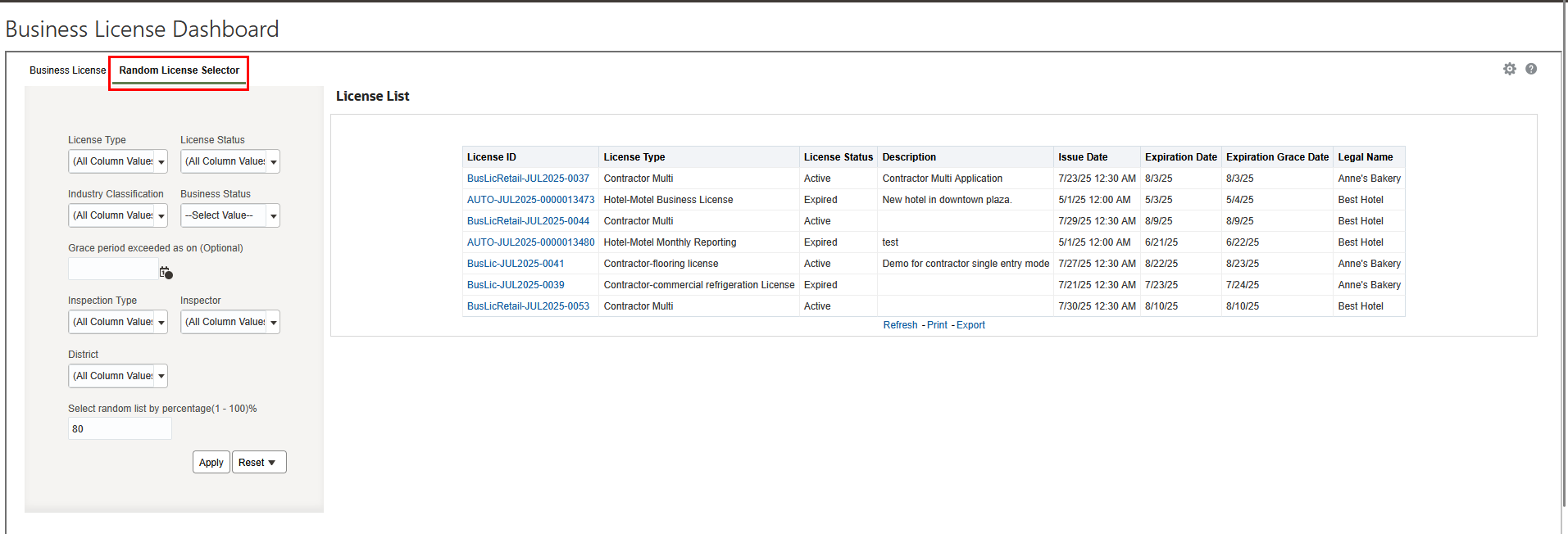
Identification of Businesses for Audit or Inspection
We’ve added a brand new “Random Business Selector” tab to the Business Licenses Dashboard. This handy tool allows you to effortlessly generate a randomized list of businesses to audit or inspect, making compliance checks easier than ever.
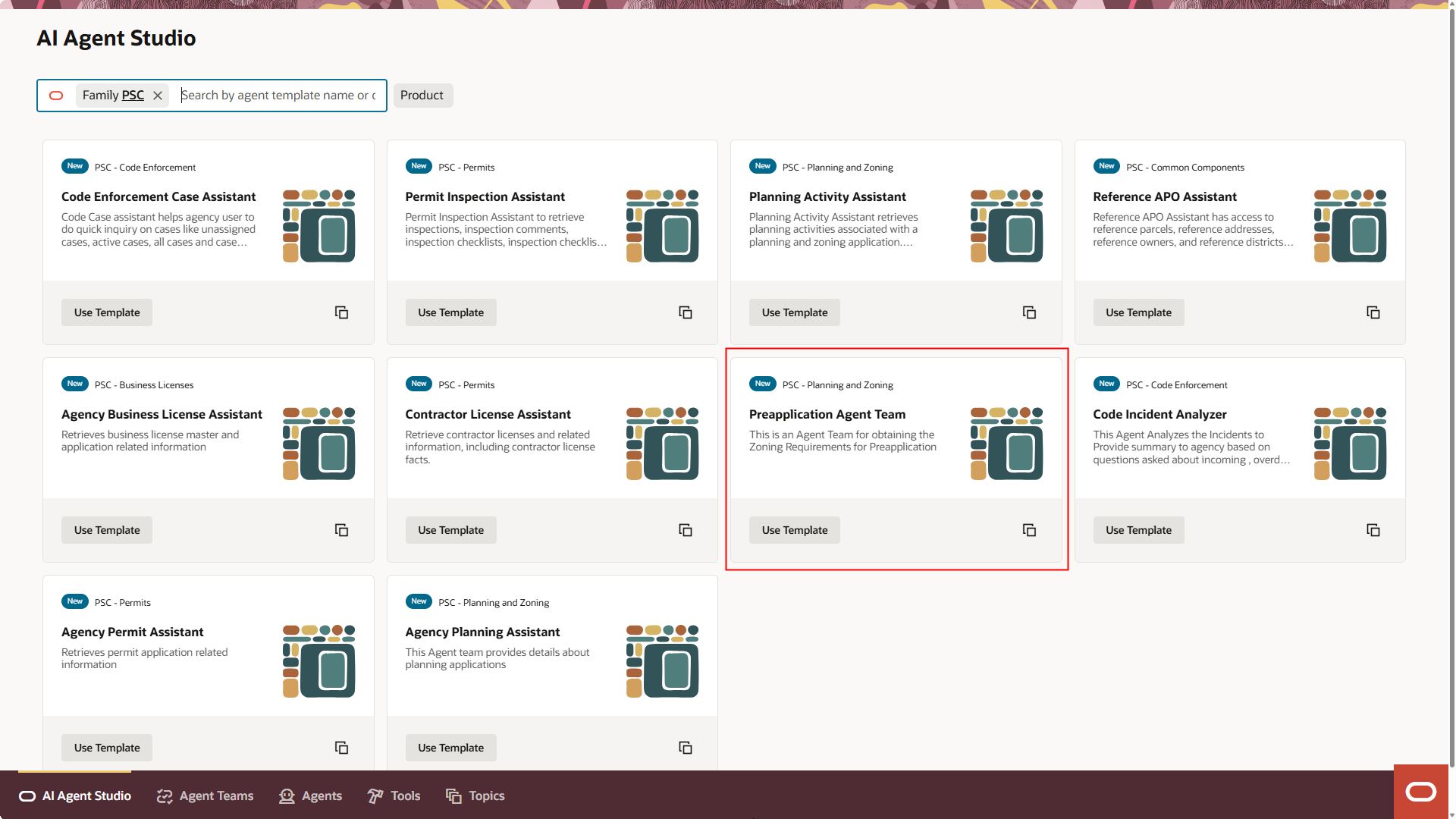
Preapplication Agent
We’re excited to announce the Preapplication Agent, delivered through Oracle AI Agent Studio. This intelligent assistant helps agencies analyze documents and generates zoning preapplication recommendations. The agent collects the project description and key GIS attributes, like zoning district information, to extract project-specific requirements based on agency documents.
What’s more, agencies can tailor the agent’s behavior and restrict the AI Assist button’s access to authorized staff only. You’ll find the Preapplication Agent on the Preapplication outcome tab – ready to streamline your compliance validation processes.
Designer Custom Grid Enhancements
Designing intake forms just got more flexible. The Intake Form Designer now supports defining minimum and maximum rows in custom grids for application intake. You can also modify reusable grids even after they’ve been published. Set a minimum row count to capture required information and a maximum to control your data – giving you more control and structure when collecting application data.
Redwood Experience for Incident List and Detail Pages
Continuing our effort to bring you the most modern, streamlined user experience, we’ve delivered the Incident List and Details pages in the Redwood Experience, built with the Visual Builder Studio (VBS) toolset.
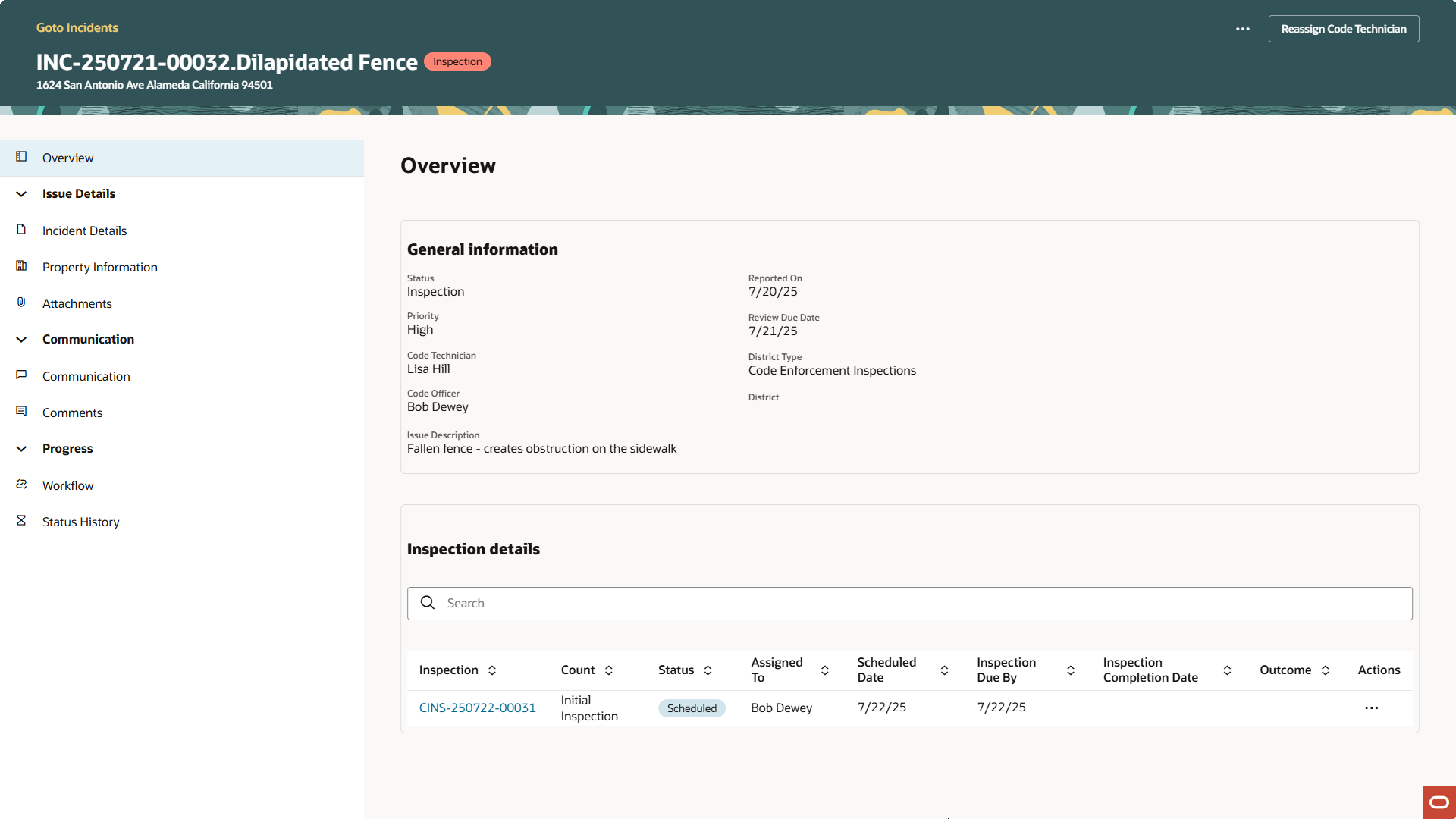
The Incident Detail page includes updated property, attachments, communication, comments, and status history tabs.
Where can I find out more?
These features are just an example of the features included in the Permitting and Licensing 25D update. To learn more about Permitting and Licensing 25D see the following:
- What’s New in Permitting and Licensing 25D – A comprehensive list of the features delivered in 25D including how the features function as well as how to enable them.
- Spotlight on Permitting and Licensing 25D – A video overview of some of the most exciting 25D features.
- Oracle Online Help for Update 25D – Implementation and user guides for each offering including all implementation guidelines for 25D features.