

In Oracle Enterprise Manager 24ai RU11, we introduced the Oracle Database Client Drivers dashboard.
It gives teams visibility into the client drivers and client library versions used by applications connecting to their Oracle Database fleet, helping them plan upgrades, identify outdated libraries, and standardize client software.
In Oracle Enterprise Manager 24ai RU14, we enhanced the dashboard with global filters for Client Drivers, Client Library Versions, and target Databases. These filters help you narrow the dashboard views to the clients or databases you need to investigate.
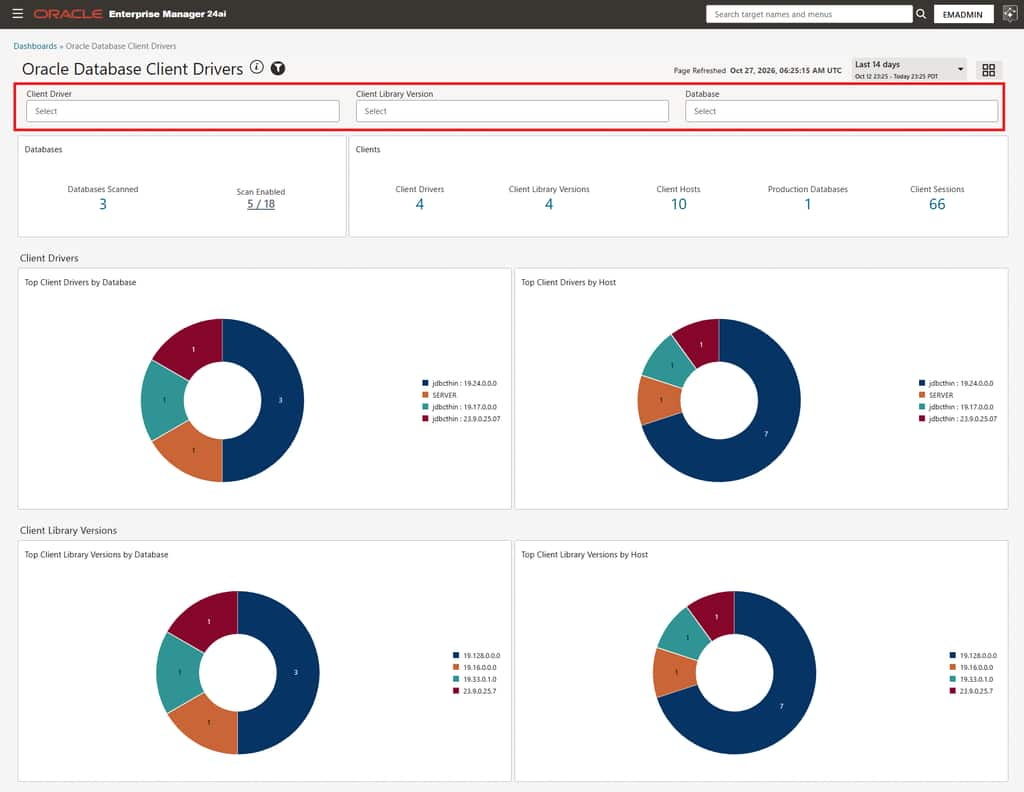
Focus on specific client drivers and libraries
Use the Client Driver filter to select the drivers you want to investigate. The Client Library Version and Database filters then show only the libraries and databases associated with your selection.
If a selected client driver uses multiple library versions, use the Client Library Version filter to focus on a particular version, for example, an outdated or unsupported one. Narrowing down the list of client drivers and client library versions makes it easy to investigate outdated or unsupported versions and see its associated target databases and deployment footprint.
These filters can also help with a client/server compatibility investigation. If a compatibility issue is reported between client software and database version, filter by the relevant driver or library version to identify where it is deployed and which databases it connects to.
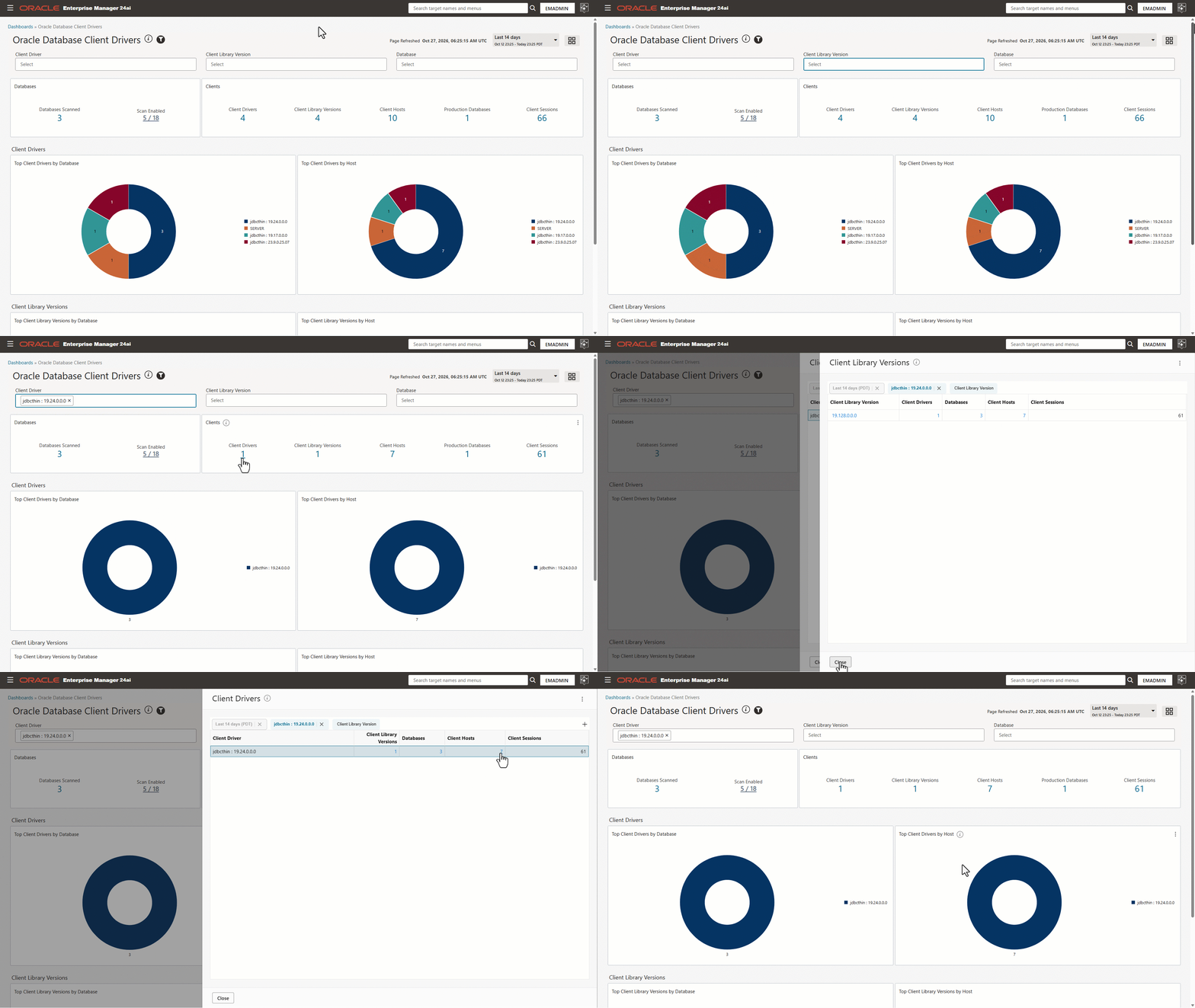
Focus on specific databases
Use the Database filter to identify the client drivers and library versions used by applications connecting to a specified database or set of databases. Before upgrading a database, for example, specify the database in the Database filter, then review the client software versions in use to identify potential compatibility issues and determine where client upgrades may also be needed.

Making client analysis easier
With the new global filters in the Oracle Database Client Drivers dashboard, it becomes easier to focus on the client drivers, client library versions, and target databases you need to investigate. Whether you are planning a database upgrade, investigating an outdated library, or assessing a reported compatibility issue, you can quickly filter the dashboard view and drill into the associated client hosts and target databases. This focused view helps teams move from fleet-wide visibility to actionable client driver information more efficiently. This is a second update to the dashboard, and we look forward to sharing more enhancements in a future post.