
We saw in part 1 how to deploy our starter kit in OCI, and in part 2 how to connect to the compute instance.
We will now check which development languages are available on the compute instance acting as the application server.
After that, we will see how easy it is to install a new language or version, and finally, we will start deploying a Helidon application using the hackathon starter kit.
What is available?
After the deployment, the Apache web server is already running and listening on the HTTP port 80:
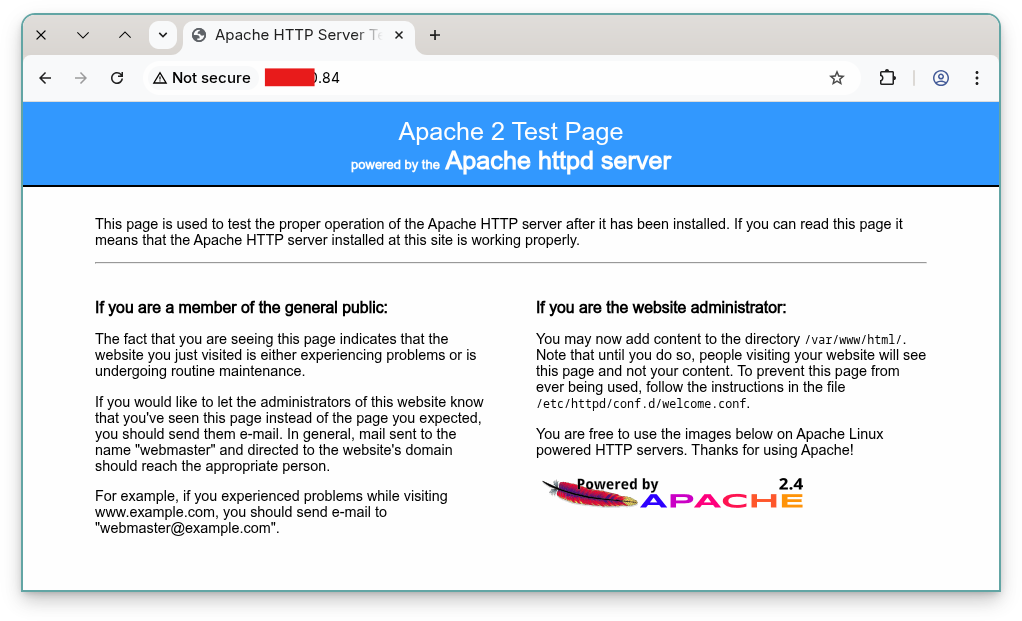
And we already have the following programming languages:
- Java
- JavaScript
- Python
Java
The Java versions installed are OpenJDK 17 and 21.
As a user, you can switch versions using the alternatives system:
[opc@webserver ~]$ java --version
openjdk 21.0.9 2025-10-21 LTS
OpenJDK Runtime Environment (Red_Hat-21.0.9.0.10-1.0.1) (build 21.0.9+10-LTS)
OpenJDK 64-Bit Server VM (Red_Hat-21.0.9.0.10-1.0.1) (build 21.0.9+10-LTS, mixed mode, sharing)

[opc@webserver ~]$ sudo update-alternatives --config java

There are 2 programs which provide 'java'.

  Selection    Command
-----------------------------------------------
*  1           java-17-openjdk.x86_64 (/usr/lib/jvm/java-17-openjdk-17.0.17.0.10-1.0.1.el9.x86_64/bin/java)
 + 2           java-21-openjdk.x86_64 (/usr/lib/jvm/java-21-openjdk-21.0.9.0.10-1.0.1.el9.x86_64/bin/java)

Enter to keep the current selection[+], or type selection number: 2

[opc@webserver ~]$ java --version
openjdk 21.0.9 2025-10-21 LTS
OpenJDK Runtime Environment (Red_Hat-21.0.9.0.10-1.0.1) (build 21.0.9+10-LTS)
OpenJDK 64-Bit Server VM (Red_Hat-21.0.9.0.10-1.0.1) (build 21.0.9+10-LTS, mixed mode, sharing)
Maven is also installed:
[opc@webserver ~]$ mvn --version
Apache Maven 3.6.3 (Red Hat 3.6.3-22)
Maven home: /usr/share/maven
Java version: 17.0.17, vendor: Red Hat, Inc., runtime: /usr/lib/jvm/java-17-openjdk-17.0.17.0.10-1.0.1.el9.x86_64
Default locale: en_US, platform encoding: UTF-8
OS name: "linux", version: "6.12.0-104.43.4.2.el9uek.x86_64", arch: "amd64", family: "unix
As you can see, Maven is using Java-17. The reason is that the openjdk devel package for Java-21 is not installed by default:
[opc@webserver ~]$ rpm -qa | grep ^java-
java-17-openjdk-headless-17.0.17.0.10-1.0.1.el9.x86_64
java-21-openjdk-headless-21.0.9.0.10-1.0.1.el9.x86_64
java-17-openjdk-17.0.17.0.10-1.0.1.el9.x86_64
java-17-openjdk-devel-17.0.17.0.10-1.0.1.el9.x86_64
java-21-openjdk-21.0.9.0.10-1.0.1.el9.x86_64
Let’s install Maven’s missing packages to use it with Java-21:
[opc@webserver ~]$ sudo dnf install maven-openjdk21.noarch -yWe can now verify the version used by Maven:
[opc@webserver ~]$ mvn --version
Apache Maven 3.6.3 (Red Hat 3.6.3-22)
Maven home: /usr/share/maven
Java version: 21.0.9, vendor: Red Hat, Inc., runtime: /usr/lib/jvm/java-21-openjdk-21.0.9.0.10-1.0.1.el9.x86_64
Default locale: en_US, platform encoding: UTF-8
OS name: "linux", version: "6.12.0-104.43.4.2.el9uek.x86_64", arch: "amd64", family: "unix"
NodeJS
The installed version of NodeJS is 16:
[opc@webserver ~]$ node --version
v16.20.2
It’s also possible to install a newer version of NodeJS. Here is the list of possible versions to install:
[opc@webserver ~]$ sudo dnf module list nodejs
Last metadata expiration check: 2:46:27 ago on Wed 19 Nov 2025 08:56:41 AM GMT.
Oracle Linux 9 Application Stream Packages (x86_64)
Name      Stream    Profiles                                 Summary
nodejs    18        common [d], development, minimal, s2i    Javascript runtime
nodejs    20        common [d], development, minimal, s2i    Javascript runtime
nodejs    22        common [d], development, minimal, s2i    Javascript runtime

Hint: [d]efault, [e]nabled, [x]disabled, [i]nstalled
Let’s install NodeJS 22:
[opc@webserver ~]$ sudo dnf module enable nodejs:22 -y
Last metadata expiration check: 2:47:45 ago on Wed 19 Nov 2025 08:56:41 AM GMT.
Dependencies resolved.
=========================================================================
 Package           Architecture   Version         Repository        Size
=========================================================================
Enabling module streams:
 nodejs                           22

Transaction Summary
=========================================================================
Complete!
[opc@webserver ~]$ sudo dnf update -y nodejs
...
[opc@webserver ~]$ node --version
v22.19.0
Python 3
There are two versions of Python 3 already installed on the system, 3.9 and 3.12:
[opc@webserver ~]$ python --version
Python 3.9.21
[opc@webserver ~]$ python3 --version
Python 3.9.21
[opc@webserver ~]$ python3.12 --version
Python 3.12.9
Let’s install MySQL Connector / Python:
[opc@webserver ~]$ sudo dnf install -y python3.12-pip
...
[opc@webserver ~]$ pip3.12 install mysql-connector-python
...
Installing collected packages: mysql-connector-python
Successfully installed mysql-connector-python-9.5.0
Application
Now let’s install an application from GitHub that we will also use in future posts related to this starter kit.
Let’s start by installing git and the application:
[opc@webserver ~]$ sudo dnf install -y git

[opc@webserver ~]$ git clone https://github.com/lefred/helidon-mrs-ai.git
Cloning into 'helidon-mrs-ai'...
remote: Enumerating objects: 106, done.
remote: Counting objects: 100% (106/106), done.
remote: Compressing objects: 100% (57/57), done.
remote: Total 106 (delta 37), reused 97 (delta 28), pack-reused 0 (from 0)
Receiving objects: 100% (106/106), 24.34 KiB | 8.11 MiB/s, done.
Resolving deltas: 100% (37/37), done.
And we can try to build the app using Maven:
[opc@webserver ~]$ cd helidon-mrs-ai/
[opc@webserver helidon-mrs-ai]$ mvn -q clean install -DskipTests package
[opc@webserver helidon-mrs-ai]$ ls -lh target/helidon-mrs-ai.jar
-rw-r--r--. 1 opc opc 51K Nov 19 12:43 target/helidon-mrs-ai.jar
We will come back to this application later, but we were able to build it.
Conclusion
The compute instance we deployed is now ready to act as an application server and host our code.
In the next post, we will see how to connect to our newly deployed MySQL HeatWave DB System.
You can see this in the video: